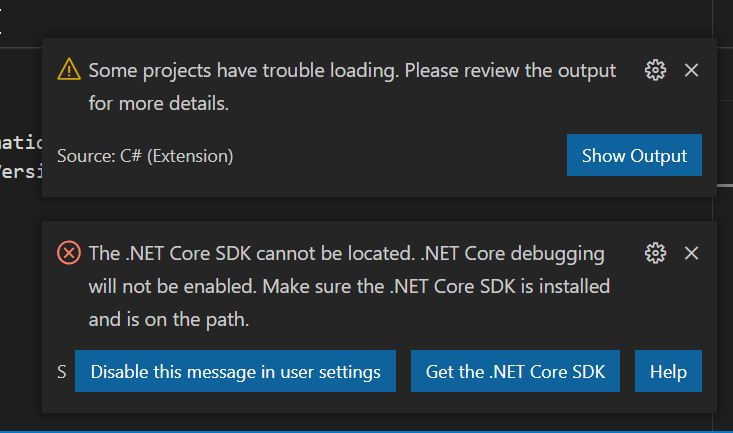
I have installed the C# and Unity Extension as mentioned in the first section of this course… however, whenever I open a script through Unity I get these following messages
        Loading project: c:\Users\Xavier\Documents\UnityProjects\Obstacle Course\Assembly-CSharp.csproj
[fail]: OmniSharp.MSBuild.ProjectLoader
        The reference assemblies for .NETFramework,Version=v4.7.1 were not found. To resolve this, install the Developer Pack (SDK/Targeting Pack) for this framework version or retarget your application. You can download .NET Framework Developer Packs at https://aka.ms/msbuild/developerpacks
[warn]: OmniSharp.MSBuild.ProjectManager
        Failed to load project file 'c:\Users\Xavier\Documents\UnityProjects\Obstacle Course\Assembly-CSharp.csproj'.
c:\Users\Xavier\Documents\UnityProjects\Obstacle Course\Assembly-CSharp.csproj
c:\Users\Xavier\.vscode\extensions\ms-dotnettools.csharp-1.23.9\.omnisharp\1.37.8-beta.15\.msbuild\Current\Bin\Microsoft.Common.CurrentVersion.targets(1216,5): Error: The reference assemblies for .NETFramework,Version=v4.7.1 were not found. To resolve this, install the Developer Pack (SDK/Targeting Pack) for this framework version or retarget your application. You can download .NET Framework Developer Packs at https://aka.ms/msbuild/developerpacks

[fail]: OmniSharp.MSBuild.ProjectManager
        Attempted to update project that is not loaded: c:\Users\Xavier\Documents\UnityProjects\Obstacle Course\Assembly-CSharp.csproj
I’m on Windows using VS Code, if that is what you mean?
I also found out that this stopped Intellisense from working… I check different forums and tried a couple of options but no succes there either. I changed the TargetFrameworkVersion in the .csproj file to my current .net verion (5.0.201), that didn’t work. I changed a couple of settings in OmniPath, but that also didn’t work…
Hi @Xavvey, yes that is what I meant. I had the same warning with the yellow triangle on a Mac but it was because Macs need Mono-project to be installed.
Tries another (2018 solution) to install an older verion of the C# extension (1.15.2) but that didn’t work either. This seems like a very old and persistent problem where people encountering this can’t seem to get the autocomplete/intellisense to start working with unity/C#… And it also seems that everyone has another solution to the problem, but those don’t seem to work in 2021… Or at least with me
Guess I’ll have to do this course without autocomplete/intellisense enabled. Looking at it from the positive side… Now I have to git gud at reading the Unity Documents… I can’t go and see what the autocomplete gives me…
The problem with the .NET Core SDK is solved, isn’t it? If so, I assume the remaining problem is “The reference assemblies for .NETFramework,Version=v4.7.1 were not found”.
If so, install the .NET Framework 4.8 Developer Pack.
In Unity, go to Edit > Project Settings > Player > Other Settings. What Api Compatibility Level is selected? And what Scripting Backend?
Guess I just missed this one answer amongt the dozens of other ones… Seeing as it is a problem that dates back all the way to 2018 (maybe longer)… they really should get that sorted…