Hi there,
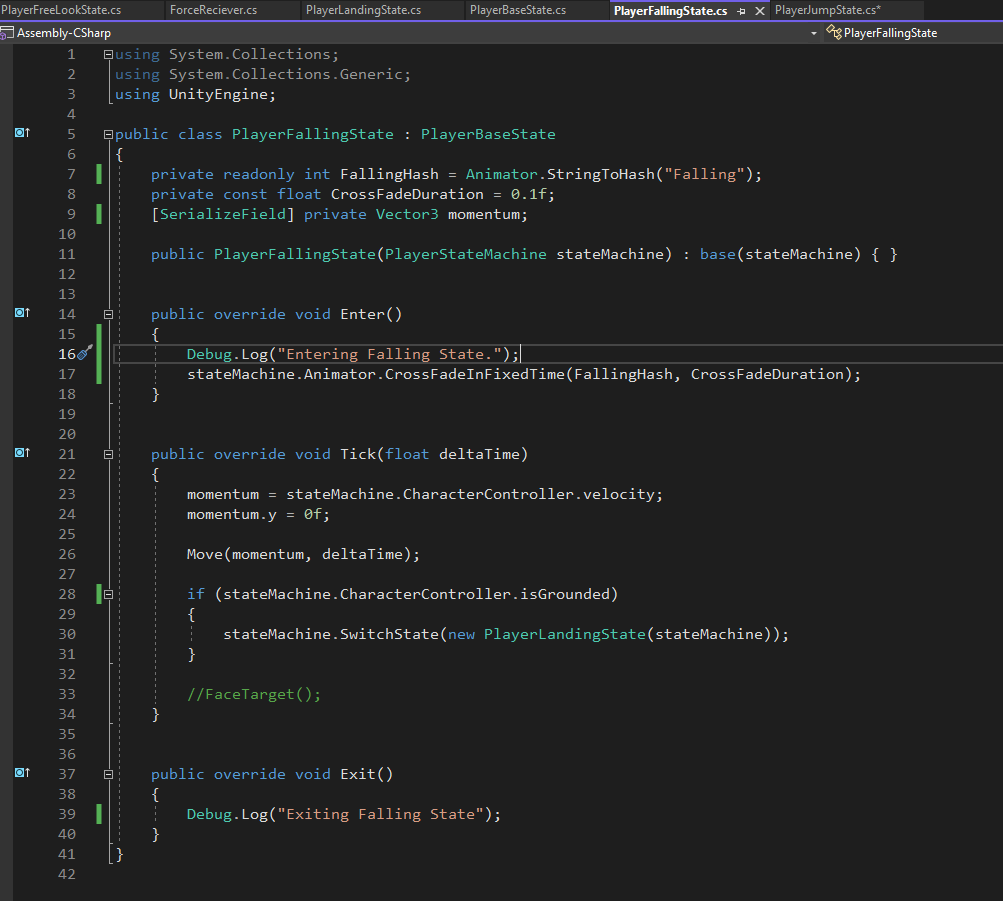
I have used a Jump Up / Falling / Land states
https://youtu.be/MnDHFHOVq7E
As you can see from the video when I land the character moves about but no animation plays.
As you can see from the Console I am exiting and entering all states correctly.
Any help mush appreciated 
We can’t really see the console.
What does the PlayerFreeLookState look like?
Please paste the code and not screenshots. You can see how to format code in this post: How to apply code formatting within your post
public class PlayerFreeLookState : PlayerBaseState
{
public PlayerFreeLookState(PlayerStateMachine stateMachine) : base(stateMachine) { }
private readonly int FreeLookSpeedHash = Animator.StringToHash("FreeLookSpeed");

private const float AnimatorDampTime = 0.1f;

public override void Enter()
{
    Debug.Log("Entering FreeLookState");
    stateMachine.InputReader.JumpEvent += OnJump;
}


public override void Tick(float deltaTime)
{
    Vector3 moveDirection = CalculateMovement();

    Move(moveDirection * stateMachine.FreeLookMovementSpeed, deltaTime);

    if (stateMachine.InputReader.MovementValue == Vector2.zero)
    {
        stateMachine.Animator.SetFloat(FreeLookSpeedHash, 0, AnimatorDampTime, deltaTime);
        return;
    }

    stateMachine.Animator.SetFloat(FreeLookSpeedHash, 1, AnimatorDampTime, deltaTime);

    FaceMovementDirection(moveDirection, deltaTime);
}


public override void Exit()
{
    stateMachine.InputReader.JumpEvent -= OnJump;
    Debug.Log("Exiting FreeLookState");
}


private Vector3 CalculateMovement()
{
    Vector3 cameraForward = stateMachine.MainCameraTransform.forward;
    cameraForward.y = 0f;
    cameraForward.Normalize();

    Vector3 cameraRight = stateMachine.MainCameraTransform.right;
    cameraRight.y = 0f;
    cameraRight.Normalize();

    return (cameraForward * stateMachine.InputReader.MovementValue.y) + (cameraRight * stateMachine.InputReader.MovementValue.x);
}


private void FaceMovementDirection(Vector3 moveDirection, float deltaTime)
{
    stateMachine.transform.rotation = Quaternion.Lerp(stateMachine.transform.rotation, Quaternion.LookRotation(moveDirection), deltaTime * stateMachine.RotationDampTime);
}


private void OnJump()
{
    stateMachine.SwitchState(new PlayerJumpState(stateMachine));
}
}
In FreeLookState.Enter() you need to switch the Animator to the FreeLookState. This is easy to forget because it is the default state when we enter the game. It still needs to be set explicitly in Enter so that when we enter the state from another state, it’s brought back to FreeLookState
private readonly int FreeLookBlendTreeHash = Animator.StringToHash("FreeLookBlendTree");
and within the Enter() method:
stateMachine.Animator.CrossFadeInFixedTime(FreeLookBlendTreeHash, CrossFadeDuration);
Hello Brian,
I made the changes as per your post, and unfortunately it stays the same: -
Can I ask what the difference is as in the course video, I know you do not implement three different states, but we still do not put the animator in the Enter function when moving back from the jumping/falling state into the FreeLookState.
public class PlayerFreeLookState : PlayerBaseState
{
public PlayerFreeLookState(PlayerStateMachine stateMachine) : base(stateMachine) { }
private readonly int FreeLookSpeedHash = Animator.StringToHash("FreeLookSpeed");
private readonly int FreeLookBlendTreeHash = Animator.StringToHash("FreeLookBlendTreeHash");

private const float AnimatorDampTime = 0.1f;

public override void Enter()
{
    Debug.Log("Entering FreeLookState");
    stateMachine.InputReader.JumpEvent += OnJump;
    stateMachine.Animator.CrossFadeInFixedTime(FreeLookBlendTreeHash, AnimatorDampTime);

}
We do, in fact, crossfade the animation back to the movement blend tree in the PlayerFreeLookState's Enter() method. This happened way back in the ‘Attacking State Polish’ lecture in the ‘Melee Combat’ section (I think. I’m following code commits in the repo)
This line (from the repo)
stateMachine.Animator.CrossFadeInFixedTime(FreeLookBlendTreeHash, CrossFadeDuration);
transitions from the current animation state (your landing state) to the blend tree state.
I suspect your changes isn’t working because of this
private readonly int FreeLookBlendTreeHash = Animator.StringToHash("FreeLookBlendTreeHash");
I don’t think you named your blend tree “FreeLookBlendTreeHash”. Check that this string matches your blend tree perfectly
Thanks Bixarrio copied Brian’s line verbatim!
Thanks Brian too