I am a beginner self-learning Unity, following the course “Complete C# Unity 2D Game Development (Updated To Unity 6)”.
I am currently on Section 5: Our First Code, and I’ve run into a persistent environment setup issue on two different computers, so I suspect I’m missing a key configuration.
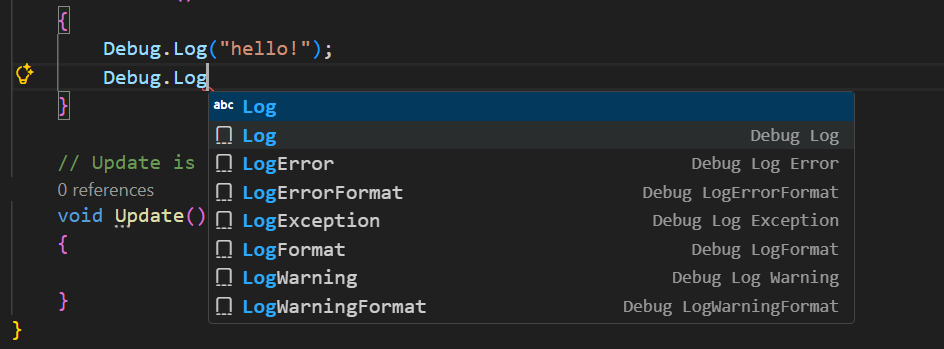
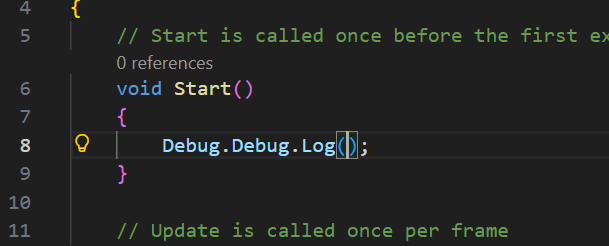
The Original Problem: When the tutorial asked me to type Debug.Log(), my VS Code auto-completed it to Debug.Debug.Log. I also noticed that my script had an extra using System.Diagnostics; line at the top, which was not in the video.
The Partial Fix: I asked an AI assistant (Gemini) for help, and it suggested deleting using System.Diagnostics;. This worked! The code now runs, and the Debug.Debug duplication is gone.
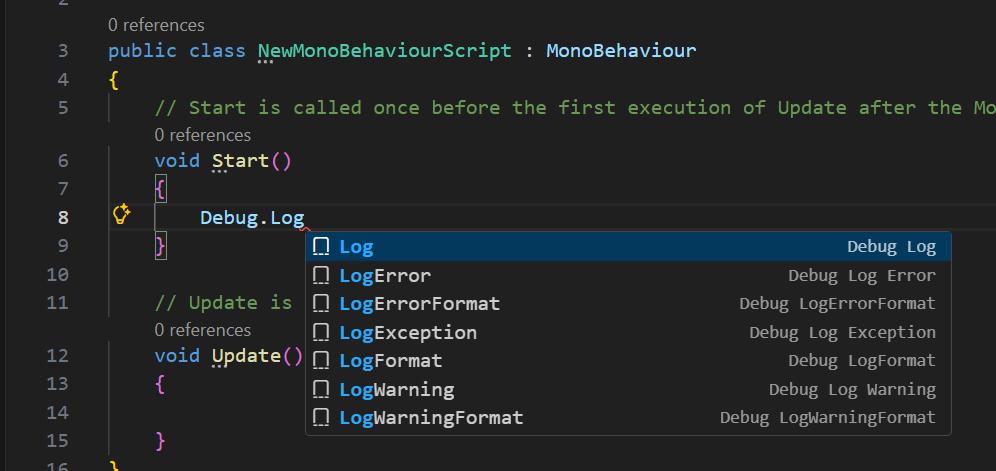
The Remaining Issue (Why I am posting): Even though the error is gone, my IntelliSense still feels “broken” compared to the tutorial.
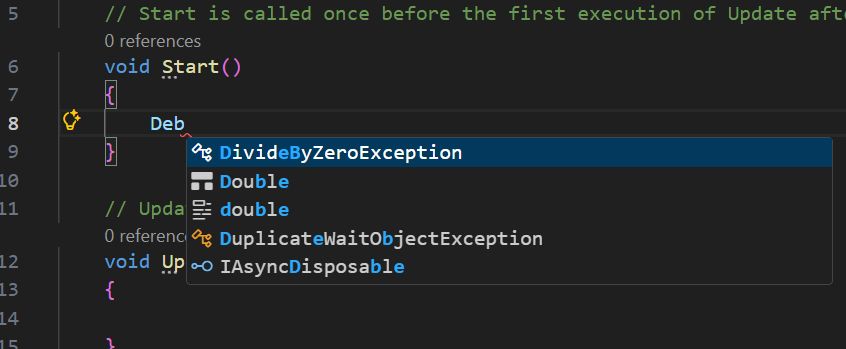
Every time I open VS Code, I still don’t get the correct autocomplete behavior immediately.
Specifically, when I type Log, I do not see the “Purple Cube” icon (Method) in the suggestion list like the instructor does. I suspect my VS Code is not indexing the Unity API correctly or permanently.
The auto-completion is a known issue in VS Code and various other script editors. Despite the marketing claims, they are not intelligent, and they also cannot read our minds.
If you do not want to remove wrong namespaces that were automatically added, disable the auto-completion for namespaces in the settings of VS Code.
I followed your advice and disabled the Auto Import setting. It worked! It stopped adding using System.Diagnostics automatically to the top of my script.
However, the autocomplete behavior is still acting strangely:
When I select the recommendation from the list, it still duplicates the text, resulting in Debug.Debug.Log().
Currently, I can write the code manually (without clicking any suggestions) and it runs successfully. But I really want to know: Is there a way to fix this so my VS Code shows the correct IntelliSense suggestions just like in the instructor’s video?
Maybe VS Code is not connected to Unity. Or maybe something went wrong when you installed VS Code. That sometimes happens, and it’s not necessarily your fault.
Debug.Debug.Log is a bit odd, though. If you reinstall VS Code, check if you use the latest stable version. If you use an older version, it might be a bug, which got (hopefully) solved in a newer version.