i’ve followed Ben’s lesson to the T, but when it came time to using FindObjectOfType in my LoseCollider script I’m still getting the NullReferenceException.
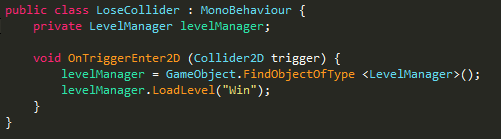
Here is my code:
This is the error I get when the Ball triggers the LoseCollider:
I’m at a loss as to where I went wrong and to me everything looks right…
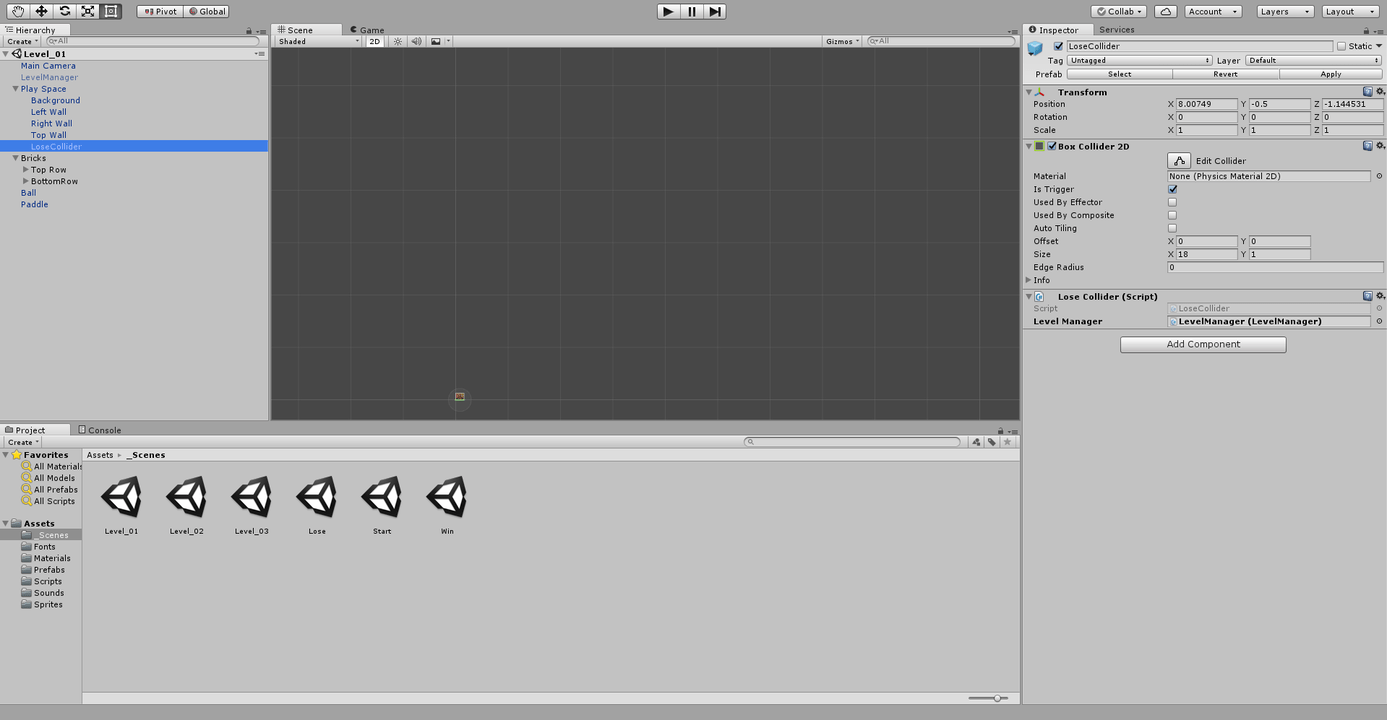
I do have the LevelManager object in my hierarchy with the proper script attached. I have just made it public and dragged the object into the field just so I can continue in the lessons, but I really want to know why my scripts don’t work properly. Especially since I’ve been following Ben and exactly what he’s been doing…
Still didn’t work. It’s weird because the same line of code worked when you used for the Ball script and it worked fine. Might it be a bug in my project or something?
I have the space on my Ball script and it doesn’t seem to make a difference, but I removed it just to see and it’s still broken. I think maybe my project just has a corruption or a bug or something.
Well, isn’t the script duplicated? Have you tried restarting Unity? It don’t make sense since you are able to run it by dragging to the inspector (the more common error is when it is not in the hierarchy)
Yeah I don’t know what’s going on. Tried restarting and it’s still not working. I rewrote the script as a separate script file and tried using that and it’s the same problem. At this point, I have no idea what else to do.
Me neither! Thanks for the help though! I am having the same problem trying to use the FindObjectOfType on the bricks to pass the win condition too… I’m so lost right now, but at least if I make the LevelManager public I can put the object in via the inspector and it works. It’s just going to take a lot longer to make levels.
Assets/Scripts/LoseCollider.cs(9,46): error CS1061: Type LevelManager' does not contain a definition forLength’ and no extension method Length' of typeLevelManager’ could be found. Are you missing an assembly reference?