I may be having a brain freeze…a rather large one at that…but I can’t for the life of me figure this out. It could be not enough coffee early on a Saturday morning!
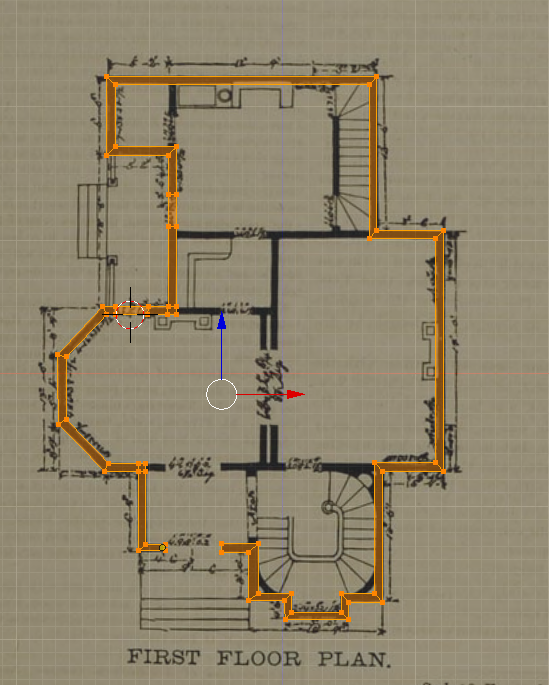
I am working from the following house plan and have the actual wall structure the way I want it (this is an experiment for me by the way). What is cause me issues is the foundation. I want it and exact copy of the structure created only wider/thicker. I can duplicate the building easily enough but, I run into issues making it thicker. I have tried scaling the whole thing and just a portion of it and, have tried a solidify modifier. The issue I run into is it is not a uniform shape, neither technique works. Yes, I can move the interior or exterior faces manually but was hoping for an easy, one or two step process!
Note: This is a single extruded piece and not wall components.
Having taken a few architectural drafting classes in my younger college years, I recall that house walls were usually drawn to scale. In most homes they’re usually 6 to 8 inches thick.
You could easily take the measurements from the drawing, rough sketch a larger house, calculate the new dimensions, and build your model off of that. Hope that helps.
Thanks, DaveB! Yes, I can do it manually but, I was just hoping there was a quicker & easier solution. Or, maybe something I forgot from the lessons. It’s been one of those mornings!
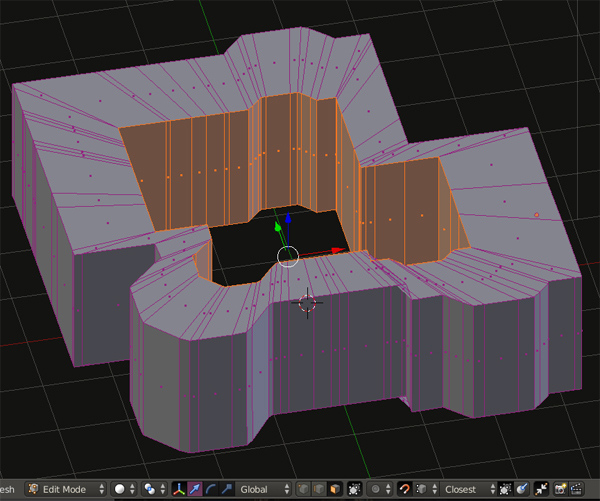
I’m not exactly sure if I get what your wanting but, would selecting the inside face loop, scaling it in and then scale on z axis using snapping to snap the shrunken length to the size the walls are supposed to be work? Kind of like this?
My deepest apologies for misstating you were a “he”! I find annoying when the same is said of me. It is difficult to tell sometimes.
Yes, you have the idea of what I am seeking to do and, is one of the method I tried but wasn’t satisfied with. It looks like I am going to have to redo my base manually even if I do scaling. I appreciate the information! Thank you.
Press ALt+S ‘fattens’ something. This could work for what you want.
Making sure everything done in object mode is applied (Press Ctrl+A and apply Rotation/Scale)
Thanks, McFuzz for the suggestions, which helped but still required quite a bit of manual adjustment. Although, the Alt + S offset even feature assisted a lot in keeping an even thickness and will do for what I require.
Appreciate everyone’s suggestions! Keep up the good work!
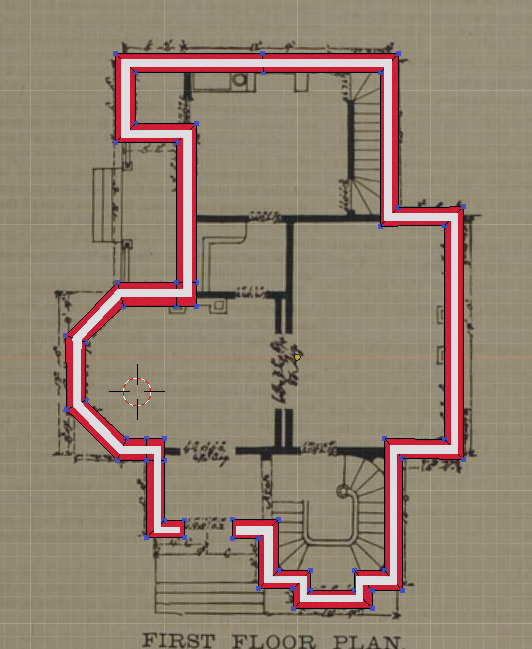
I think if you want the same structure from the wall as the foundation, couldn’t you just delete all but the external faces of the wall and use the Solidify Modifier again?
Just increase the Thickness slightly and check Even Thickness. Then I think it should scale how you want. Just scale it on Z-axis to make it not so tall.
Then I think you’ll want to change the Offset option in the Modifier to move the foundation out a bit while it retains the same thickness.



 It’s the internet, everyone is assumed to be a he unless informed otherwise.
