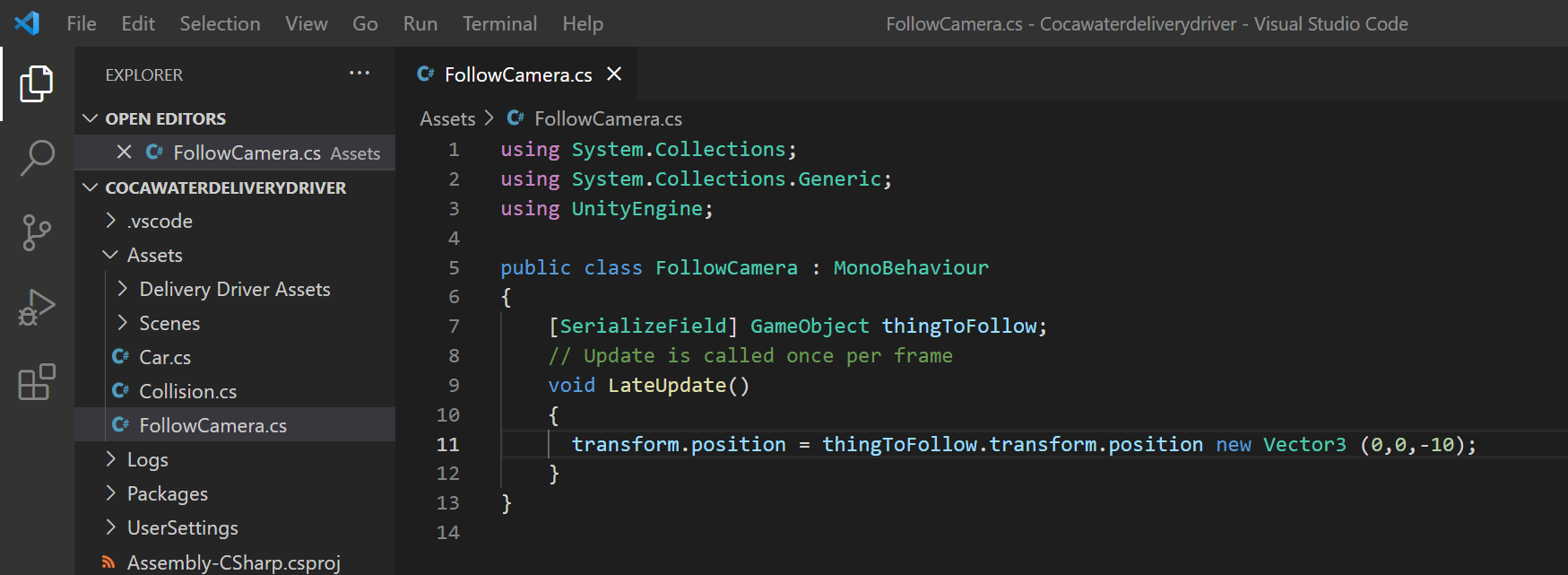
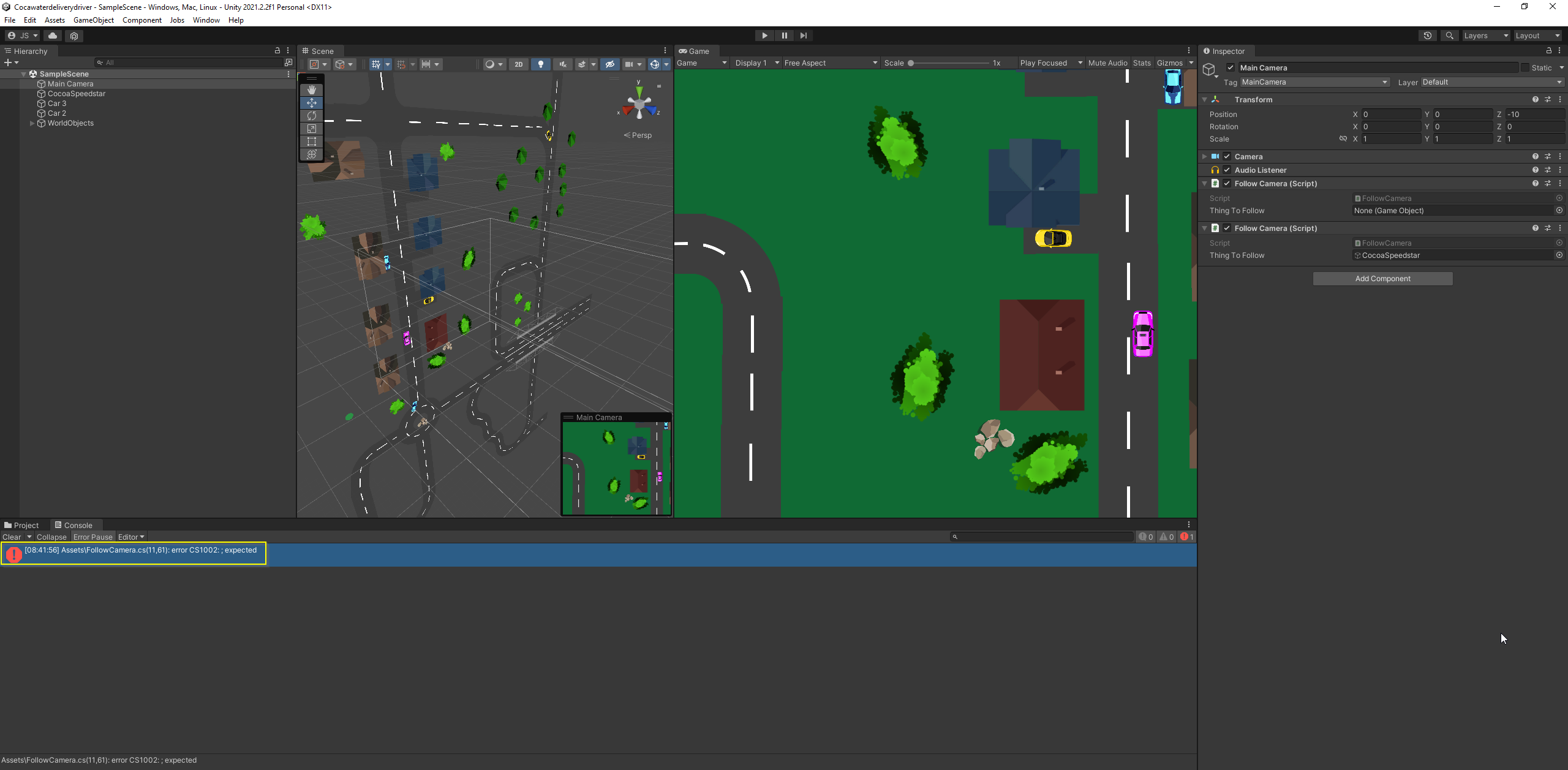
After including the transform.position line the script causes the error “Assets\FollowCamera.cs(11,61): error CS1002: ; expected” when pressing play in the Unity editor.
As far as I can see it my script is the same as the one from the instructor. What could be the cause of the problem?
using System.Collections;
using System.Collections.Generic;
using UnityEngine;

public class FollowCamera : MonoBehaviour
{
    [SerializeField] GameObject thingToFollow;
    // Update is called once per frame
    void LateUpdate()
    {
      transform.position = thingToFollow.transform.position new Vector3 (0,0,-10);
    }
}
Have you already compared your code to the Lecture Project Changes which can be found in the Resources of this lecture? The compiler does not know what to do in line 11. Did you want to add the new Vector3?
I found the difference in my code to the code from the lecture taken from Github.
It is the missing “+” before the new Vector3
However. Now that I use the code from the lesson, I get another error message
"
UnassignedReferenceException: The variable thingToFollow of FollowCamera has not been assigned.
You probably need to assign the thingToFollow variable of the FollowCamera script in the inspector.
FollowCamera.LateUpdate () (at Assets/FollowCamera.cs:12)
"
github code now in use:
using System.Collections;
using System.Collections.Generic;
using UnityEngine;

public class FollowCamera : MonoBehaviour
{
    [SerializeField] GameObject thingToFollow;
    // this things position (camera) should be the same as the car's position

    void LateUpdate()
    {
        transform.position = thingToFollow.transform.position + new Vector3 (0,0,-10);
    }
}
My code:
using System.Collections;
using System.Collections.Generic;
using UnityEngine;

public class FollowCamera : MonoBehaviour
{
    [SerializeField] GameObject thingToFollow;
    // Update is called once per frame
    void LateUpdate()
    {
      transform.position = thingToFollow.transform.position new Vector3 (0,0,-10);
    }
}
I then deleted the FollowCamera script from the Camera GameObject and attached it again. That finally solved it
Thank you for your help!