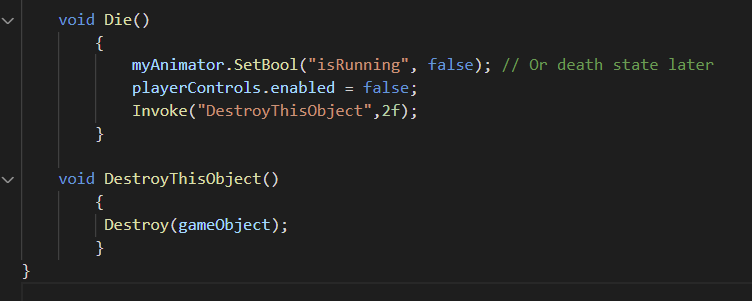
I solved this at the challenge screen and I was surprised at how differently I did this. It was actually even simpler before I watched Rick’s hints and added the boolean and separated this into several methods which was a readability improvement.
I first we get the Input Controller component reference.
PlayerInput playerControls; and in Start(); playerControls = GetComponent();
In Update we check if the player is alive
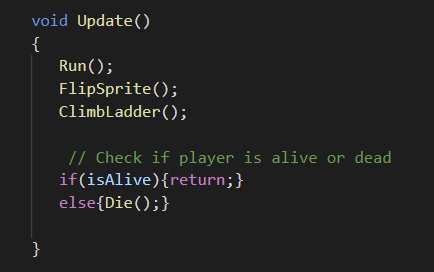
then the Die Method disabled the input controller component and deletes the player gameobject after a delay
Is there any difference with doing this with tags or layers? Could there be an upside or a downside in some instances?
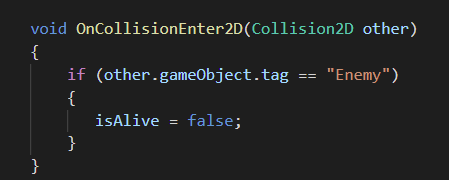
I used a very similar method to yours, with slightly different logic in the OnCollisionEnter2D method:
	private void OnCollisionEnter2D(Collision2D collision)
	{
        if (playerCollider.IsTouchingLayers(LayerMask.GetMask("Enemies")))
        {
            isAlive = false;
        }
	}
So far, everything seems to be working exactly the way it should, but I’m also curious if there is an unforeseen flaw to this approach.
1 Like
Hello,
and yet another implementation (It works, and seems that there are no bugs)
private PlayerInput playerInputControls;

void Awake()
{
   playerInputControls = GetComponent<PlayerInput>();
}

// tag enemy gameObject as "Enemy"
void OnCollisionEnter2D(Collision2D other)
    {
        if (other.collider.CompareTag("Enemy"))
        {
            playerInputControls.enabled = false;
        }
    }