Hi All,
I wanted to post about my experiences using de-noise. it is new in Blender 2.79.
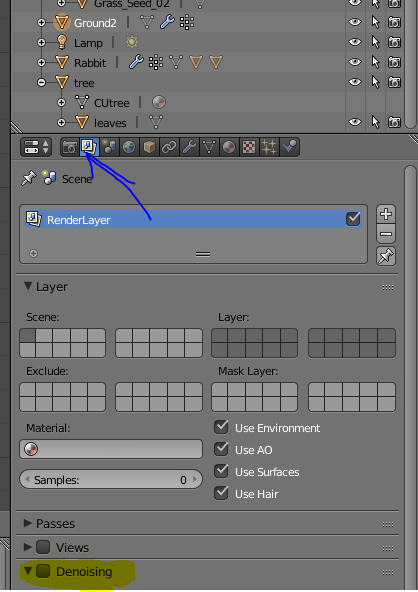
See the attached I’mage to see where to turn on de-noise.
It vastly reduces the noise if your renders and makes the image look a lot smoother, with only a small increase in render time.
The downside is the images are smoother, so you do lose some detail in the image, not too bad at lower resolution images, but noticable at 1080p. It’s brilliant for getting a quick good looking render out.
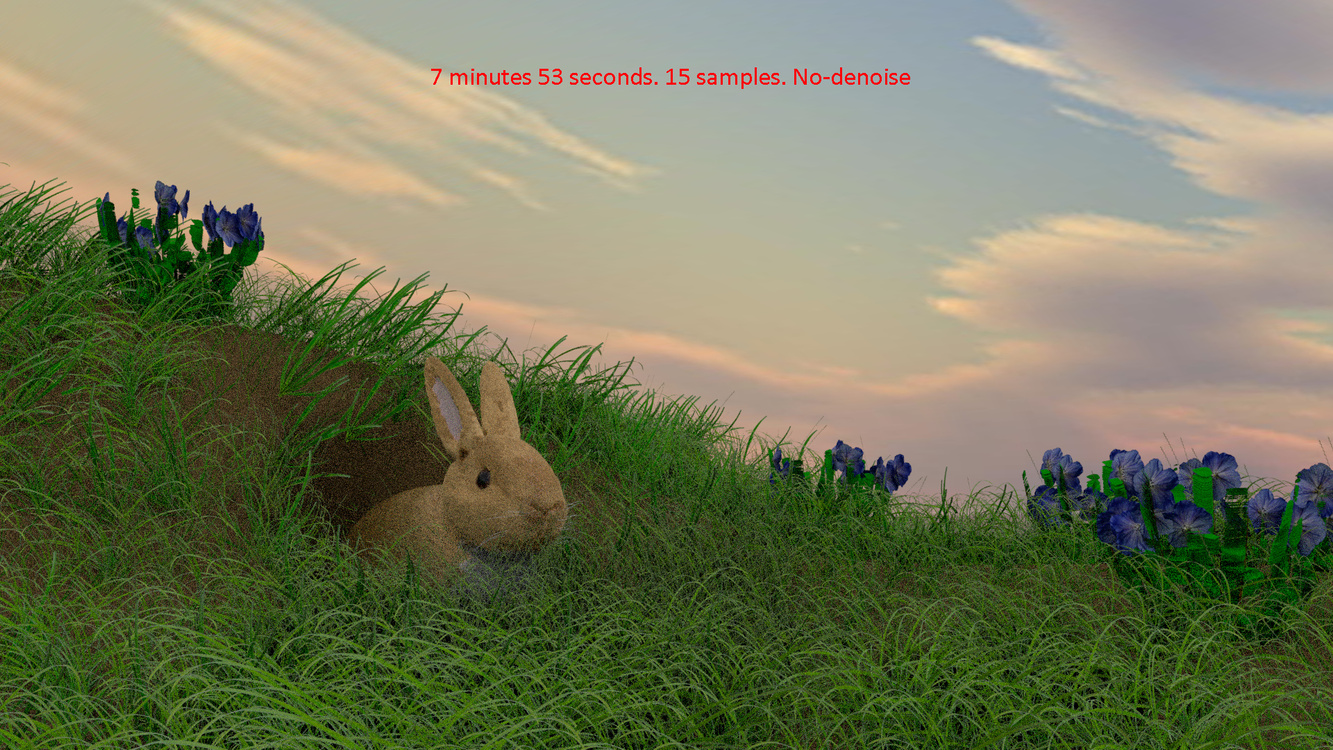
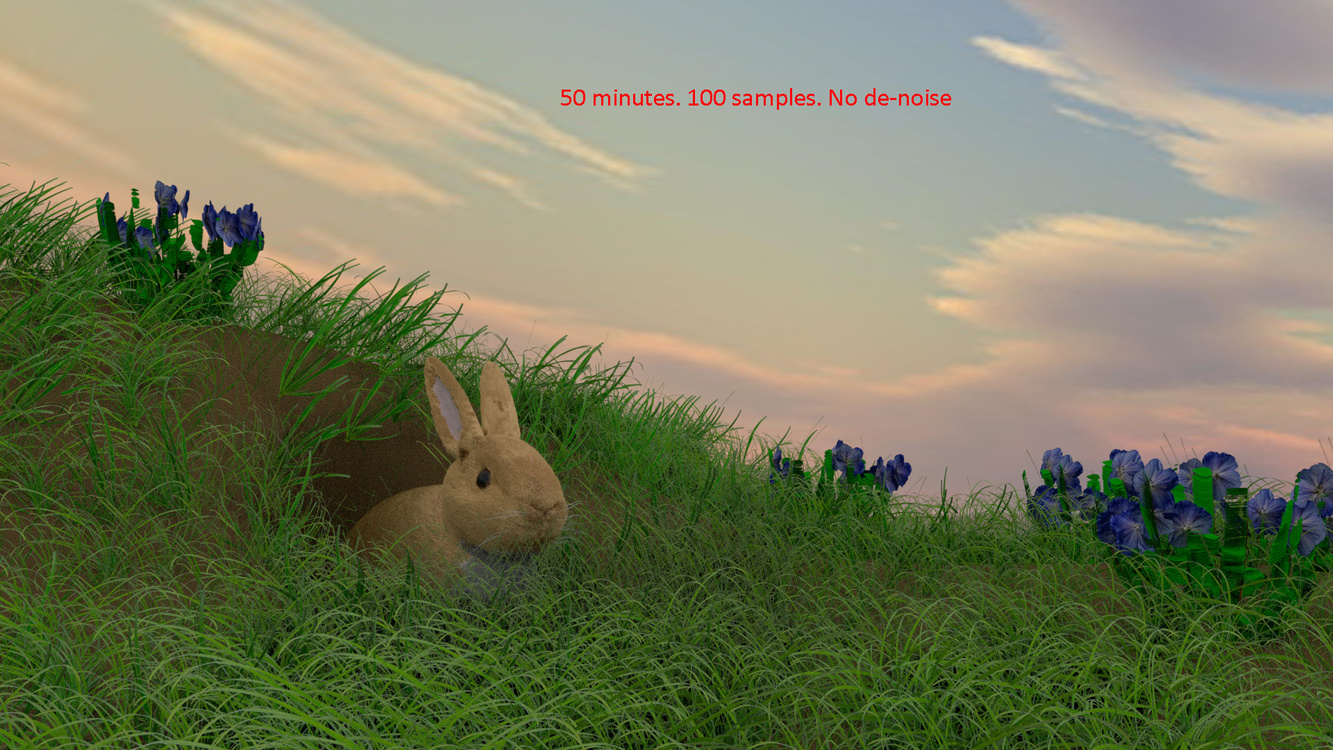
I tested my bunny scene with many settings, 3 images are attached for you to see. Sorry if this makes the post very big.
The de-noise 15 samples looks surprisngly good, considering the time it took to render, it can’t match the detail of 100 samples without the de-noise, but it gets close.
-
1080p. 15 samples 7 minutes 53 seconds
-
1080p. 15 samples. de-noise. 8 Minutes 23 seconds
-
1080p 100 samples. 50 minutes. 40 seconds
3 Likes
Thanks for the tip! I’ll remember that when I start rendering my S06 final scene.
Great tip, Stephen!
It looks like you can now use fewer samples and shorter renders times…woo hoo…from your experiment! A great benefit for most of us. I went ahead and set the option in my Start-Up file so I don’t forget to use it!
Blender has so many options it’s hard to believe if is a FREE product. It does looks like there are some future plans to enhance Denoise in the future as well. Blender Denoise Setting
I was looking for ways to get rid of all those pesky fireflies some time ago (several versions back) and found some useful tips in an article by Blender Guru. I have been using the clamping tip for some time now and helps but, I really think the tip you posted is even better.
Thanks sharing this tip with all of us.
1 Like
Never got to use it so far, been doing other things, been wondering how well it works. Thanks for illustration. Grass looks same to me with denoise 15 samples, and 100 samples. The bunny with denoising looks smoother, loses that fur effect substantially, but still looks nice. Love that denoising tool, had a lot of hopes for it before, and it didn’t disappoint. I’m glad to be learning Blender in this times when it is so powerful and effective program. The say yet more changes are coming in the end of this year, total interface overhaul and new render engine. Obviously Cycles takes too much time than it should.
btw, there is a bunch of settings for denoising, gonna have to watch some dedicates tutorial to what those values mean.
1 Like
I haven’t played around with the settings yet, it seems to be great as it is 
Yes, the grass doesn’t change much between 15 samples with de-noise and 100 samples without.
The loss of quality, as you say, comes from the rabbit’s fur, his nose is also less well defined and there are strange black spots inside the rabbit hole that shouldn’t be there, but for a render that is 42 minutes faster, it is brilliant at showing you a good approximation of the end result.
I’m glad you both found it useful, it is a great option, and I too am surprised at how amazing Blender is for free.
I’ve never ever thought I’d be able to produce a 3D image this good. So glad to be learning Blender.
1 Like