Hi,
I am moving along. Ran into another issue.
The IMC_Player_Input. The instructor has the student assign the mouse for the look control. The Mouse XY 2D-Axis. When I Play the game, the player does not function properly.
This is what it looks like in the Details tab in the Input area.
I think I followed the steps exactly. Maybe I am missing it.
Any help would be appreciated.
What part of the controls aren’t working?
If it is the controls related to IA_Move then most likely one of the modifiers is wrong.
I highly recommend posting in the course Q&A as I may miss something here. I don’t check as often as I would in the course.
Thank you!
I just tried something. I used the mouse with AWSD and it works. The only action I cannot do at this point in the course is look up and look down.
I will try your suggestion.
Thanks again!
With an axis 2d,its easy with a game pad as an analog stick is 2d as well, but with keys you had to. Combine swizzle and negate modifiers correctly. Both W and S both need the swizzle modifier (it basically changes the axis an input applies to) and then one of them gets negate. A also needs negate.
Thank you.
I am new to using blueprints.
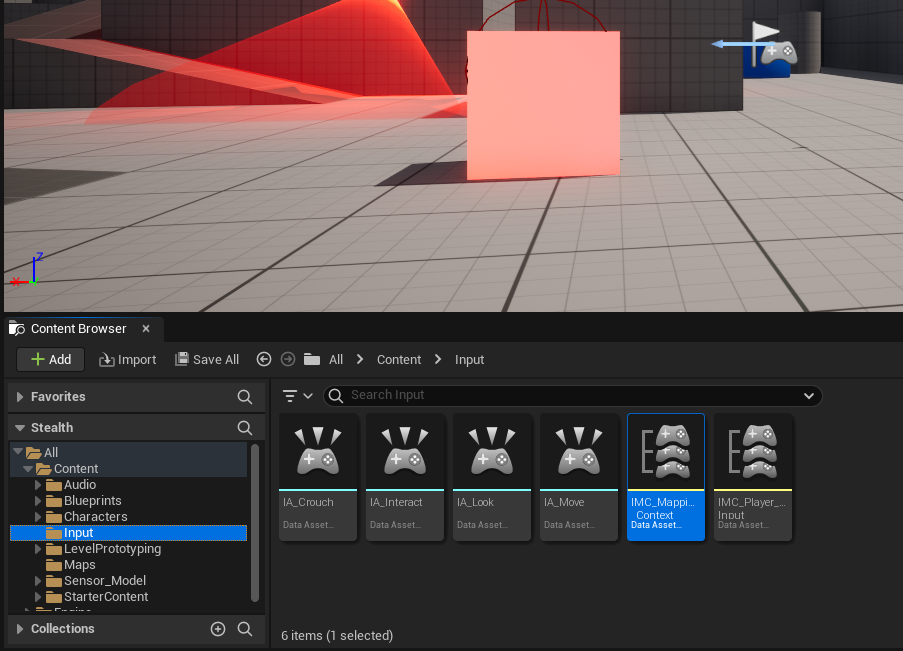
This is what it looks like in the input folder. IMC_Mapping Context. (Would the second fold in the Input folder be interfering?)
E is the IA_Interact which should allow the shift to go down.
Mouse is the IA_Look which should allow the direction of the character.
CTRL Left is the IA_crouch which should allow the crouch action.
None are functioning properly.
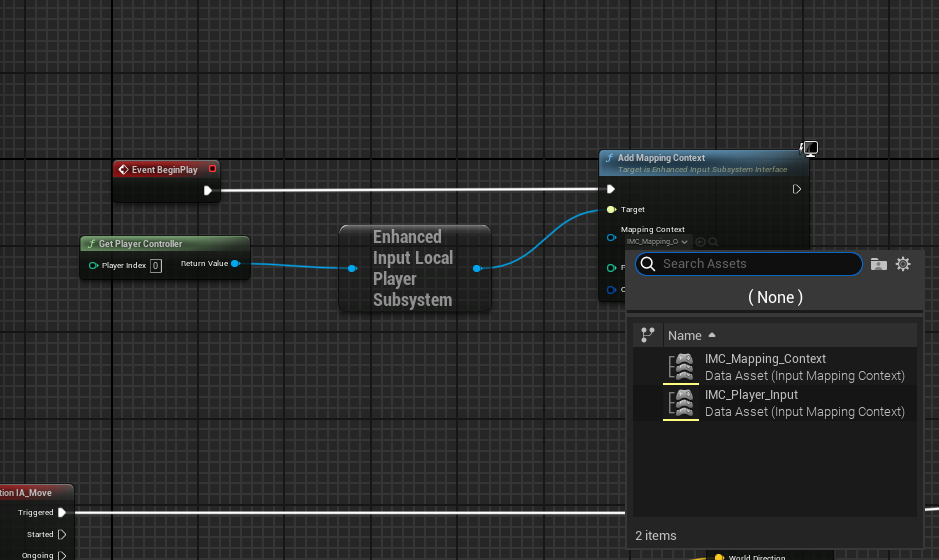
Have you set the Input context anywhere? In your BP_Robber you need to set the Mapping context you wish to use.
Thank you for pointing that out. It works.
I noticed the Mapping Context is the issue. I have 2 folders because earlier in the course I had 23 windows open and did not realize it. I could not save the project. I think I created a new folder and renamed it because I could not save. It is viewable in on of my screen shots.
Should delete the other folder?
IMC_Mapping_Context is the folder I switched it to after reading your reply. Seems like I can delete the IMC_Player_Input folder.
It will complain because it is used by the third person character blueprint that is in the template. I would leave it alone.
I am not sure why the BP_Robber is up in the air. Once I hit CTRL the crouch happens, press it again, it stands up on the surface and not in the air. Both parts of the sensor are in 2 places; one is where it should be, the other set is floating near the player start with next to left of the BP_Robber.
That is most likely related to the capsule half height. Check the height you are setting it to (should be around 88)
Thank you!
It was the location. I had it at -69 on the Z axis. It needed to be at -89 on the Z axis.
I appreciate your help!
1 Like