Hi. I’m modelling Glock pistol and have a little bit problem with my topology. Look at the photos I share. How can I fix this? I’m learning more about topology, but It takes time to avoid unwanted ngons etc.
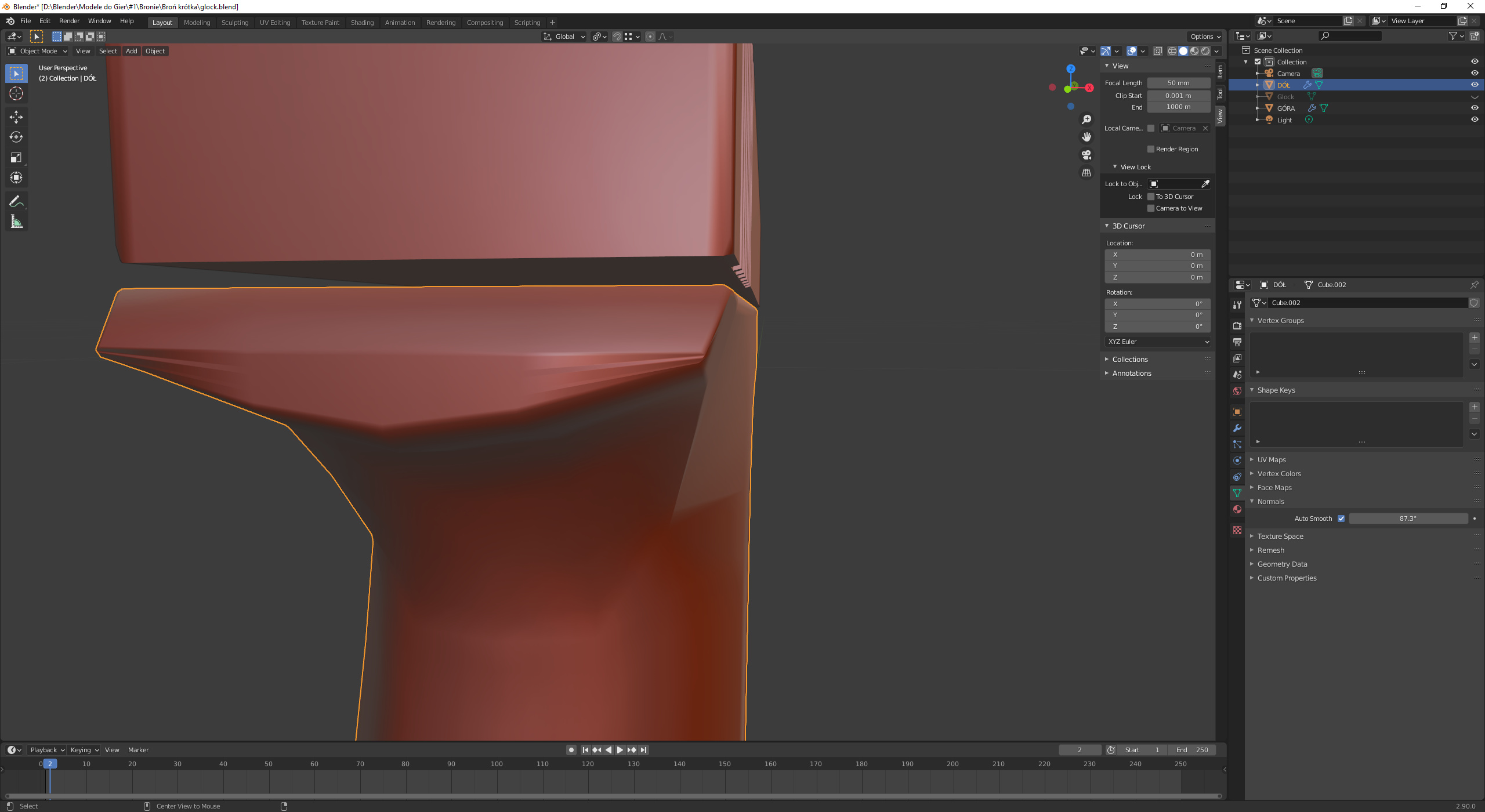
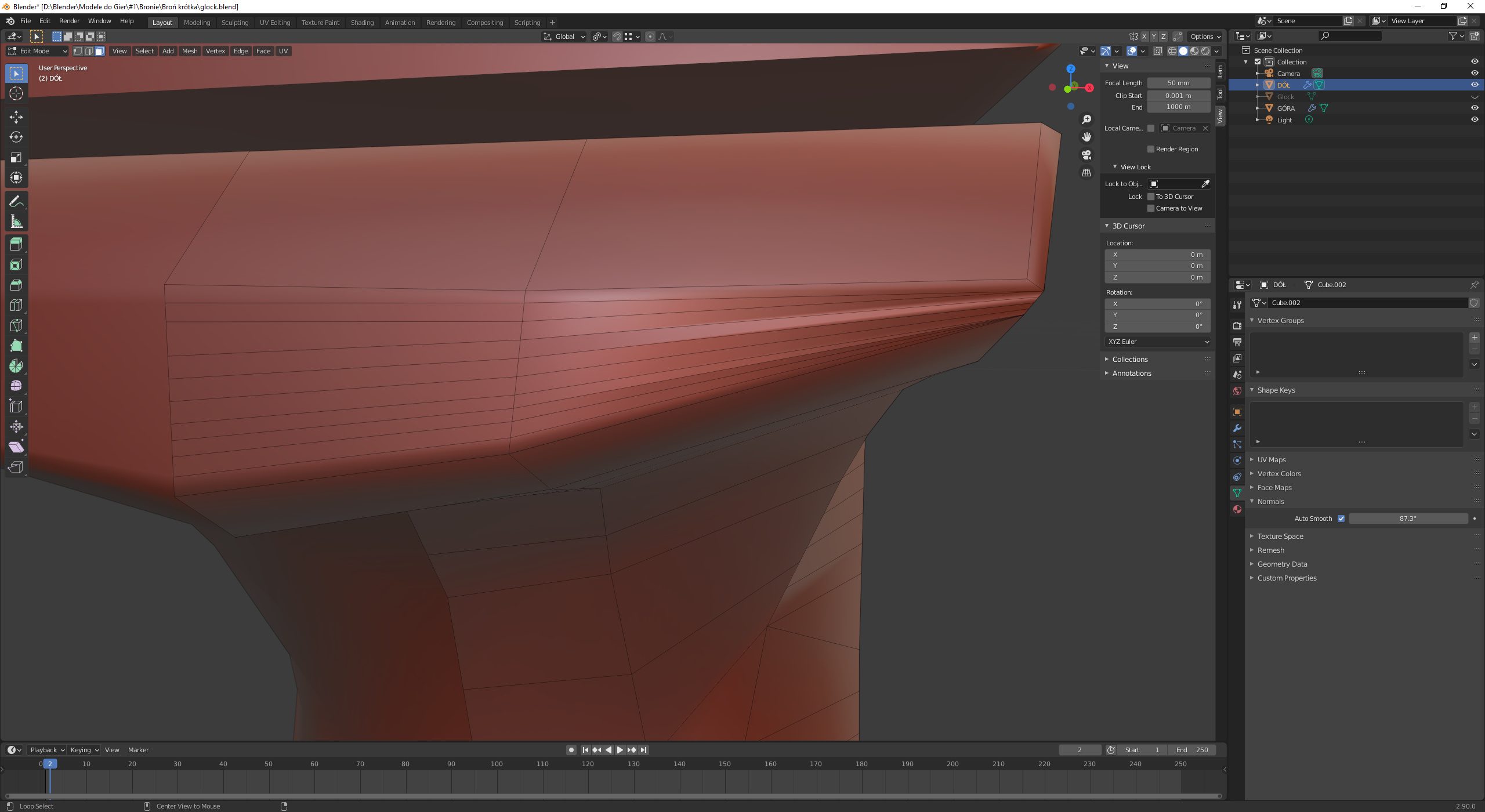
Thanks!
Hi. I’m modelling Glock pistol and have a little bit problem with my topology. Look at the photos I share. How can I fix this? I’m learning more about topology, but It takes time to avoid unwanted ngons etc.
Thanks!
First of all, try to have squared faces (quads (4 vertices).
Ngons are not always avoidable. The best is to have then in places where they can do no harm. This counts also for triangles.
Retopology by hand or use Blender functions.
So minimize vertices / edges where you don’t need them.
You probably need to make a choice between hard surface modeling or organic modeling.
You can do both. For this you need to divide your model into multiple mesh objects.
I think I would merge the horizontal thin faces into maybe 3 face loops. On the right hand section. Then add at least two vertical cut loops. squaring off the faces achieving something like Fed_Pete says.
The glitch though may be a tiny miss alignment of verts, or even wrongly facing normals on a couple of those faces? Possibly duplicate verts.
This topic was automatically closed 24 hours after the last reply. New replies are no longer allowed.