Hello,
if you are like me, an AZERTY keyboard user, here is how to change the viewport navigation inputs when you’re holding the right mouse button:
- Click on Edit > Editor Preferences…
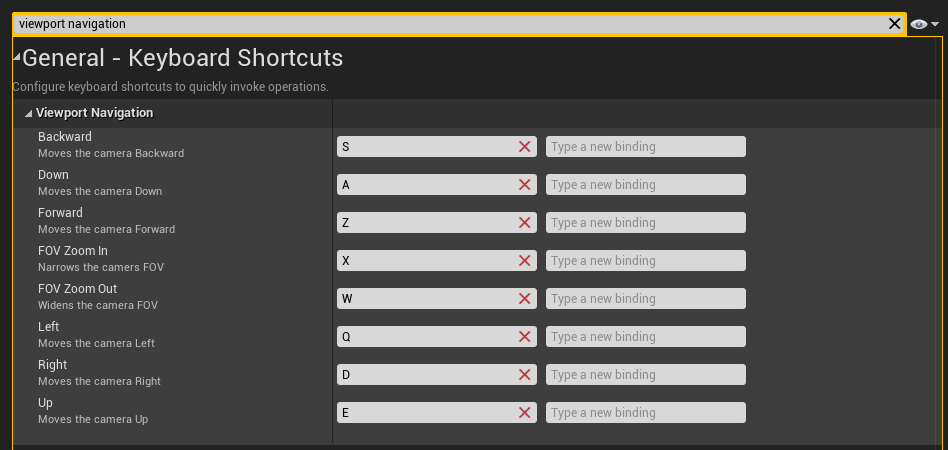
- Type “viewport navigation” in the “Search Details” bar on top.
- Here is how I’ve set up my inputs to match my AZERTY keyboard:
[EDIT]
4) To save these changes, remove “viewport navigation” from the “Search Details” bar and click on “Set as default” button.