I’ve had this issue for awhile and have researched it to death without finding any answers. So, I’m ready to farm it out to you fine folk!
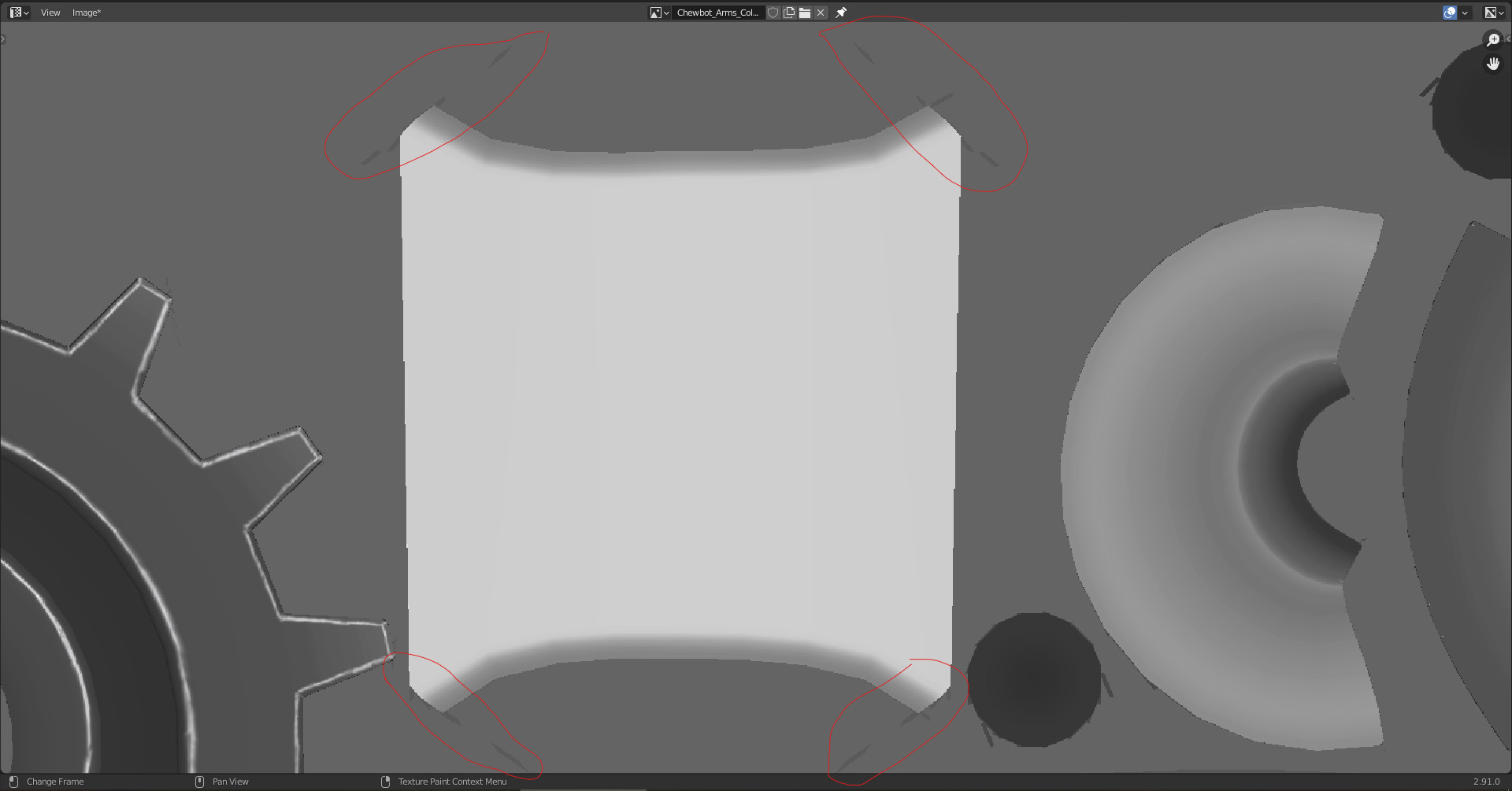
Sometimes when using the ‘fill tool’ to paint an object that I’ve UV unwrapped manually (No stretching/issues etc), it leaves these marks on the image I’m painting to. Usually from the corners, but sometimes can stretch right across the whole image. Which can be a pain/time waster undoing and/or fixing… Strangely enough, if you undo it, re-position the 3D viewport slightly, and try again, you will get different results. Eventually resulting in no marks at a specific angle… I’ve played with numerous settings with no luck… And usually just end up cleaning it up after(because it doesn’t happen all the time), but am sick of the extra work… If anyone knows what’s up, or what I’m missing please let me know!
Hey Fed, long time man! Hope you’ve been well my helpful brotha.
And yes, I definitely tried adjusting the bleed option to many many different values… I normally use about a 4px Bleed. I think the instructor even mentions it at one point as a possible solution to this problem… however, it doesn’t seem to fix it.
And this only happens on some objects, not all. I think it’s most likely to occur on more complex objects, but even happens on simple objects… like the object in my picture is just a cylinder with the ends cut out basically… nothing too special. All the transforms are applied, clean non-stretched UVs. And I was able to fix the problem by swinging my 3D viewport around and bucket filling at a different angle… But I’m hoping to find a solution to not have to paint-fill, reload image, move 3D viewport, and rinse and repeat… very time consuming for something simple when you have many objects.
Also, I’m using 4k texture maps, and the area is kinda small, but not really… and it happens to any size UVs/Objects…
I’m using V2.91.0 and haven’t updated in awhile(Dont like updating in the middle of a project), so I might try that and see if it works as well… be funny if that is the issue haha
I export the UV-map as a bitmap.
Load into GIMP (or so), then I can see where I need to bucket fill certain areas.
Are you sure it’s bucket fill causing this?
Using stencils or a default pen will cause some streaks if the face is very ‘flattened’ on the camera distance (difficult to explain).
Exporting is a decent idea, and something I’ve been meaning to explore to expand on my handpainting/stylized knowledge using Krita/Gimp to try and get better, more detailed results. But that is something I intended to do on future projects as blenders capabilities were sufficient for the results I wanted on this project. (Plus this is like the last object of the whole project soo… lol).
As for the bucket fill, I am 99% sure as I am using no stencils or textures added, and it only does it with bucket fill. It also doesn’t matter which type of paintjob I’m doing; overlay, multiply, mix etc… I even played with the falloff and tried making custom settings, nothing… What you are showing in this image is similar, but different, I think, because the streaks on mine are never in the UV space I’m painting, but always outside of it (which led me to originally believe it was a bleed issue, which It doesn’t appear to be).
The big problem is that it will overlap my other finished/painted UVs, and if I’m not paying enough attention to all the UV space around the one I bucket-fill, and save it, thats a biggg issue! I’m getting used to checking now, but again, that’s even more time-consuming…
Honestly, I’m thinking exporting might be the best option for now… ? At-least for my next project, as this one is pretty much finished lol. I’m going to try updating blender when I get a chance as well, see if that helps… but I have a feeling it won’t…
P.S. I’ve had this issue on multiple projects, but more-so on this one that has many parts - which is probably why I’m noticing it more.
PPS I should mention that I have also beveled all of the sharp edges before UV unwrapping, so there aren’t any harsh edges anywhere…
Here’s some more picture examples(I’d upload the file, but it is a fairly massive project that is fully handpainted with VFX and everything, Id prefer not to share the file, no offence!):
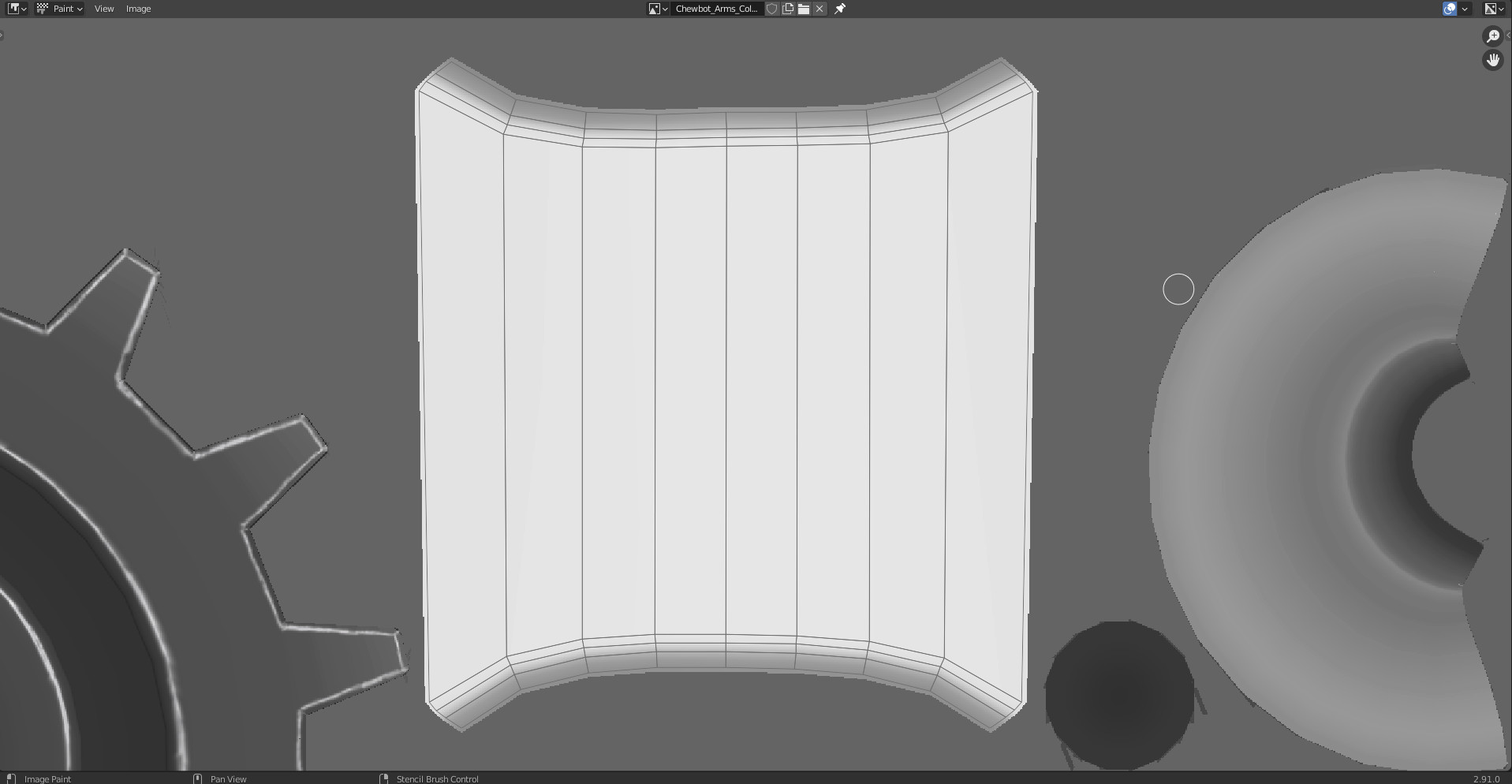
This image is of the Object with UVs (Cylinder with no endcaps, and beveled edges), simple enough…
Some dangerous mistakes there if you save the image without realizing it!!!
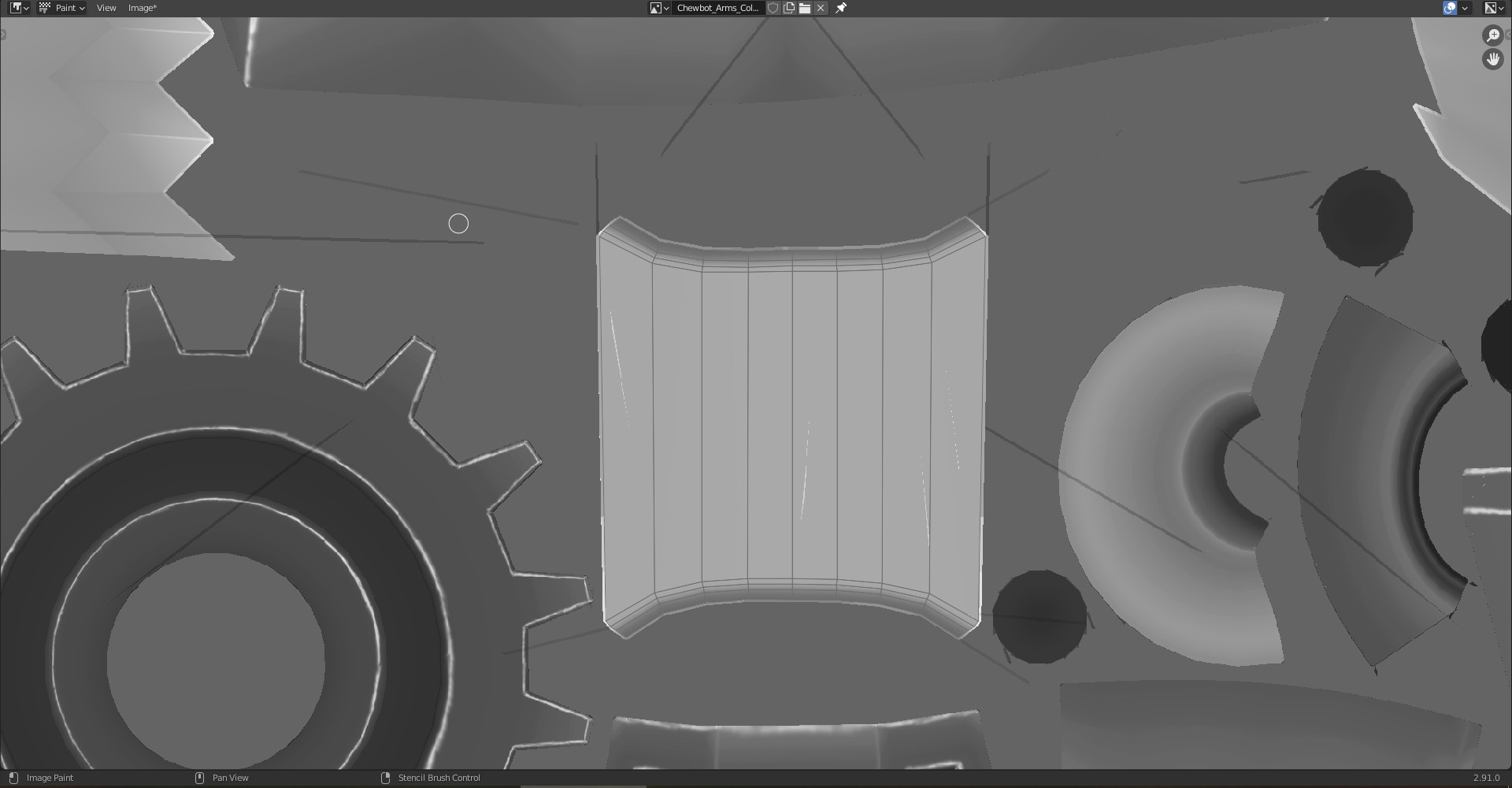
This pretty much happens on most, but not all objects. And can strangely be avoided by undoing the fill, and moving the viewport and retrying from different angles?? I’ve painstakingly made sure all UVs are manually unwrapped and placed, and all transforms applied, origin at center point, no mods etc… I guess it’s a bug? Exporting is probably the way to go for bucket-filling I suppose eh
Not an area I have used. However random thoughts, ideas.
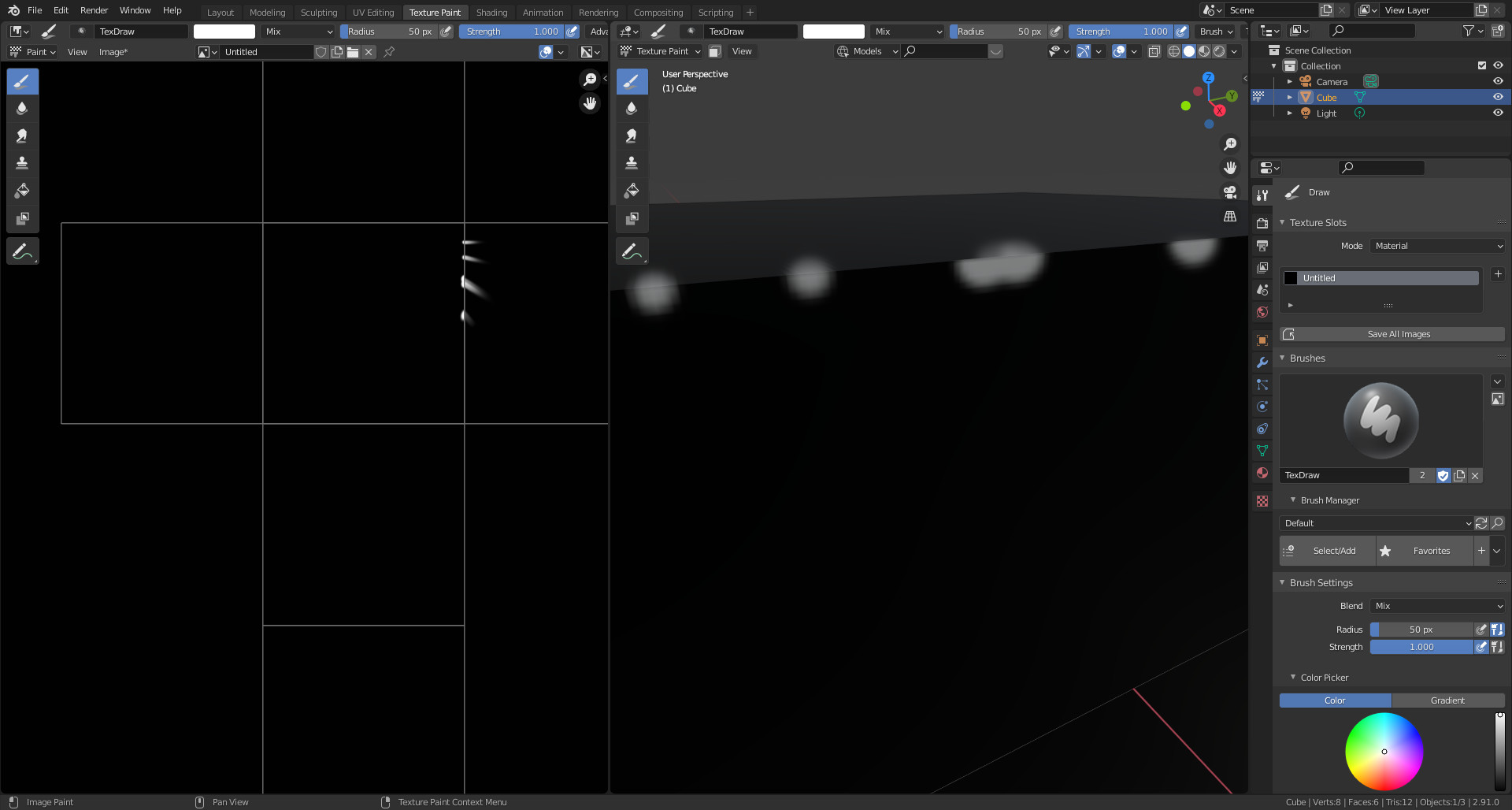
Does it happen to a different file, basic cube or something a bit more complex?
If it is a bug then it presumably would happen on any file.
If it does not happen on a basic file then it would imply it is related to your file and or some setting.
Further, have you checked the effect is not just a display glitch and not there in a saves version of the image file? Probably have but best to ask.
If it is a consistent problem then perhaps report it to the Blender bugs system. Worst case they will say no it is not a bug it is this issue!
Yeah, I’ve run into this issue before, not as bad as on this project though… but that could be because I have so many objects, and some are kinda small, even the UVs. But I tried to make everything big enough to paint on.
I’ve appended the object into a clean file of blender to test it, and it still has this issue. It always depends on the distance and angle my viewport is relative to the object. Sometimes its big long streaks, sometimes little ones, sometimes none at all… I suppose it could be an addon? but I only have basic addons like Node Wrangler etc…
As for the display glitch… not sure exactly what you mean… but I have noticed if you are working on multiple objects in a row without having reloaded your file, and you undo something, it can bring back all the previous iterations of undos and stuff you had on the texture. So I’ve learnt to save and reload my file each time I start a new object just incase lol… which I THINK negates the display glitch possibility? Please correct me if I’m wrong though!
I intend to update to 2.92 later tonight or before I start my next project and will see if that fixes it, will also reload all my addons and see if that helps. I guess reporting it is the logical next step eh. Blender, the extra work software lol. I hate to love it sometimes…
I have very little idea what it might be but personally I generally avoid using the strength. To get values I want, I usually change the value in the colour and keep strength at 1. I don’t know if doing this with bucket fill and literally setting colour to white but with a value of 0.2 instead of using the strength would remove these artifacts. I have my doubts but it’s worth a shot.
Also it might work better to bucket fill in the image editor in Paint mode as opposed to in the 3D view.
Just a couple of ideas but I hope you can figure it out. I use texture painting for small things in blender but I generally export it to another software to paint (as I pay for a substance license anyway).
Thanks for the reply Mark. As Fedpete suggested as well, I ended up just exporting the texture and UVs to another program and finishing the project there.
I’m still unsure why this happened, but I updated blender to 2.92 and started several new projects since then and have had no issue with it. Albeit I’m using much less objects and more ‘organic’ shapes resulting in smoother and Larger UV maps. But I still mostly export anyways now.
Heres the final result of that project if anyone wants to take a look, was mostly just practicing using a graphics tablet on a model I made for a competiton awhile back. https://www.artstation.com/artwork/B1K5Ek