Hey, I’m dabbling around with hard surface modeling, following a course by P2design.
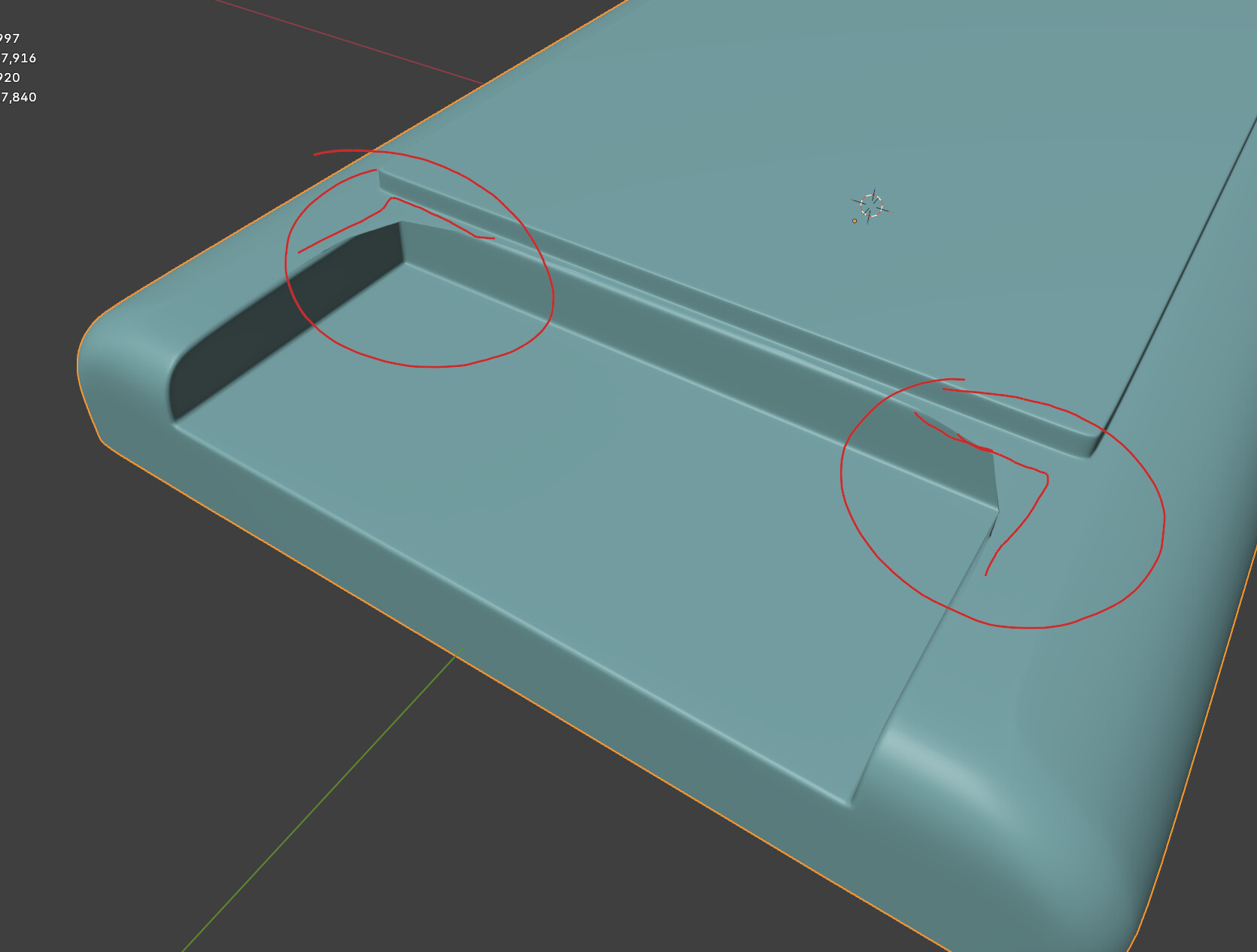
I went off the track and face (pun intended) this issue >>>
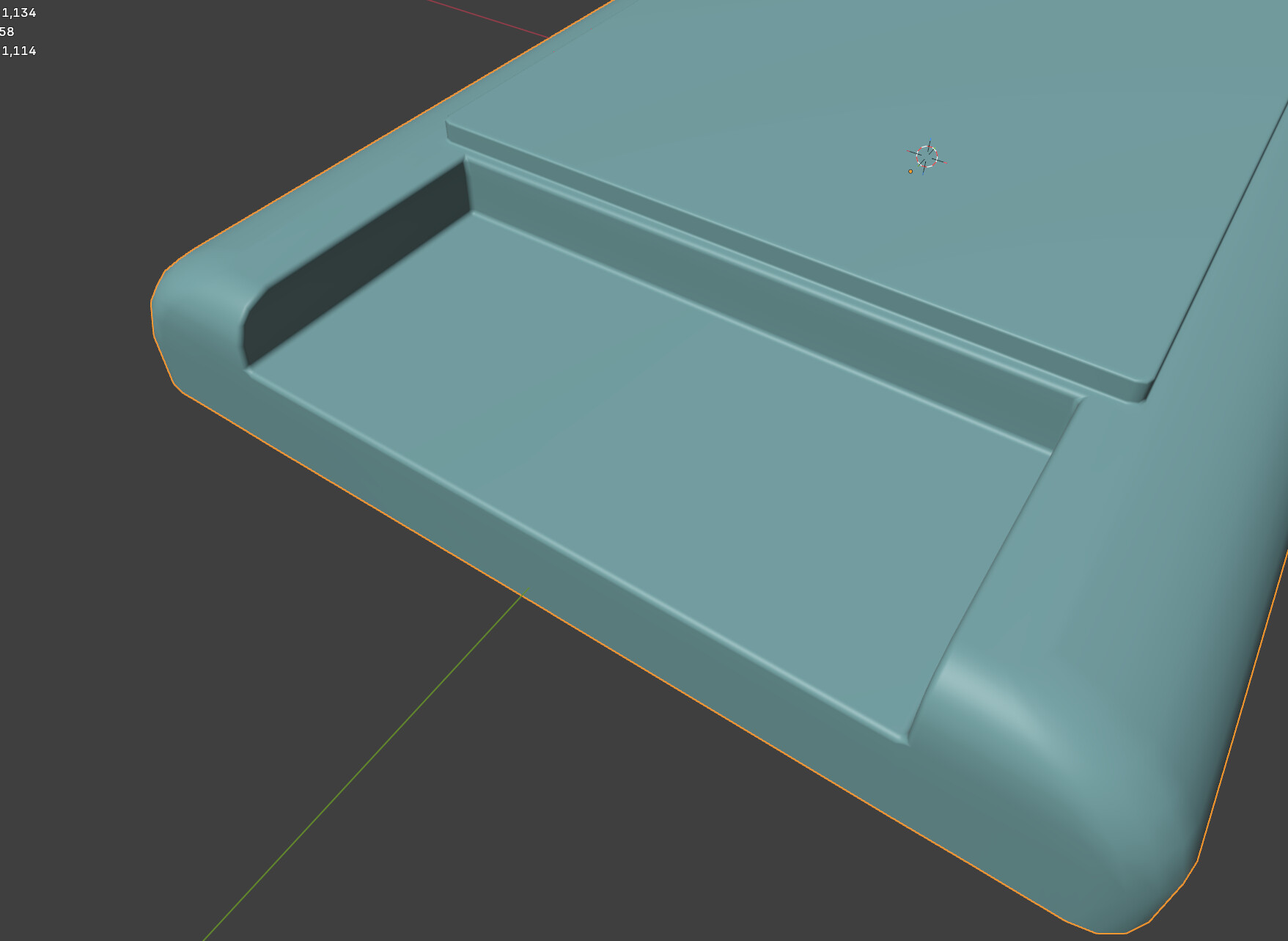
Without the Subd modifier
With the modifier enabled I get this face.
I’m sure this is a common issue. I tried fixing the mesh, added bevels, etc. still this happens.
Open for suggestions. Will use a Boolean modifier for now 
FedPete
2
I often encounter these kinds of problems.
It has to do with your mesh, which is difficult to explain in a short answer.
-
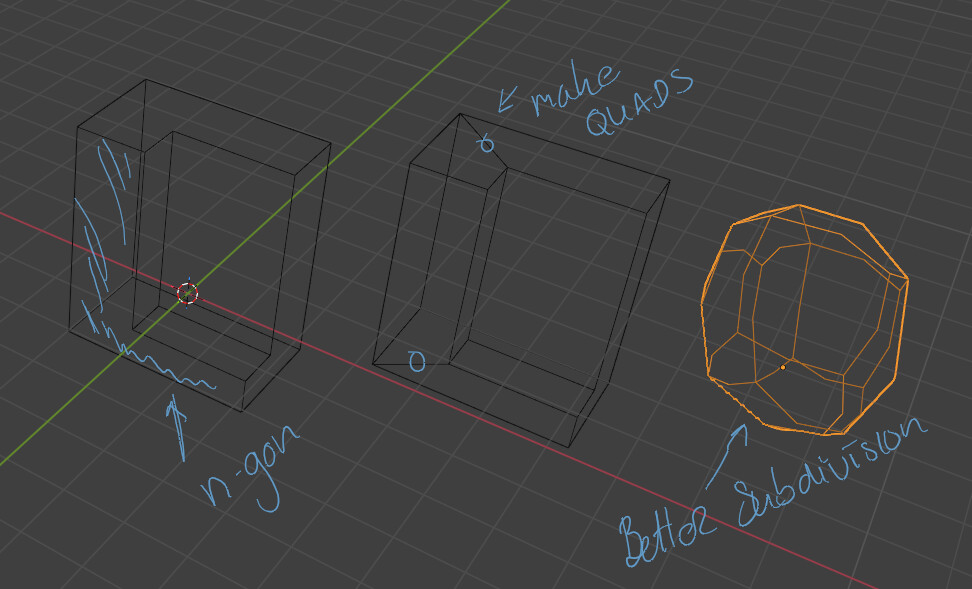
Check for n-gons, because if subdivision is active, they can cause these kinds of problems.
-
Sometimes it’s because some nearby faces are turned inside out.
When I encounter this, I have to correct it manually. All corner edges need to be beveled and surrounded by quadrilaterals.
Manual changes, JOIV vertices to make n-gon into quads
Thx. Yes, seems to be due to n-gons.