I am new to Unity and following the Complete C# Unity Game Developer 3D course made by Ben and Rick. I am using Unity 2019.4.5f1 and Visual Studio 2019.
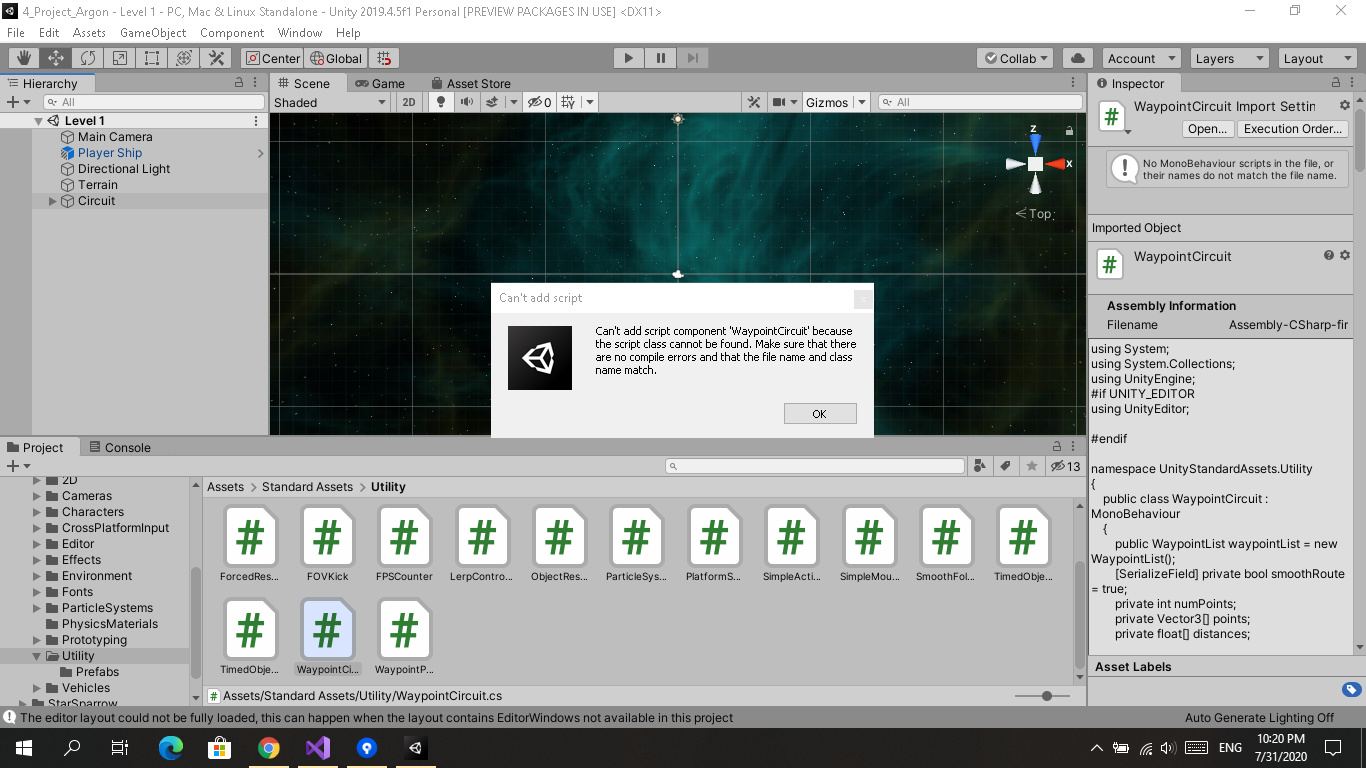
In Course Lecture 84: Unity’s Waypoint Utility Scripts, Ben imported Unity Utility Asserts (Assets -> Import Package -> Utility) for creating path. Since these packages were removed from default installation, I downloaded and imported Standard Asserts from Unity Assert Store. When I am trying to apply WaypointCircuit Script on Circuit game object in Unity it is throwing following error.
“Can’t add script component ‘WaypointCircruit’ because the script class cannot be found. Make sure that there are no compile errors and that the file name and class name match.”
The Class name is the same as that of the file name and there are no errors in Visual Studio also.
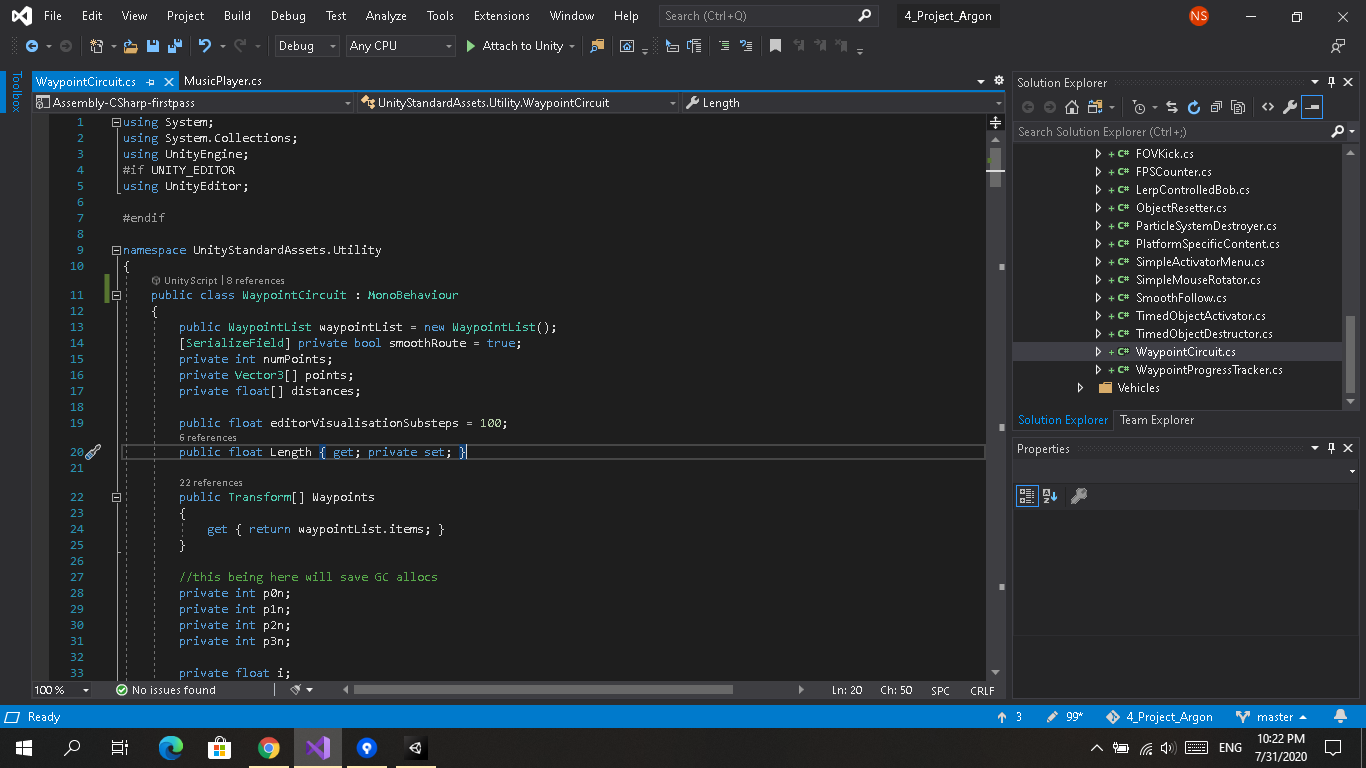
I Reinstalled Unity and VS but no change.
Requesting you please help.
