Hi,
I was following along on the SnowSurfer project (around Lessons 58 and 59), and my Scoreboard gets moved whenever I score points for some reason. Here is what happened in detail:
First, I noticed that the top half of the scoreboard was hidden because the fonts were too big. So, I moved ScoreText down a bit to make it fit within the screen.
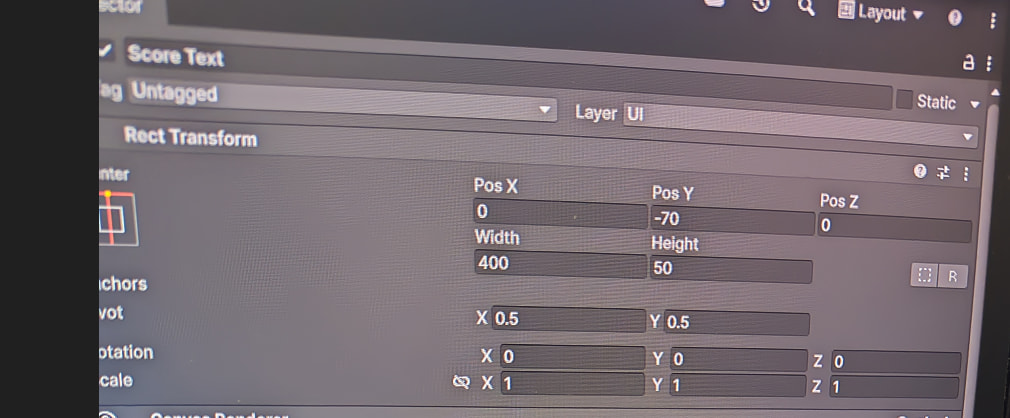
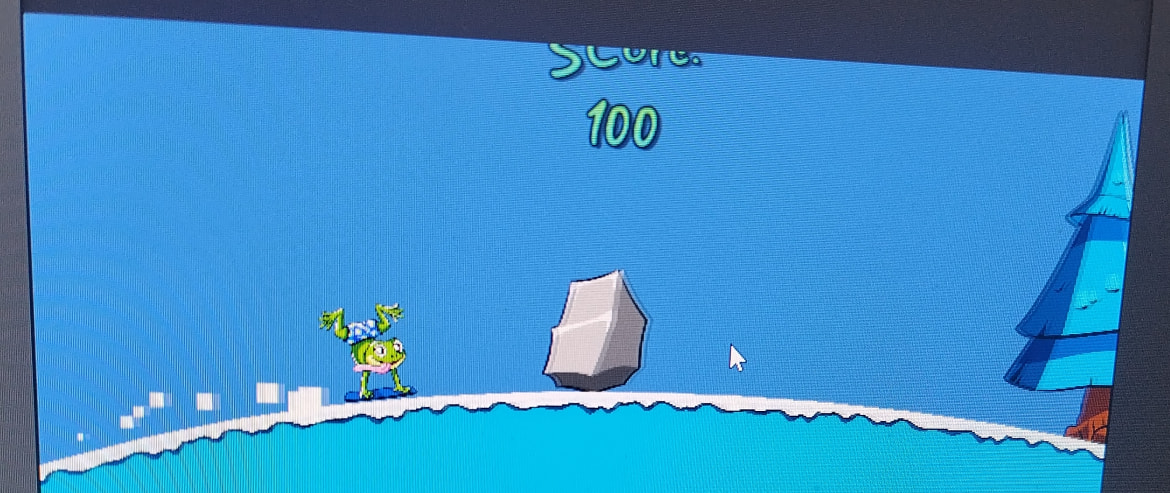
It seemed fine at first, but when I scored points, it would shift back up so that the tp half is hidden again like this.
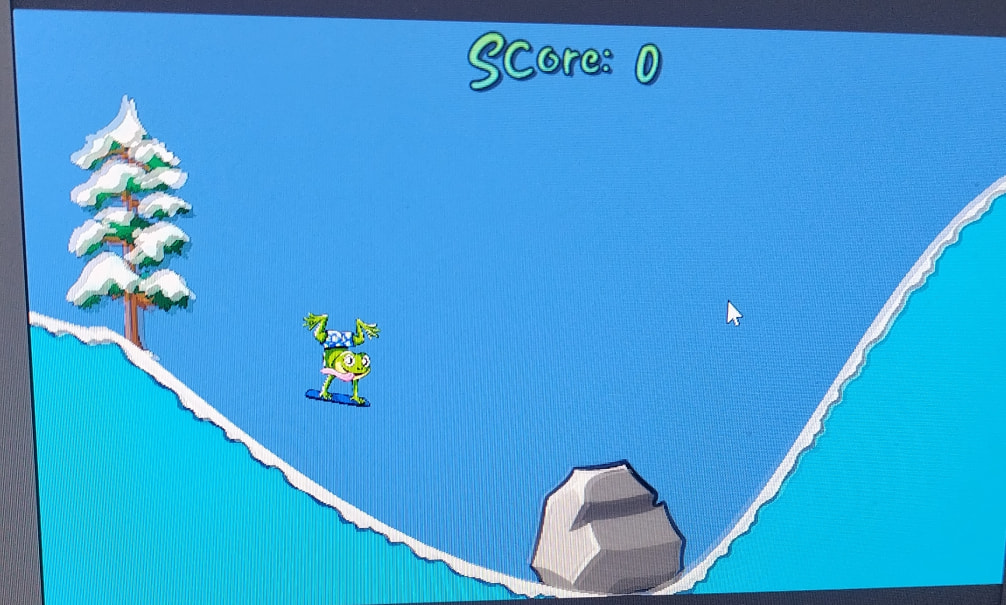
I am also attaching a screen of how it should look for comparison.
But, for the scoring logic, I do not change ScoreCanvas or ScoreText other than to set the Text. The code looks like this:
public class ScoreManager : MonoBehaviour
{
\[SerializeField\] TextMeshProUGUI scoreText;

int score = 0;

*public* void AddScore(int additionalScore)

{

    score += additionalScore;

    scoreText.text = "Score: " + score;

}
}
The only other places that deal with scores is the PlayerController where I have the following code:
[SerializeField] ScoreManager sManager;
void CalculateFlips()

{

    float currentRotation = transform.rotation.eulerAngles.z;

    totalRotation += Mathf.DeltaAngle(previousRotation, currentRotation);

    if (totalRotation > 340 || totalRotation < -340)

    {

        totalRotation = 0;

        sManager.AddScore(100);

    }

    previousRotation = currentRotation;


}
None of these move the ScoreText at all. So, could you please help me figure out what is going wrong here?
Best regards,
Sang-Woo