Hello everyone, I’m currently following Complete Blender Creator 3 and am at the Rigging Chapter. I generally try to apply what I learned to personal projects, so when we learned how to create a dino, I also created a racoon. Now I’m trying to apply rigging to it, but the automatic weight is not applying how I want, and now I’m out of options.
I created this video for easy review and I can send you anything you want.
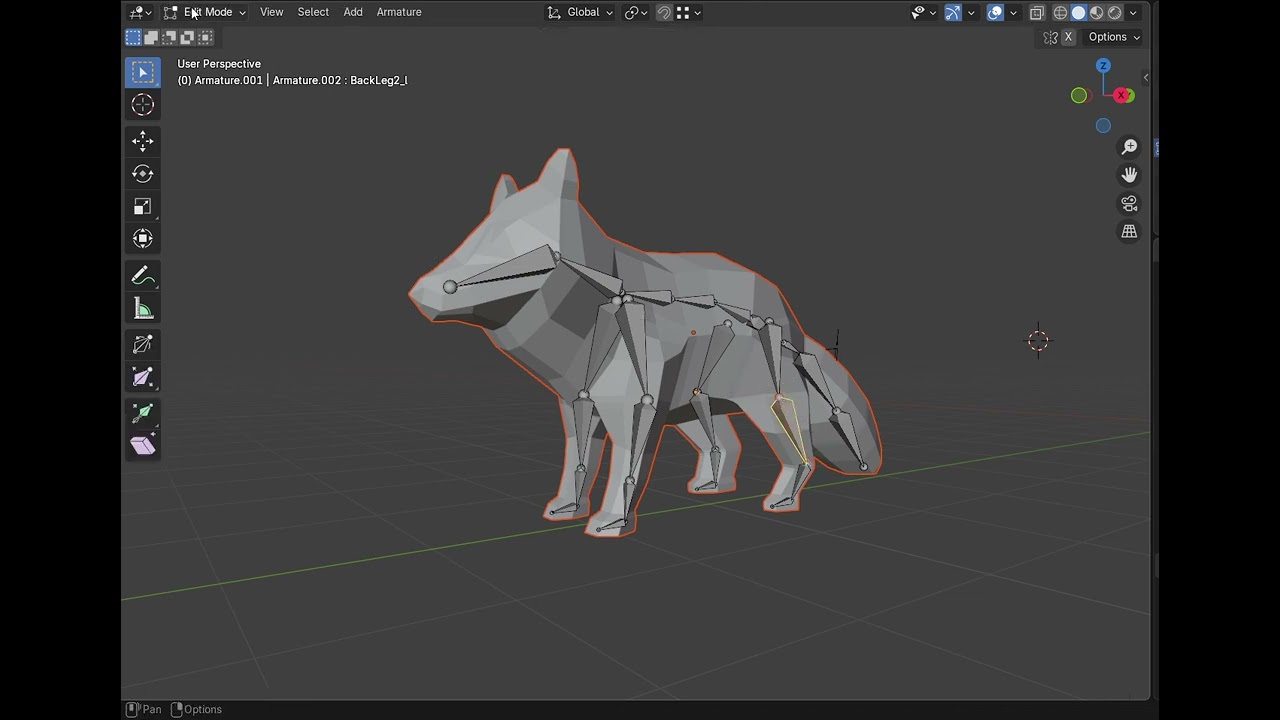
Common mistakes I checked and forgot to add in the video:
- The scale and rotation of my model and rig are applied before parenting
- my mirror modifier is applied before the Armature in the modifier list
- I followed the naming convention displayed in the course and the symmetrize worked fine
- I tried recreating the armature from scratch and starting over
- I tried to use Normalize command and Limit range but it did not have a better result (not seen in the video)
Now I don‘t know what to do because I can apply the correct weight with paint, but I feel like I’m missing something.
Thanks in advance for those who would like to help me!