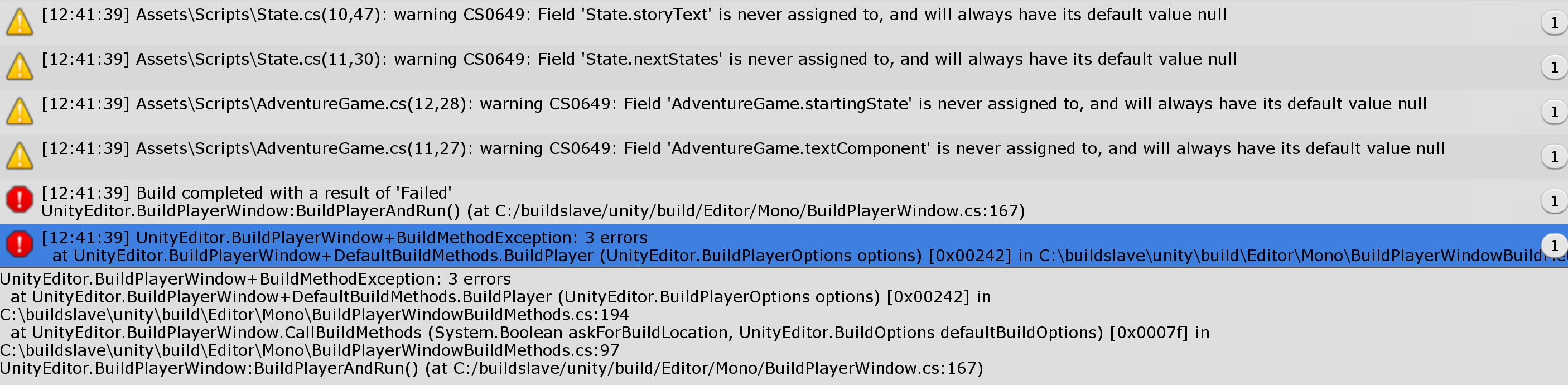
The process seems to run fine until the end, but fails - resulting erros in the above image), and it also deletes the destination folder selected in the beginning of the process.
I saw similar topics in this forum but to no avail. Can someone help me?
Thank you, but none of those solutions made it work.
I didn’t try the 3rd option - firewall - because I dont know how to do it and it doesn’t seem to be the cause - I tried to compile to Windows PC platform and it worked.
I also have reinstalled Unity and still fails exactly the same way.
I only have english characters - except for some temp files of the build process that are saved in a folder inside my windows user account (with non english characters), but I can’t control that.
Are there more error messages in your console than those related to the building process?
I can see that there are a few warnings. Those messages with the yellow icons are harmless. They are probably caused by a bug in Unity. Double click on each message in your Console, and add = default; behind the respective variable declaration.
Also check the Package Manager. I would suggest to uninstall all packages that you do not need such as Ads and Collab. They are often causing issues.
That could well be the problem. As you can see in the error message, there is a �. This indicates that the character could not be interpreted. I would suggest to rename your user name, or create a new user on your computer and test building your game again.