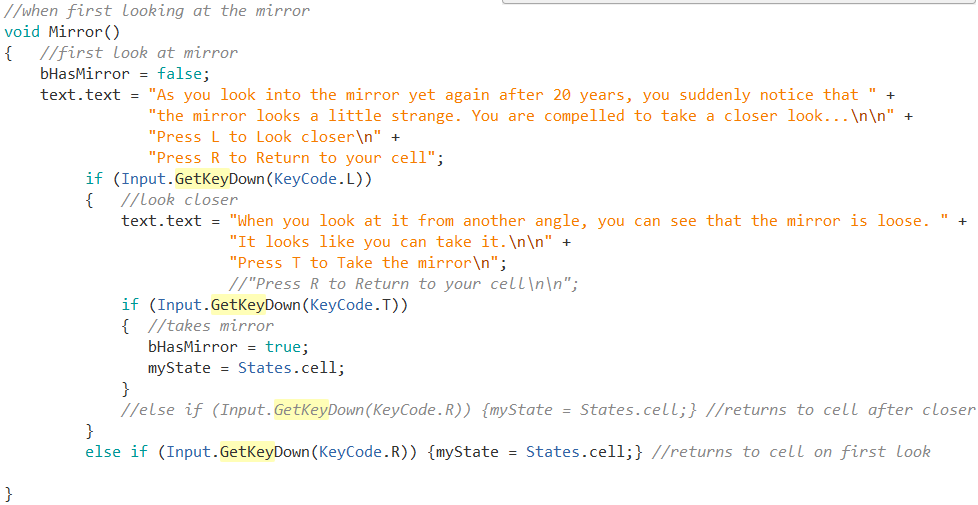
I was updating the Prison text adventure game, and came across an issue with a nested Input.GetKeyDown command. What I mean is, I have a choice to look at the mirror. In the same block of code, the player is prompted to press L to look closer at the mirror. Problem is when L is pressed, it only continues to the next prompt for a split second and returns to the Look Closer prompt.
In C# outside of Unity you can get player input like:
if (userInput.Equals('l')) {
    //do something
}
If you want a second set of choices you can simply make a new input variable like this:
if (userInput.Equals('l'))
{
    //do something

    if (userInput2.Equals('l')) {
    //do something
    }
}
Is there a way to do this with Input.GetKeyDown?
I could use Input.GetKey, but then I would have to hold it down for the next part to stay on screen (although that could be a useful feature for picking up items…).