Hi everyone,
New user here. Not new to Blender, I’ve been making some still pictures and such for about a year now. I purchased the “Blender Animation & Rigging: Bring Your Characters to Life” tutorials on Udemy done by Grant Abbitt.
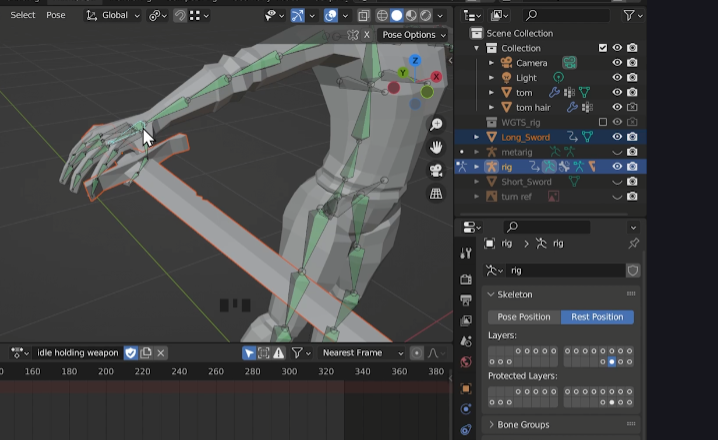
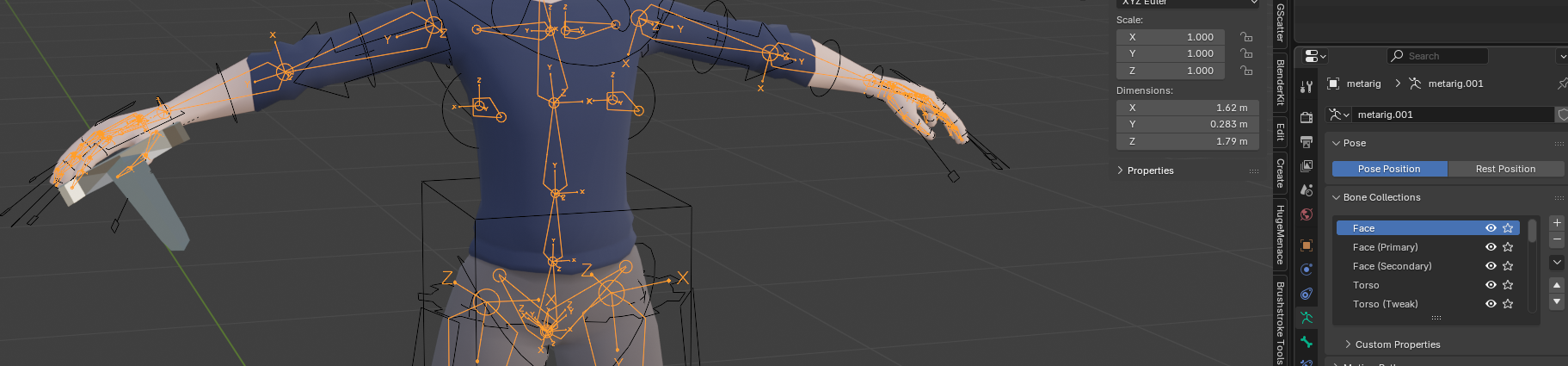
I’ve gotten to the lesson “Holding the Sword” where I’m trying to parent the sword to the models hand, but it seems to be breaking my Rigify. I am using Blender 4.5, so I don’t have the ‘Skeleton’ tab in the Object Data Properties. I have the Bone Collections. Which is fine, but my steps are slightly different than the videos. Basically what I have to do is below.
I move the sword into location.
I have to unhide my Metarig to select the bone in the hand in Pose Mode.
I go back to Object Mode, select the sword, then I select the deform bones, then Ctrl+P and select the Bone option.
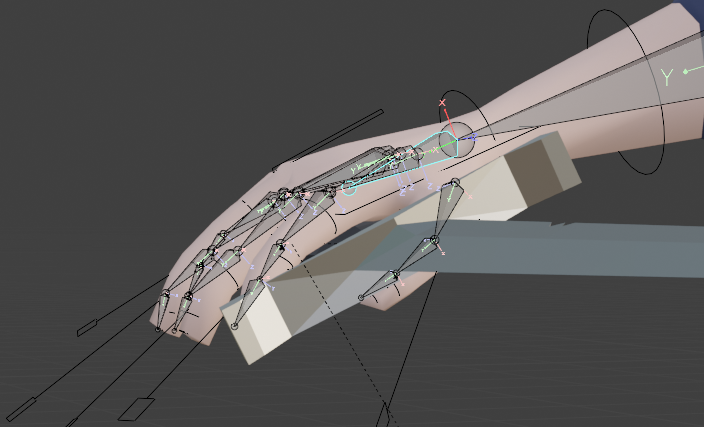
The first thing it does is basically unparents the Metarig from the model. However, the sword will follow the skeleton like it is parented correctly. However, if I try to use the Rigify rig, it won’t move the model or the sword. If I reparent the model to the Metarig, the deform bones work, but the Rigify rig does not. I thought that maybe I could apply all transforms and then click ‘Regenerate Rig’ might help. It does, to a point. I can move anything on the model except the arm that I try and parent the sword to.
Any help would be incredibly appreciated. Thank you.
Help us all to help you.
Please give full screenshots with any questions. With the relevant panels open.
This can be done by Blender itself, via the ‘Window’ menu bar top left-hand side.
On that menu dropdown is ‘save screenshot’.
Blender 4.5 is fairly new, but cal also introduce new errors or different workflow.
Did you try this, using an (older) version, preferably the one Grant uses?
You can install multiple versions of Blender, depending on your OS.
Especially new version releases tend to have bugs, they even ask for any found to be reported! They are pretty good at fixing them too. It is discovering them that seems to need a wider user base than just their staff.
I rarely ever download the new release until a few steps on. Non ‘experts’, professionals practically probably should leave updating longer. The Blender community of these able people know and do report problems.
Sorry about that. I got to thinking not long after I submitted this when I went to bed that I needed screenshots, but then spent the next day or so away from my PC. Thank you for taking the time to read through my issue.
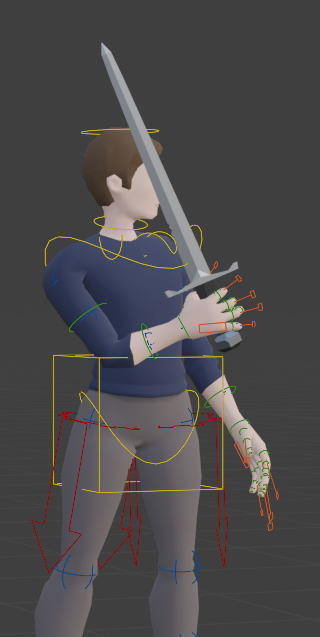
I don’t know if this is the proper steps, but troubleshooting it, I have made the sword follow the hand just now.
In the Udemy lesson, it states to select the hand bone in the Skeleton Tab in the ODP.
So, I guess my question now, since I can get it to work, is that the optimal steps to proceed through? I’m assuming there may be an easier way to get that accomplished?
The major reason I made the jump this soon…#1 is that I’m still relatively new to Blender as a whole and want all the new shiny stuff. Second, my PC is a tad older (almost 9 years old with 0 updates), and OpenGl was causing some MAJOR slowdowns on some of my models. Especially as I’ve been trying to learn high poly sculpting. Swapping to Vulcan solved that issue immediately.
I know I’m coming in late, but for the future, the pro way is to add a child of constraint to the sword and point that to the hand or index finger bone. the more advanced pro way would be to use an armature constraint. This allows you to switch bone parent like going from left hand to right hand easier than having multiple child of constraints.
Late or not, I appreciate the reply. I’m new to the animation process, just a couple months in. So any advice is very welcome.
If I just have an armature, it’s fine. The weapons do what I want them to do. It’s only when I try the Rigify rig that I run into issues. I’ll look into making constraints to see if that helps the process.
Child of constraint is like parenting but with the added benefit of being able to turn it off and on by setting the influence. The constraint can be done on an object or thru the bone constraints which is the bone with a chain link icon on the tab in the properties editor. This method also works with rigify. The armature constraint is available on both. With this constraint you add the bones to have influence(parent too) then you can just adjust the influence. To animate the influence just put mouse cursor over it and press I to set a keyframe.
Edit
Forgot to mention that if you just slide to 0 it will move towards world origin. If you press the X next to influence then it sets the object(sword in your case) transforms to where it’s at and sets influence to 0.