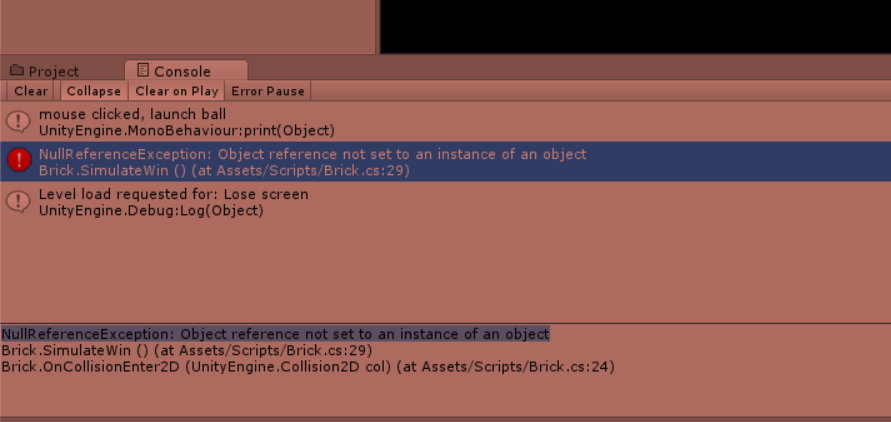
Hi guys i am struggling for an hour to find the problem with my code, and still nothing.
according to the lecture; when i hit a brick once i need to go to the next level, i think i did everything that i was supposed to do but still no results.
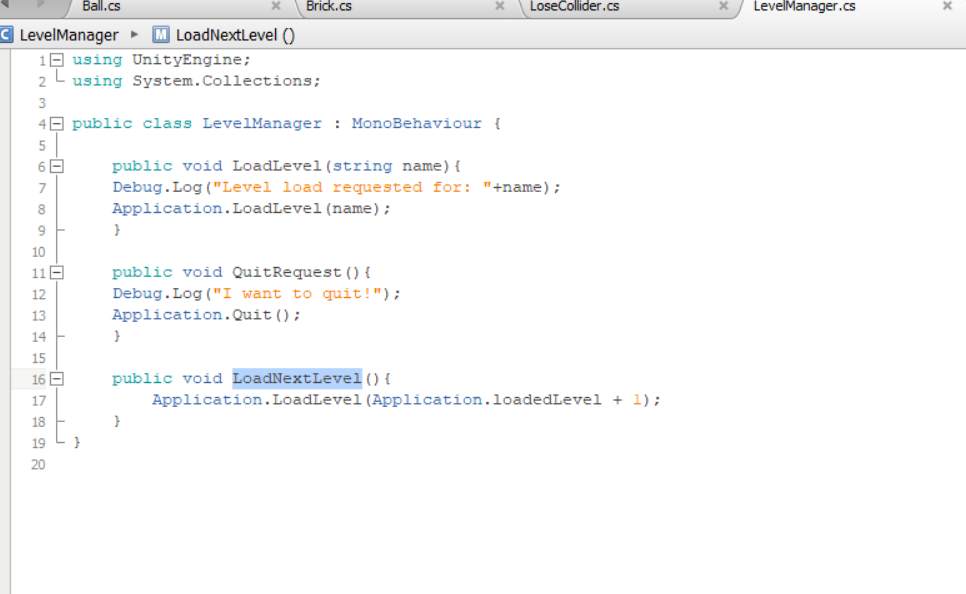
No thats wrong Application.Loadlevel is still working in Unity 5 and also in Unity 2017 you only get an Message about that it is outdated and you should use SceneManager
And if you look in this case it looks like he uses Unity 4.6 or something because the “Application.LoadLevel…” not have an underline with a notification about. (But im now not sure if its just MonoDevolop that not give that Notification but i think MonoDevolop also will give the Information)
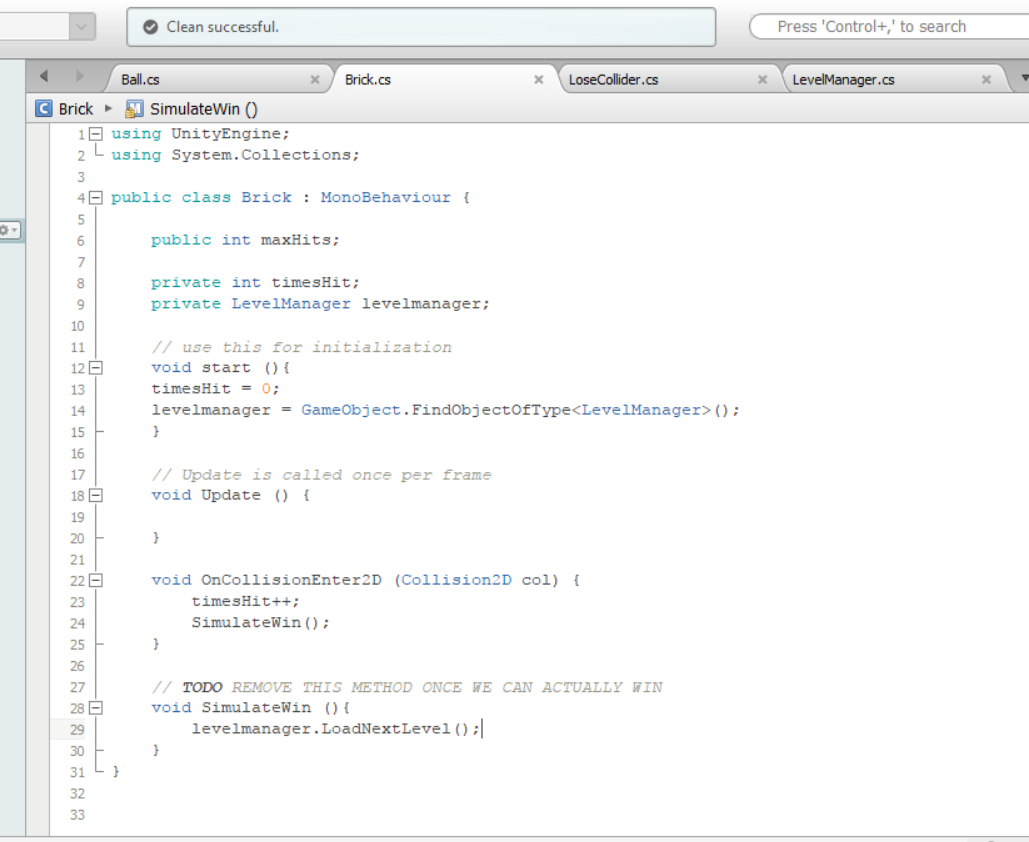
His solution is very Simple and is in the Brick.cs @Rohid_Hai
Look at Line 12 Make start to Start and it work
Try it out and let me know if its working.
By the Way welcome in the world of Programming. Sometimes you need perhaps Hours to figure out something and as bigger the Project get as more complication you will get. But in time you will get more confident and you will be able to look in your code and find your problems way easier… A Few months ago i was in the same state… looking for a solution and get “******” because i sit there for Hours to find Solutions or my Bug.
But as more i Programm and as more i get into the Code, as clearer it get and become easier and easier over time.
Sometimes its also helpful to do something else. Maybe in 1 Hour you look inside your Code and say “oh god im stupid how i cant see that” xD Like in your case you looking over and over your Code and you simple miss a Capital letter and this is a very annoying part. You was thinking already about the biggest Problems about the Code but the answer was so simple
Oohhw my god hahaha thank you so much!!!. i fixed it because of you, such a silly mistake.
thanks a lot. And I also appreciate the encouraging words man, many thanks.