zkc08@Advits-Mac-mini ToonTanks % git push Toon_Tank master
To https://github.com/zkc08/Toon_Tanks
 ! [rejected]        master -> master (non-fast-forward)
error: failed to push some refs to 'https://github.com/zkc08/Toon_Tanks'
hint: Updates were rejected because the tip of your current branch is behind
hint: its remote counterpart. Integrate the remote changes (e.g.
hint: 'git pull ...') before pushing again.
hint: See the 'Note about fast-forwards' in 'git push --help' for details.
That means your local repo is behind in commits. Did you reset?
I didn’t understand
Have you reset to a prior commit at any point?
nope
and can you tell how to
How to what?
this
I’m asking if you’ve used any of these
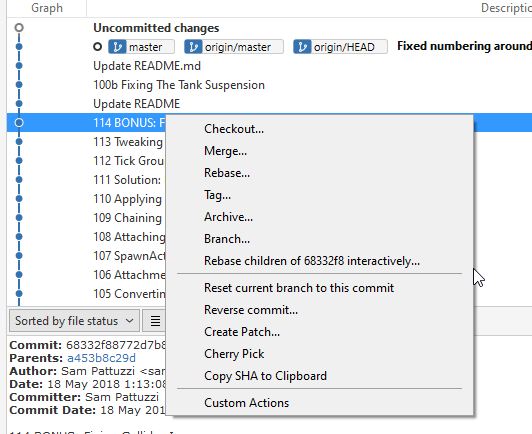
I don’t even know about this how will i implement this
I’m just trying to troubleshoot. The problem is that your remote repo is ahead of your local.
e.g. say you make 3 commits and push them, you reset to the previous and make two more commits. That means you are behind by 1 and ahead by 2. Laid out
A <- start
B
C <- push to remote
Then you reset to B and make two more commits
Local    Remote
A          A
B          B
D          C <- not on local
E
If you do
git log Toon_Tank
It should show you the commits on your remote.
Then what should I do now
This and post the output
zkc08@Advits-Mac-mini ToonTanks % git log Toon_Tank
fatal: ambiguous argument 'Toon_Tank': unknown revision or path not in the working tree.
Use '--' to separate paths from revisions, like this:
'git <command> [<revision>...] -- [<file>...]'
Nvm I visted your repo. The problem is that you created it with a commit so your remote has a completely different history. If you’re fine with getting rid of that you can force push, you can then add th README and .gitignore afterwards if you so wish.
git push -u Toon_Tank master -f
-f is for force push and should be used with caution. As there’s only one commit on your remote that shouldn’t be an issue with having it removed.
something good is happening
It’s has started the pushing process
Yeah, when this thread first started, the remote repo on github was empty. In the process of troubleshooting I noticed a few days ago that commits had started to appear independently on it (edited directly on github) causing the history clash. I was expecting the force push would be needed.
However @zkc08 please note that the force push (-f) is a one-time thing, in future once you get this synced back up, you should be able to just push without forcing, either from the command prompt or sourcetree (if the credentials are valid) without further issues.
Oh I thought I could do this every time. 
Technically you COULD, in that it would appear to work, but a force push means if there are clashes it will re-write the history on the remote repo.
This is risky and ill advised behavior going forward, since that kind of clash under a normal, best-practices workflow, means something may have gone wrong with your local repo and you could lose commits in the process.
So we don’t force push all the time.