Hello!
So I just created the project.
My unreal engine version is 4.22.3 as in the course.
visual studios 2019 is updated to current date.
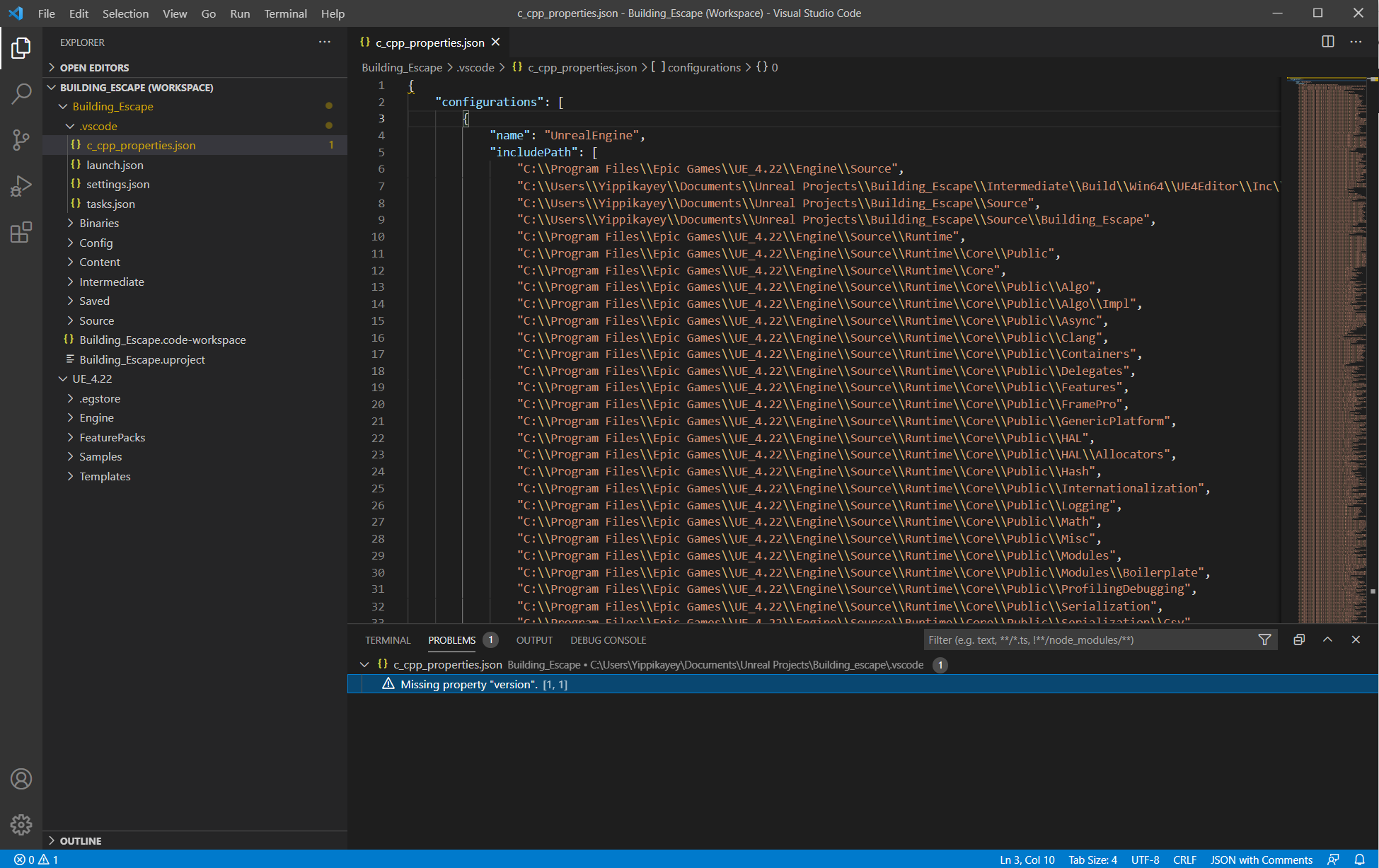
The warning I get after creating the new project is this:
c_cpp_properties.json, Missing property “version”. [1.1]
What is it, and how do I fix it?
Would the same happen if I ran the newest version of Unreal Engine 4?
(does the problem lie in Unreal or Visual)
Best regards, Lukas C.
Believe this is saying the version line in c_cpp_properties.json is missing or incorrect eg https://code.visualstudio.com/docs/cpp/c-cpp-properties-schema-reference
Don’t know why it would be. It should be auto generated… but maybe you didn’t setup correctly.
1 Like
The fix was pretty easy, have to add “versions”: 4 in the end.
Like in this code:
{
“configurations”: [
{
“name”: “SimpleShooterEditor Editor Win64 Development (SimpleShooter)”,
“intelliSenseMode”: “msvc-x64”,
“compileCommands”: “K:\Unreal\SamSS\.vscode\compileCommands_SimpleShooter.json”,
“cStandard”: “c17”,
“cppStandard”: “c++17”
}
],
“version”: 4
}
system
Closed
4
This topic was automatically closed 24 hours after the last reply. New replies are no longer allowed.