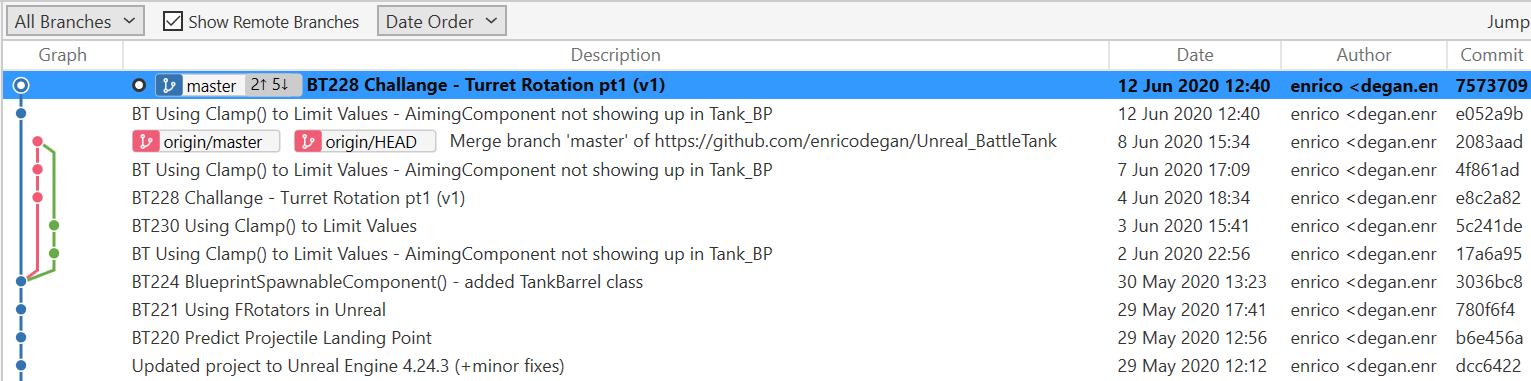
Over the past few days I’ve been trying to learn more about git and Sourcetree, and I’ve been trying to apply this to my current Battle Tank project.
Now everything has gone wrong…
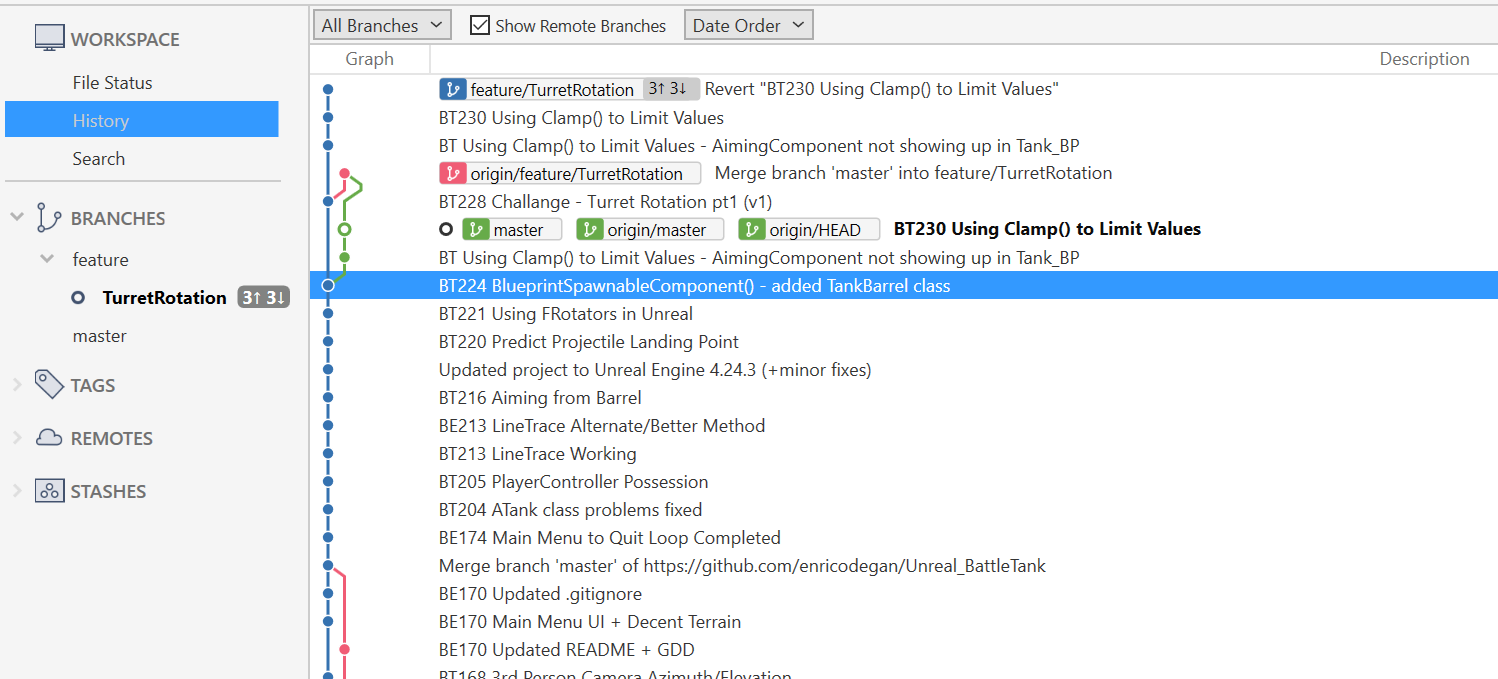
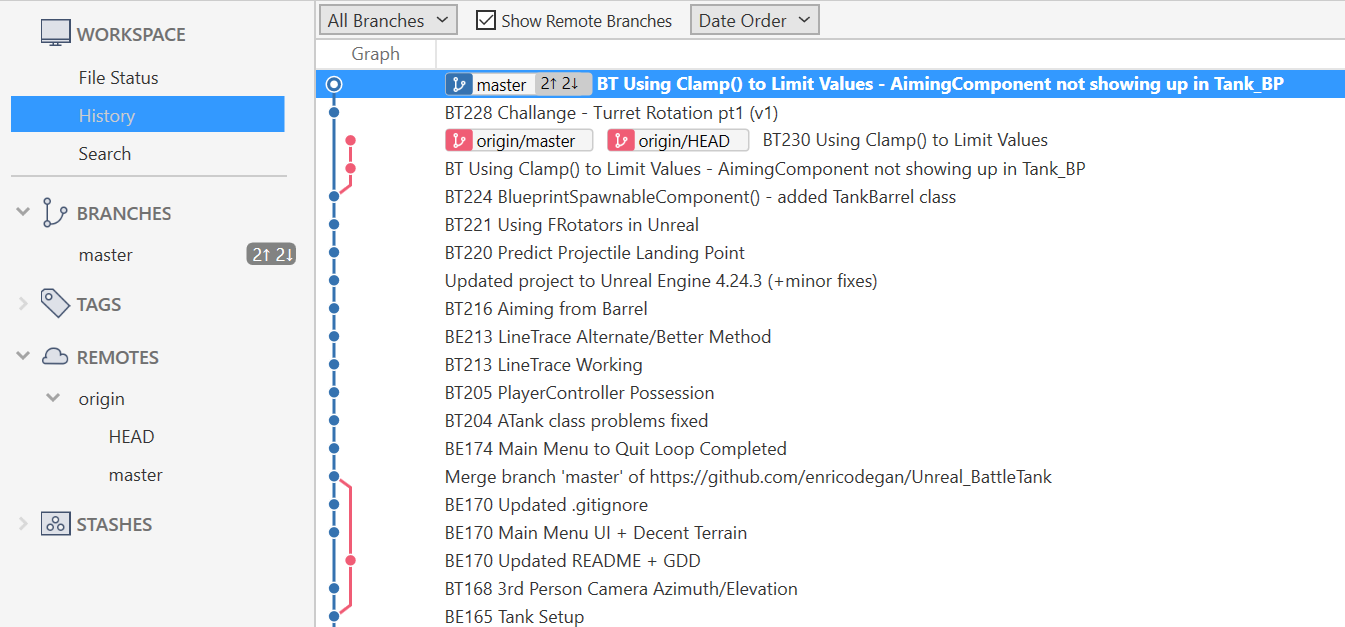
My original idea was to create a separate feature/ branch for the two Turret Rotation challenge videos. But somehow I rebased (maybe also cherry-picked, can’t remember) and now I have this mess.
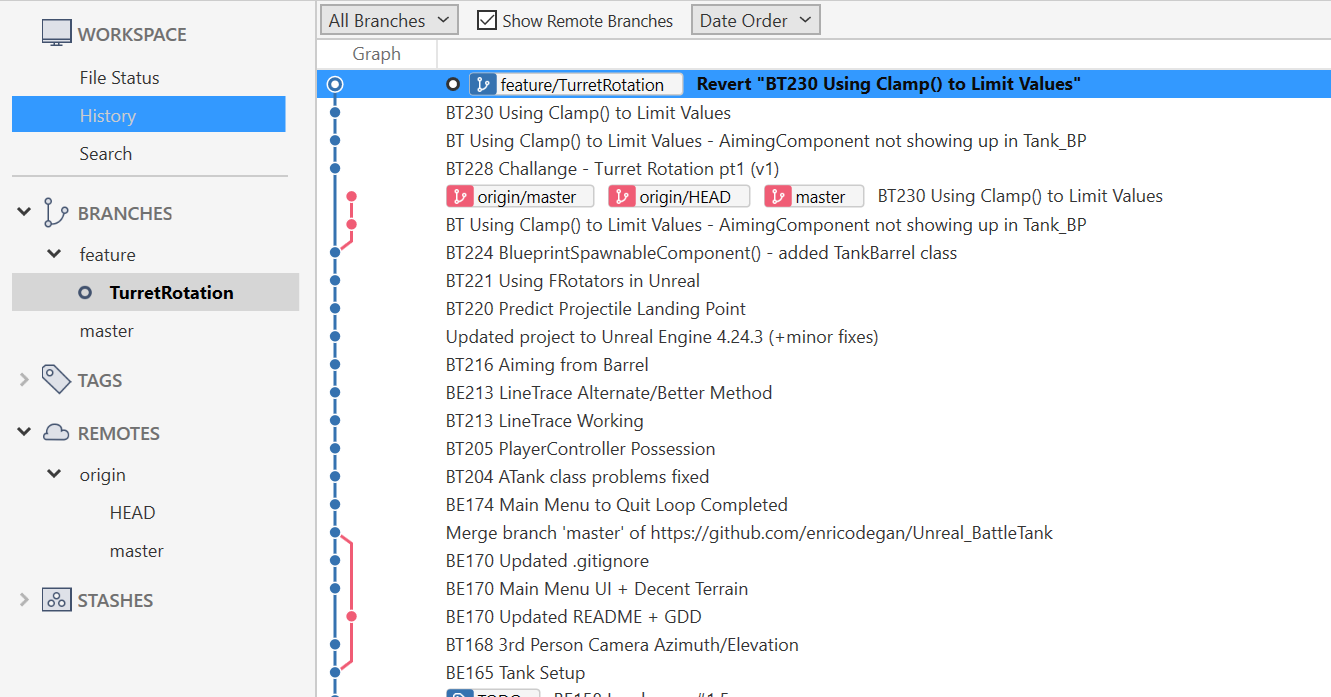
What I want to get back to is: having a blue master branch and having a checked out pink feature/TurretRotation with the commit BT228 Challenge - Turret Rotation pt1 (v1).
Is there a way to get back to this? If not … what other options do I have?
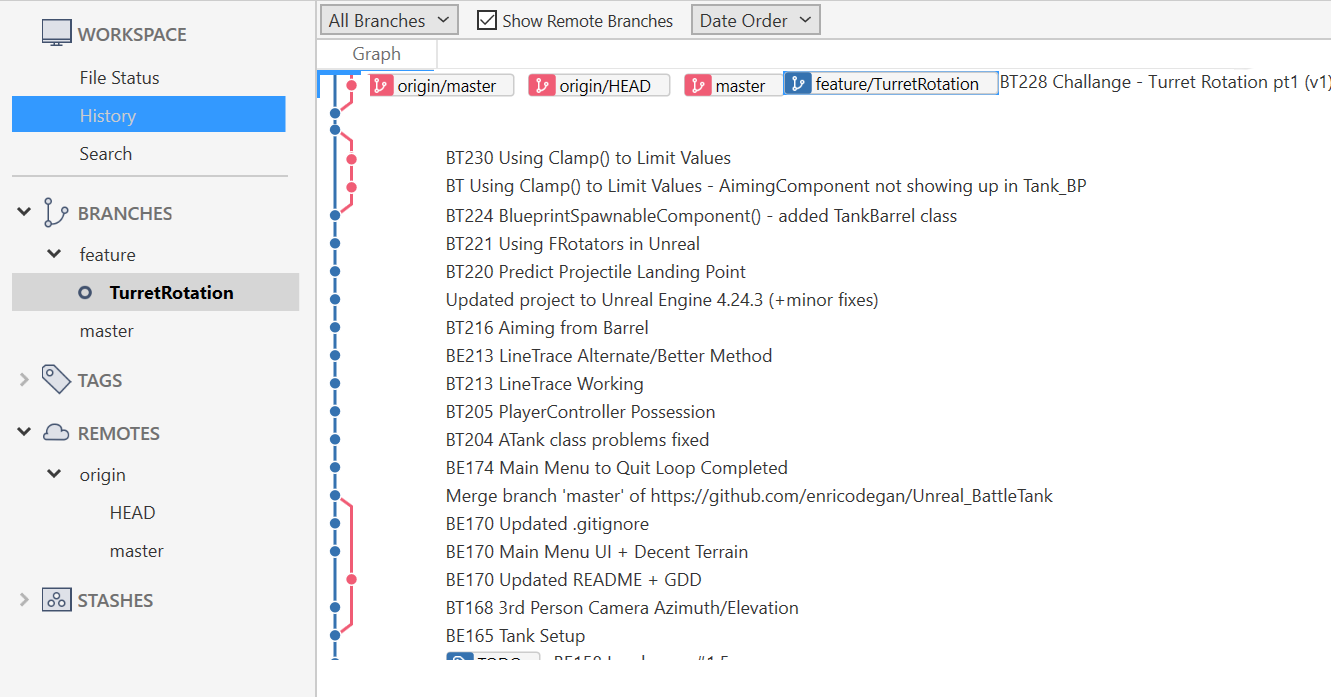
I’ve made this progress (if I can call it that) by deleting the origin/feature/TurretRotation branch. Is this a good practice or should I avoid doing this in the future?
Also, I still need help with getting to what I described above. I think the first thing to do is to get rid of the rebased commits and move them back to their original place, but how can I do this?
Thanks again!
Update #1:
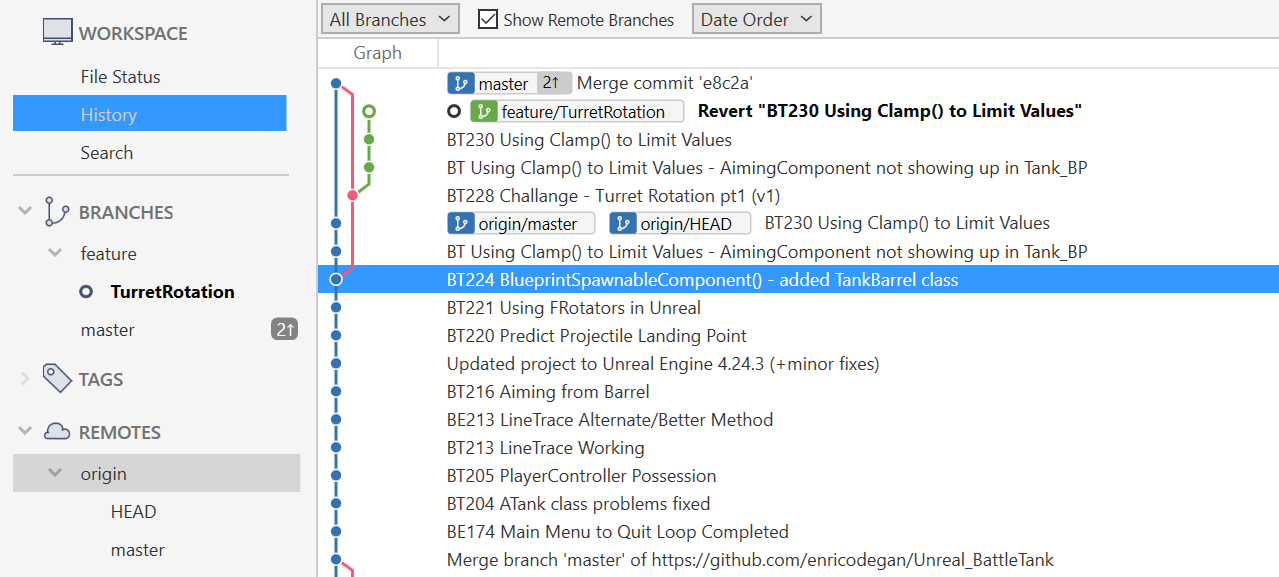
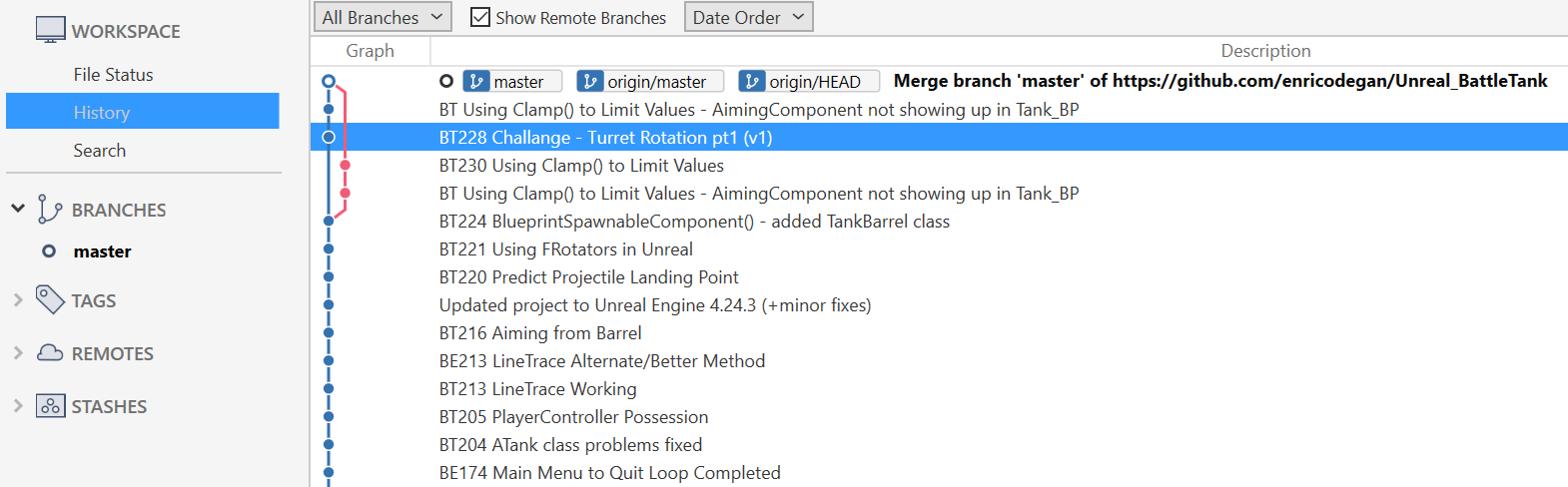
I have merged the the commit BT228 Challenge - Turret Rotation pt1 (v1) onto the master branch.
Is this better or worse than before?
(sorry for my bad photoshop skills…)
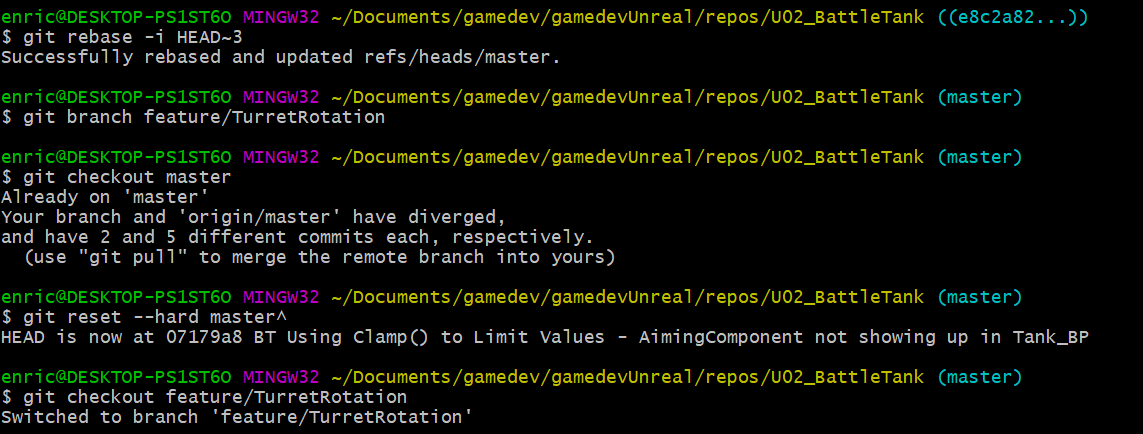
In words, what I think I want to do is: undo my rebase of commits BT230 ... and BT Using Clamp() to Limit Values - AimingComponent not showing up in Tank_BP so they end up where they originally where (like in the picture above). Then I would like to create a branch called TurretRotation with the commit BT228 as the latest commit.
Now I’d just like to delete the current commit and go back to having BT228 Challange - Turret Rotation pt1 (v1) as my last commit. Is this possible? I’m having a hard time using
git reset --hard commit-hash
to delete this commit. How could I go about moving the master branch first, and then deleting the commit?
@DanM that’s what I meant to say. I didn’t know the right terminology at the time.
Also, I’ve made progress and I’m almost near the end.
My last question is how can I move the commit BT228 Challenge - Turret Rotation pt1 (v1) to be my latest commit?
I’ve tried using an interactive rebase to reorder commits, but it doesn’t seem to be working in this case. Any other options?
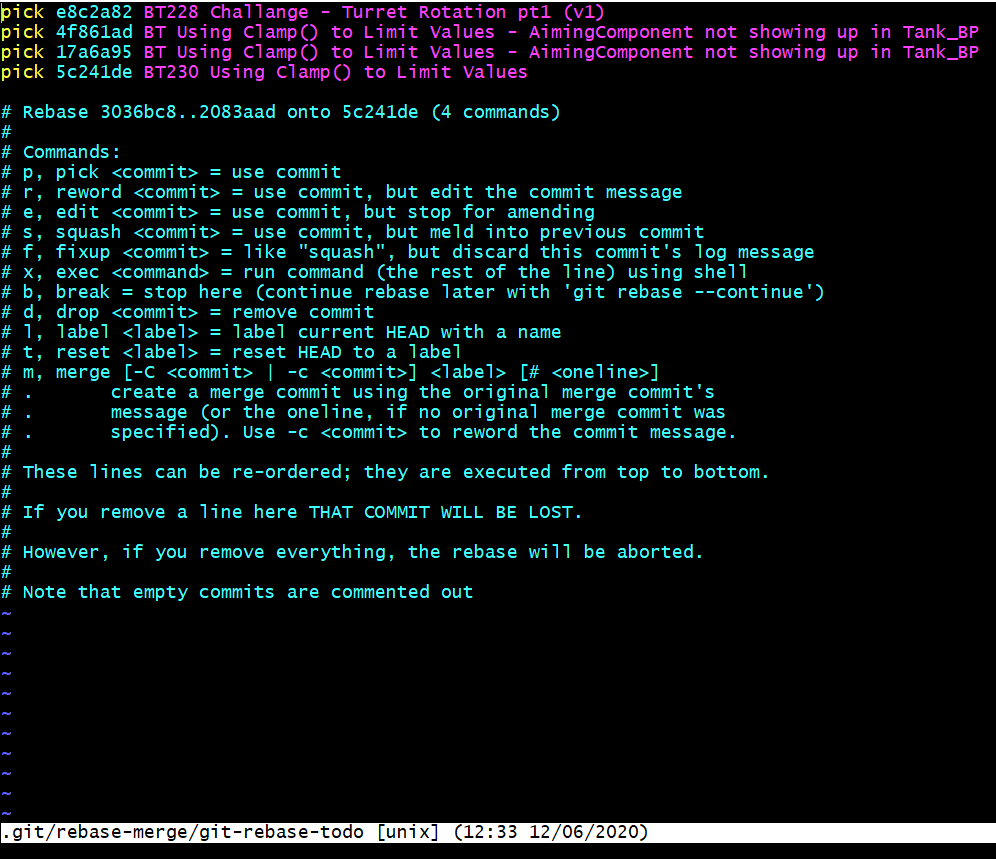
I get some strange behavior when doing a normal interactive rebase. Or this behaviour could be completely normal, but since this is my first time rebasing I’m not really sure what’s supposed to happen.
Here’s what I did:
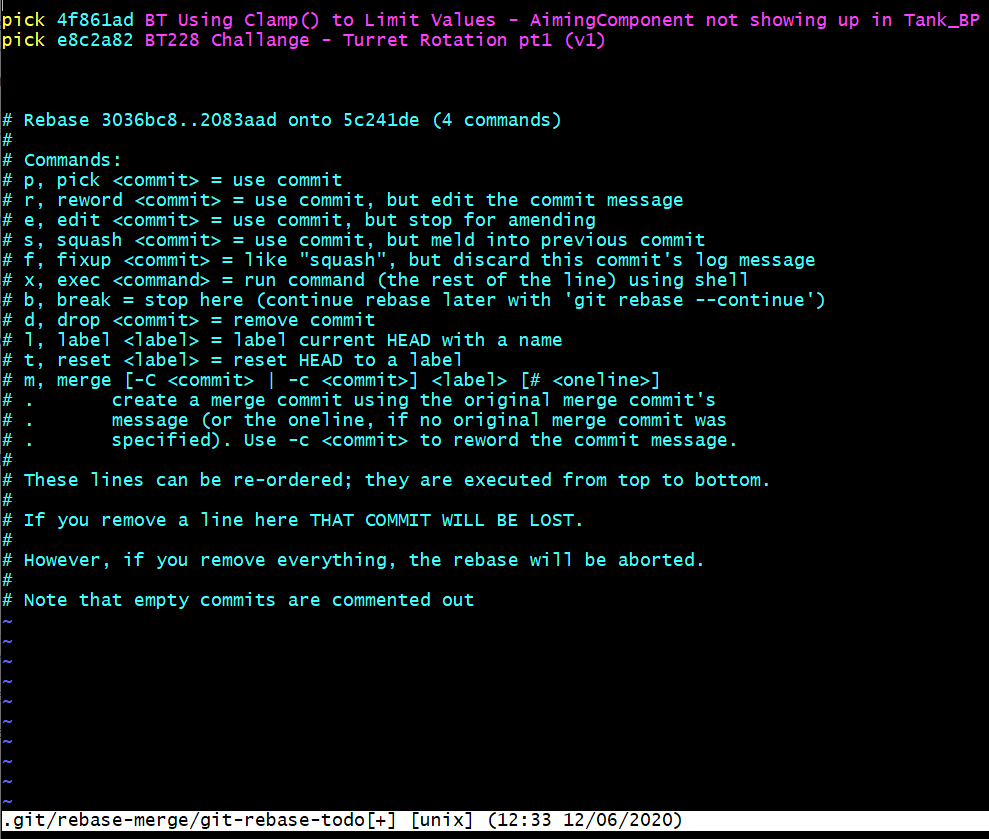
The commit BT Using Clamp() to Limit Values - AimingComponent not showing up in Tank_BP (4f861ad) is my latest commit (excluding the merge). So I reorder the commits like this:
Which I don’t think this is what I want, but I could very well be wrong.
Test #2
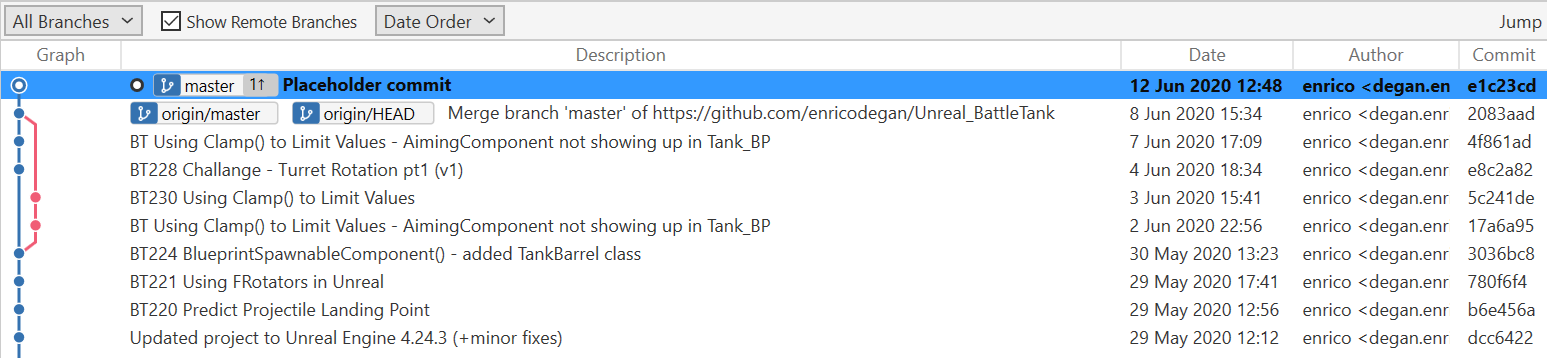
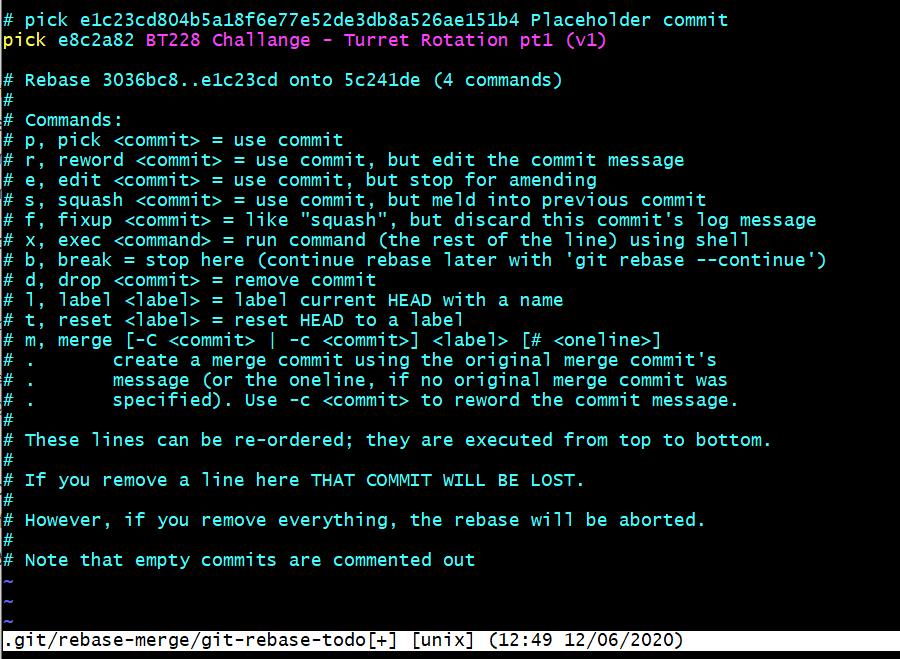
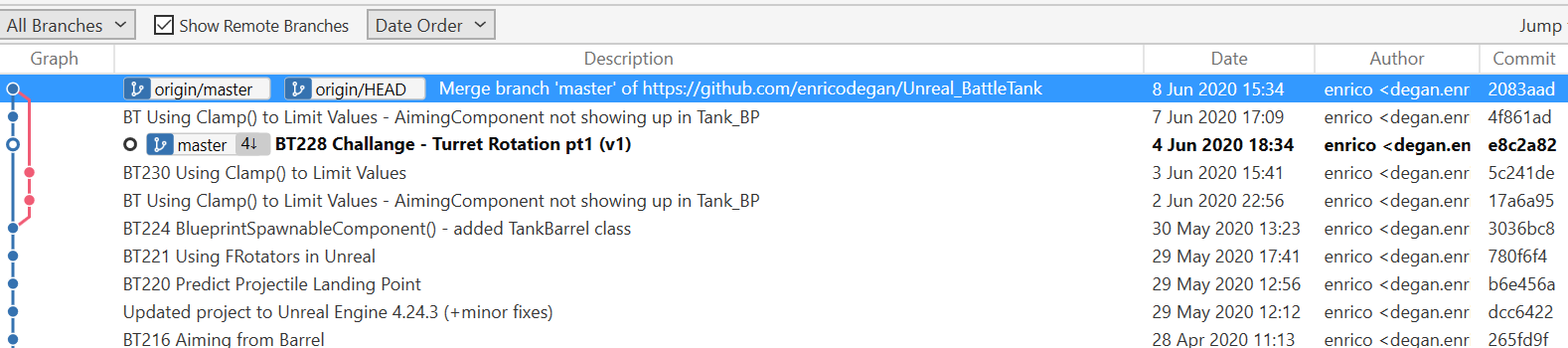
I’ve also tried making an empty commit and then reordering, so that I don’t copy the commit BT Using Clamp() to Limit Values - AimingComponent not showing up in Tank_BP over and over again.
But this happens:
Create an empty commit using $ git commit --allow-empty -m "Placeholder commit", which does this:
One reason I was thinking this is acting strangely is that you usually rebase from one branch onto your master branch. So I’ve also tried putting my BT228 Challange ... commit onto a feature/TurretRotation branch and then rebasing, but in that case the commit doesn’t even show up.
If I’m understanding what you’re after Test #1 is what you want with the only difference with the latest commit being on a different branch.
So you from there you would just need to create a new branch from that commit, switch back to master and hard reset to the previous commit, then switch to the new branch.
You will need to force push as you’ve modified the history. Be sure you want to do that before you do that though. Take backups if you want to be extra careful (just clone your remote in a different folder).
Well the latter one is more explicit about what you’re overwriting though I believe you want to force push master as your new branch isn’t on your remote. With lease I’ve never used so
I did not realise that what you are highlighting. I was suggesting cloning
Ok I made some assumptions I probably shouldn’t have.
The plan for the backup was to make a brand new local repo by cloning what you currently have on your remote. If it does get messed up, you can force push that fresh clone.
What you did was clone it into your current repo so now you will have