Hi Guys,
I am having an issue with 2nd loop cut. First one looks normal, but when I select second one with Ctrl + R it looks like this:
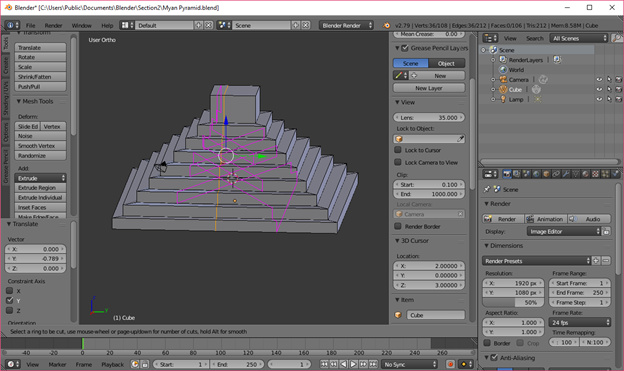
I tried to close and reopen blender app, but no luck.
Also when I tried to move loop it looks like this:
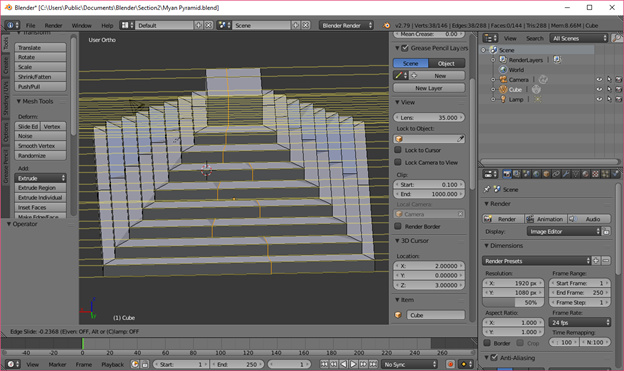
What could cause this?
Thanks
From the second picture, it looks like your loop cut is on the other side of where you are trying to place it if you look you can see the edge cut on the side which means you cannot slide the other edge overe to it as thats on the front maybe im wrong but thats what i see
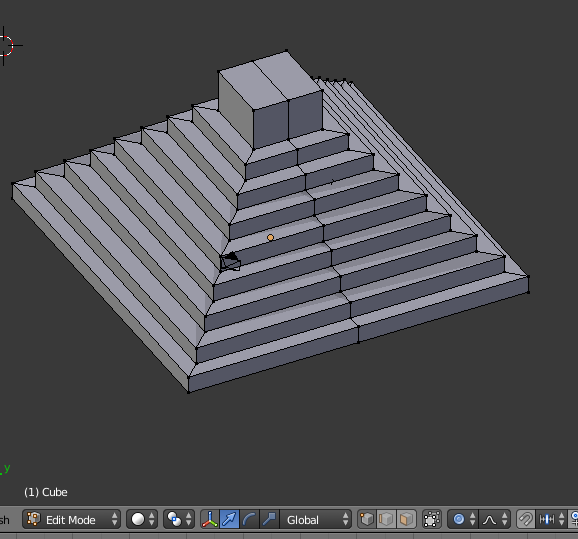
Something is wrong with the mesh. Looking at it looks as though it’s been split into sections. Switch from edges to vertices and see if there are extra verts in those lines.It also looks like there is either a normal issue or multiple faces on some of the steps. Removing doubles will not remove multiple faces, they have to be deleted.
Here is the view when I switch to vertices:
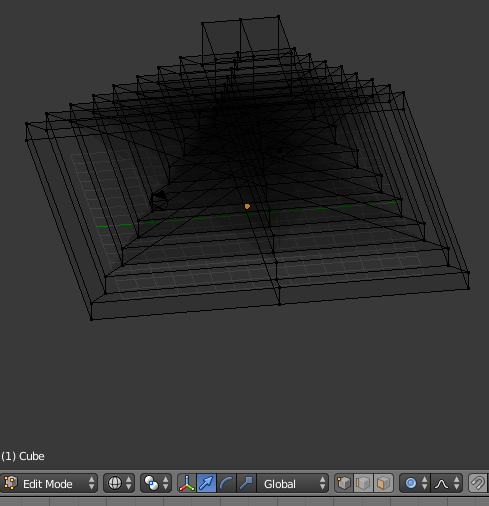
Here is the wireframe view:
I see some edges connecting opposite corners of the pyramid.
Is that what is causing this issue?
If it is, what is the best way to resolve it?
Thanks
That should be it. Now to delete all the edges that are connecting the opposite corners together. Select them, hit x to delete and that should solve it.