Hi, I’m following the course Blender Character Creator for Video Games. And I’m stuck on the lecture 7 Loop Cuts. I followed the video exactly as it is but when it comes to scaling in i am not getting the desired output. In the lecture it is making a cylindrical shape from a cube using loop cuts and sizing in X and Y axiz.
Please, it really helps to know the time in the lecture so we know what it is your are trying to do, plus full screenshots so we can see what you see and is happening!
General Q&A note
Help us all to help you.
Please give FULL screenshots with any questions. With the relevant panels open.
Also, include the lecture time and name/number that is relevant to the problem/issue.
The screenshot can be done by Blender itself, via the ‘Window’ menu bar top left hand side. On that menu drop down is ‘save screenshot’. Close ups additionally where they help.
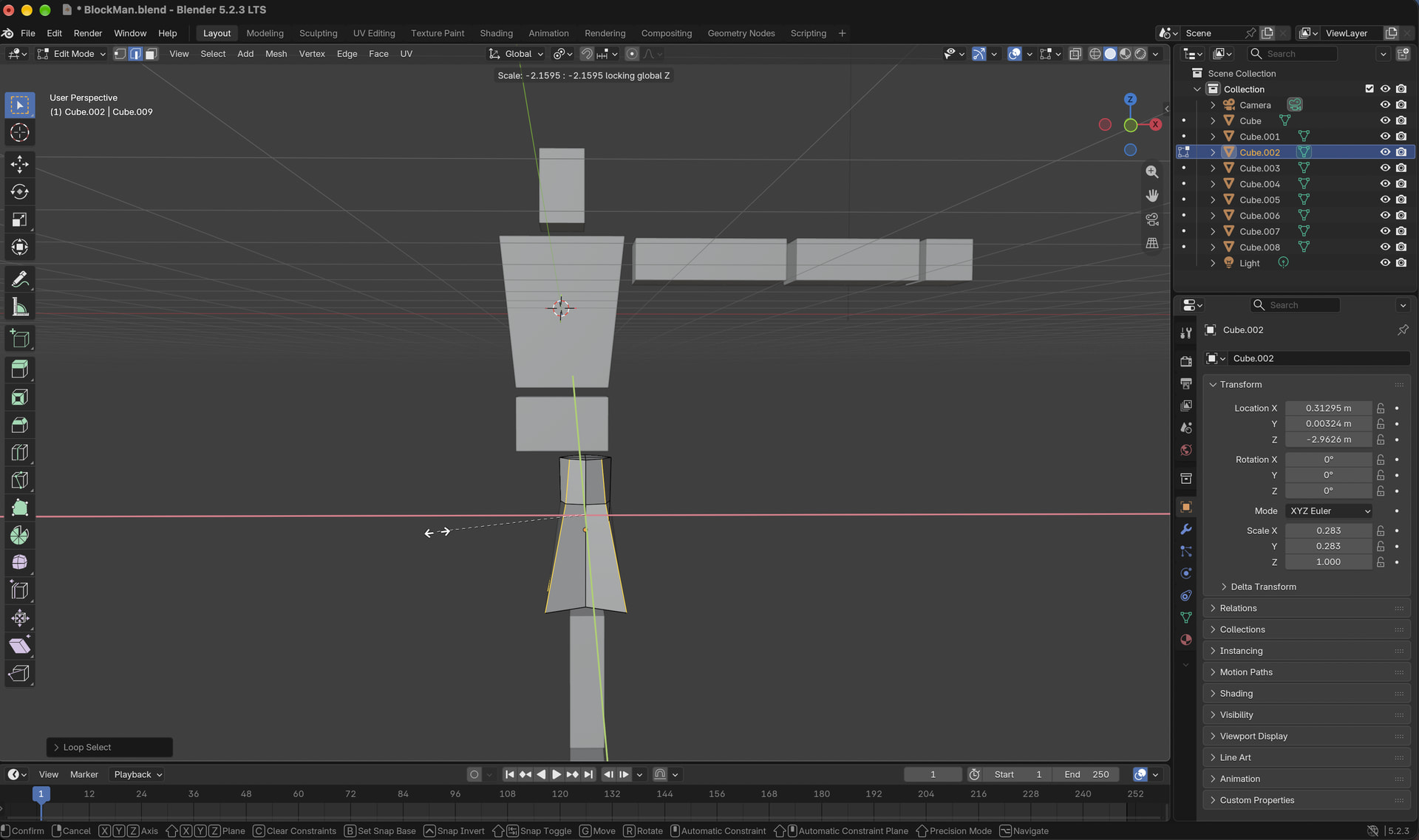
Hi, I think you scaling the of the upper leg is not size one.
Go out of the edit mode, select the upper leg (orange color).
Press ctrl a and choose Apply scale.
Go into edit mode, select edges and scale with command s and then shift z. Then it will scale on the XY-ax.
That said, it is possible that it doesn’t work. Maybe you have accidentally activated some options on or off.
With the mouse in the 3d panel press n to open the side panel and check ‘item’ info.
Check your model in X-ray mode
Thanks for the support I figured out what the problem was. Pivot point was in Individual Origins instead of Median Point. Now it’s working as expected.
Yes, one those strange behaviors once it has been activated (by accident?). I didn’t notices it, so many options to look for.
Glad you’ve found it.
Good study and have fun!
Good to see it is sorted out.
Pivot point control is important in Blender, and the various options are useful in the right places.
Thanks for sharing the fix, since the pivot point detail is easy to miss when you are focused on the mesh itself. Checking that setting first could save a lot of trial and error with loop cuts and scaling.