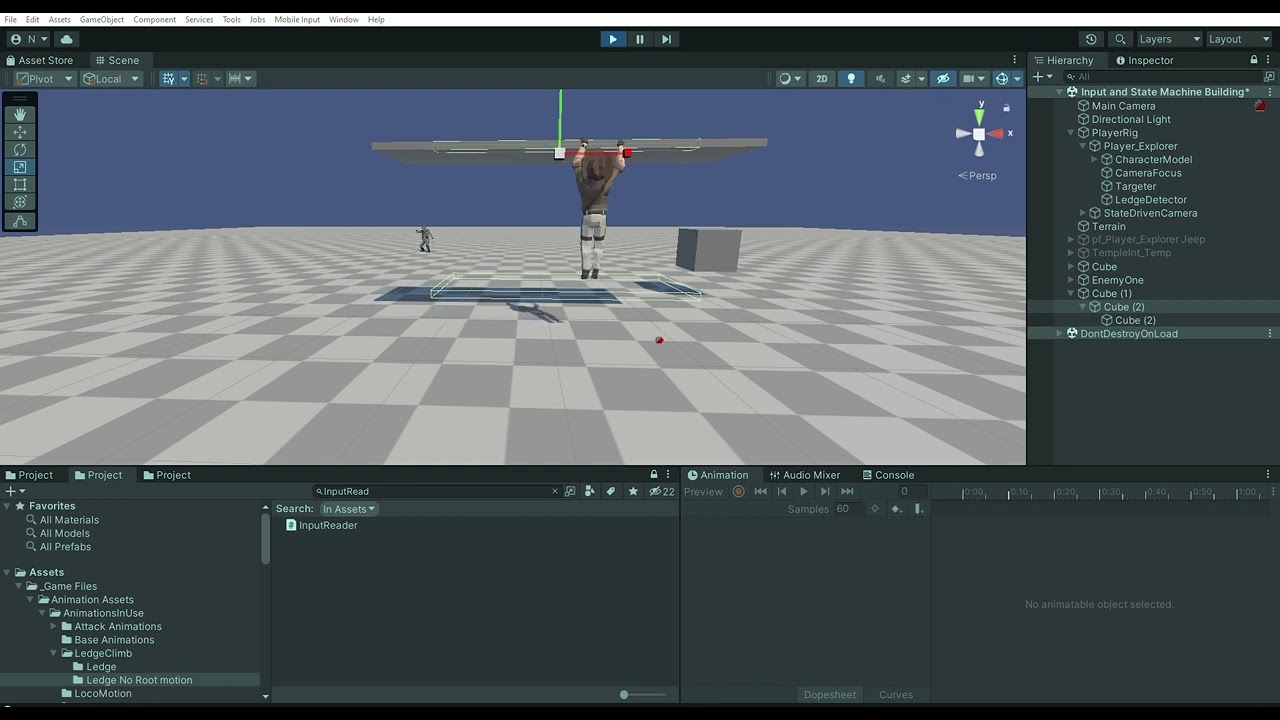
So, I tried a number of different settings with the animations, and I fiddled with trying to set the Players Y position when in the HangingState… but nothing fixed the issue, yet, not matter what I’ve tried my Players collider goes back to the terrain, and leaves my character hanging, but on the ground.
I came up with a Work around though, until I can actually solve the issue.
By creating a Ledge.cs script that contains a collider that is set up at the distance from the bottom of the players collider. It is disabled on awake, but when collides with a LedgeDetector, it enables preventing the player from falling… I dont know if its the best solution, but it works. And, it allows me to have ledges where if the player goes too far left or right they fall off.
Here is my Ledge.cs
public class Ledge : MonoBehaviour
{
    [Title("Ledge", "Ledge Collider", TitleAlignments.Centered), SerializeField]
    Collider ledgeCollider;
    [BoxGroup("Input Reader"), SerializeField]
    InputReader inputReader;

    LedgeDetector ledgeDetector;

    private void Awake()
    {
        DisableLedgeCollider();
    }
    private void OnEnable()
    {
        inputReader.LedgeDropEvent += DisableLedgeCollider;
    }
    private void OnTriggerEnter(Collider other)
    {
        if(other.TryGetComponent<LedgeDetector>(out ledgeDetector))
        {
            EnableLedgeCollider();
        }
    }
    private void OnTriggerExit(Collider other)
    {

        if(other.TryGetComponent<LedgeDetector>(out ledgeDetector))
        {
            DisableLedgeCollider();
        }
    }

    public void EnableLedgeCollider()
    {
        ledgeCollider.enabled = true;
    }
    public void DisableLedgeCollider()
    {
        ledgeCollider.enabled = false;
    }