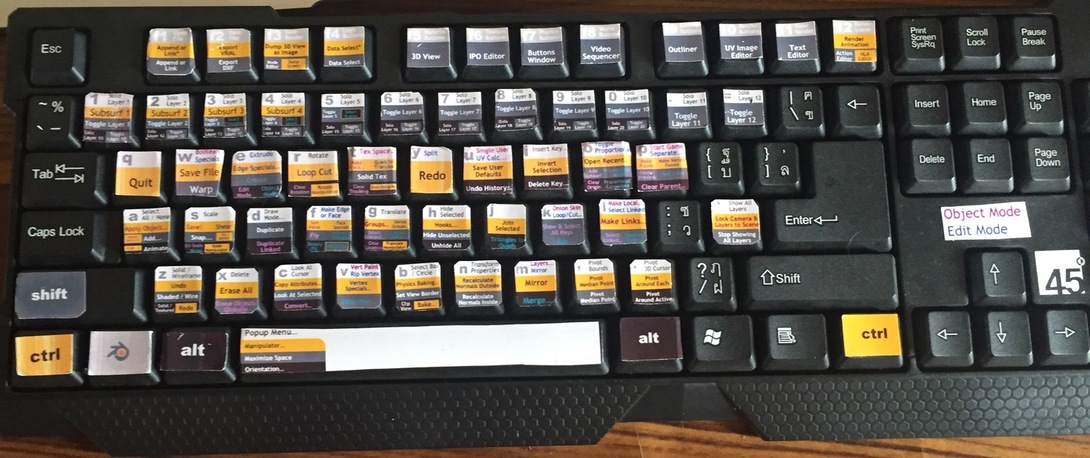
I love using shortcuts because we often have to do things over and over and it is much easier to get into the swing of things by pressing the same number and two keys again and again as fast as possible rather than scrolling and clicking through menus.
Shortcut keys are a must in my book…
I really enjoy using the keyboard shortcuts, for me they are not overwhelming at all.
I thought it was very efficient! I did it the same way before I continued the video, only my pyramid started out really small so my measurements were different.
Well, I have used Blender before but I just kept forgetting the shortcut keys.
Although I am far more accustomed to Maya’s workflow, I still want to be able to properly use Blender without having to search all around the interface for the function I am looking for.
Actually, I bought this course to remind me how to use the shortcut keys, since they certainly come in handy when modeling. I would rather have quick reminders on where to find the function and then a lot of practice with the hotkeys to consolidate that in my memory.
i think they were somewhere in between useful and intimidating. because you cant actually see the key you are pressing on the screen - sometimes you can get a bit lost. but i am totally new to blender, so it may not be so easy for me as it is for others…
shortcuts please! Very important! Very much liked the I, .1, E, 1, I, .1, …
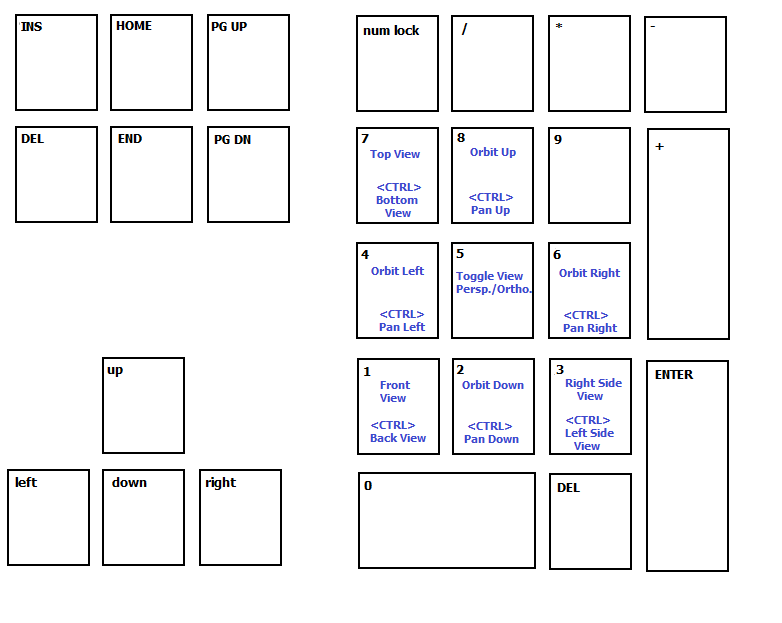
Yes. I always use shortcuts in many applications. Even in video games, I have a blank drawing of the numeric keypad and the arrow keys and add the commands on the diagram.
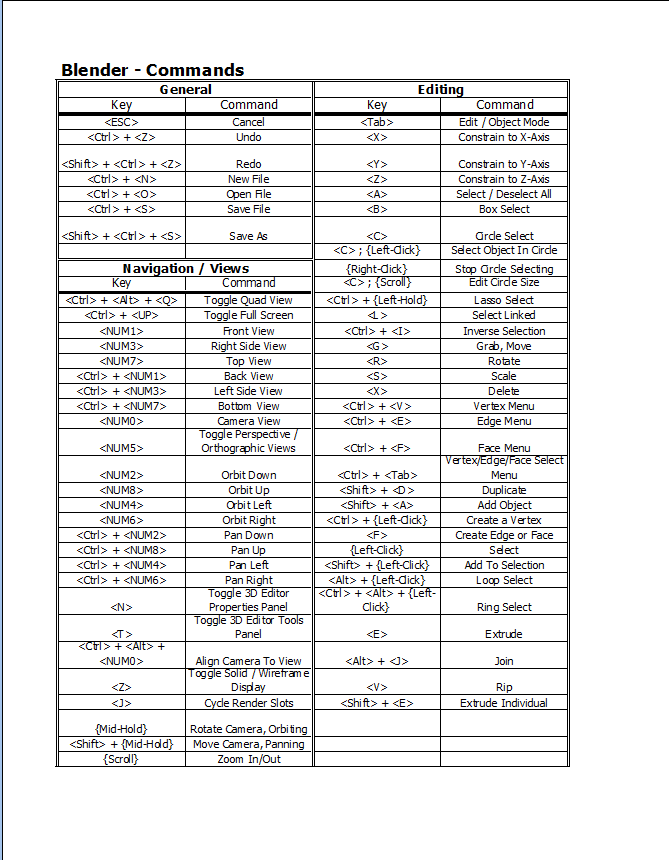
I also have a table in Excel that lists the commands.
So, I totally agree that shortcut keys was very useful. I started out a bit different, but as I did the first level I thought that a better way was to just press the E and I keys with a number and not bother with any other input. I was a lot quicker then trying to do it by eye and the mouse. I appreciate shortcut keys, that is why they are called short cuts.
I have used several 3D programs, and I use both short cuts and menus.
1 Like
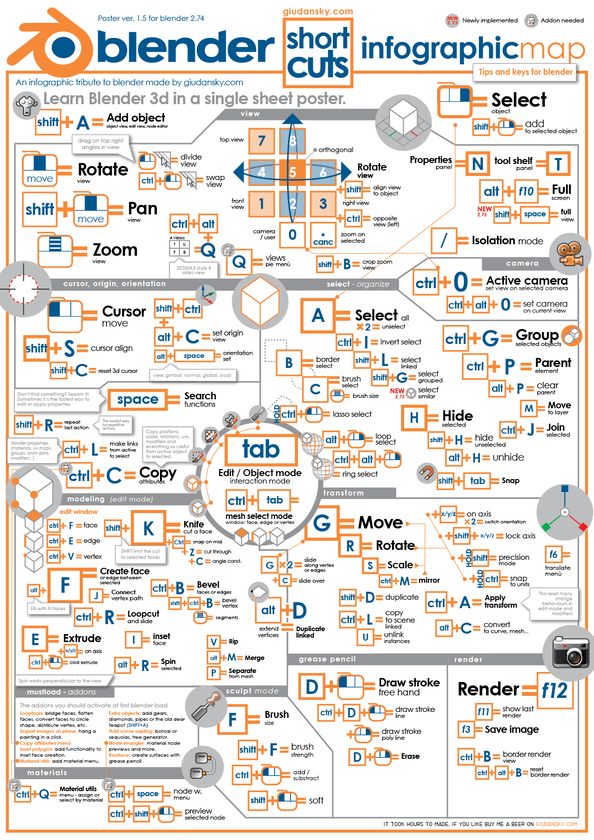
I have this on my desk. I like it a lot. From: http://giudansky.com/
He seems to have created an even prettier update which he sells in his store …
1 Like
Using this topic, instead of creating another one: I thought the shortcuts were well used, but that’s because I already knew them… I think it’d be good if you made a short video about these shortcutes (around 3min or so) explaining them to people that don’t know, and then, people that do can skip it if they want to 
I personally love the shortcut keys and I couldn’t use blender without them.
Useful, no doubts. Thanks Michael.
Shortcut keys absolutely essential - and one of the many attractions of Blender. They’re fun to use too!
The shortcut keys are extremely useful in aiding modeling time. Remembering them however may take a bit more time, thankful of the cheat sheet.
Made making the mayan steps quick and easy, although i did try the long way also.
I found the shortcuts to be much easier, I figured out extruding by the numpad myself trying it out but the insetting by .1 was completely new to me and very useful! Thank you!
1 Like
Hi,
I have to say that shortcut keys make anything I have to do with Blender a lot easier. They make me more efficient whenever I’m playing around with my models, so no, I don’t have any problems with the shortcuts.
Thanks for making us very comfortable using them - saves me a lot of time and effort. 
I like learning about the shortcut keys because they are quick and allow for precision.
I loved the pace at which the shortcuts were introduced. However, the thing I liked the most is how you first show the way to get to it through the menu and then you show the shortcuts. This way I can always go back to the menu if I get too lost. I would leave the way you introduce shortcuts the way you have it.
I found the space bar and searching by command name very powerful. The resulting commands are listed with their shortcuts. Even quicker and easier than wandering thru the menus.