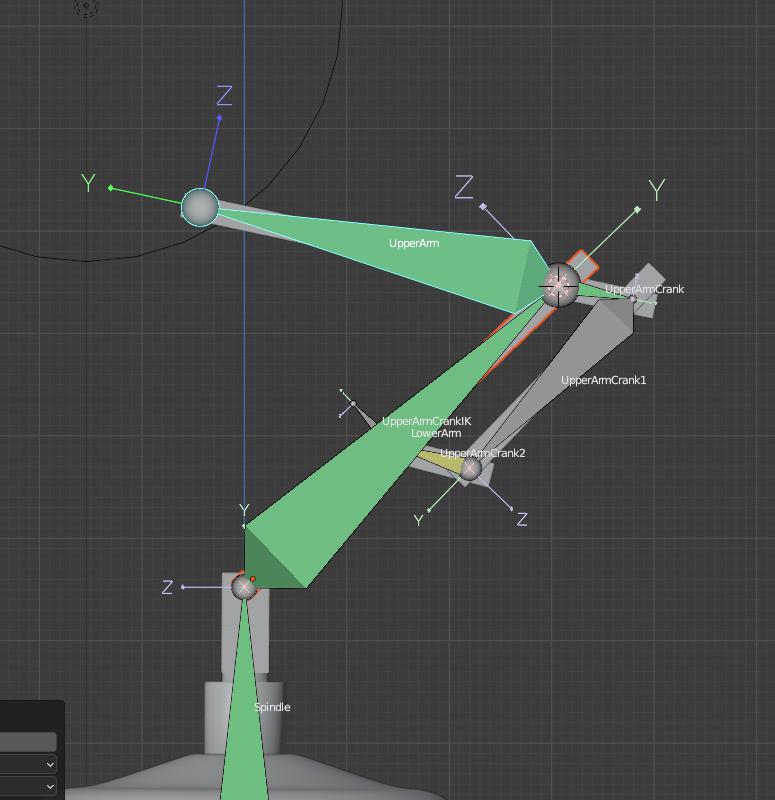
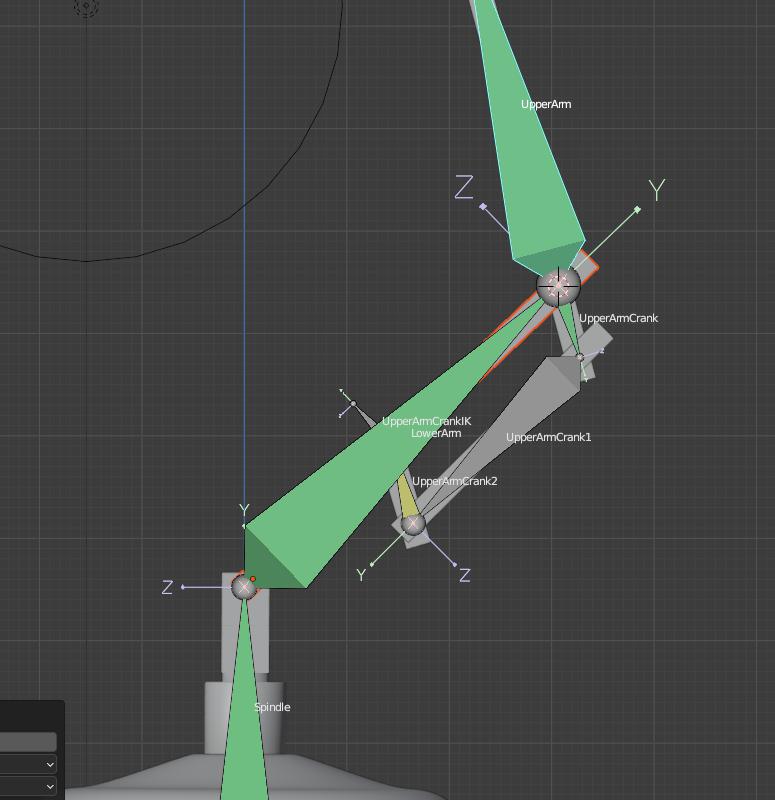
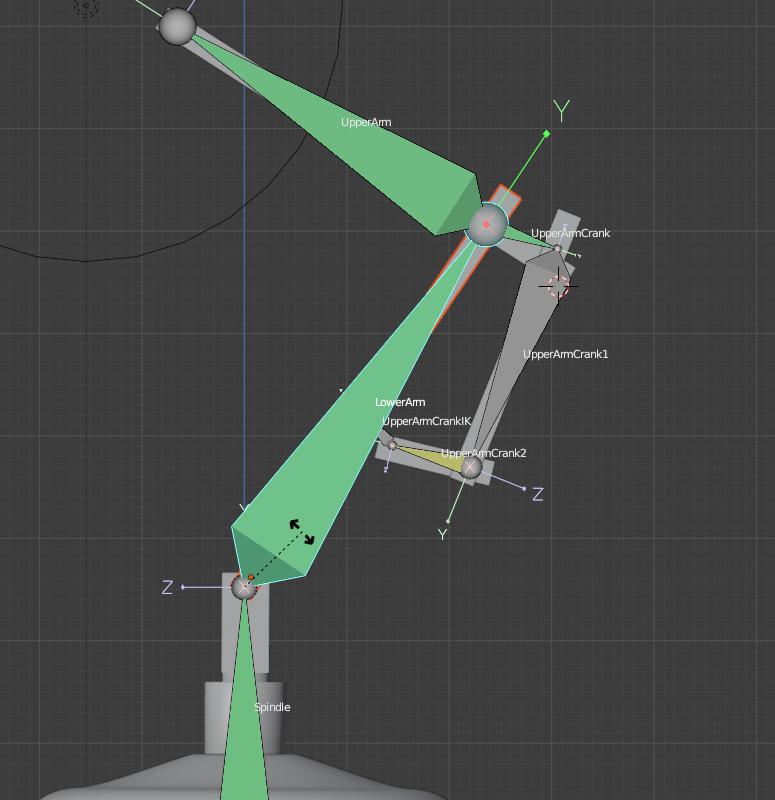
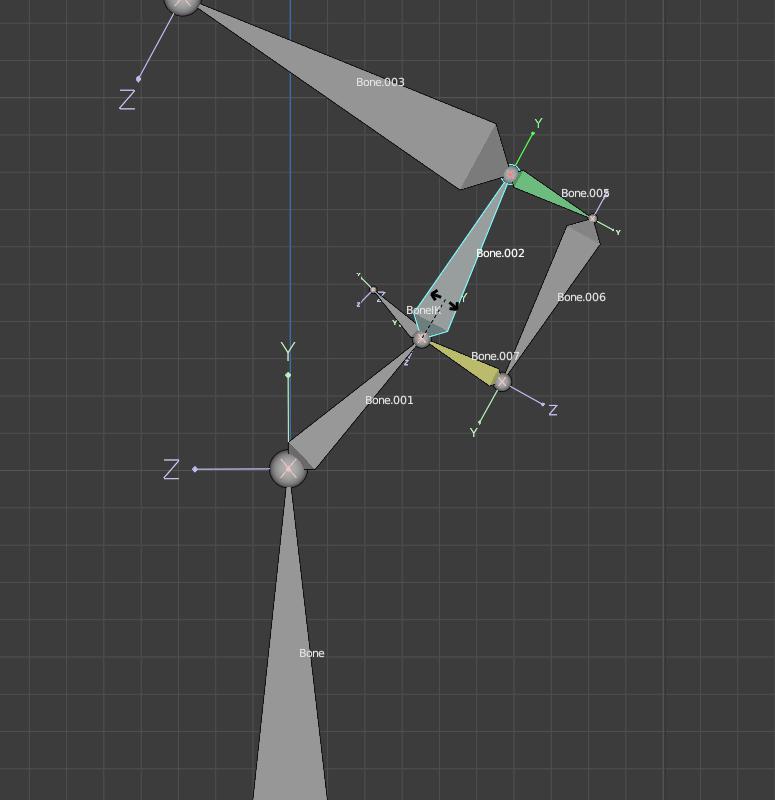
At this point in the course I’m evidently a complete rigging noob but I though I’d try something a little more fun/complicated than the basic two arm lamp so I have a sort-of crank arrangement joining the upper & lower arms (having previously got sidetracked with trying a rotary-to-linear crank/piston arrangement that I eventually got working).
I’ve managed to get the upper arm crank operating correctly when the upper arm is moved with some IK jiggery-pokery but when the lower arm is rotated I cannot find a way to keep the ‘UpperArmCrank2’ in the same place relative to the lower arm.
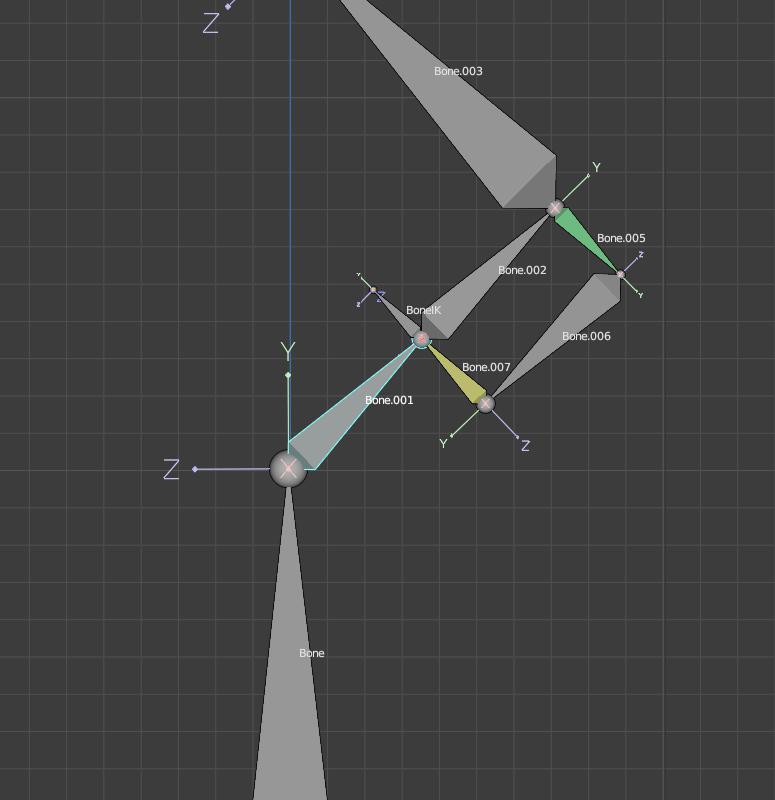
I’ve tried all sorts of things and have done a ‘bones-only’ mess-about which currently has two bones making up the lower arm and I keep getting almost there’ish but I still can’t get it right. I’m sure the answer lies with more IK magic.
I’ve messed with several IK permutations, parenting and all sorts of constraints but for the life of me I can’t get the tail of ‘Bone.007’ to stay where it should (either attached to tail of Bone.001 or head of Bone.002 or just looking like it is).
The closest I’ve got is If I set the Bone.002 parent to Bone.007 then the whole upper part of the lower arm and the crank arrangement moves correctly but I can’t get get Bones 001 and 002 to stay ‘rigid’ and keep the junction between bones 002 and 007. I can get Bones 001 and 002 rigid with an IK constraint with all the locks enabled but the bone 007 does not stay connected to bone 002.
I appreciate that this is beyond the scope of the lecture content but it’s driving me mad. If it comes to it I can have the bottom of the crank at the head of the lower arm where it joins the spindle with a single lower arm bone. This will work but I’d love to know how to achieve what I’m trying to do.
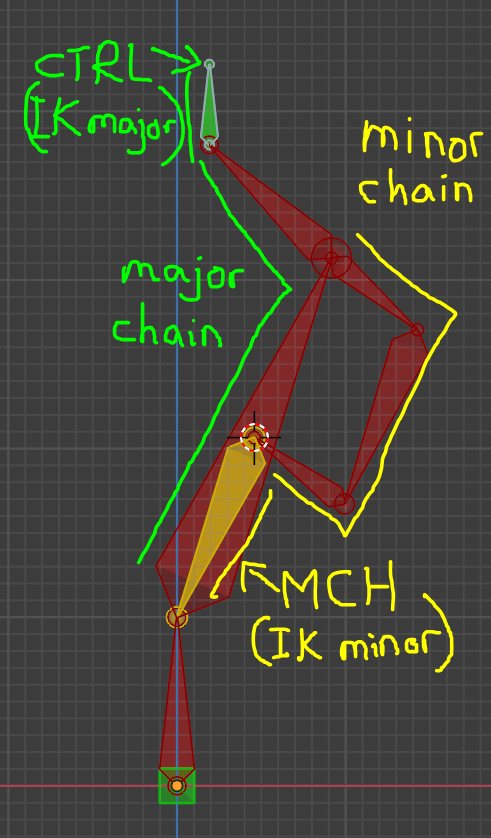
I added another control bone for the base and named and coloured the IK bone of the main chain as a control bone.
Colour key:
red = DEF deformation bone (the visibility should be turned off during animation)
yellow = MCH mechanic bone (necessary bones which neither be seen nor animated)
green = CTRL Control bones. The bone which control the rig during animating and should be keyframed and visible when animating.
Thanks Mark, that’s fantastic! It’s no wonder I couldn’t get it working with my very limited experience - my grasp of IK is tenuous to say the least.
I’ve downloaded your file and I’ll replicate it from scratch to make sure I understand it. I greatly appreciate the time you’ve spent to rig an example and answer my query so completely.
Hi Willy, I’m glad I was able to replicate the functionality you wanted your rig to do and that you think perhaps it may be helpful.
Let me know if I can walk you through any of the process of setting what I did up and I’ll try to explain it in more detail. It uses a few bone constraints and if you’ve never used them before, it might take a few moments to understand what the settings in each are doing. The idea is to prevent constraints and parenting from conflicting and/or causing a circular dependency:
Two theoretical examples:
a grandparent can not also be controlled by a child in the same family…
…and IK chains need to be given as little restrictions to its automated movement as possible to achieve best results.
In my rig, there is a rotation constraint on the first bone in the chain of the minor IK chain which forces the bone to follow the same rotation as the head bone. This actually causes it to fight with the IK movement so it’s not ideal but it works in most positions except at extreme angles where it starts to move out of alignment slightly.