Hello, I’m up to the “Multiple Audi Clips” section in the C# 3D course and I have followed the video very carefully and understand everything as far as I’m aware but my audio clips simply will not work with .PlayOneShot(). I have gotten the engine sound working by itself but as soon as I switch it to the .PlayOneShot(_engineSound); nothing happens. I have also got this working with:
_audioSource.clip = _engineSound;
_audioSource.Play();
but of course this only allows one sound again. If someone could help me out it’d be very much appreciated.
(I know my _levelCompletedSound isn’t set up right, I’ve been trying different methods)
my scripts and unity editor:
http://pastie.org/p/6tePpfWTxjvFL7dPFVvD83
https://paste.ofcode.org/x4BErMbc8bc6Q8dzARBQBz
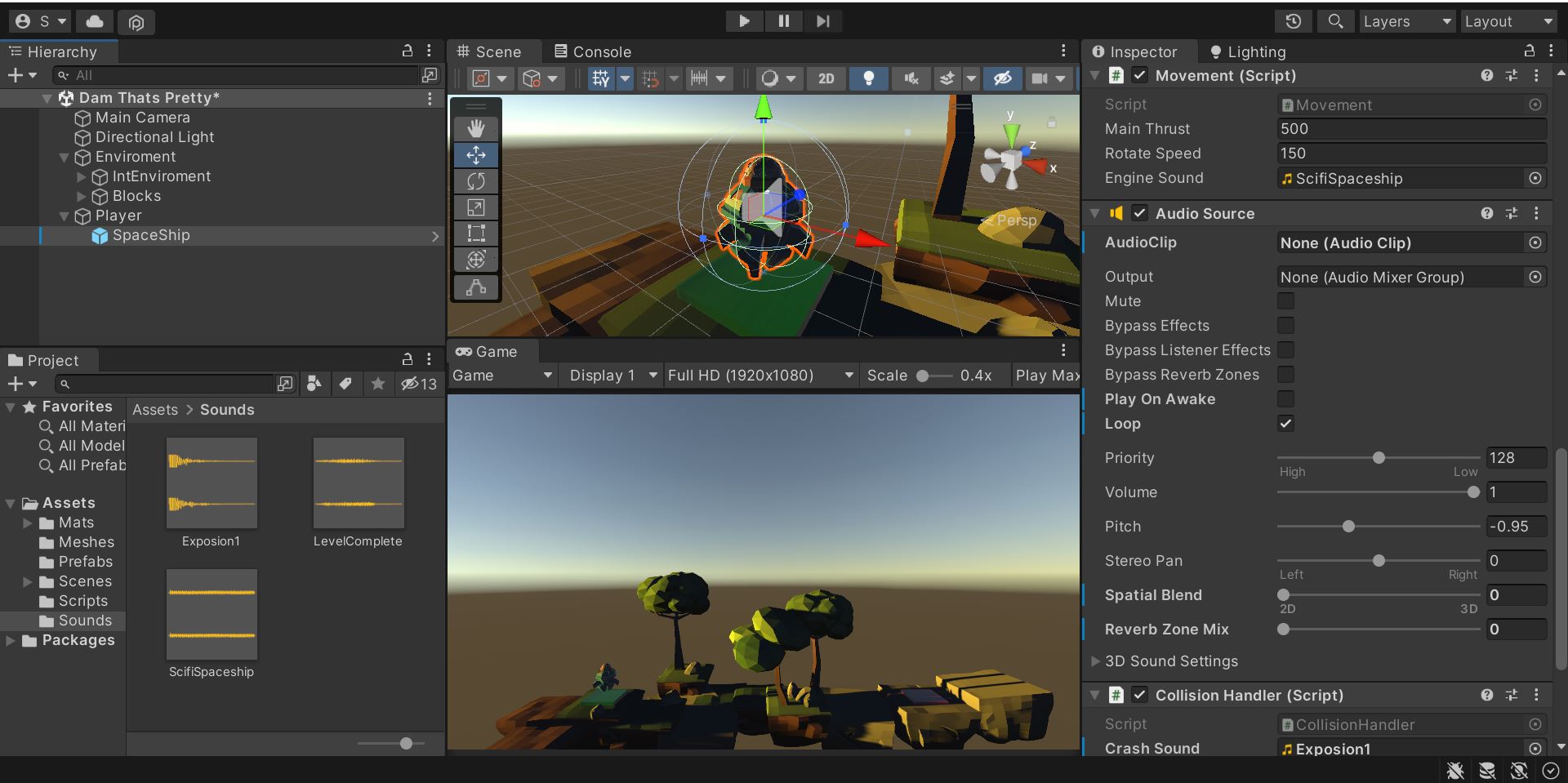
You have a _audioSource.Play() just underneath the _audoiSource.PlayOneShot(). Does it work if you take that out? The _audioSource.Play() cancels whatever is currently playing (unless it’s the same as _audioSource.clip`
Nope, in the video Nick shows it without the _audioSource.play() but someone suggest I try that. Either way it doesn’t seem to work
You sound will also only play while you hold down space. When you let go of space, it will stop. Are you doing that?
I didn’t really change anything but for some reason it works now (for the most part)
now the crash sound has a delay on one scene but not the others and on the same scene the pitch for the engine is raised higher. I’ve played with the AudioSource component in both scenes and they’re both the same. No idea whats causing the problem to be honest.
Have you already tried to build your game? The game window in the Unity editor is often a bit laggy because it’s just a preview.
I think I had a bug with my scene. After a full day of trying to fix the issue it still wasn’t playing all of my sounds but I decided to carry on with the course and after doing the next lesson all my sound was working. I have no idea why, someone on discord even recreated my script and it was working just fine for them.
Sometimes, components in Unity are buggy or break for no apparent reason. That’s annoying but we cannot prevent this from happening. Next time, try to remove and readd the concerning component.
Will do, thank you for the support either way!
This topic was automatically closed 24 hours after the last reply. New replies are no longer allowed.