I have started compiling a C++ Project lesson 3 days ago. Ihave been following lessons very closely. When teach said “close the editor” i closed it. ever since it gave me this message
i have tried that solution below. and situation still the same. Idon’t know if it helps but I am using UE 5.5.3, Visual Studio 2022 and .NET8.0 SDK x64
[Compiling issue. UE5.3]([Compiling issue][quote=“c4g1, post:1, topic:253105, full:true”]
I have started compiling a C++ Project lesson 3 days ago. Ihave been following lessons very closely. When teach said “close the editor” i closed it. ever since it gave me this message
i have tried that solution below. and situation still the same. Idon’t know if it helps but I am using UE 5.5.3, Visual Studio 2022 and .NET8.0 SDK x64
When you added 14.38, did you delete your binaries, intermediate and saved folders?
Give this a try:
Close Visual Studio and Unreal Editor and Launch the Visual Studio Installer. Click Modify and under individual components search for 14.38. Select the CLI, Build tools and ATL items for the x86/x64 only.
Now, in your project folder, remove binaries, intermediate, ipch, .vs, DerivedDataCache, Saved and finally the .sln file. Don’t open the project just yet.
Check the folder assuming VS is installed on C Drive: C:\Program Files\Microsoft Visual Studio\2022\Enterprise\VC\Tools\MSVC\ and check the version. There should be a folder called 14.38.33130
Now you have that confirmed, Navigate to “%appdata%\Unreal Engine\UnrealBuildTool” (WINDOWS+R or run from start menu) and edit BuildConfiguration.xml so it has the following: (it probably has LatestVersion in there)
You shouldn’t have to. Try 5.4 first before you get started. As it happens, 5.0 is even worse to set up now as it also shows the same issues but needs a different version of MSVC again from 5.4 and 5.5
Absolutely, and also you need to avoid non-ascii characters in the path too. Basically a-z, A-Z and 0-9, and a few symbols are safe such as _ - and so on.
I’m not sure why the characters are an issue but I’ve seen issues with others too. OneDrive is a major issue as it blocks the files as you build causing strange failures and eventually corruption.

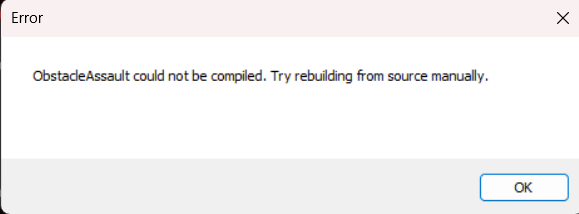

 i will keep you in date after unlinking onedrive thanks