I kinda like how the spider moves and attack at the same time when player tries to move away but because the walking animation stopped it looks like the spider is sliding towards the player.
Is it possible play 2 animations at the same time?
Or we have to create a new animation with both movements together and then stop one animation and start the new one?
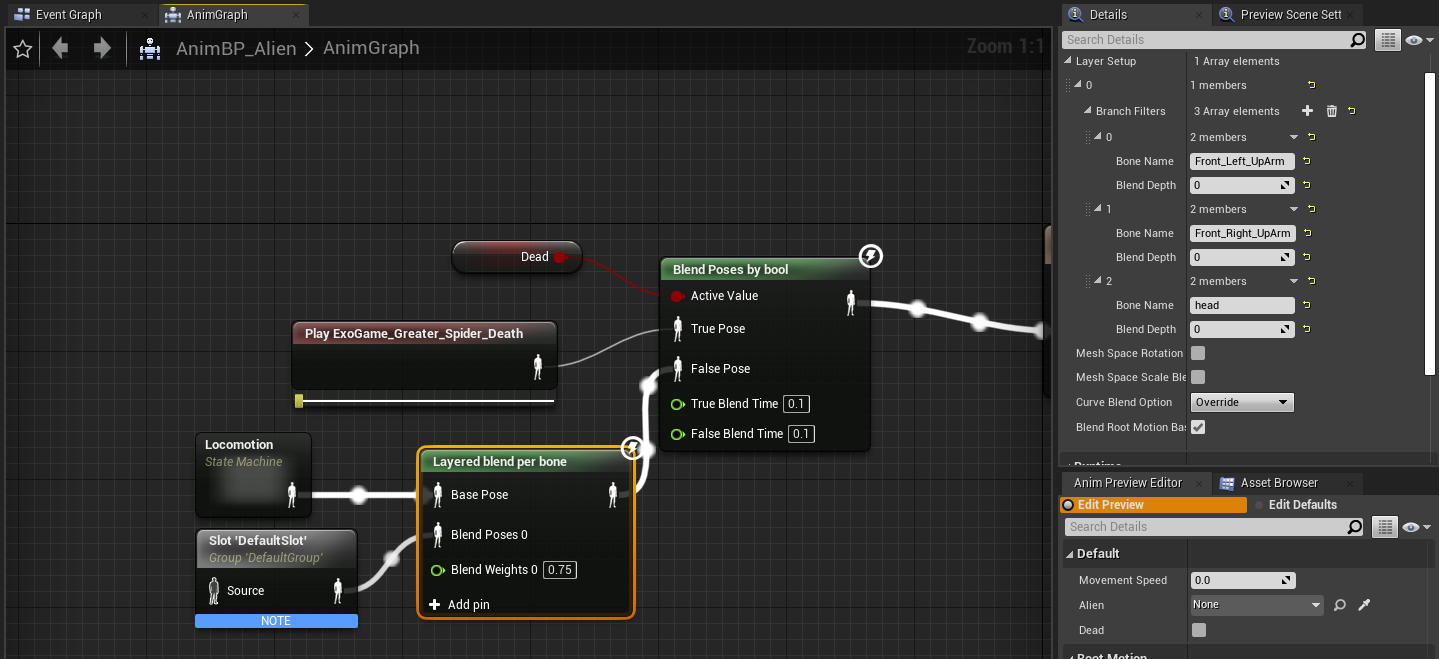
You can blend both animations together in the AnimBP based on a given bone using Layered Blend Per Bone. Give this a try, but it’ll likely need tweaking.
Any bone that is a child of the bone specified will play the second pose slot, while the rest play the base. You can specify more than one bone as well.
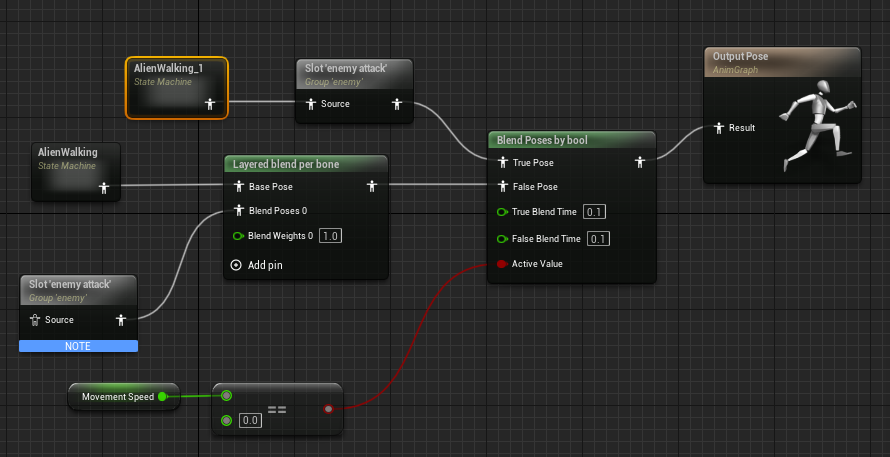
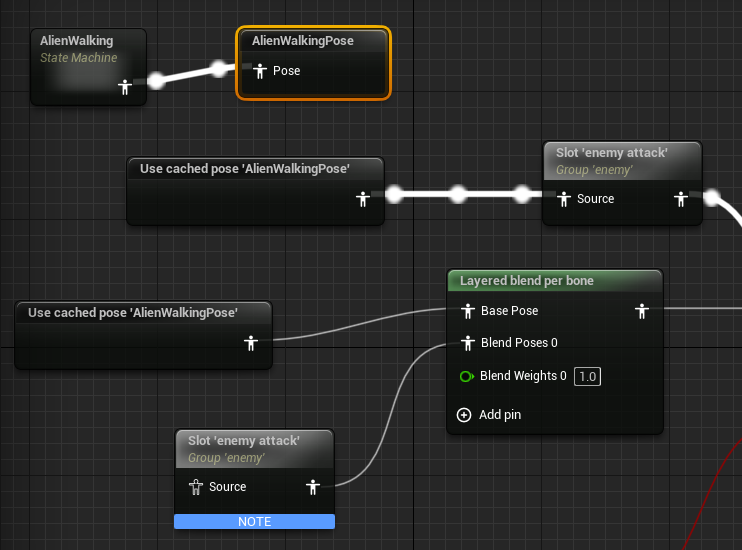
The only bad thing about this is that the state machine allows only 1 output path in the animation graph.
If the AlienWalking state machine connects to the slot, we cannot draw a 2nd line connecting to the “Layered Blend per bone” node.
I got around it by copy and pasting the it but that doesn’t sound like a good way of doing it.
Any tips on improving on this?