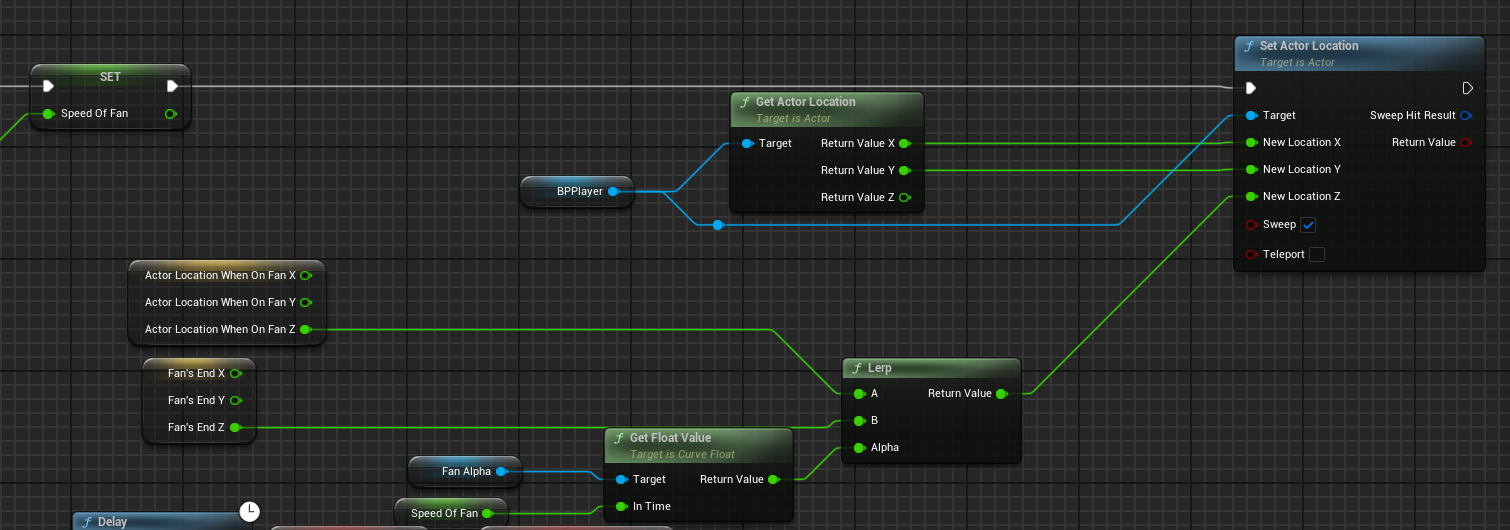
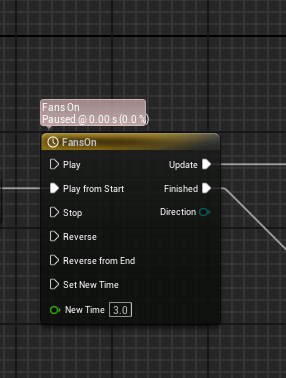
Hey! I’ve been working on a fan blueprint that moves my player up(or down) based on the location of a scene component. It was working great at the start! I use a collision to detect when the player walks into the area, and once they do, the fan starts. To move the player I use a timeline and then I would just get the actor location when he entered, and lerp that to the scene component. My problem arose when I realized that the time to reach the scene component was the same regardless of the distance between them. And so I’m wondering how I can make the speed be the same, regardless of whether the scene component is high or low.
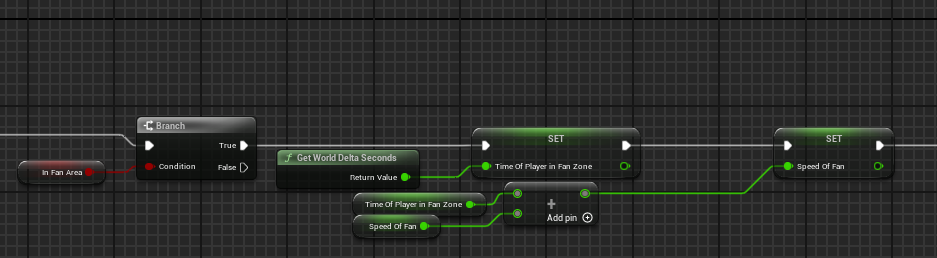
That’s how I get the delta time for the get float value 
And this is how I’m moving the player

Any help would be greatly appreciated! Thanks!
Hello Coen,
While this isn’t a question related to a course I think I can give you some hints as to what to do.
You’re correct that using both a loop and a timeline is going to result in variable speed based on the distance needed to travel. This is because you’re travel X distance over Y time, rather than just X distance at Y distance per time. Think traveling 10km or miles over 2 hours vs traveling that same distance but at 5km/miles per hour. In the example the result is the same, but now try adjusting the distance needed to travel.
There’s two ways I could tackle this problem depending on your project’s needs:
- Apply a constant force in the desired direction, either away from the fan or towards it. I would using the fan’s forward vector for this.
- If forces can’t be used (mainly because physics are not being simulated), then you can achieve the same thing by setting the players location manually similar to what you’re doing now. But rather than a timeline & lerp adjust the player’s location on tick by a set amount in a given direction (either away or towards) per second (hint: utilize delta time here). As with #1 utilize the forward vector of the fan to get the appropriate direction.
That should help you get to a solution for your problem.
What Tuomo said but also you can calculate the time. If you know the player movement speed and calculate the distance to the target, you can divide the distance by player speed and use in the lerp.
Hey, thanks for the reply! I’m a bit confused with the speed part though. Is it the max character movement speed?
Once again, thanks!
It is whatever you wish. Depends on the game. It could be from the movement component from your character or it could be something you apply to your pawn to get it to move.
 )
)