Hi, I’m trying to add a solidify modifier to my model, but some edges getting more thicker than the other two. What should I do to make them even?
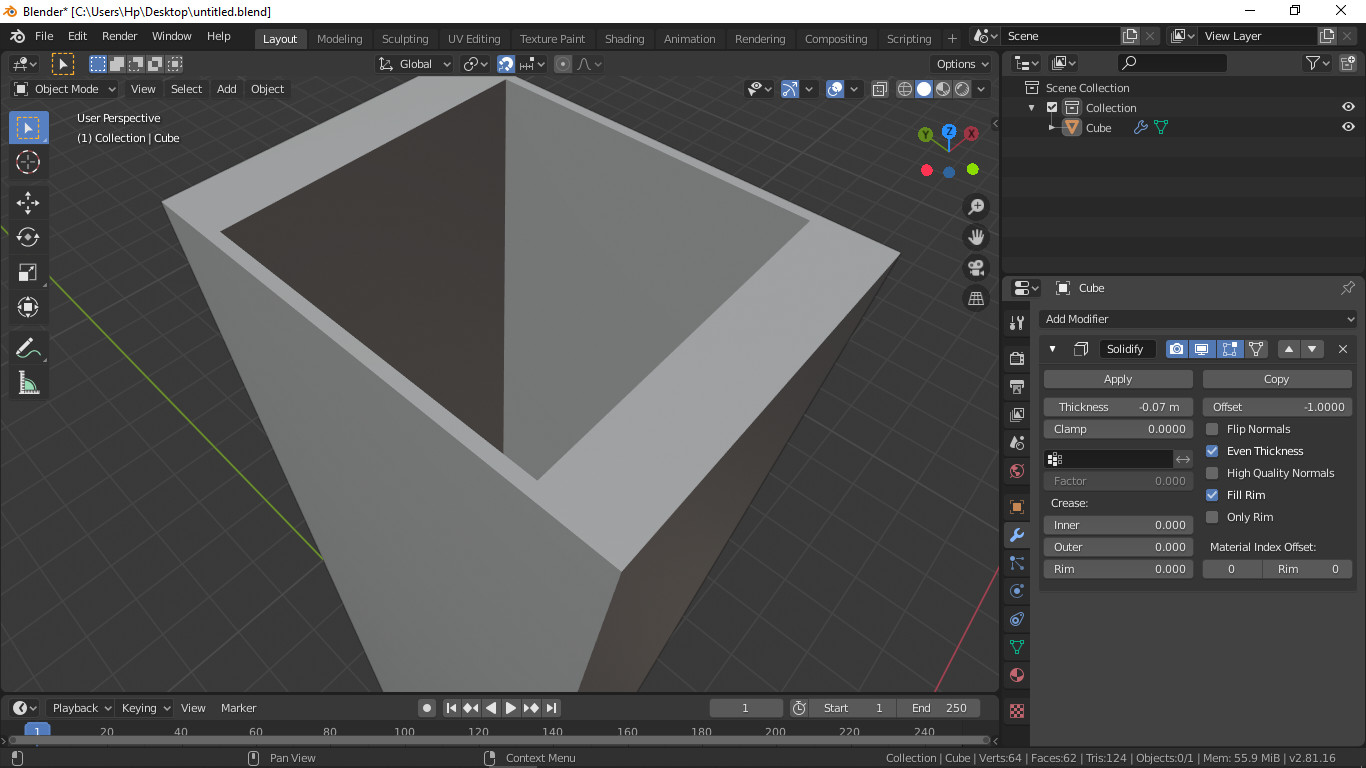
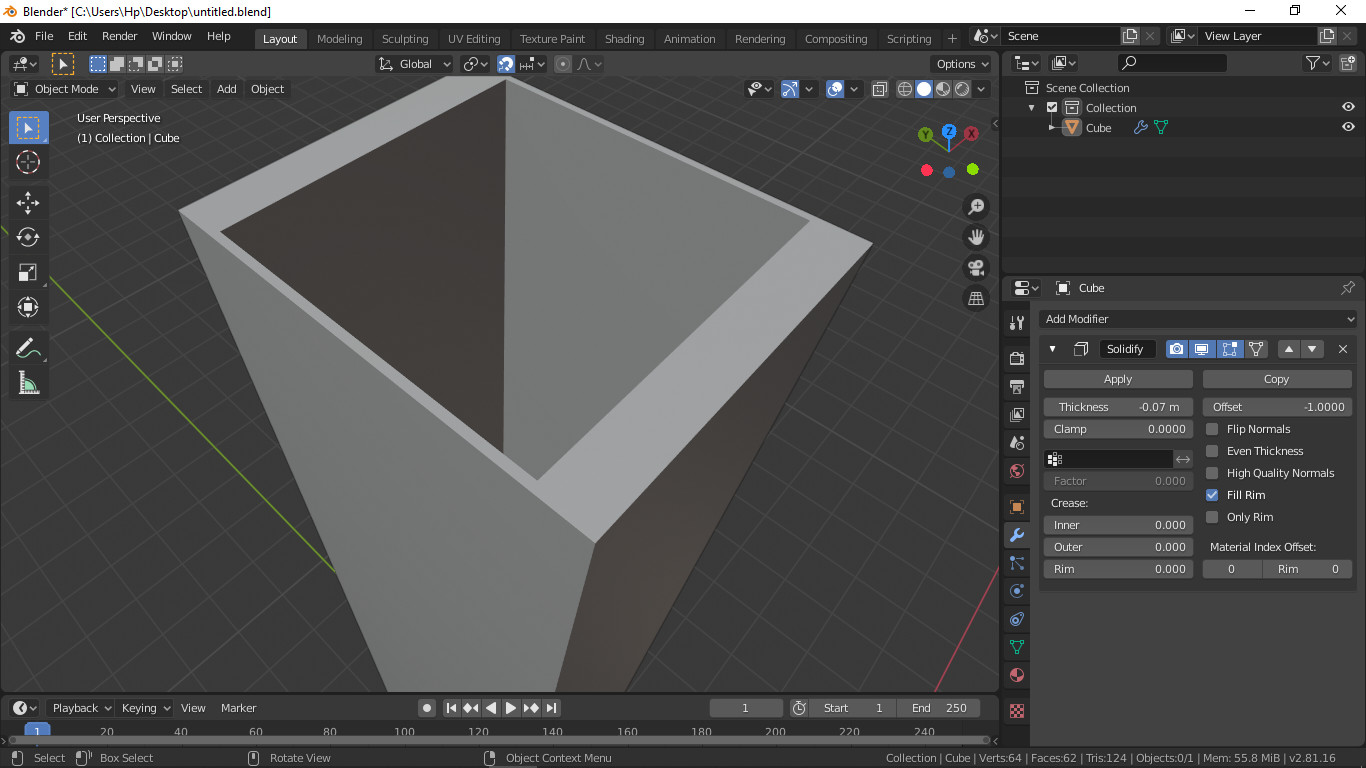
Apply scale?
1 Like
Yeah i did that too
But i think i found another way. (which is applying the modifier before I scale it… lol)
Thanks a lot anyways 
2 Likes
Glad you solved it!
Now that I think about it - another way is to scale in edit mode. Overall keeping the scale at 1,1,1 is important for many modifiers and sculpting (and possibly many other things in blender).  not always 1,1,1 is needed, just that x/y/z scales are equals in some cases.
I like to keep my modifiers as long as possible - as after applying them there is more geometry to work with, I cannot tweak the parameters later and “unapplying” them sometimes require massive amounts of work.
3 Likes
Wow!  I will definitely keep this in mind… Thank you so much
2 Likes
Yes edit mode, otherwise, you are actively altering the object data you previously applied. Messing it up for the modifier that is still using the original data as the reference point.
Alternatively after your scaling in object mode, and it looking wrong, then reapply the scale. It will work but maybe a harder way to get the dimensions you want.
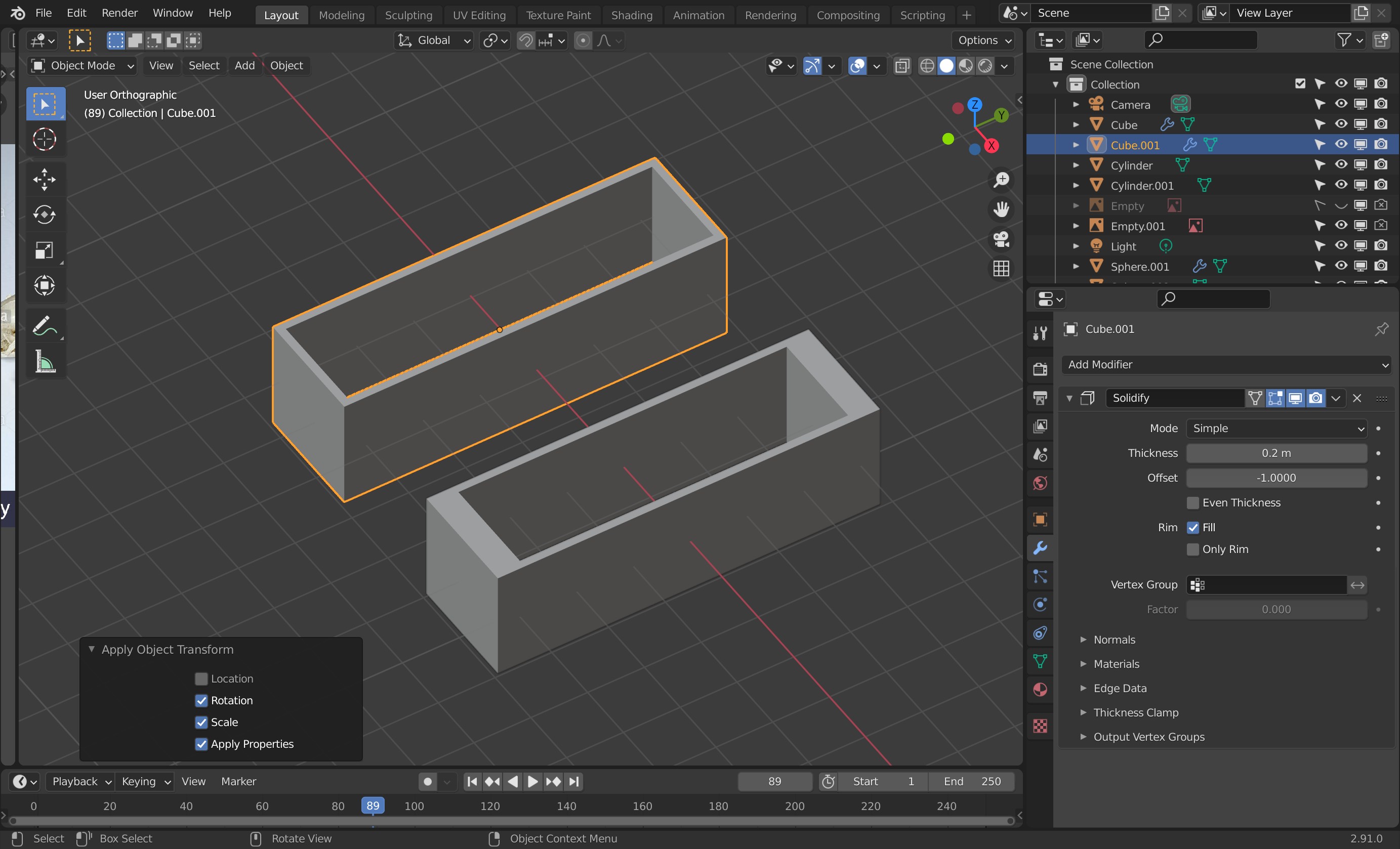
There, the Highlighted object is a duplicate of the other one which was scaled in object mode. BUT subsequently, scale etc. applied.
3 Likes
This topic was automatically closed 24 hours after the last reply. New replies are no longer allowed.