for the build to web, since we already have the export templates installed.
we should be able to click Add at the top and select the Web Runnable export preset.
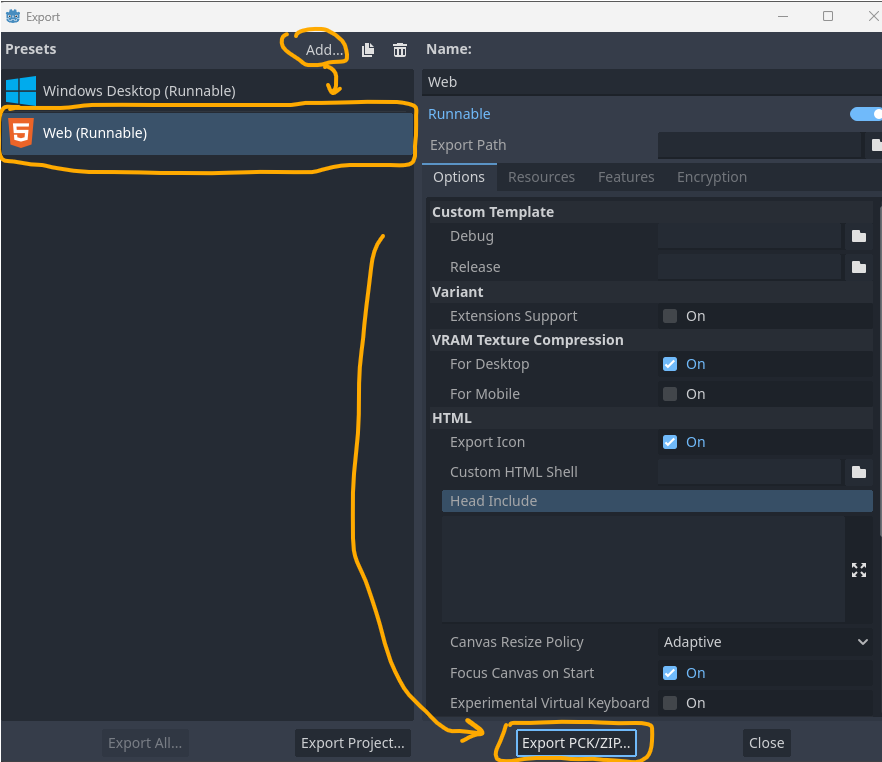
Select the Web build, then click on the Export PCK/ZiP button at the bottom.
again at this window that comes up, you can pick an empty folder or create one, give your game a name, then put a filename, but with the .PCK at the end of it.
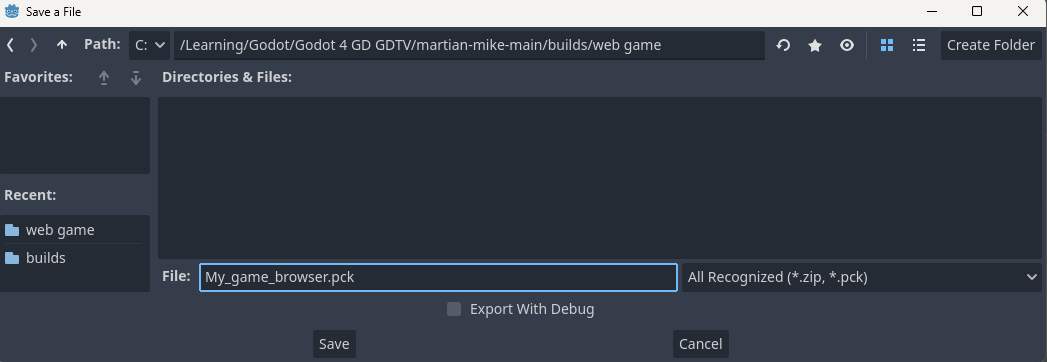
then press save.
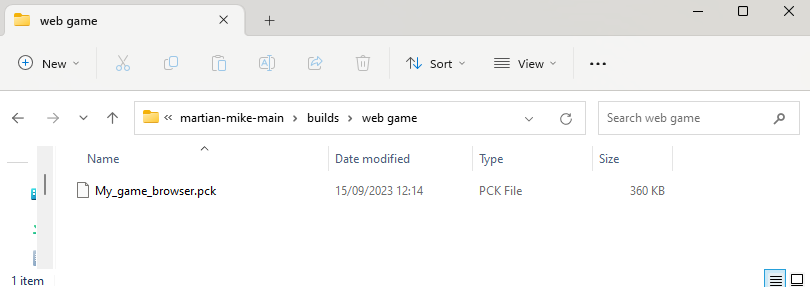
now in the folder you saved that to, there will be a single file of the name you selected.
one of the sites i use to get my web games online to share is .
gotm.io
if you browse to there and create an account.
eventually, once youre logged in you will see an upload icon at the top right.
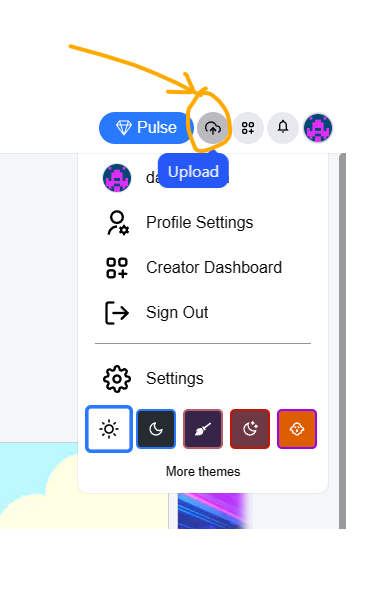
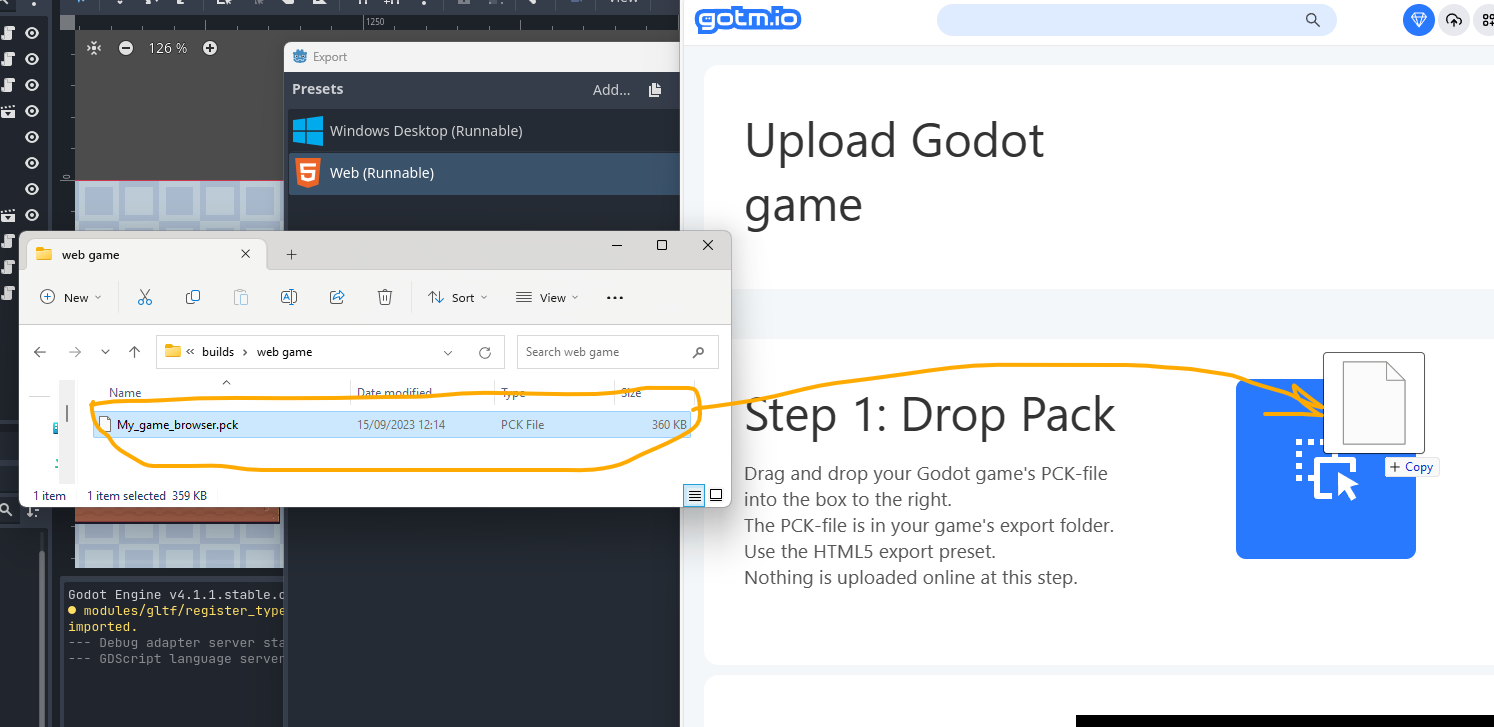
clicking that, gives the following page.
from there, you should be able to drag and drop your .PCK game file into the box for step 1.
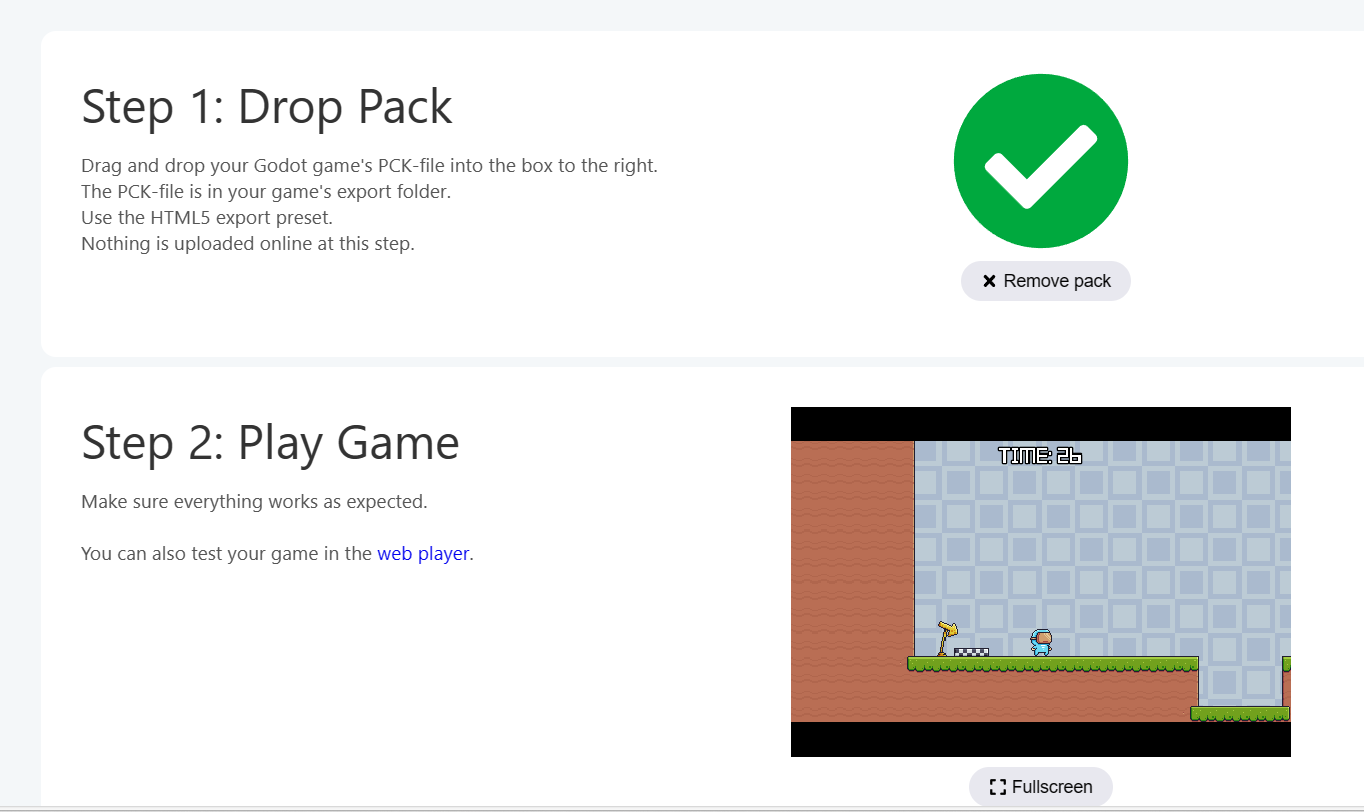
if its ok, you will see it torn to a green tick.
at this point, you should be able to then see your game in the window below for step 2.
and clicking on the game itself you should be able to give it a test play.
the following steps should be straight forward.
step 3, just leave this as if its your first time and done have a studio created. (just a sub folder name for your page of games)
then in step 4. create a name for your studio and give your game a name as well.
then step 5. click Upload
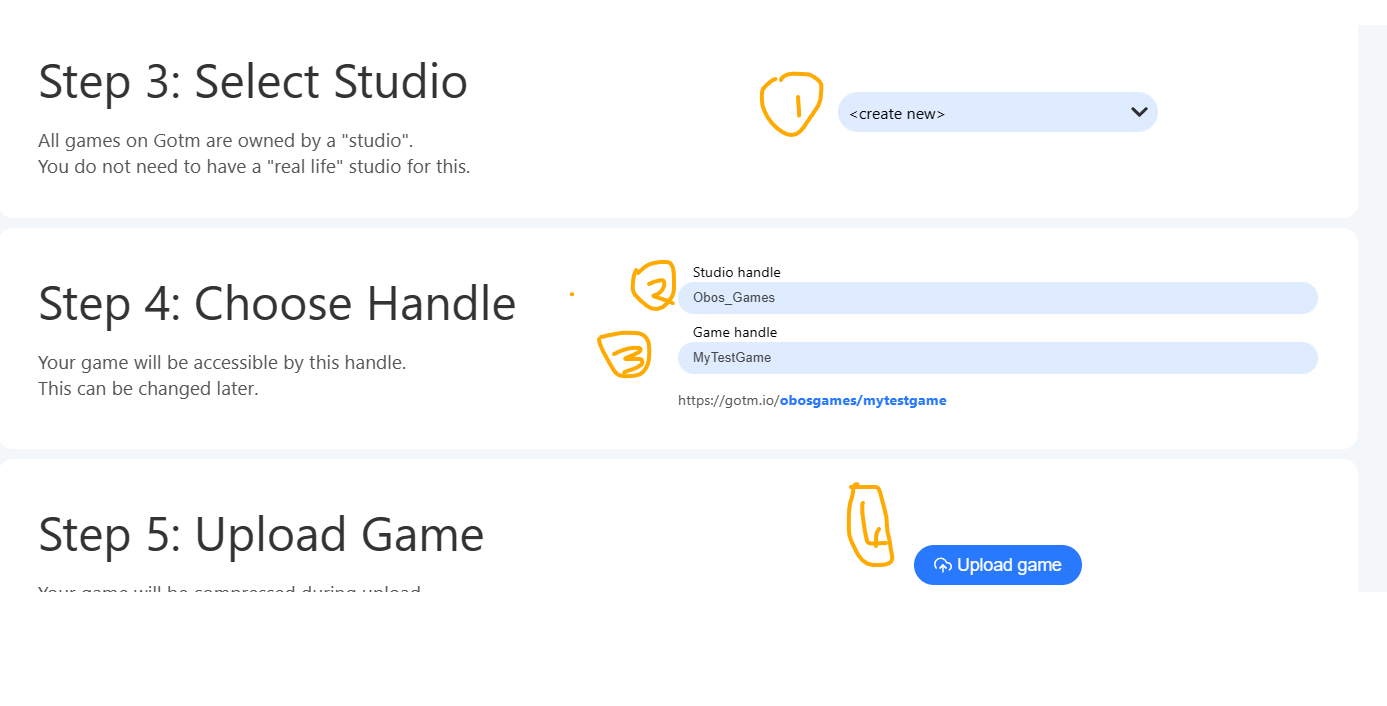
once thats done, it should be playable from the URL it showed you at the bottom part of step 4, or from the list of games in your profile…
unfortuantely, at this time im away at work for a couple weeks and done have access to upload.
but this is the final part and it should be ok.
let me know if that helps get your games shared or not please.
im sure that there are other sites that you can put godot web builds on, but thats the only one i remember from godot 3 days.
Darren