Hi,
sorry its taken me so long to get this put together, but i hope it helps you get your game shared.
this first part should get an .EXE project exported. if this works then ill get working on the web build after.
firstly when going to Project > Export.
you will be faced with an empty page like the following.
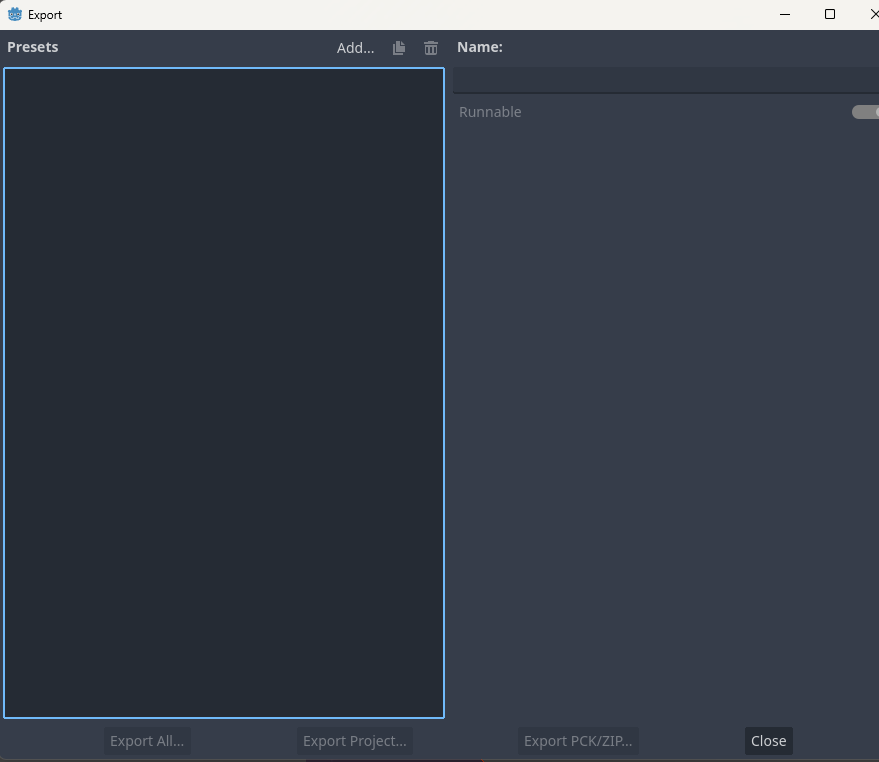
for exporting, we have to have the necessary export/build templates installed, so thats what were going to have to do next.
firstly we select Add > Windows Desktop
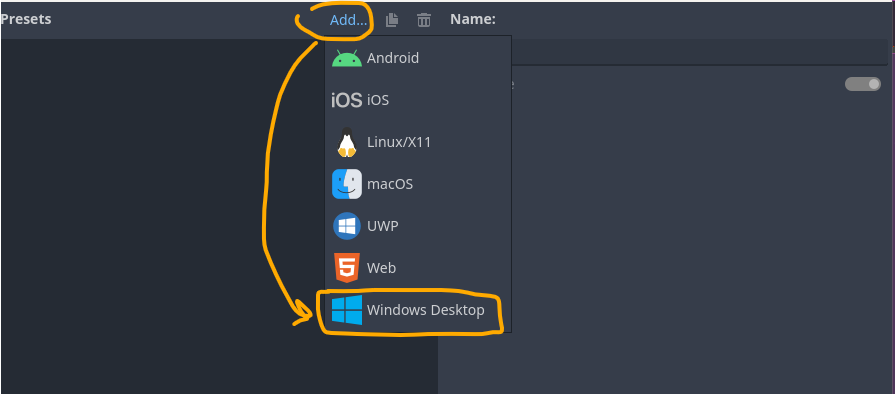
you will then be prompted with the following screen. this does look a little unwieldy, but theres not much we have to do at this point, so we can get away with ignoring most of it.
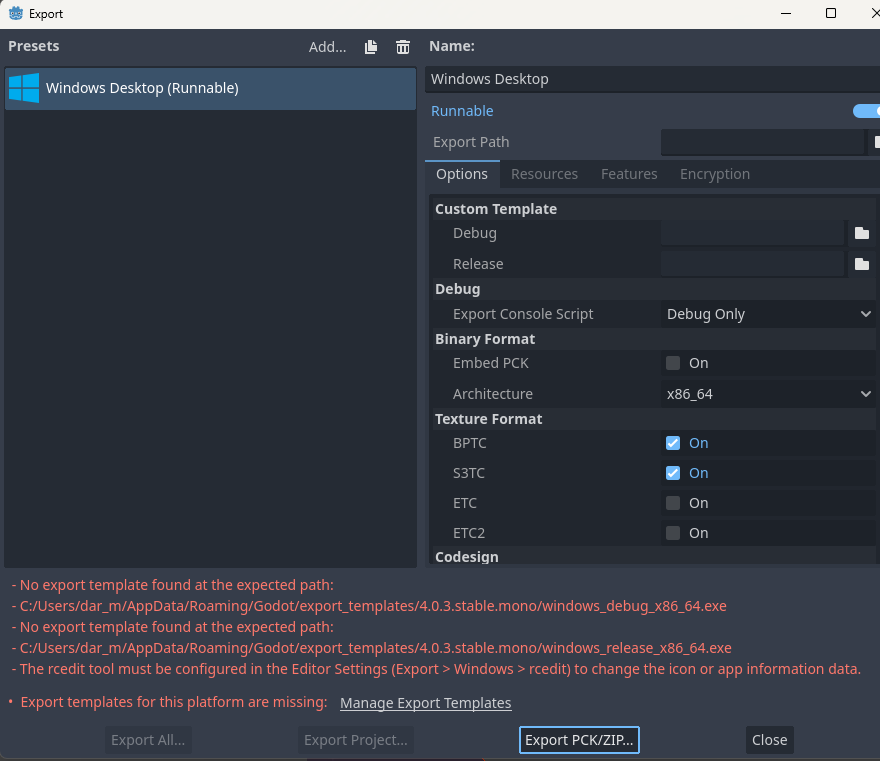
what we do have to do, is to get the addon package that allows us to export projects to various platforms.
you will see at the bottom there in white, it says to Manage Export Templates. if you click on it

you will then be prompted with the following.
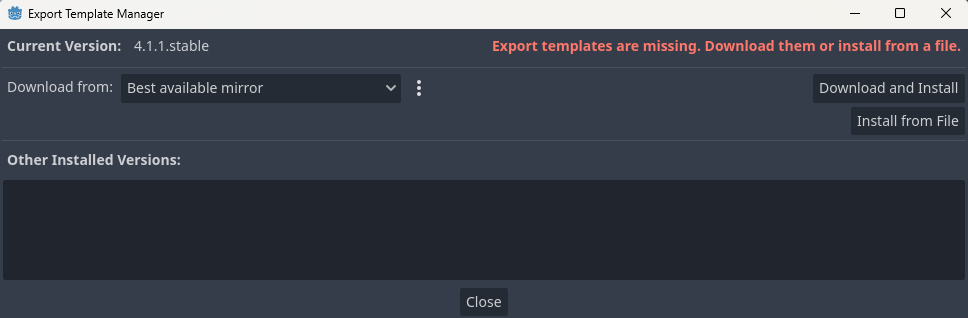
from here, you can click on “Download and Install”.
that should get the install started, might take a while as its about 700meg download.
but, once thats installed. you should then see on your export list you have the windows runnable option.
so here, firstly, ensure that windows runnable is selected, if you have more than one option.
secondly, to get rid of the Rcedit warnings that come up, you can disable the modify resources option that is highlighted here.
then lastly click Export Project.
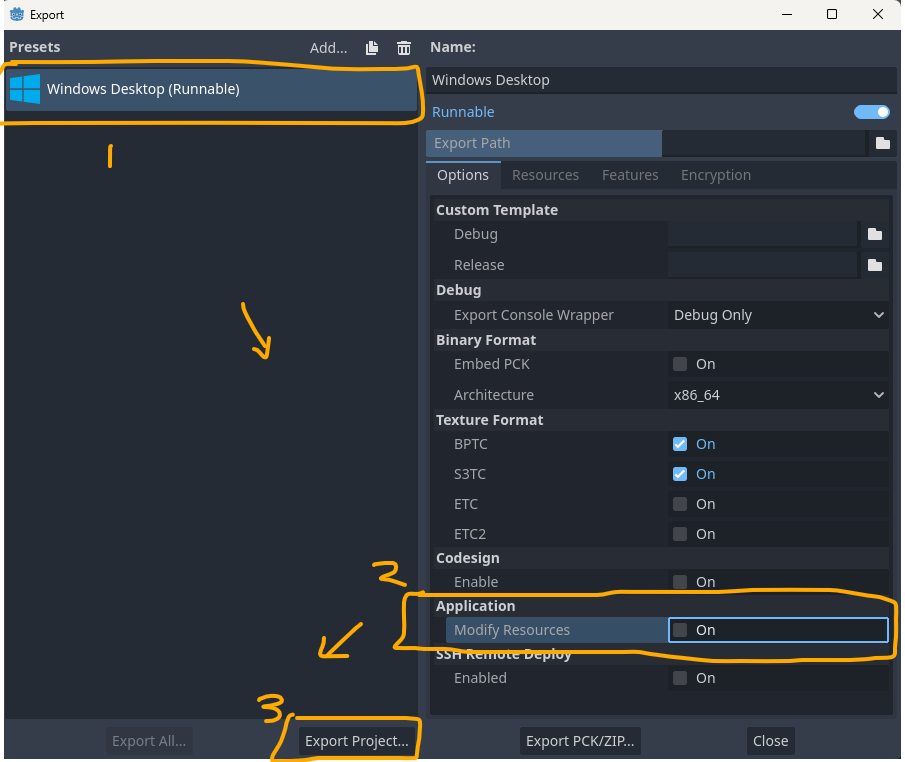
you then come to this screen.
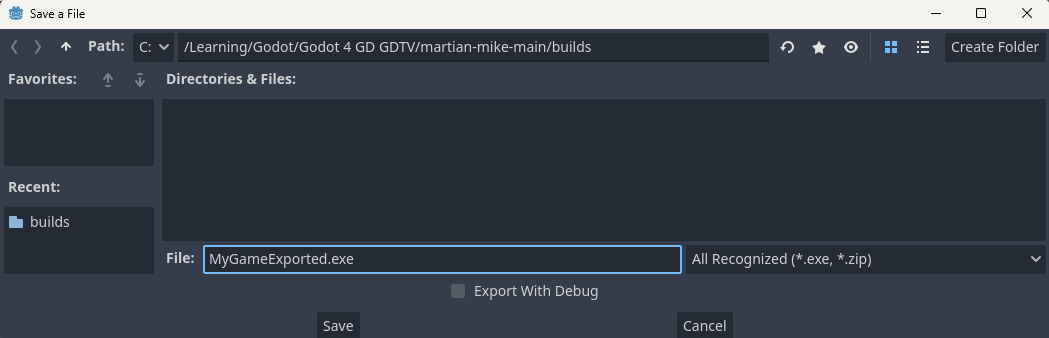
first, select preferably an empty folder to save your exported game to.
second, give your game a name with the .EXE at the end.
the option there for Export with Debug, will give you another executable file in there, and it just means that you can run your game, but it shows the console window along side, just for debugging. optional, but wont change the game itself.
then press Save.
if you browse to the folder you exported it to, you should see you have a .EXE file and its accompanying resource folder with all the game data in it.
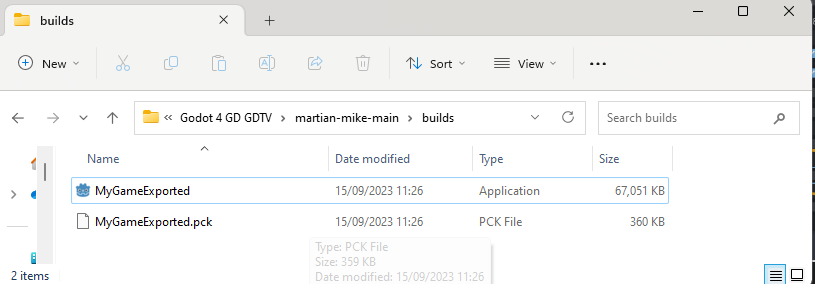
hopefully at this point, you can double click the app and it should run.
but you do need to have these two files in the same folder for the game to run, so sharing just the .exe wont work.
hope that helps, let me know how you get on please
Darren