In case you were using Unity 5 to do these early sections, you might have some trouble getting the up/down keys to register. I got this error when I entered play mode:
ArgumentException: Input button down is not setup.
Here’s how I fixed this (it might not be the right way!). Go into Edit -> Project Settings -> Input. This should take you to the Unity Input Manager. Expand the axes tab and change the size number to 20 or so to add some new blank entries. Change one of the new entry’s name to “up” and the other’s to “down”. In each entry’s positive button section, type “up” and “down” respectively. It should look something like below:
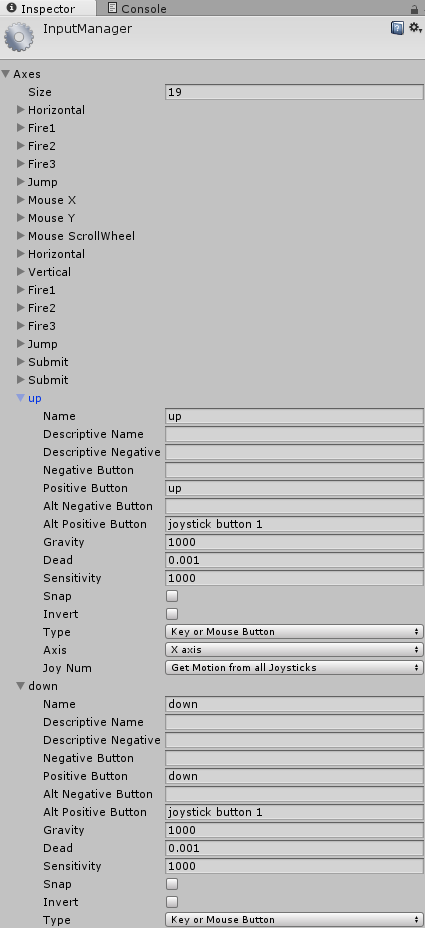
Finally, you need to delete the preexisting “Vertical” entry. It didn’t work for me until I did this, presumably because each button can only be bound to one event at a time. Any future entries that use the enter key will likely have to be deleted as well for that to work as well.
Hope this helps!