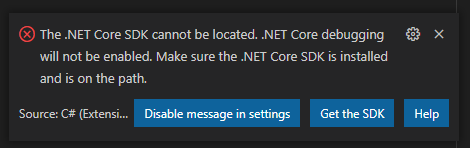
Hello, I keep Getting the Following message Pop up in my Visual Studio Code and Was wondering if anyone Knows if I need to Do anything about it. Which Option should I choose? Disable Message in Settings or Get the SDK? I am not sure what either means? For Right Now I just keep Exiting out but every time I bring it back up I get the Message.
Okay Sounds Good. So to get rid of the Message so It does not come up every Time I load Visual Studio, Should I “Disable message in Settings” Or Select “Get the SDK?”
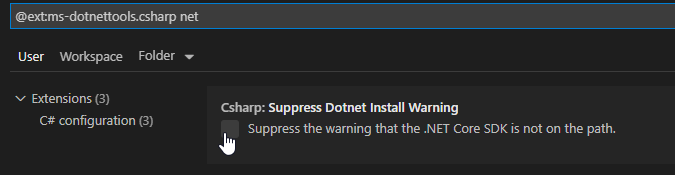
You can see in the original screenshot that it’s from the C# extension. If you search that extension’s settings (click on the cog icon in the extensions list) and add “net” to that search it comes right up