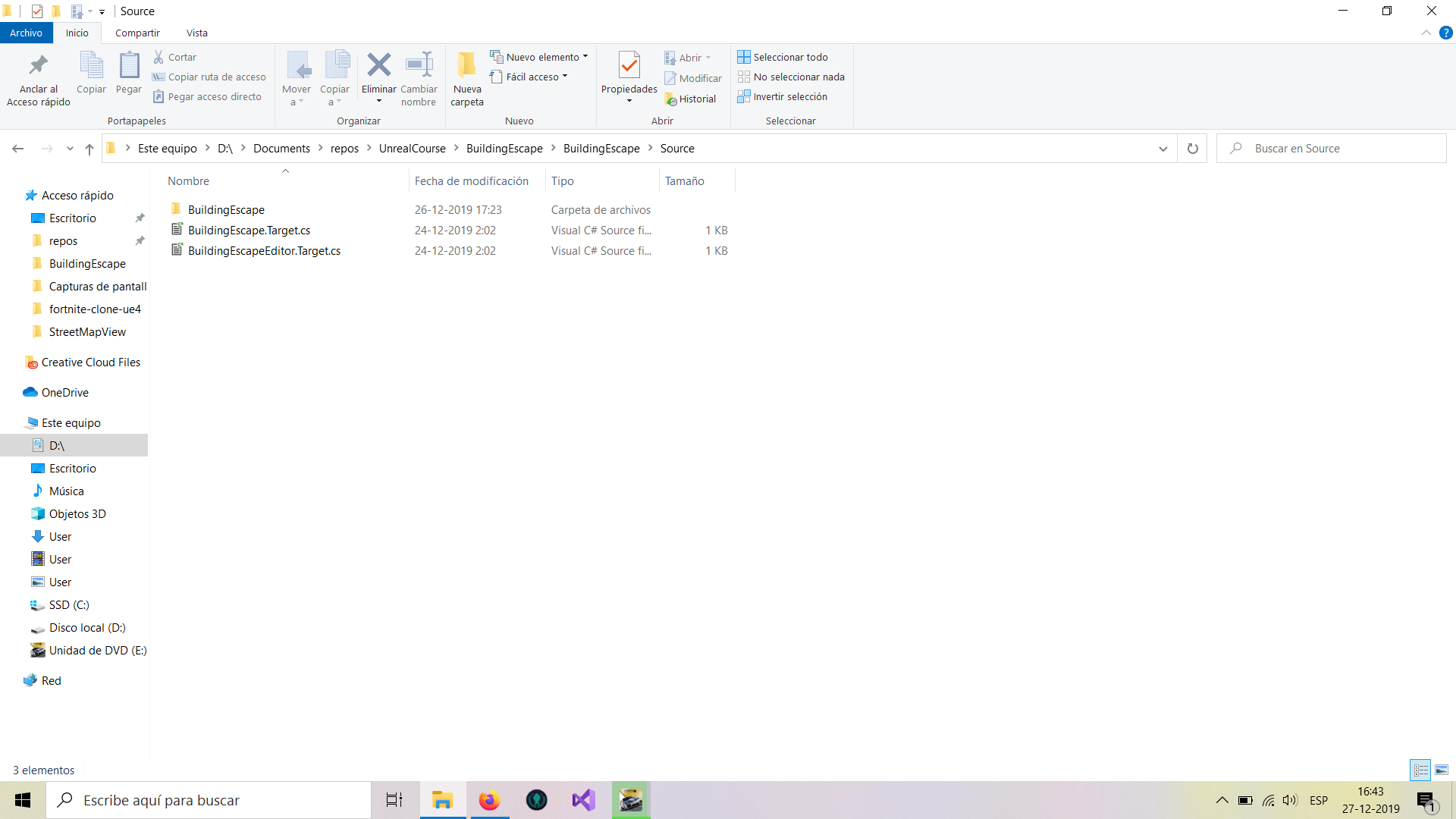
The other 2 projects function perfecly but TG still give the error with generate files
S05_TestingGrounds.Target.cs
// Copyright 1998-2016 Epic Games, Inc. All Rights Reserved.

using UnrealBuildTool;
using System.Collections.Generic;

public class S05_TestingGroundsTarget : TargetRules
{
	public S05_TestingGroundsTarget(TargetInfo Target)
	{
		Type = TargetType.Game;
	}

	//
	// TargetRules interface.
	//

	public override void SetupBinaries(
		TargetInfo Target,
		ref List<UEBuildBinaryConfiguration> OutBuildBinaryConfigurations,
		ref List<string> OutExtraModuleNames
		)
	{
		OutExtraModuleNames.Add("S05_TestingGrounds");
	}
}
...

and the S05_TestingGroundsEditor.Target.cs
// Copyright 1998-2016 Epic Games, Inc. All Rights Reserved.
using UnrealBuildTool;
using System.Collections.Generic;
public class S05_TestingGroundsEditorTarget : TargetRules
{
public S05_TestingGroundsEditorTarget(TargetInfo Target)
{
Type = TargetType.Editor;
}
//
// TargetRules interface.
//

public override void SetupBinaries(
	TargetInfo Target,
	ref List<UEBuildBinaryConfiguration> OutBuildBinaryConfigurations,
	ref List<string> OutExtraModuleNames
	)
{
	OutExtraModuleNames.Add("S05_TestingGrounds");
}
}
the error

Running C:/Program Files/Epic Games/UE_4.23/Engine/Binaries/DotNET/UnrealBuildTool.exe  -projectfiles -project="D:/Documents/repos/UnrealCourse/TestingGrounds/S05_TestingGrounds.uproject" -game -rocket -progress -log="D:\Documents\repos\UnrealCourse\TestingGrounds/Saved/Logs/UnrealVersionSelector-2019.12.28-17.59.36.log"
Discovering modules, targets and source code for project...
While compiling D:\Documents\repos\UnrealCourse\TestingGrounds\Intermediate\Build\BuildRules\S05_TestingGroundsModuleRules.dll:
d:\Documents\repos\UnrealCourse\TestingGrounds\Source\S05_TestingGrounds.Target.cs(19,12) : error CS0246: No se puede encontrar el tipo o el nombre de espacio de nombres 'UEBuildBinaryConfiguration' (?falta una directiva using o una referencia de ensamblado?)
d:\Documents\repos\UnrealCourse\TestingGrounds\Source\S05_TestingGroundsEditor.Target.cs(19,12) : error CS0246: No se puede encontrar el tipo o el nombre de espacio de nombres 'UEBuildBinaryConfiguration' (?falta una directiva using o una referencia de ensamblado?)
ERROR: Unable to compile source files.

and the log

AndroidPlatformFactory.RegisterBuildPlatforms: UnrealBuildTool.AndroidPlatformSDK has no valid SDK
IOSPlatformFactory.RegisterBuildPlatforms: UnrealBuildTool.IOSPlatformSDK has no valid SDK
HTML5PlatformFactory.RegisterBuildPlatforms: UnrealBuildTool.HTML5PlatformSDK using manually installed SDK
LinuxPlatformFactory.RegisterBuildPlatforms: UnrealBuildTool.LinuxPlatformSDK has no valid SDK
WindowsPlatformFactory.RegisterBuildPlatforms: UnrealBuildTool.WindowsPlatformSDK using manually installed SDK
ProjectFileGenerator.GenerateProjectFiles: Discovering modules, targets and source code for project...
WindowsPlatform.FindVSInstallDirs: Found Visual Studio installation: C:\Program Files (x86)\Microsoft Visual Studio\2017\Community (Product=Microsoft.VisualStudio.Product.Community, Version=15.9.28307.960, Sort=0)
WindowsPlatform.FindToolChainDirs: Found Visual Studio toolchain: C:\Program Files (x86)\Microsoft Visual Studio\2017\Community\VC\Tools\MSVC\14.16.27023 (Version=14.16.27023)
WindowsPlatform.UpdateCachedWindowsSdks: Found Windows 8.1 SDK at C:\Program Files (x86)\Windows Kits\8.1
WindowsPlatform.EnumerateSdkRootDirs: Found Windows 10 SDK root at C:\Program Files (x86)\Windows Kits\10 (1)
WindowsPlatform.EnumerateSdkRootDirs: Found Windows 10 SDK root at C:\Program Files (x86)\Windows Kits\10 (2)
WindowsPlatform.UpdateCachedWindowsSdks: Found Universal CRT version 10.0.10150.0 at C:\Program Files (x86)\Windows Kits\10
WindowsPlatform.UpdateCachedWindowsSdks: Found Universal CRT version 10.0.10240.0 at C:\Program Files (x86)\Windows Kits\10
WindowsPlatform.UpdateCachedWindowsSdks: Found Windows 10 SDK version 10.0.17763.0 at C:\Program Files (x86)\Windows Kits\10
WindowsPlatform.UpdateCachedWindowsSdks: Found Universal CRT version 10.0.17763.0 at C:\Program Files (x86)\Windows Kits\10
WindowsPlatform.UpdateCachedWindowsSdks: Found Windows 10 SDK version 10.0.18362.0 at C:\Program Files (x86)\Windows Kits\10
WindowsPlatform.UpdateCachedWindowsSdks: Found Universal CRT version 10.0.18362.0 at C:\Program Files (x86)\Windows Kits\10
DynamicCompilation.RequiresCompilation: Compiling D:\Documents\repos\UnrealCourse\TestingGrounds\Intermediate\Build\BuildRules\S05_TestingGroundsModuleRules.dll: Assembly does not exist
DynamicCompilation.CompileAssembly: While compiling D:\Documents\repos\UnrealCourse\TestingGrounds\Intermediate\Build\BuildRules\S05_TestingGroundsModuleRules.dll:
DynamicCompilation.CompileAssembly: d:\Documents\repos\UnrealCourse\TestingGrounds\Source\S05_TestingGrounds.Target.cs(19,12) : error CS0246: No se puede encontrar el tipo o el nombre de espacio de nombres 'UEBuildBinaryConfiguration' (¿falta una directiva using o una referencia de ensamblado?)
DynamicCompilation.CompileAssembly: d:\Documents\repos\UnrealCourse\TestingGrounds\Source\S05_TestingGroundsEditor.Target.cs(19,12) : error CS0246: No se puede encontrar el tipo o el nombre de espacio de nombres 'UEBuildBinaryConfiguration' (¿falta una directiva using o una referencia de ensamblado?)
UnrealBuildTool.Main: ERROR: Unable to compile source files.
UnrealBuildTool.Main: BuildException: Unable to compile source files.
UnrealBuildTool.Main:    en UnrealBuildTool.DynamicCompilation.CompileAssembly(FileReference OutputAssemblyPath, HashSet`1 SourceFileNames, List`1 ReferencedAssembies, List`1 PreprocessorDefines, Boolean TreatWarningsAsErrors) en D:\Build\++UE4\Sync\Engine\Saved\CsTools\Engine\Source\Programs\UnrealBuildTool\System\DynamicCompilation.cs:línea 362
UnrealBuildTool.Main:    en UnrealBuildTool.DynamicCompilation.CompileAndLoadAssembly(FileReference OutputAssemblyPath, HashSet`1 SourceFileNames, List`1 ReferencedAssembies, List`1 PreprocessorDefines, Boolean DoNotCompile, Boolean TreatWarningsAsErrors) en D:\Build\++UE4\Sync\Engine\Saved\CsTools\Engine\Source\Programs\UnrealBuildTool\System\DynamicCompilation.cs:línea 428
UnrealBuildTool.Main:    en UnrealBuildTool.RulesAssembly..ctor(RulesScope Scope, DirectoryReference BaseDir, IReadOnlyList`1 Plugins, Dictionary`2 ModuleFileToContext, List`1 TargetFiles, FileReference AssemblyFileName, Boolean bContainsEngineModules, Boolean bUseBackwardsCompatibleDefaults, Boolean bReadOnly, Boolean bSkipCompile, RulesAssembly Parent) en D:\Build\++UE4\Sync\Engine\Saved\CsTools\Engine\Source\Programs\UnrealBuildTool\System\RulesAssembly.cs:línea 115
UnrealBuildTool.Main:    en UnrealBuildTool.RulesCompiler.CreateProjectRulesAssembly(FileReference ProjectFileName, Boolean bUsePrecompiled, Boolean bSkipCompile) en D:\Build\++UE4\Sync\Engine\Saved\CsTools\Engine\Source\Programs\UnrealBuildTool\System\RulesCompiler.cs:línea 582
UnrealBuildTool.Main:    en UnrealBuildTool.ProjectFileGenerator.AddProjectsForAllTargets(PlatformProjectGeneratorCollection PlatformProjectGenerators, List`1 AllGames, List`1 AllTargetFiles, ProjectFile& EngineProject, ProjectFile& EnterpriseProject, List`1& GameProjects, Dictionary`2& ProgramProjects) en D:\Build\++UE4\Sync\Engine\Saved\CsTools\Engine\Source\Programs\UnrealBuildTool\ProjectFiles\ProjectFileGenerator.cs:línea 2139
UnrealBuildTool.Main:    en UnrealBuildTool.ProjectFileGenerator.GenerateProjectFiles(PlatformProjectGeneratorCollection PlatformProjectGenerators, String[] Arguments) en D:\Build\++UE4\Sync\Engine\Saved\CsTools\Engine\Source\Programs\UnrealBuildTool\ProjectFiles\ProjectFileGenerator.cs:línea 689
UnrealBuildTool.Main:    en UnrealBuildTool.GenerateProjectFilesMode.Execute(CommandLineArguments Arguments) en D:\Build\++UE4\Sync\Engine\Saved\CsTools\Engine\Source\Programs\UnrealBuildTool\Modes\GenerateProjectFilesMode.cs:línea 172
UnrealBuildTool.Main:    en UnrealBuildTool.UnrealBuildTool.Main(String[] ArgumentsArray) en D:\Build\++UE4\Sync\Engine\Saved\CsTools\Engine\Source\Programs\UnrealBuildTool\UnrealBuildTool.cs:línea 477
Timeline.Print: Timeline:
Timeline.Print:
Timeline.Print: [ 0.000]
Timeline.Print: [ 0.000](+0.031) <unknown>
Timeline.Print: [ 0.031](+0.081) XmlConfig.ReadConfigFiles()
Timeline.Print: [ 0.112](+0.000) SingleInstanceMutex.Acquire()
Timeline.Print: [ 0.112](+0.078) UEBuildPlatform.RegisterPlatforms()
Timeline.Print:   0.113          [ 0.001](+0.033) Initializing InstalledPlatformInfo
Timeline.Print:   0.146          [ 0.034](+0.000) Querying types
Timeline.Print:   0.148          [ 0.036](+0.001) MacPlatformFactory
Timeline.Print:   0.150          [ 0.037](+0.000) TVOSPlatformFactory
Timeline.Print:   0.150          [ 0.038](+0.012) AndroidPlatformFactory
Timeline.Print:   0.162          [ 0.050](+0.000) HoloLensPlatformFactory
Timeline.Print:   0.162          [ 0.050](+0.015) IOSPlatformFactory
Timeline.Print:   0.178          [ 0.066](+0.005) HTML5PlatformFactory
Timeline.Print:   0.183          [ 0.071](+0.003) LinuxPlatformFactory
Timeline.Print:   0.187          [ 0.074](+0.000) LuminPlatformFactory
Timeline.Print:   0.187          [ 0.075](+0.003) WindowsPlatformFactory
Timeline.Print: [ 0.190](+0.375) <unknown>
Timeline.Print: [ 0.566](+0.001) Finding engine modules
Timeline.Print: [ 0.567](+0.004) Finding plugin modules
Timeline.Print: [ 0.572](+0.041) <unknown>
Timeline.Print: [ 0.613](+0.000) Finding program modules
Timeline.Print: [ 0.614](+0.000) Finding program targets
Timeline.Print: [ 0.614](+0.082) <unknown>
Timeline.Print: [ 0.696](+0.062) Compiling rules assembly (S05_TestingGroundsModuleRules.dll)
Timeline.Print: [ 0.759](+0.021) <unknown>
Timeline.Print: [ 0.780](+0.000) FileMetadataPrefetch.Stop()
Timeline.Print: [ 0.783]