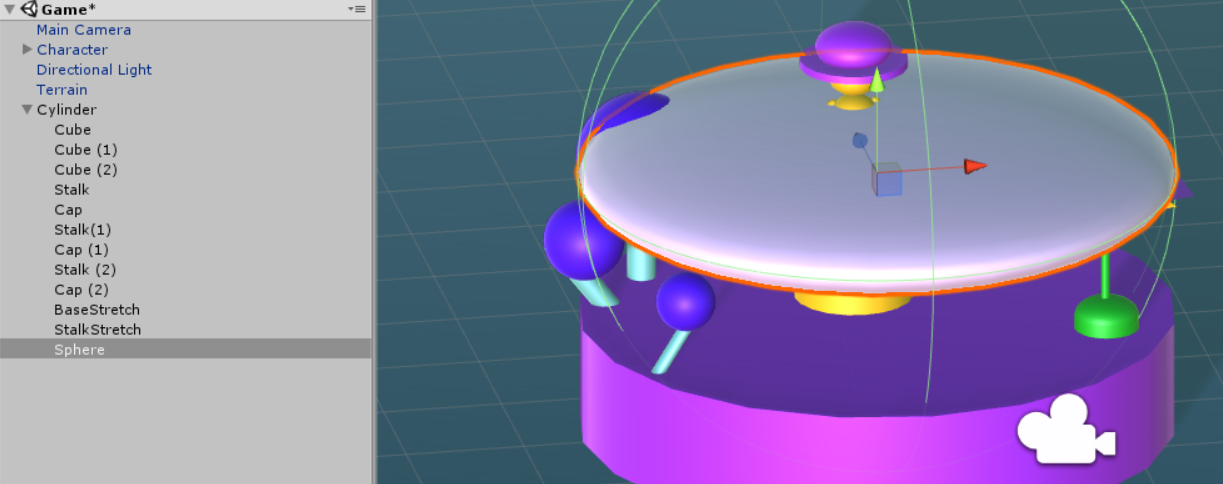
Taking a look now Adam…
Updated Tue Oct 16 2018 23:30
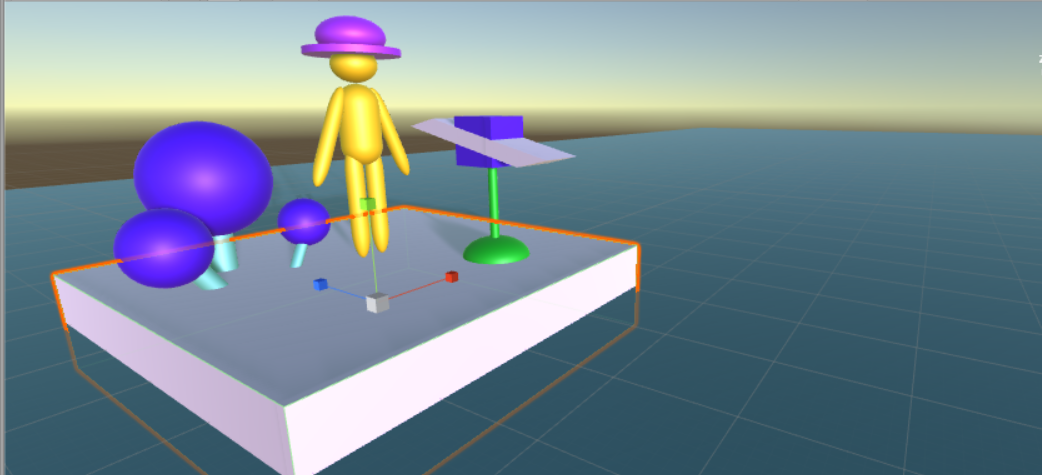
Ok, so I can reproduce your issue and as I suggested above, if you create an Empty GameObject in the Hierarchy, and then add all of the other GameObjects to that, the issue doesn’t occur.
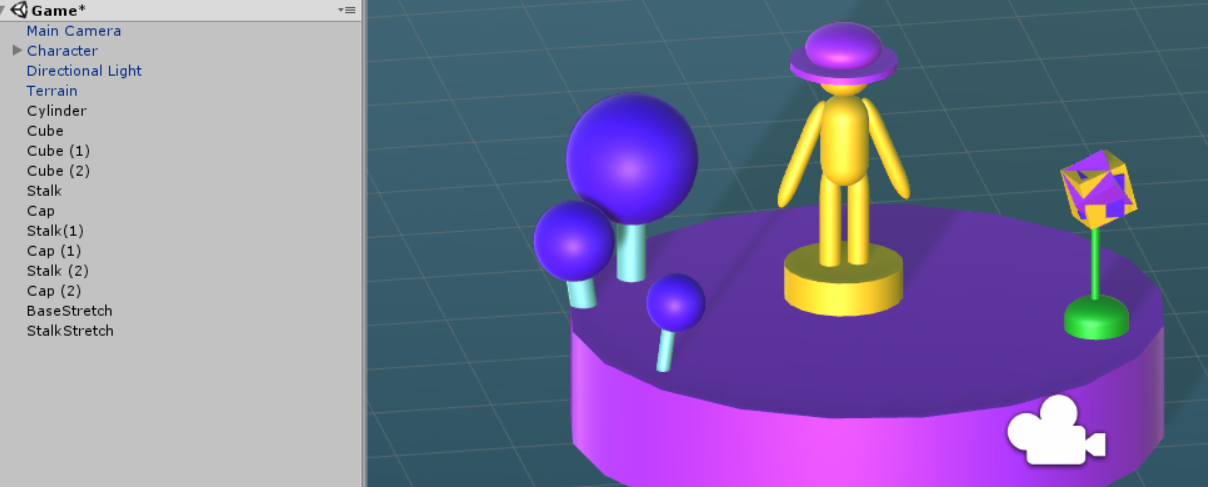
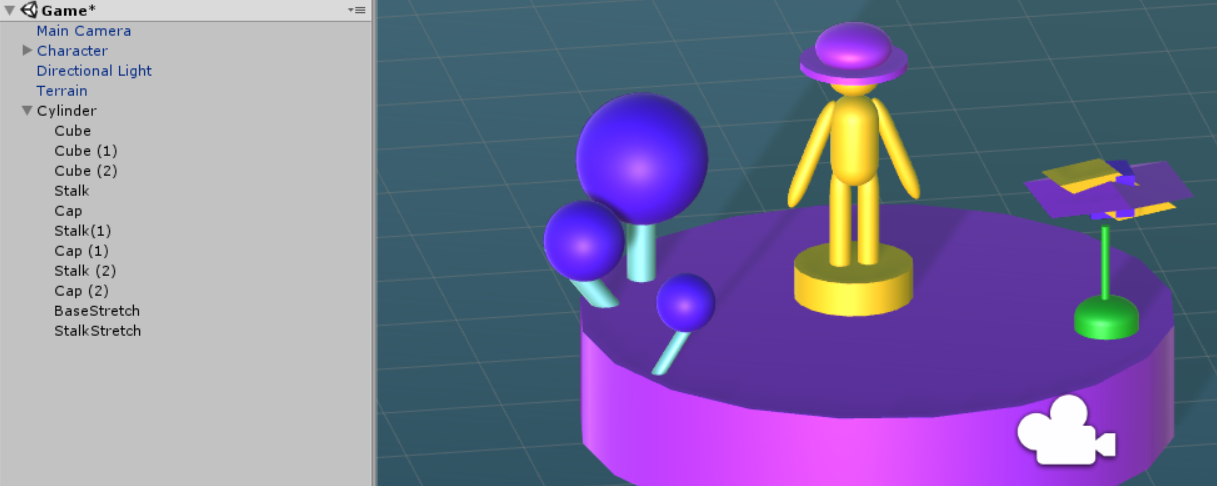
Also, I’m guessing you added all of the other GameObjects in one go, as I did initially? I found that I could drag Cube into Cylinder and there was no issue. But Cube (1) and Cube (2) got displayed differently when they were moved in.
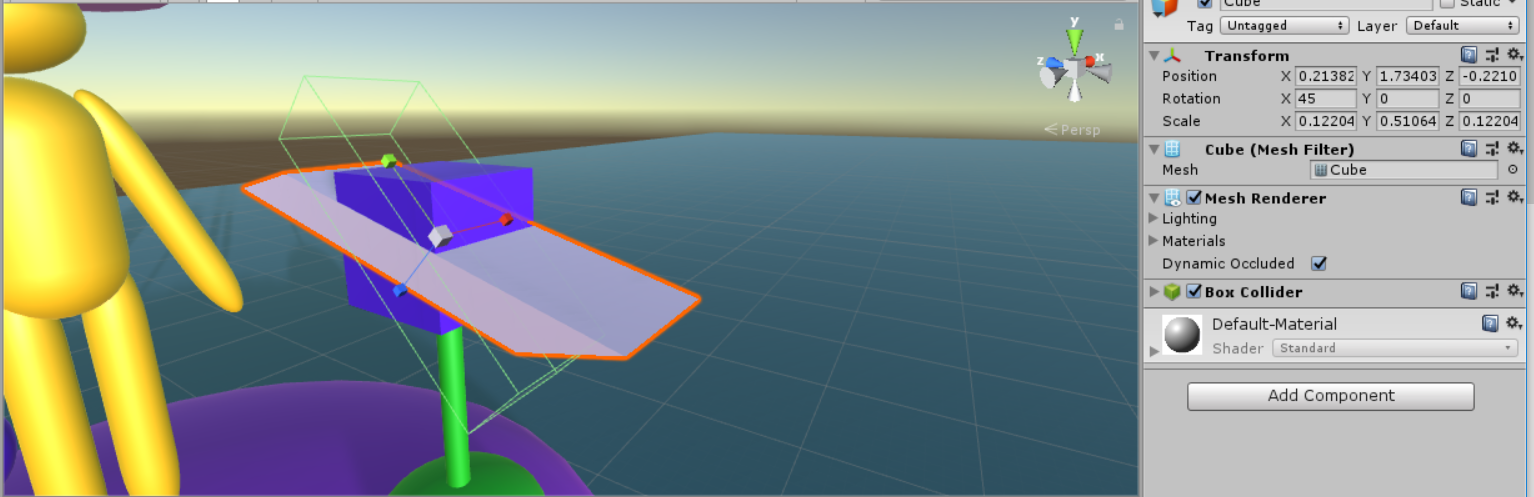
The issue with the cubes gets misshapen appears to be related to the rotation. If you set the rotation of Cube (1) to 0, 0, 0 and then child it to the Cylinder it is fine. If you then type in the values 45, 45, 45 for the rotation, it then distorts again.
This doesn’t occur when you use an empty GameObject. I have seen the issue with the rotation and the box collider separating from the mesh before, although I can’t recall the circumstance now, but not related to the cylinder.
Happy to keep fiddling for a while but my suggestion would be to simply create the Empty GameObject, position it at 0, 0, 0, leave the scale as 1, 1, 1 and then parent all of these GameObjects to it.
Updated Tue Oct 16 2018 23:49
A little bit more digging…
Apparently this is a fairly common issue and is caused by having a parent with a non-uniform scaling. In the case of your cylinder, it’s 5, 1, 5, thus non-uniform.
If you set your cylinder’s scale to 1, 1, 1, drag the objects in, they all look ok but of course then your cylinder GameObject is too small for what you are wanting to achieve. So, as per the above, your best course of action would be to use the Empty GameObject which can have a uniform scaling of 1, 1, 1 and then everything else is added as a child to that.
Perhaps name your empty GameObject LaunchPad or something relevant etc.
Hope this helps 
From the Unity Manual regarding Transforms;
Limitations with Non-Uniform Scaling
Non-uniform scaling is when the Scale in a Transform has different values for x, y, and z; for example (2, 4, 2). In contrast, uniform scaling has the same value for x, y, and z; for example (3, 3, 3). Non-uniform scaling can be useful in a few specific cases but it introduces a few oddities that don’t occur with uniform scaling:-
Certain components do not fully support non-uniform scaling. For example, some components have a circular or spherical element defined by a radius property, among them Sphere Collider, Capsule Collider, Light and Audio Source. In cases like this the circular shape will not become elliptical under non-uniform scaling as you would expect and will simply remain circular.
When a child object has a non-uniformly scaled parent and is rotated relative to that parent, it may appear skewed or “sheared”. There are components that support simple non-uniform scaling but don’t work correctly when skewed like this. For example, a skewed Box Collider will not match the shape of the rendered mesh accurately.
For performance reasons, a child object of a non-uniformly scaled parent will not have its scale automatically updated when it rotates. As a result, the child’s shape may appear to change abruptly when the scale eventually is updated, say if the child object is detached from the parent.