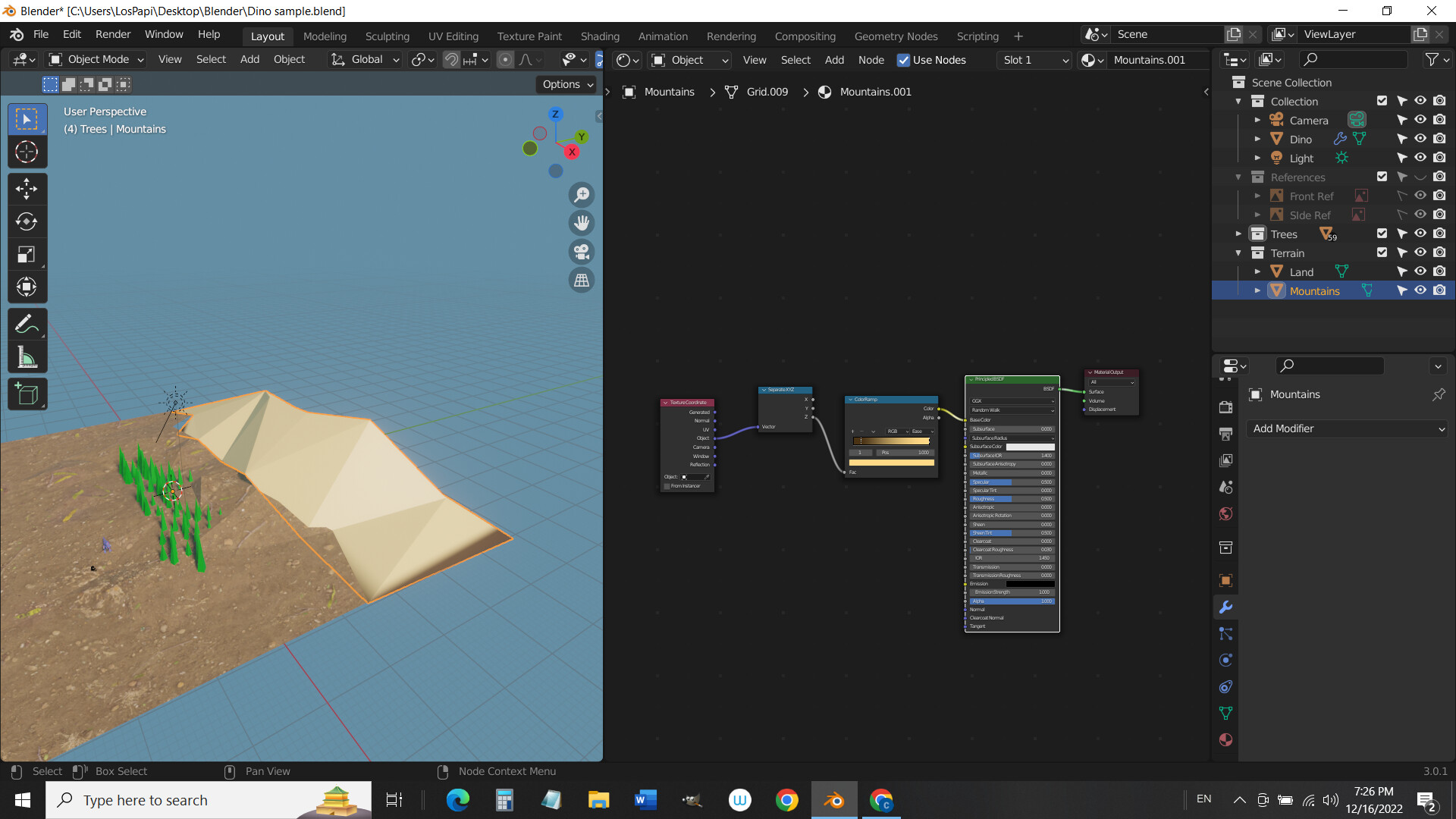
Hi, I’m trying to add a gradient using the Texture Coordinate/Separate XYZ/Color ramp nodes but it’s not actually graduating. I’m getting a very short gradation. I’ve tried reducing and increasing poly count but I still get a hard gradation. Any ideas what’s going on?
1 Like
It looks like the hills are taller than 1 meter, but ColorRamps only work on values between 1 and 0.
The “Object” coordinates give the offset from the origin (in meters by default).
The “Generated” coordinates give the lowest value (that you would get from the “Object” coordinates.) as 0 and the highest value as 1.
So the easiest way to fix your problem would be to use the “Generated” coordinates, but there are other options.
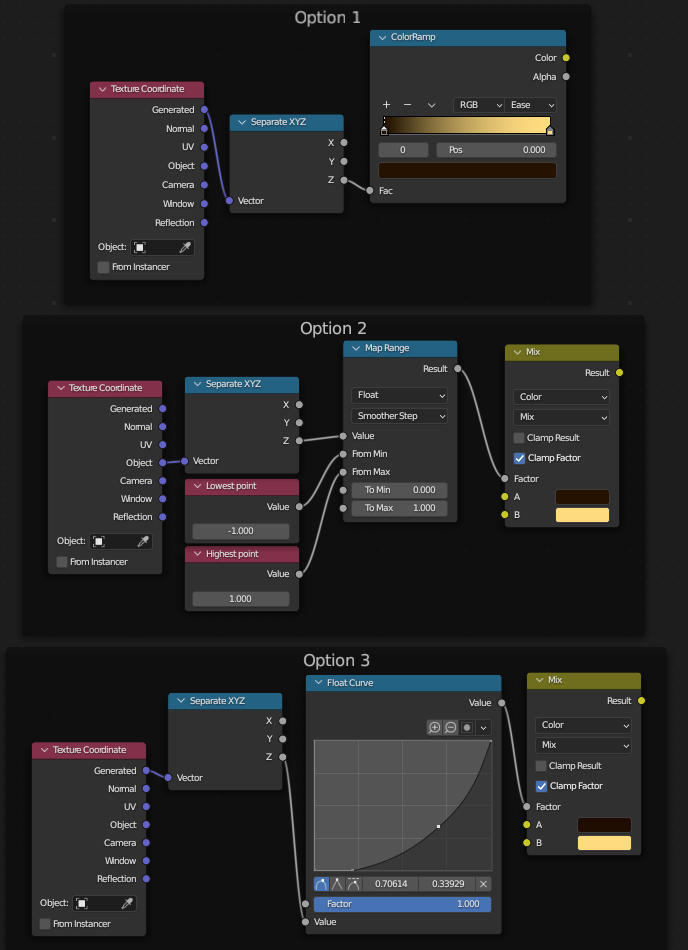
Option 2 is how I would use object coordinates to make a gradient.
Option 3 could also be used to make a gradient with object coordinates, but I find it annoying to change the settings of a float curve. In addition, float curves only work with positive values, so you have to use a math node to make it work in some cases.
3 Likes
Did you apply the scale to everything?
As zeRgenTa explains the scale of things does matter and where you get the data (type) from.
2 Likes
Good answers already.
Position of the origin point is important.
I would go with the simple option 1 of zeRgenTa
Plus I would add an extra tag in the middle of the colour ramp and select a mid tone for it, it seems to work better, or more controllably to me that way.
2 Likes
This topic was automatically closed 20 days after the last reply. New replies are no longer allowed.