Dumb question but how do I hide the white camera icon in the center of the screen? It hides the ball!
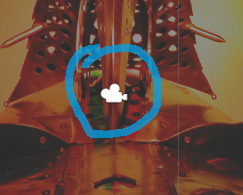
Dumb question but how do I hide the white camera icon in the center of the screen? It hides the ball!
Hello Skipp.
Uncheck the camera symbol under “gizmos”.
Hope that helps.
Chris
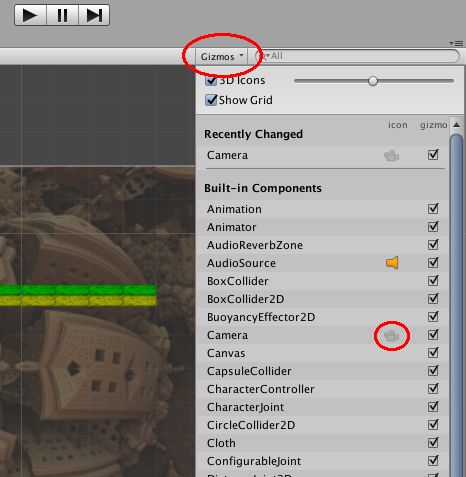
Unchecking the camera box did not remove the camera for me. I had to move the 3d Icons line directly underneath gizmos all the way to the left in order to shrink the size of the camera. That is how I got rid of the camera. Hope this helps.
Tim
Thanks TimB