I am new to blender and i have opened an stl file in blender and added a cube. Now it seems that i can only modify the cube . See screen shot. my aim is to add a connector to the face of the object . So my query is how do i move the centre of the cube i have added to the centre of the face of the main object? Why can i only select the cube. what am i doing wrong? thanks in advance.
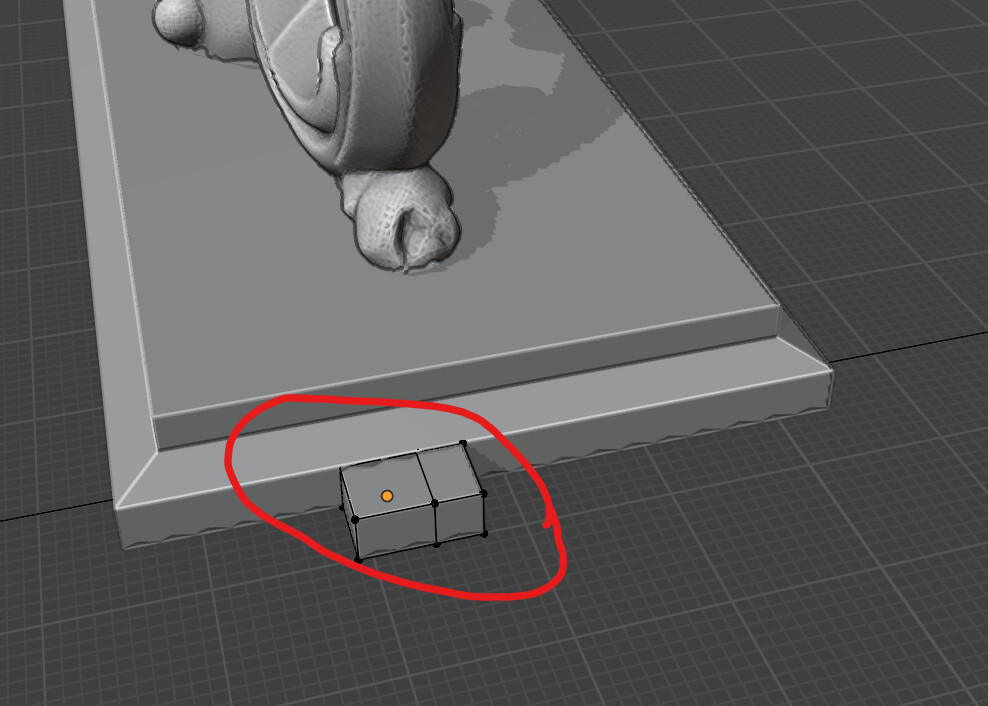
2 Likes
so it seems that when i add things in object mode. in edit mode i can only selet the one i added inobject mode? now i need to move the cube to the main obejct centre to centre. any help will be appreciated.
2 Likes
Hi, separate objects are selected in Object Mode, then you edit that object in Edit Mode. If you want to switch to another object, you need to go back to Object Mode, select it, and switch to Edit Mode again. Move the object using its center point (object axis) in Object Mode. You can move objects in Edit Mode too, but then the center point will change its position.
4 Likes
thanks allot i figured it out hte hard way. now what i need to understand is how to move the seperate objects centre to cente. see screen shot. i wnat to centre the rectangles to the centre of the main pbject. can you let me know how please step by step?

1 Like
another question, to join them together do i need to just move them together or is there something else i need to do?
1 Like
You gave me a bit of a challenge  , a lot of time passed til I did this without addons.
1.
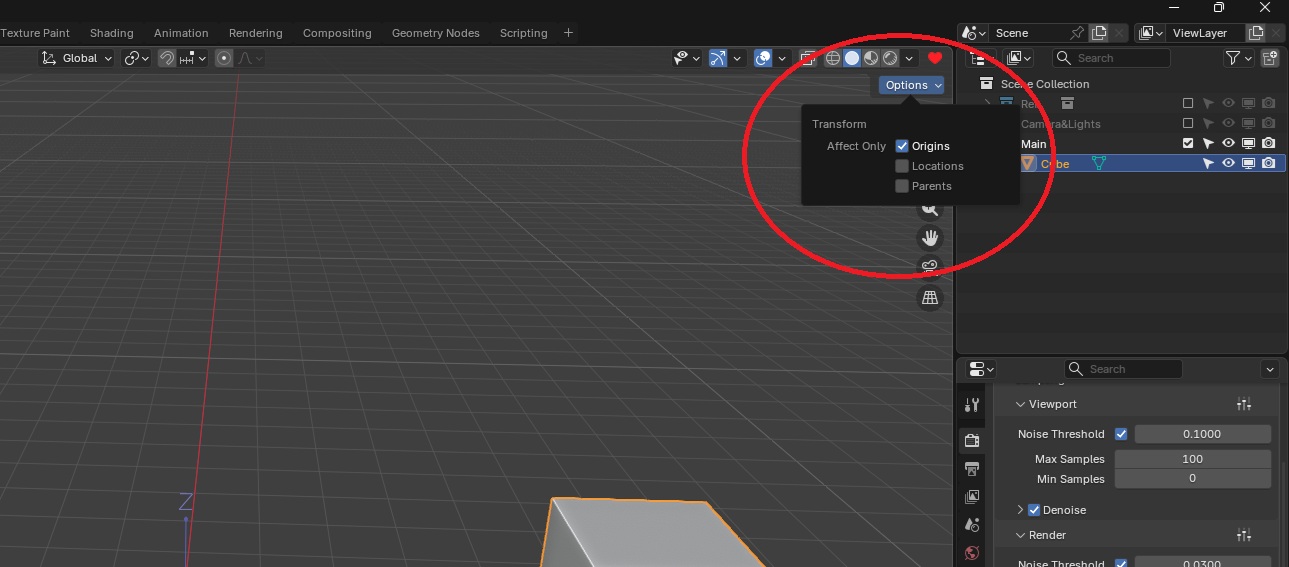
2.
Then, when you do move only object axis point will move.
3.
Set everything back to how it was before.

2 Likes
Joining is CTRL+J
2 Likes