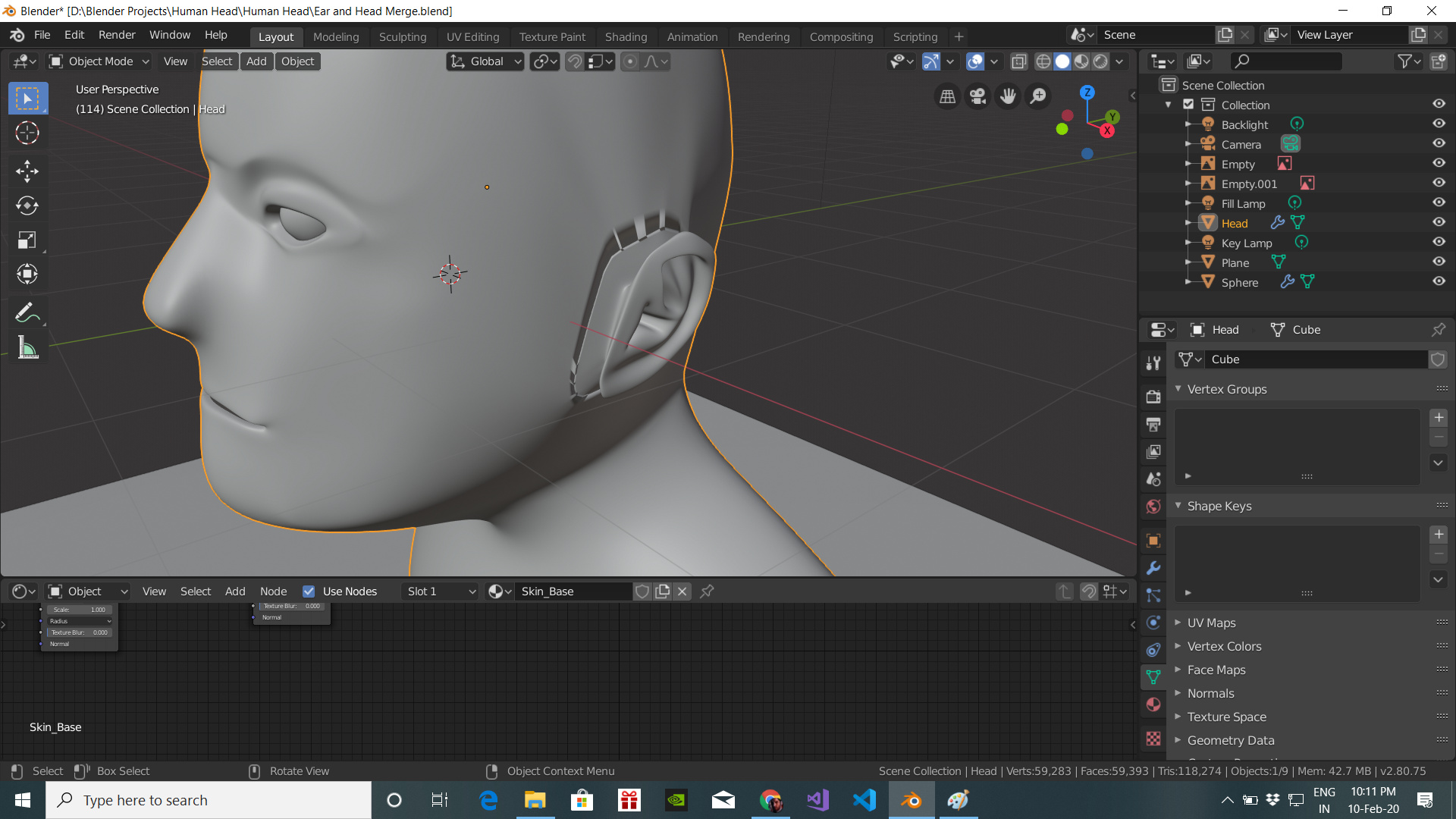
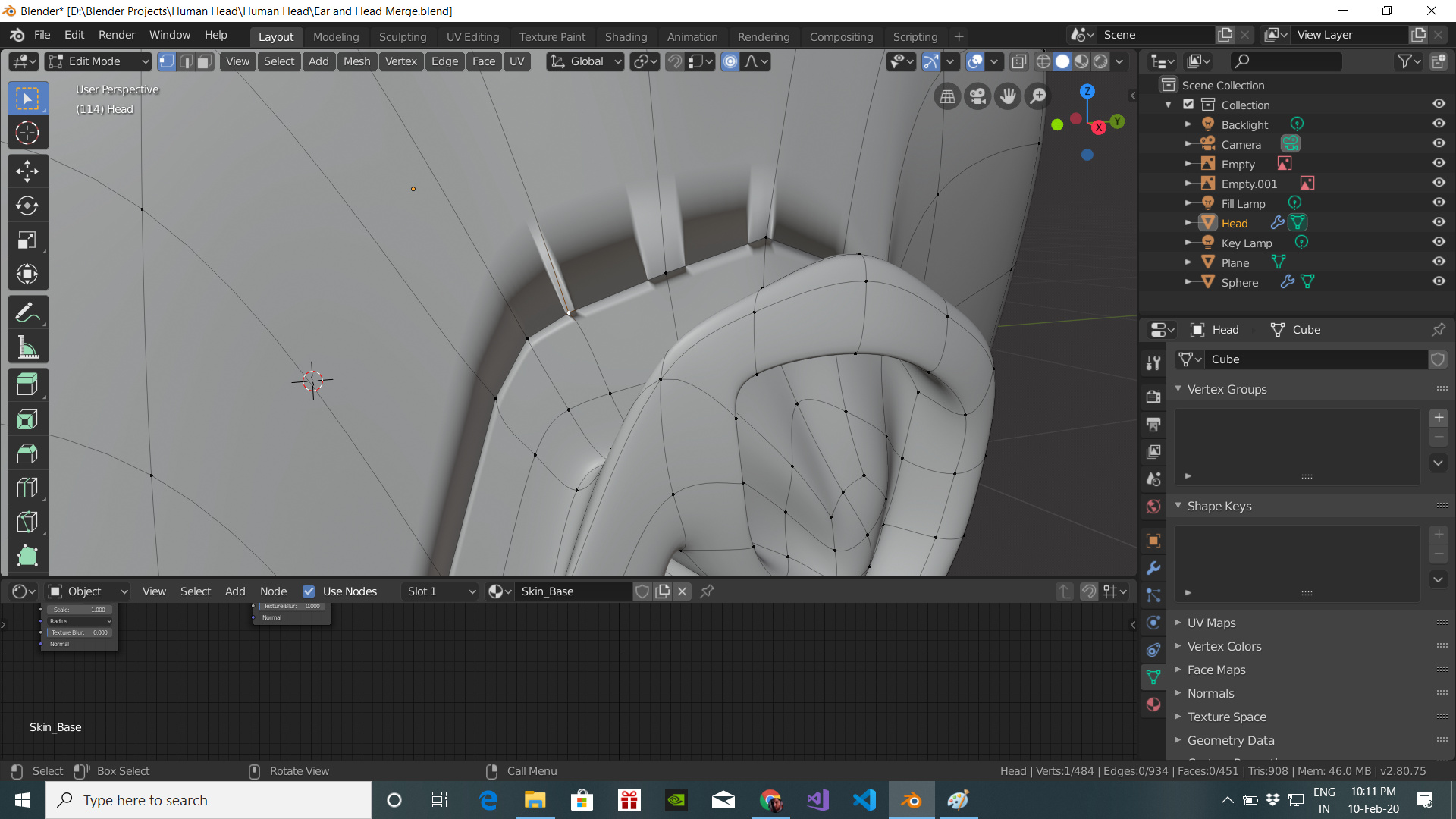
I tried to bridge the edge loops, but I don’t know somethings wrong here or maybe I think this is some clipping issue or maybe some normal issue. Please help me to resolve it!
The video lecture I was following was Joining Separate Objects.
I tried to bridge the edge loops, but I don’t know somethings wrong here or maybe I think this is some clipping issue or maybe some normal issue. Please help me to resolve it!
The video lecture I was following was Joining Separate Objects.
Looking at that selected vert, I get the impression it is not turning orange the ends of edges it joins. Could you have some double verts issues?
Did both loops you were bridging have the same count of verts as well?
I tried merge by distance and the vertex counts were same i.e. 20 .
I think there is something different going on
Umm. Have you tried doing it by hand? Selecting four relevant verts and making faces one at a time? In case there is some bug with join loops.
Checked normals directions are all facing out?
Been ages since I did the head. Do you have to apply the subsurface mods on each first before joining? Just imagining what if the two parts had different levels on them before joining, would it make problems?
I do not think it looks like a clipping issue, but maybe some other render display problem. Though it seems unlikely given the rest looks ok.
Hopefully, someone else will come along with the answer.
Try Normalize , faces pointing the same direction.
Turn off all modifiers.
Show us the mesh, not the subdivision screen dump.
I tried it, but it also didn’t work
I don’t get it. Can you tell me how to Normalize
A mesh face has at least three vertices. An edge has two vertices.
A face has only one side!
The backside doesn’t count, especially in game engine software.
Faces displayed at the wrong side are invisible in some tools.
Blender shows them, but you need to be aware that a face has only one side.
To IDENTIFY this side, we use normals.
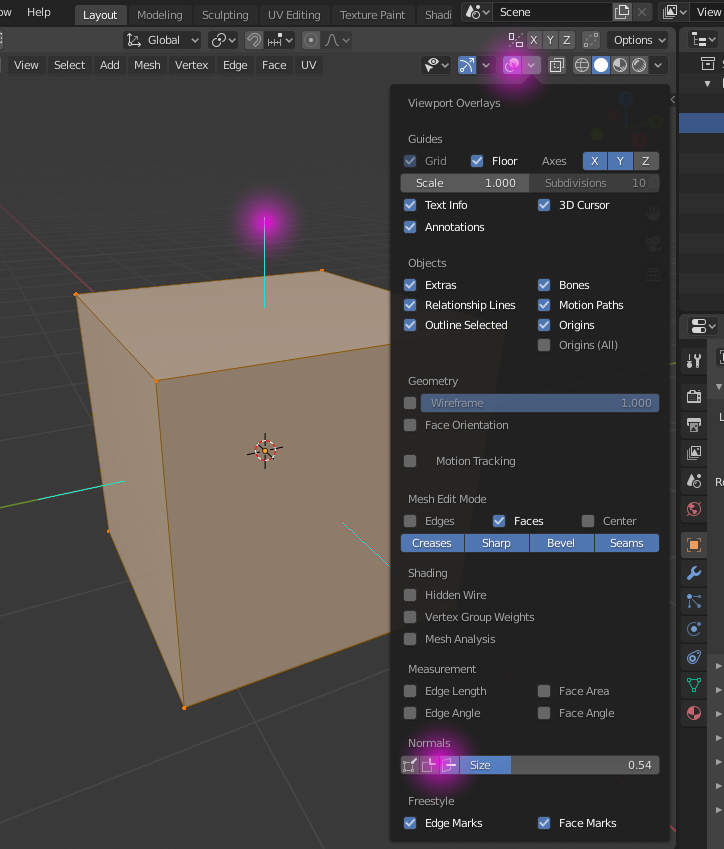
By default they are not shown!
Go in EDIT mode.
Select Overlays.
Activate Normal
You see blue lines, indicating the direction (normal) of the face. If you don’t see them, the faces are turned incide out.
To reset normals, you can select all faces of you object in EDIT mode.
And press “Shift n”.
All your selected face are pointing outwards (visible).
This subject will be explained in the lessons.
Thank You very much!
The normals on the ears were flipped on the wrong direction, I had forgot about the normals as that was taught very long back! 
This topic was automatically closed 24 hours after the last reply. New replies are no longer allowed.