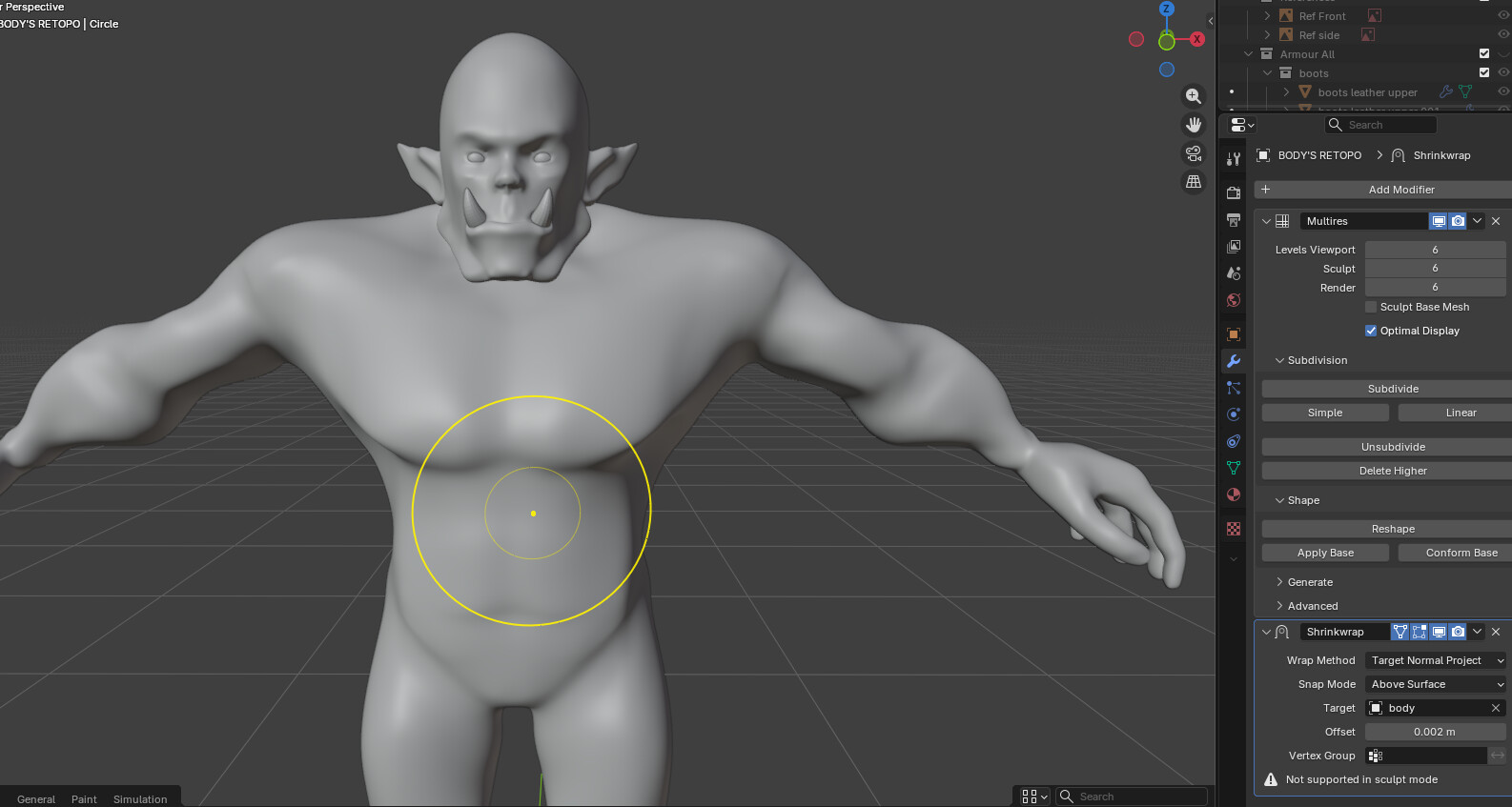
I get this error when I try to apply the Shrinkwrap modifier. How can I fix it and apply the modifier successfully? Or should I apply the Multires modifier before applying the Mirror and Shrinkwrap modifiers?
Hi,
I don’t think you need to apply it. It works fine just being in the modifier stack. While Multires is active, it won’t let you do that anyway. Grant shows the correct workflow in the lessons, so it’s best to just follow what he’s doing.
Grant applied the Shrinkwrap modifier, when I keep the Shrinkwrap and try to sculpt over it, the mesh looks like the image below when I enter Sculpt Mode. It loses all of its details, and some areas become oddly shaped.
No worries, it’s not 77, but I found it anyway.
By any chance u trying to apply when in sculpt mode? That could be why it doesn’t work for you? (also in your image, it says “doesn’t work in sculpt mode” too) need to be in object mode to work.
No, I tried to apply it in Object Mode, and I got the error shown in the first picture. I only switched to Sculpt Mode to show you what happens when I enter Sculpt Mode.
Yes, I restarted it and I’ve been trying since yesterday. I found someone in the Udemy Q&A who had the same issue. He said: “I tried a few things, and when I increased the subdivision level from 4 to 5 after applying the Mirror modifier, I was able to apply Shrinkwrap." But that didn’t work for me. So should I apply Multires first, then apply Mirror and Shrinkwrap, and continue working from there?
you cuold do that, but that will destroy whole workflow, mesh will go up in resolution. So That not a good idea. Grant later bakes details onto low poly from multires modifier itself, this makes model game ready. Event if u decide to try it make a copy of save file so u can go back to it. I will take a look later in your file if u still need it. Would be better if u could make it downloadable without signing in. in Goodle drive settings
Please check the link again—it was restricted before, but I’ve now set it so anyone with the link can access it. If you still can’t download it, let me know and I’ll send it another way.
So good news found out why u getting that error, its blenders foult, newer versior gives that bug, older version works fine, Bad news- file goes up in size 10x cant find why that happening. its 212mb instead 21.
if u still want to download it here it is.
if not, then just load your file in older Blender version, and it would work by itself