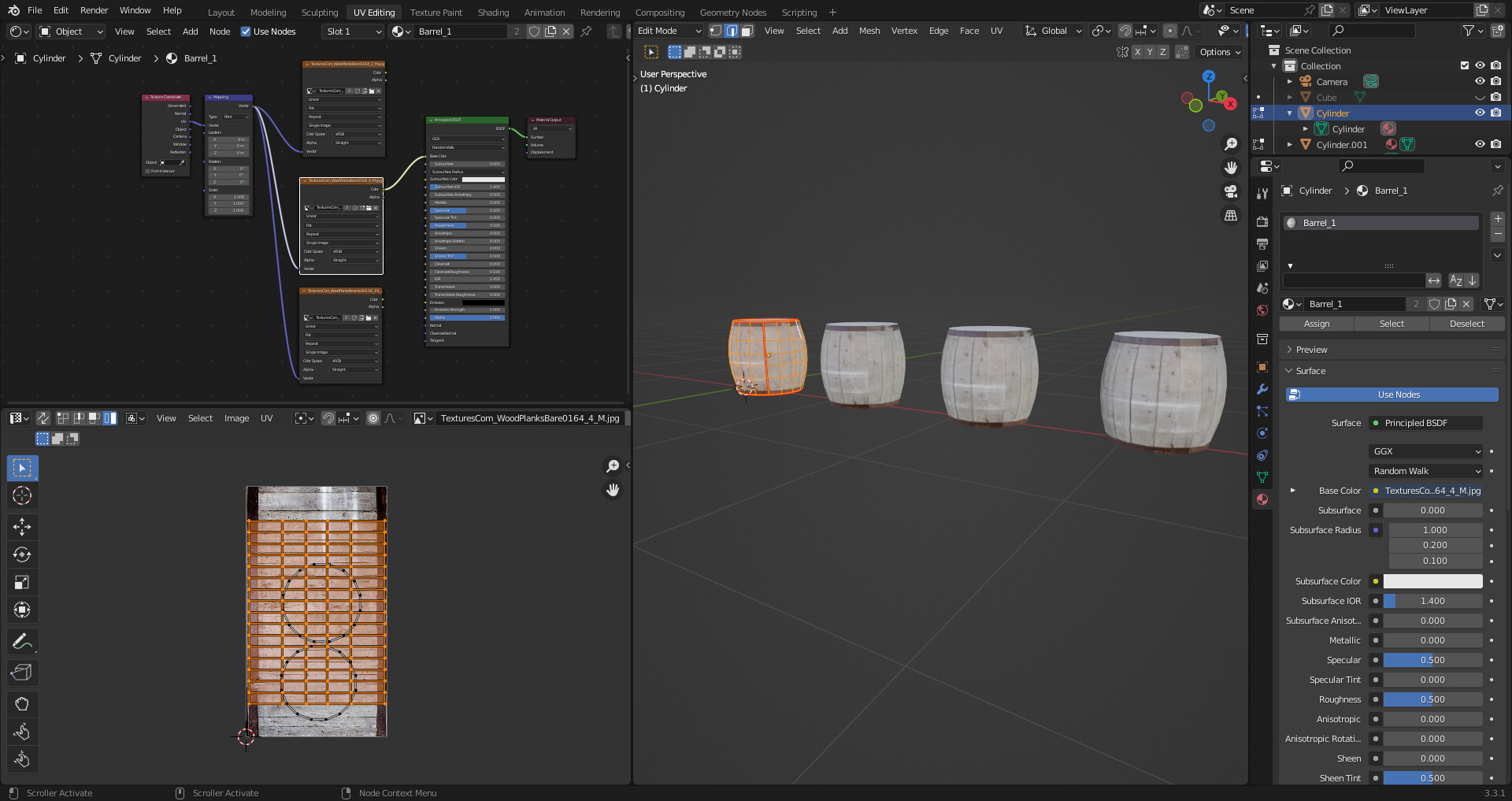
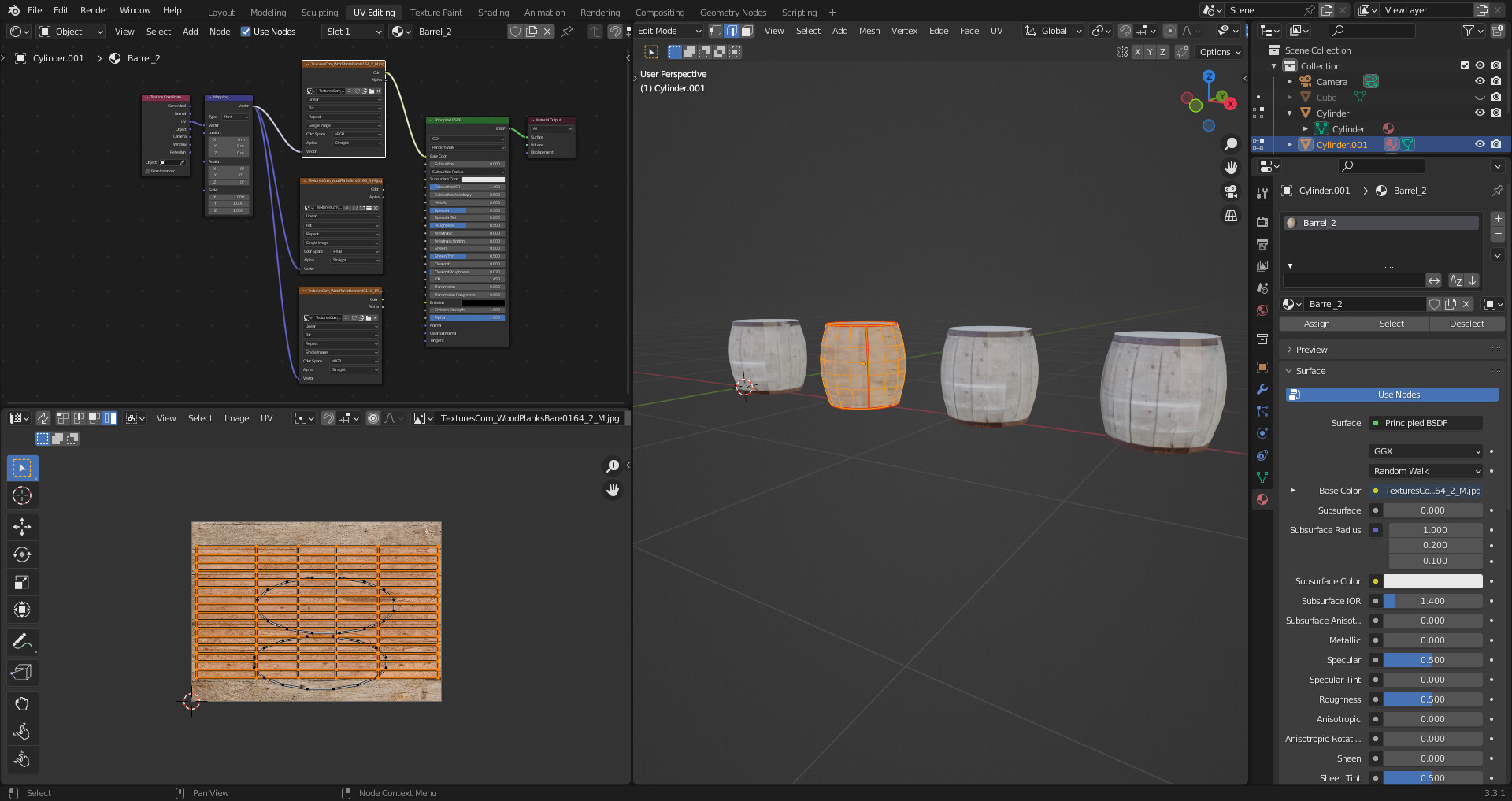
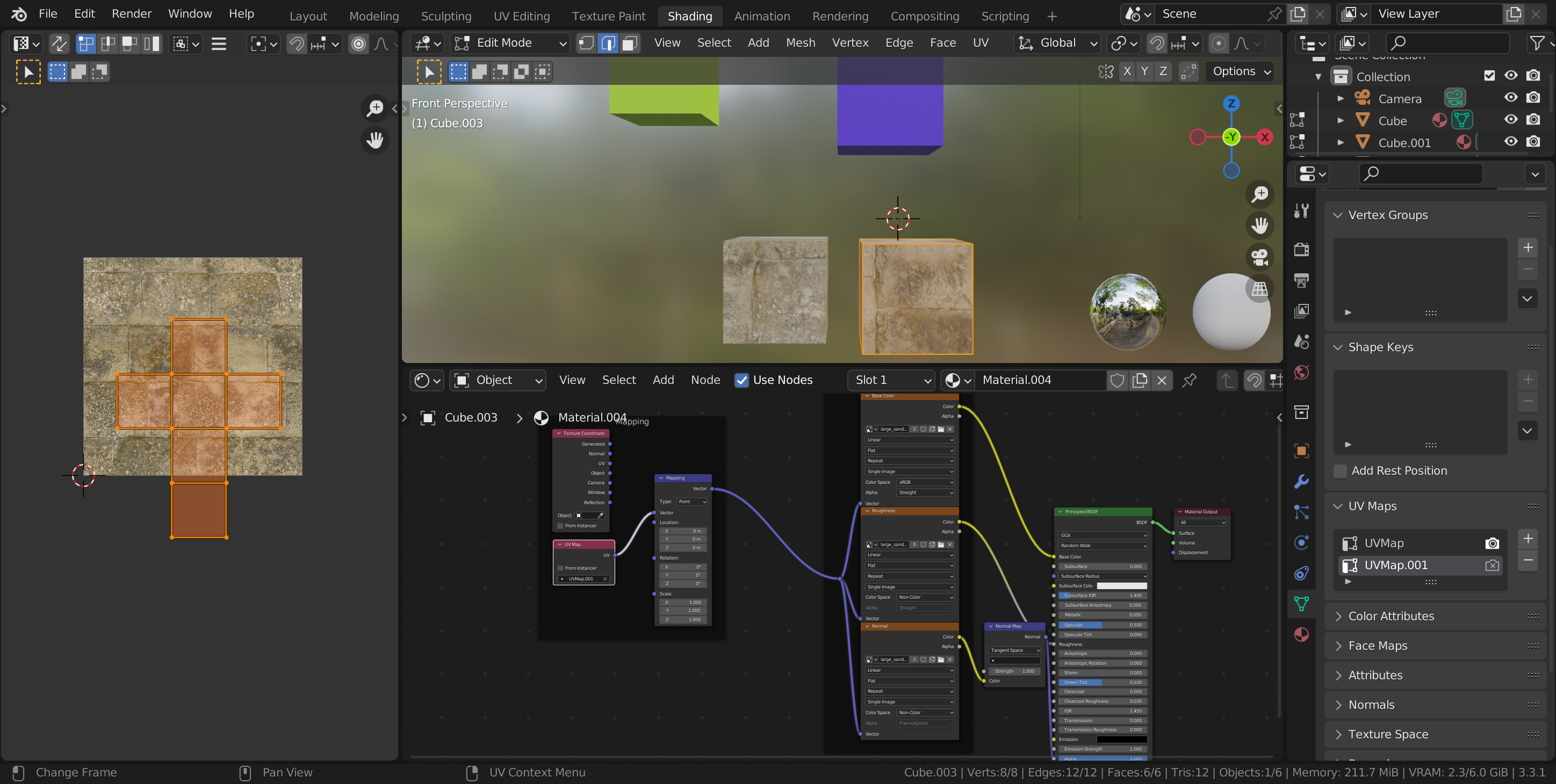
I’m currently working through the “Complete Blender Creator 3” course. The lecture on UV-mapping gave me some problems (This is the “Lots of barrels”-lecture at 01:36):
In the lecture, Grant is copying several instances of an object (a barrel) using Alt-D. This makes sense for later editing of the object. As he creates a material (with an image texture) for one of the objects, all the others get the same material (obviously). However, he then goes on to show us how he selects one of the duplicates objects, and creates a new material (based on the old one), and gives it a new image texture without the others updating accordingly… He then edits the UV-map for this object to fit the new image texture (without disturbing the other objects). This is where my problems start, as soon as i try to assign a new image texture/material to any of the duplicated objects, all the others get the same texture/material. Editing one of the UV-maps edits them all. Setting “Link material to object” instead of “data” was a workaround for the material/texture, but not for the UV-maps…
Help us all to help you.
Please give full screenshots with any questions. With the relevant panels open.
This can be done by Blender itself, via the ‘Window’ menu bar top left-hand side.
On that menu dropdown is ‘save screenshot’.
Also, include the lecture time and name/number that is relevant to the problem/issue.
Yes it does. Short of watching all the related lectures, it seems wrong to me.
It is however perfectly possible to do!
Select the first barrel.
Go to the materials tab.
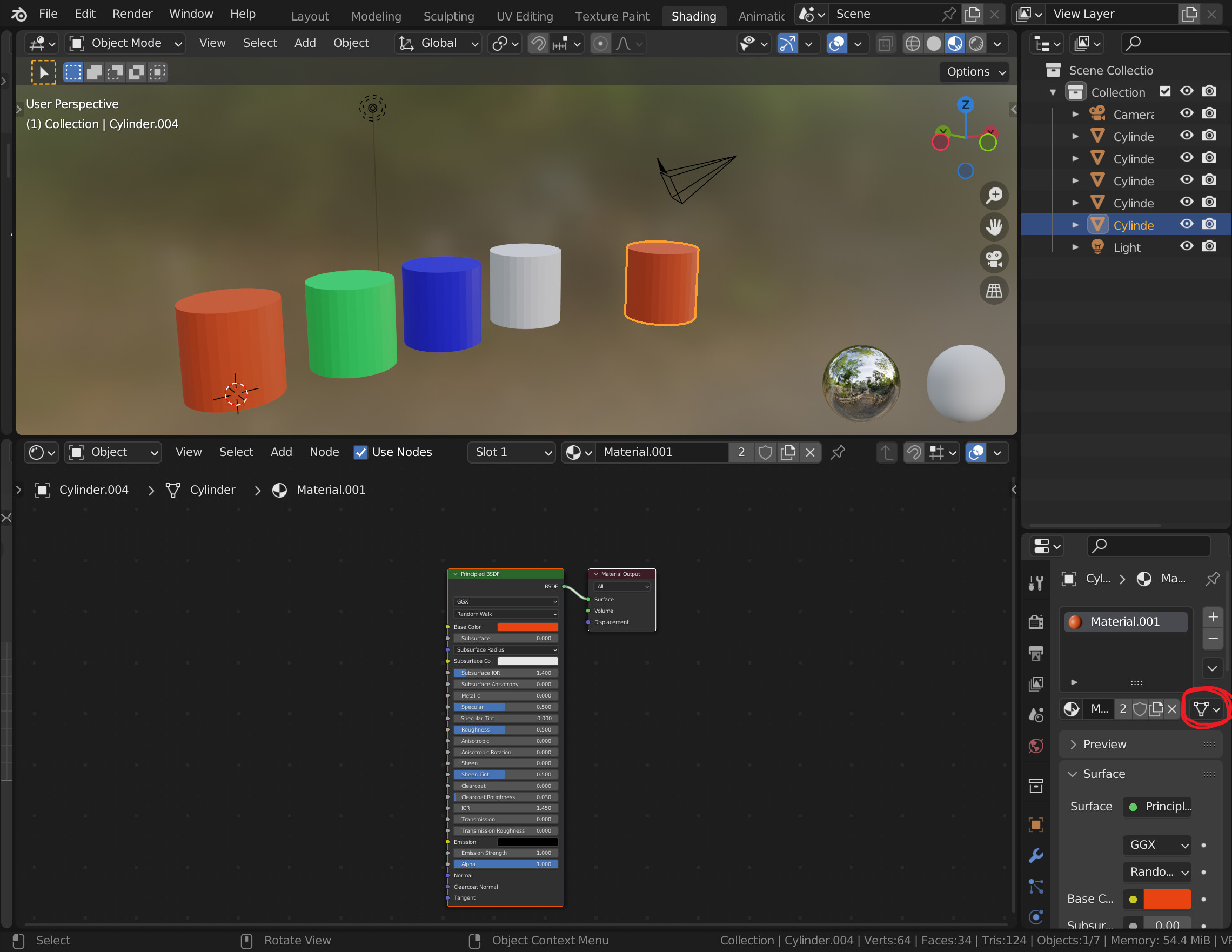
Change the Material From mesh to object. Dropdown button far right side to the right of the duplicate texture button Grant clicks and the x for delete the texture.
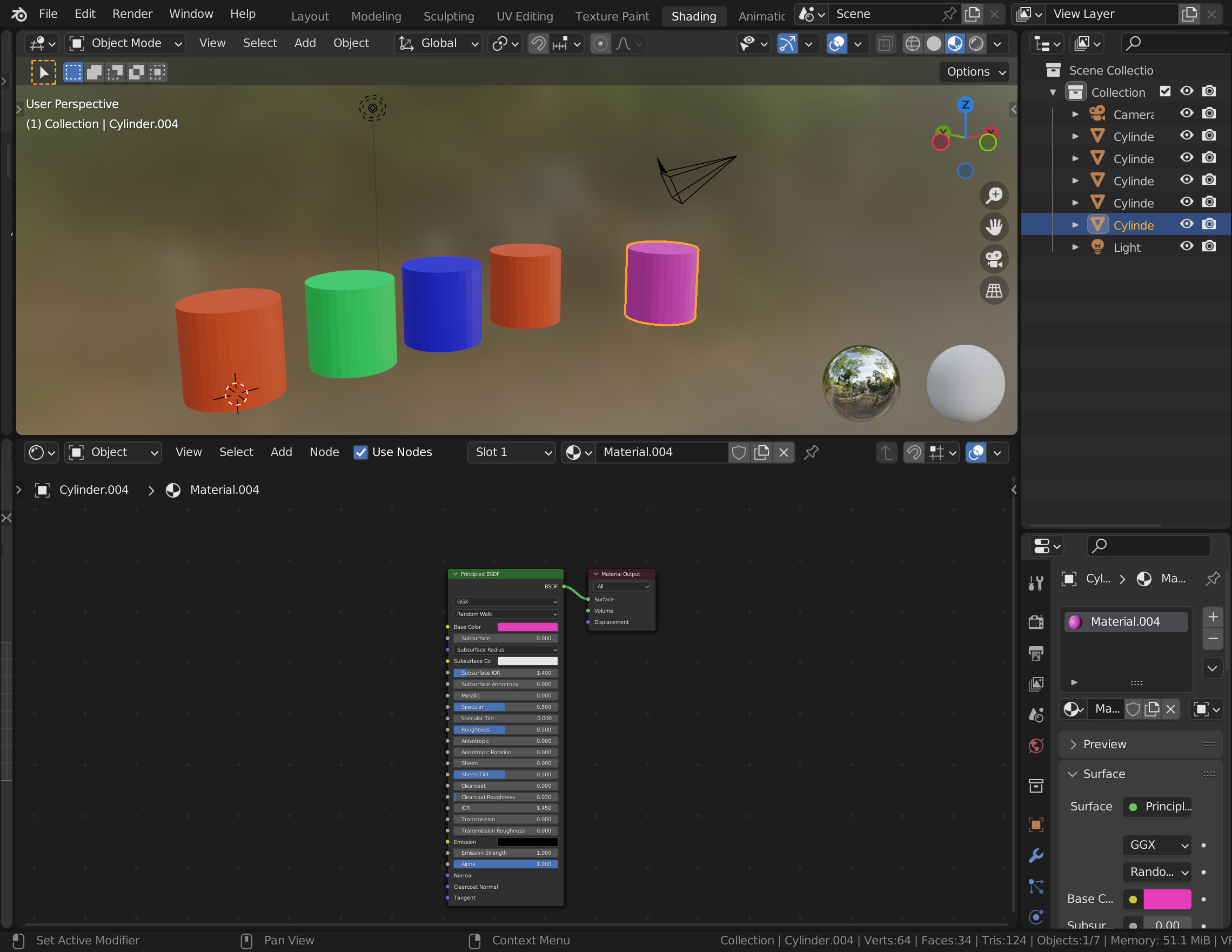
Now follow Grant’s texture duplication, and selection of the duplicate on the next barrel. (you may have to change each barrel’s material to the Object data but I think if the first one is set that way so will the others) Change that texture, it only changes for that barrel.
This is all based on that changed dropdown. Default is linking the material to the mesh data. But as you realised, mesh data on linked duplicates is the same on all of them. That dropdown changes so the material is linked to the Object data. Which can vary for linked (mesh) objects, hence linked objects can change sales, rotations, etc., as they are Object datas.
Thank you for your reply, I suspected the solution was in that dropdown!
So now the materials can change between the linked objects, but I’m still at a loss when it comes to the UV-maps… Scaling/rotating the islands on the UV-map on one of the linked objects to fit a new image texture does the exact same translation to the other objects… It seems that Grant has managed to “unlink” the UV-maps much the same way as was done to the materials via the “Link objects/data” dropdown menu… Any ideas?
Yes, you can.
On the Linked duplicate you want the same texture, but moved, Duplicate the material as Grant did by clicking the little two page icon. Then click the plus in the UV maps of the mesh data. Add a UV node, select the new UV map, Plug that in instead of the texture coordinate node, then move your UV about. Job done!
Ok There comes a point when all this would be easier just to not use linked duplicates! I would never bother. No idea how it all affects game engines having these arrangements or if it saves them much computing.