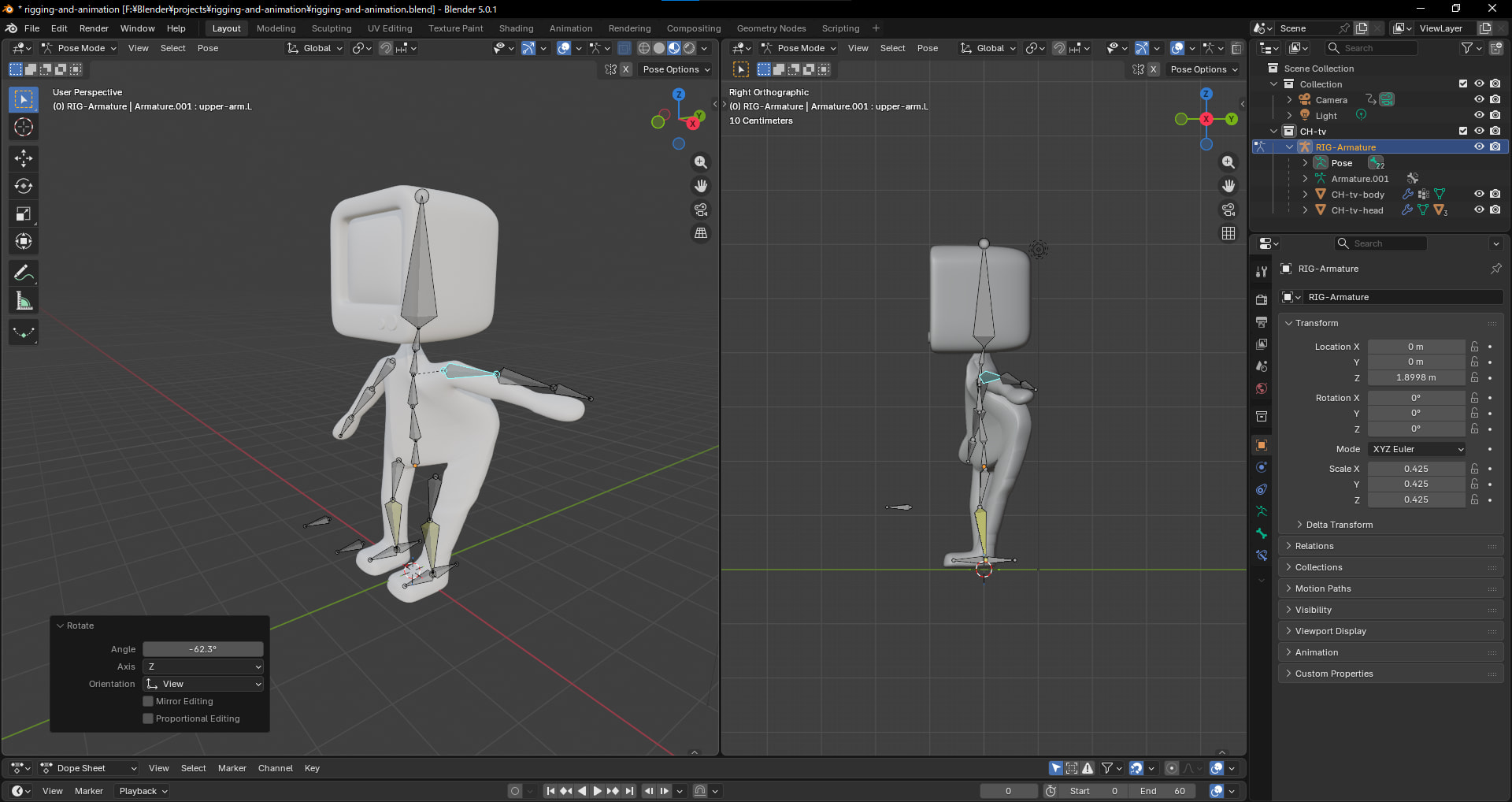
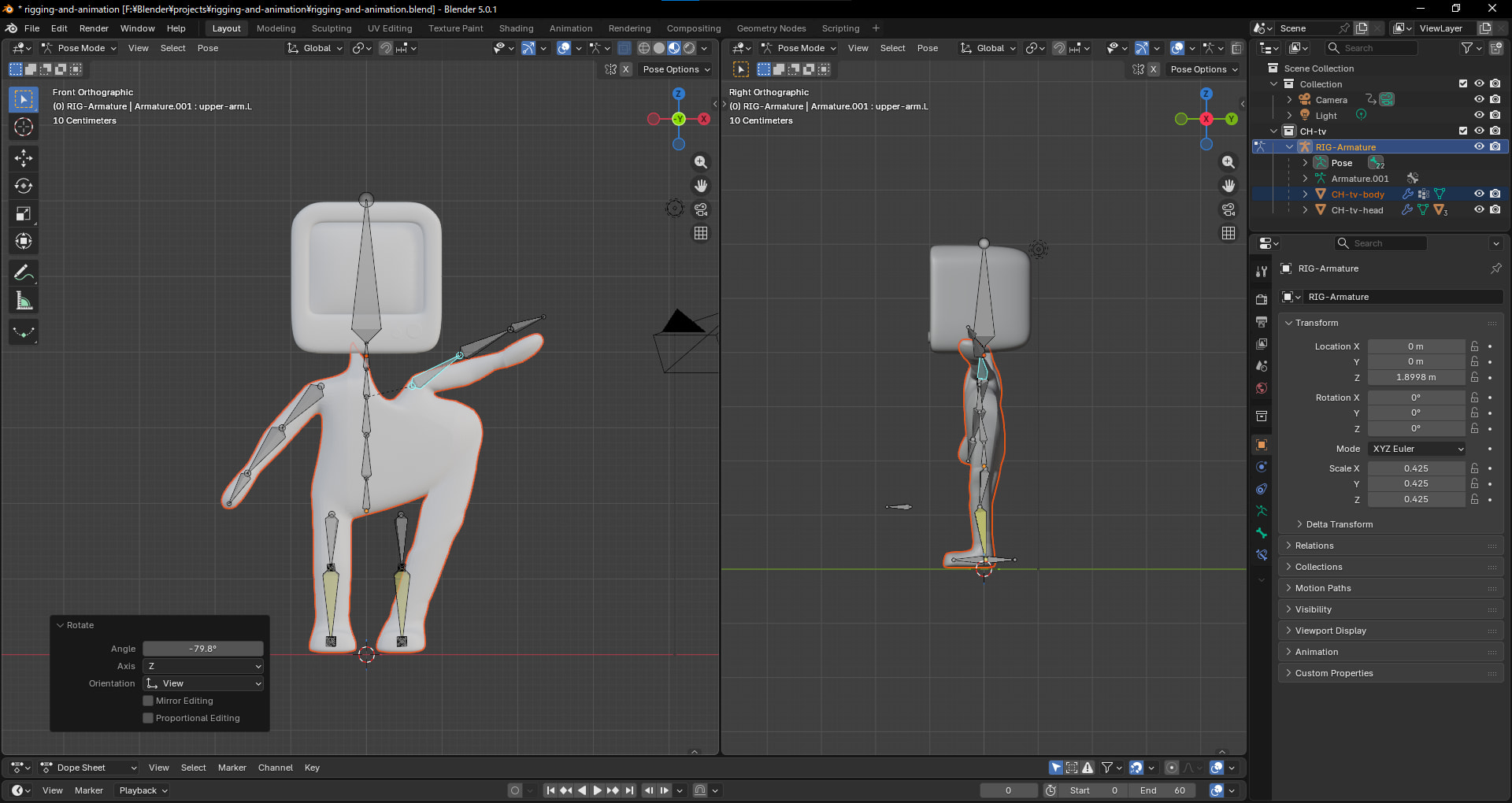
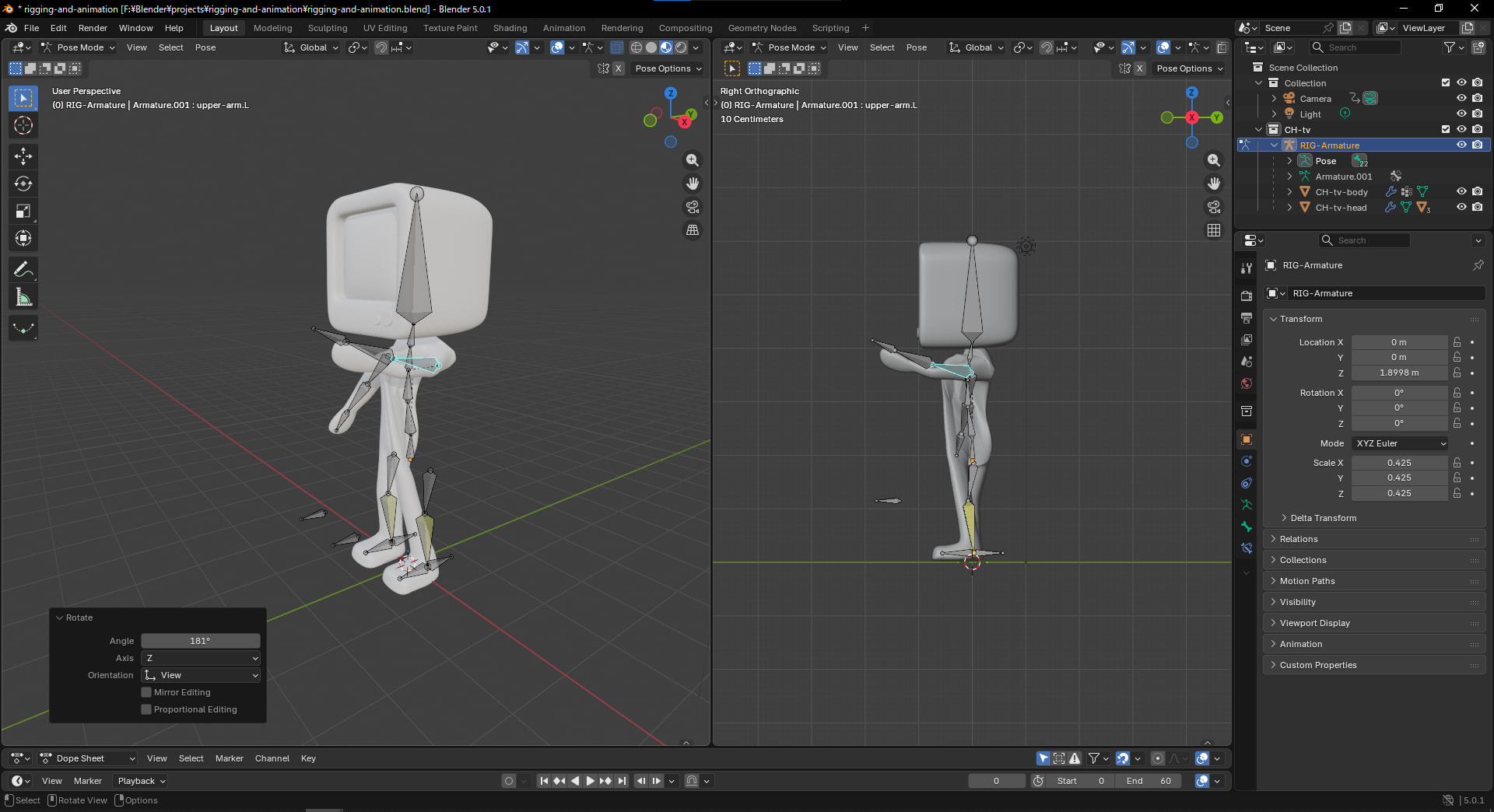
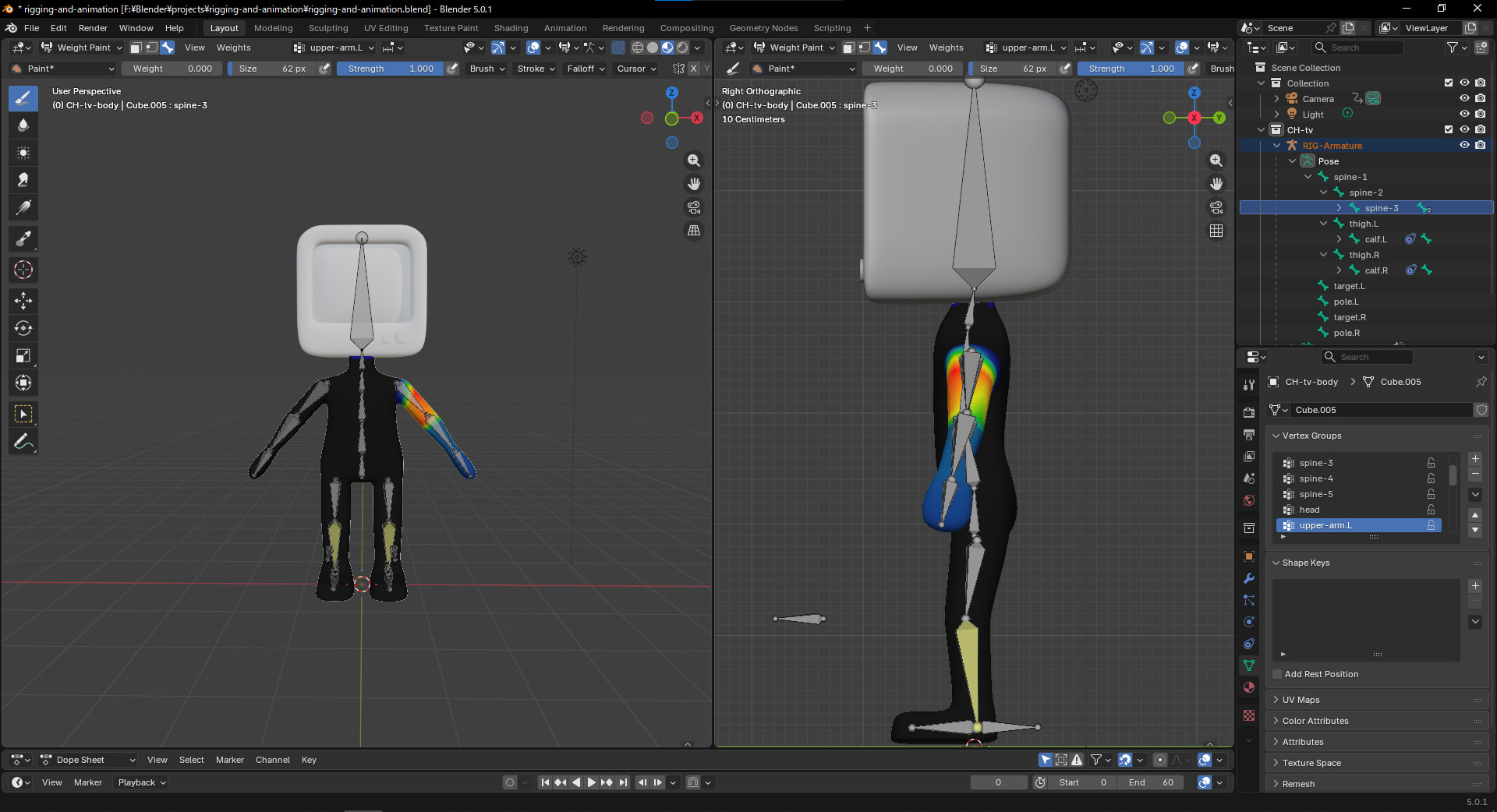
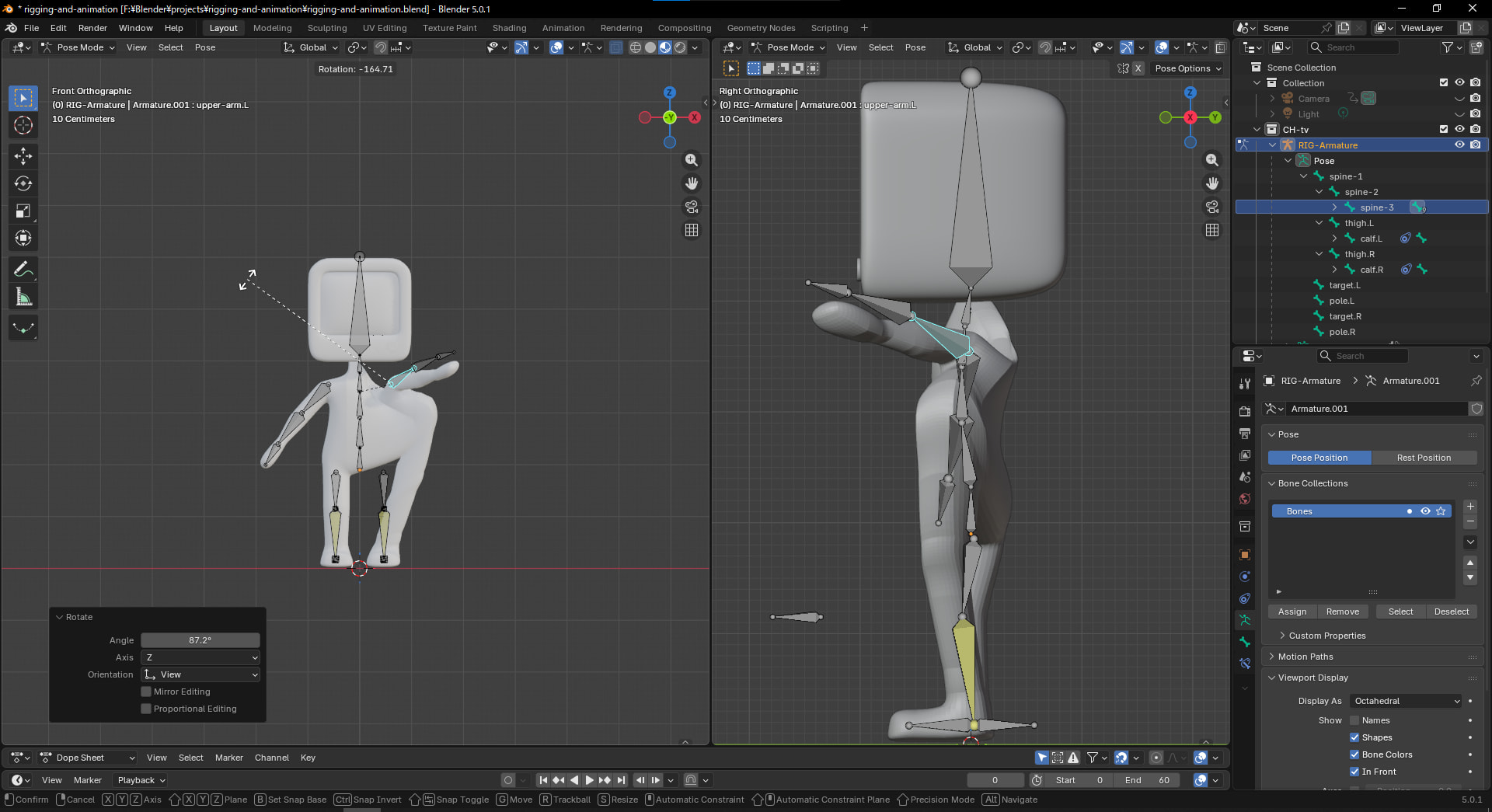
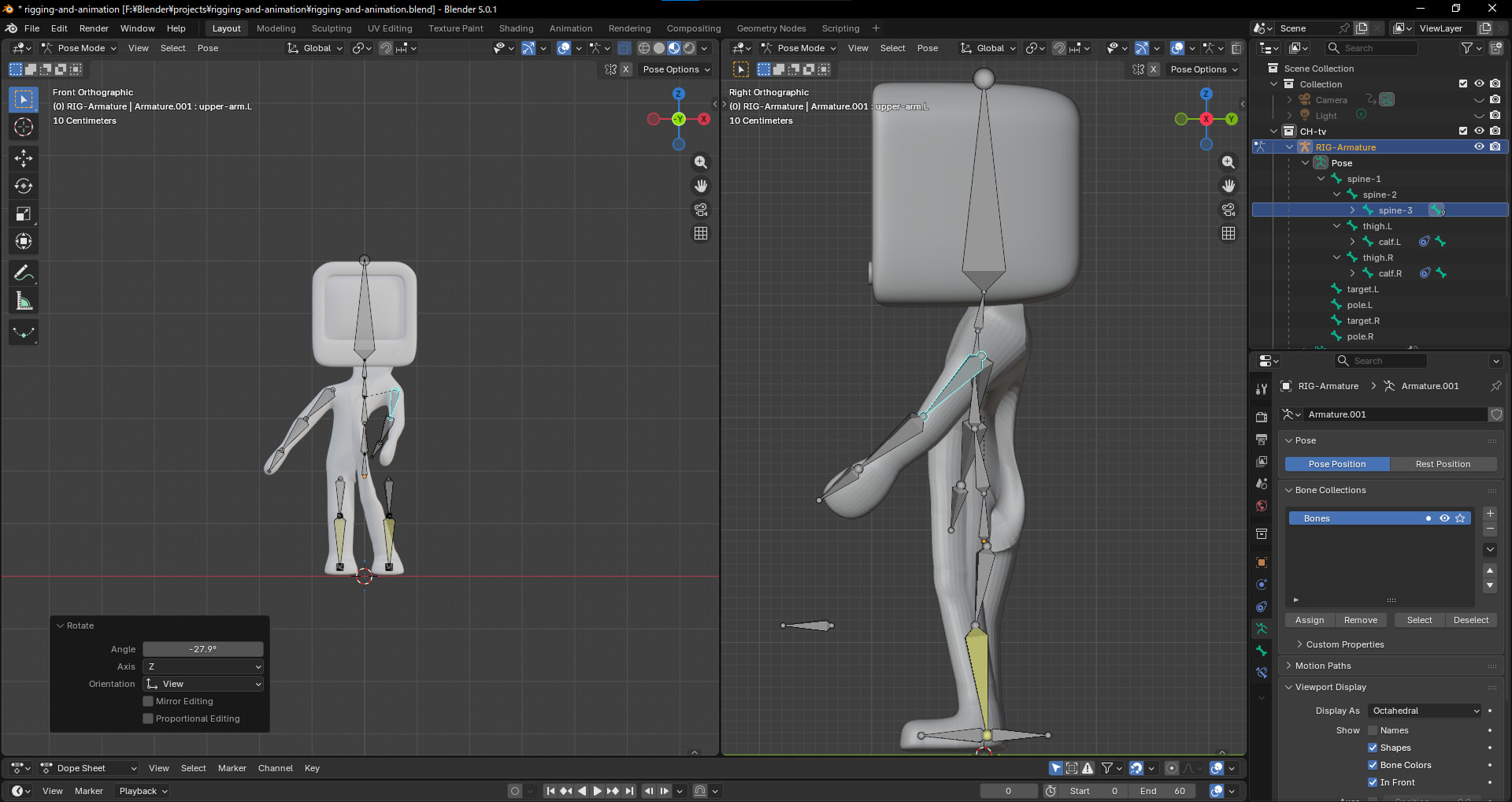
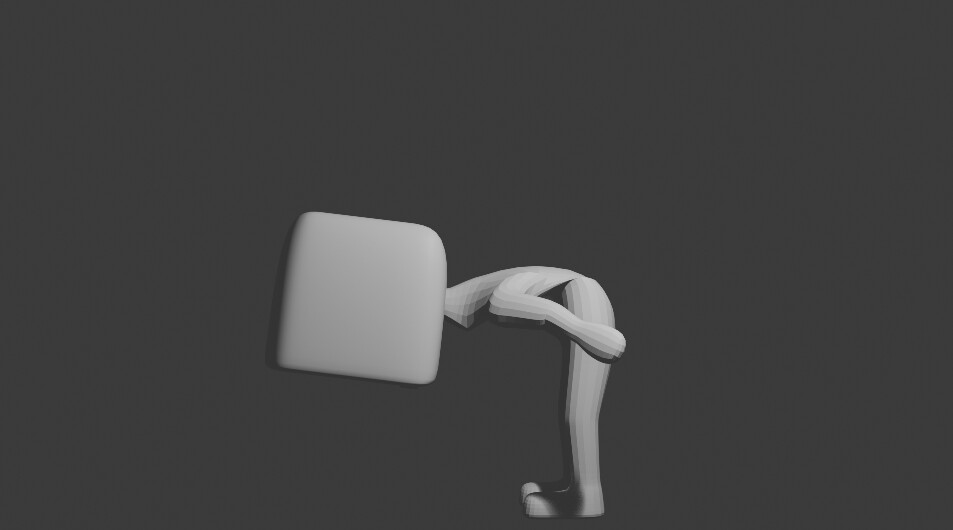
I’m currently working on a character rig in Blender 5.0.1, but I’ve run into an issue with the shoulder/torso area. Whenever I rotate the arm (shoulder) bone, the body mesh distorts and pulls along with it in an unnatural way.
I’ve already searched for solutions online and consulted Gemini for troubleshooting, but unfortunately, I haven’t been able to resolve the issue yet.
I’ve checked a few things but I’m not sure what the root cause is. Could it be one of the following?
Weight Painting: Maybe the arm bone has influence over the torso vertices?
Modifier Stack: Is the order of my modifiers causing this?
Bone Envelopes: I might have “Bone Envelopes” enabled by mistake.
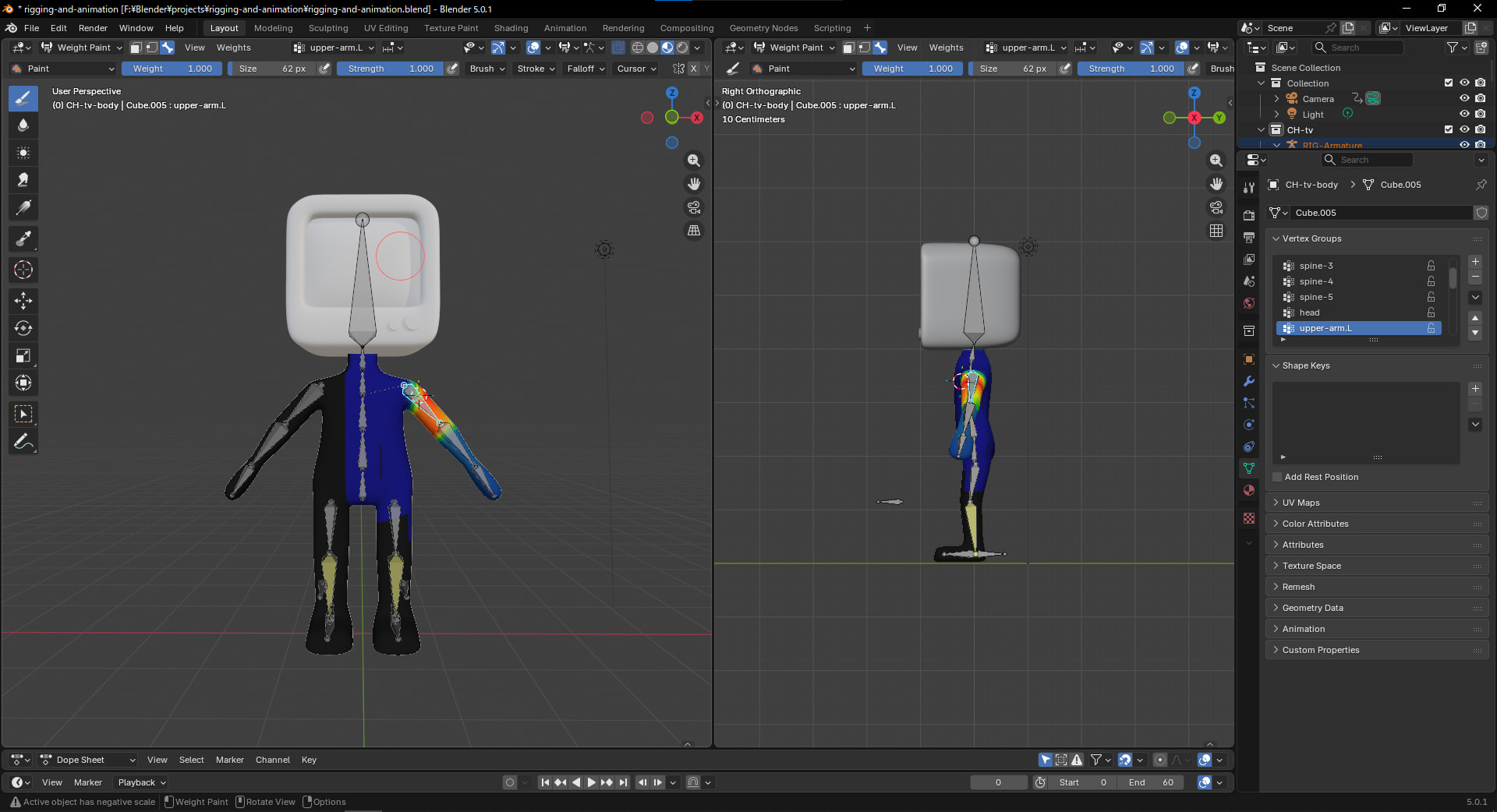
I have attached screenshots of the mesh deformation and my Weight Paint mode for the shoulder bone. Any advice on how to fix this or smooth out the deformation would be greatly appreciated!
I’m almost certain it’s a weight paint issue. Places you don’t want to be affected should be blue, and areas affected by the bone should be red. If you could show your weight paint map for the arm bone, we could say more, since there isn’t one included in your post, as you mentioned.
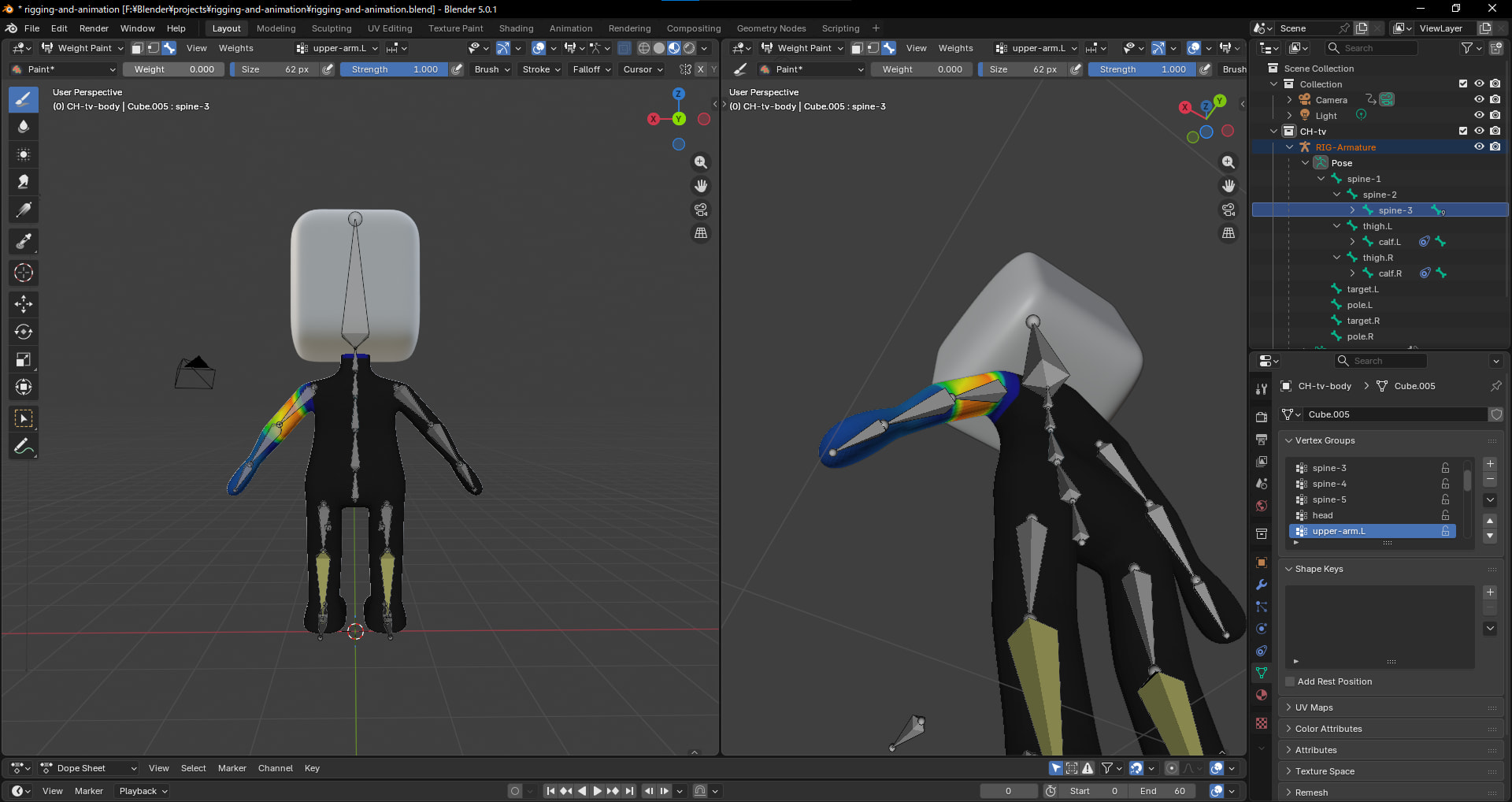
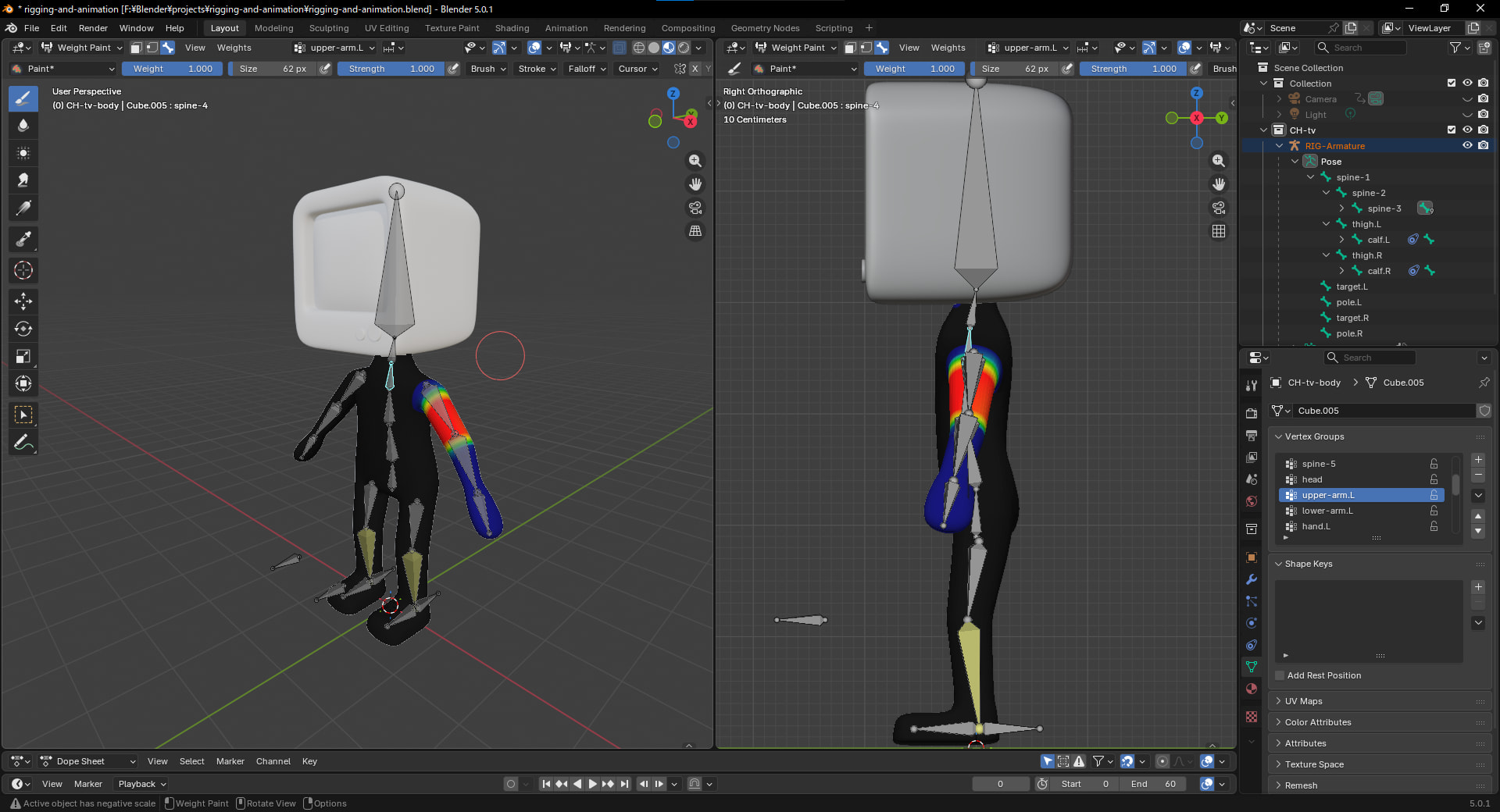
Sorry for the late reply, and thank you for pointing out that I missed the Weight Paint information. I have attached the screenshots of my Weight Paint setup below.
My workflow was as follows:
I selected the body mesh, then the armature, and used Ctrl + Shift + Left Click on the armature to enter Weight Paint mode for that specific bone.
I used the Paint brush to paint the front and back of the upper-arm area entirely red (Weight 1.0).
Finally, I used Ctrl + Left Click to paint the surrounding areas dark blue (Weight 0) to remove influence. (I also tried setting the brush weight to 0 to “erase” those areas to black, but the result remained the same).
Please let me know if you need any further information or specific screenshots of my settings. Thank you all for your help!
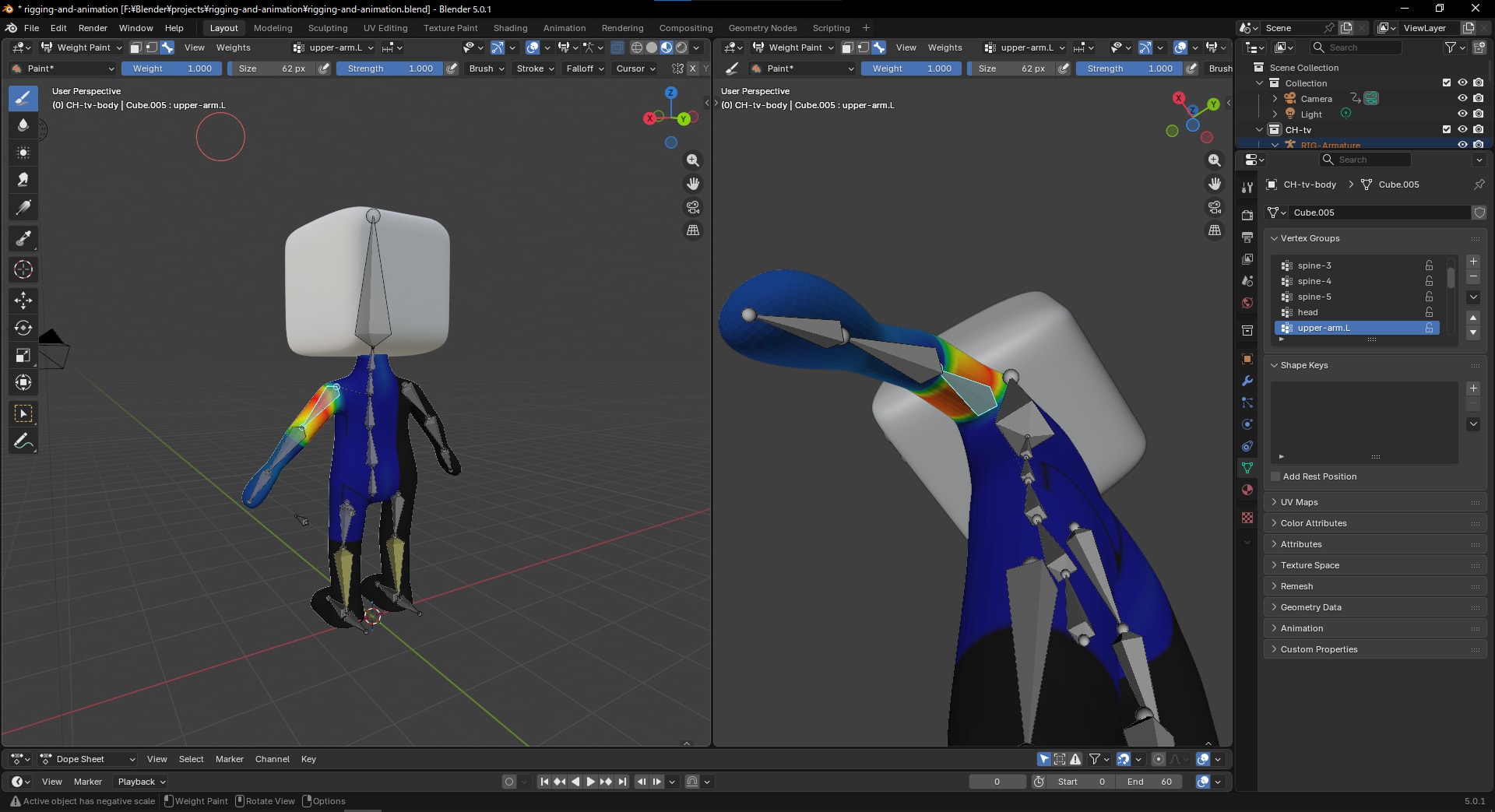
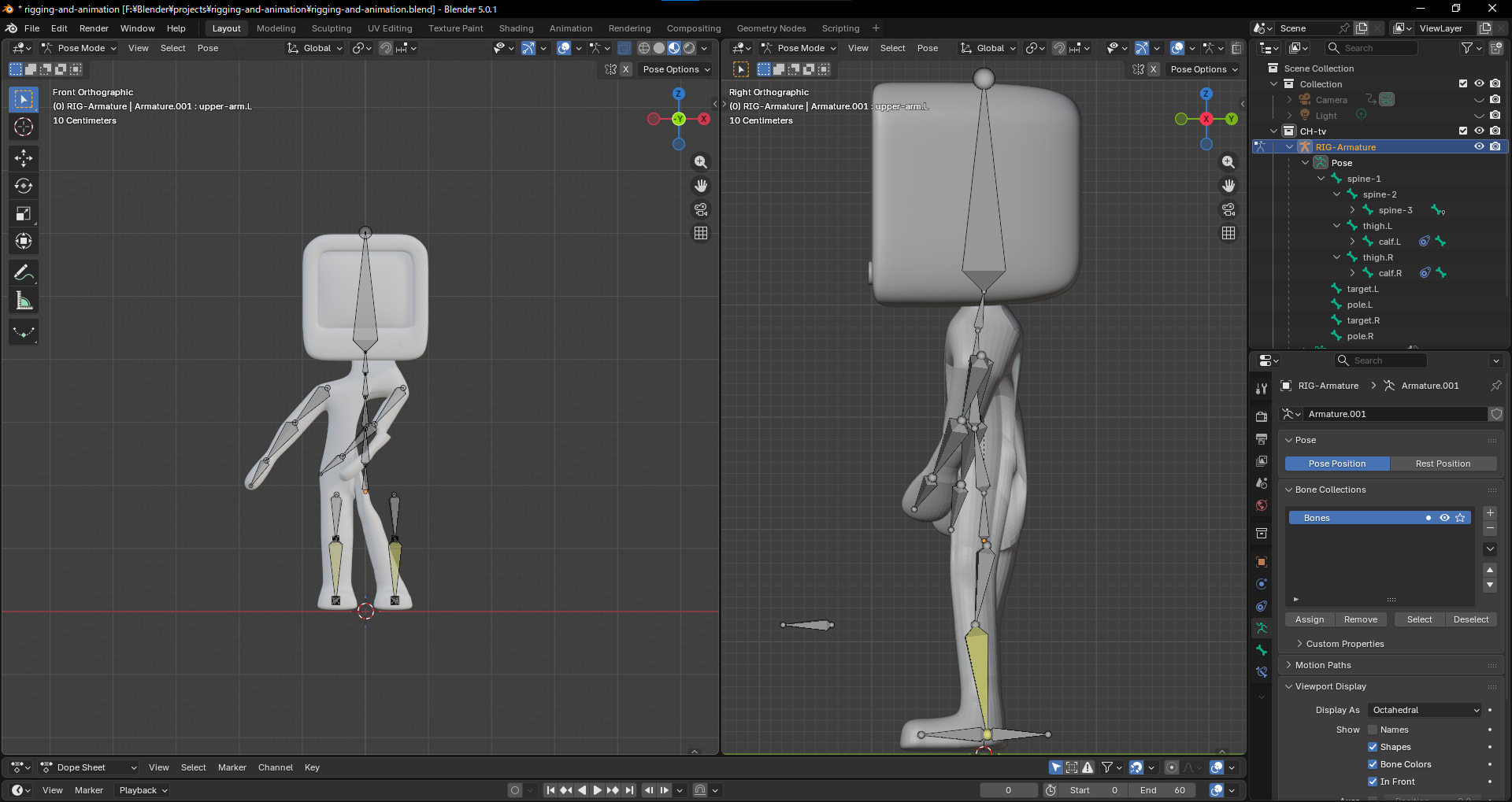
As shown in the image, the deformation is still unnatural. Should I try clearing the existing Vertex Groups before re-applying the weights, or is there another specific step I might be missing?
Thank you for the reply! I didn’t realize I could switch between different bones for Weight Painting so easily.
Following your suggestion, I tried the following steps:
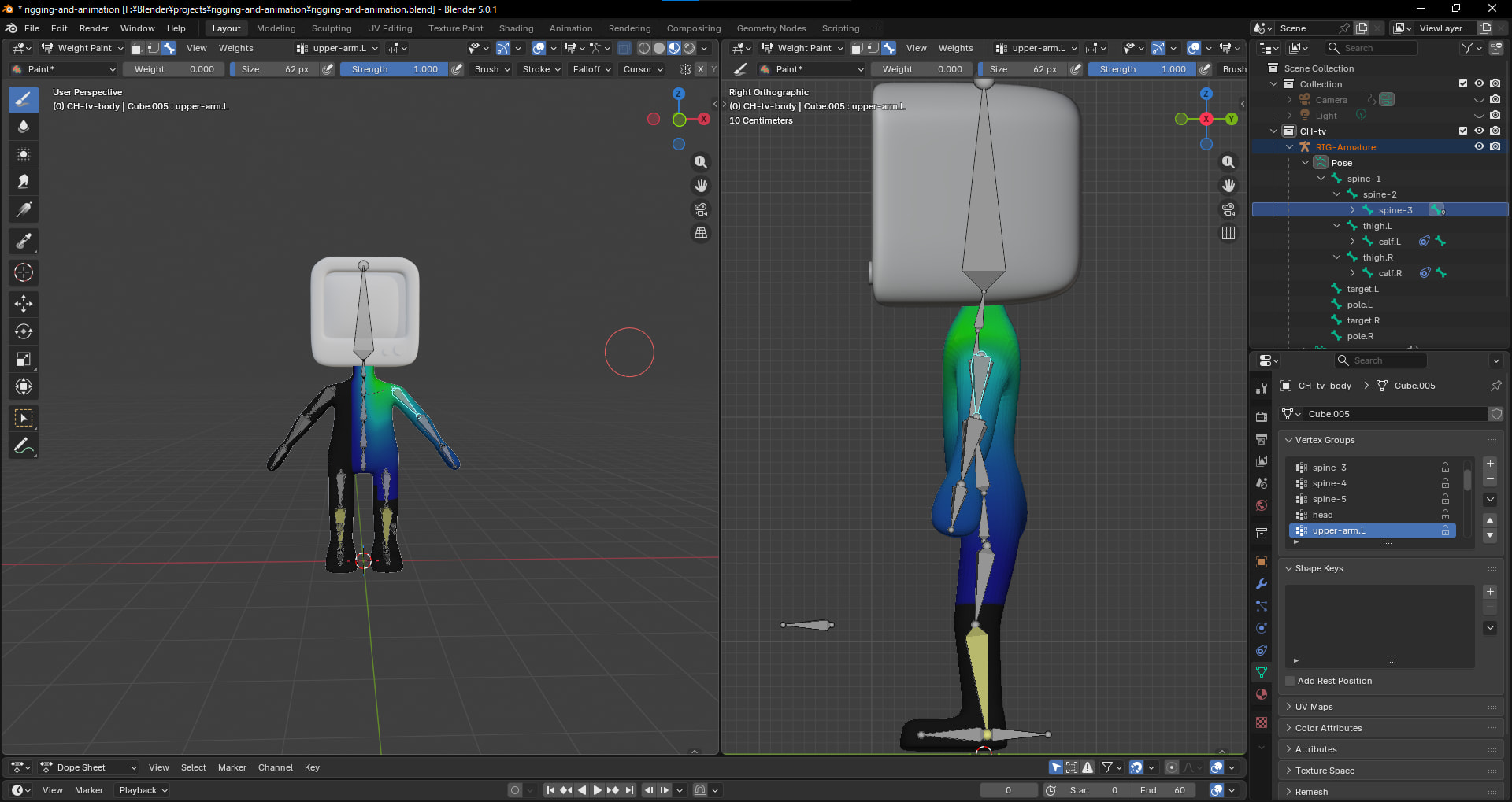
I went into Weight Paint mode.
In the Object Data Properties tab (the green triangle icon) on the right, I manually selected the upper-arm.L vertex group.
I repainted the weights for that specific bone.
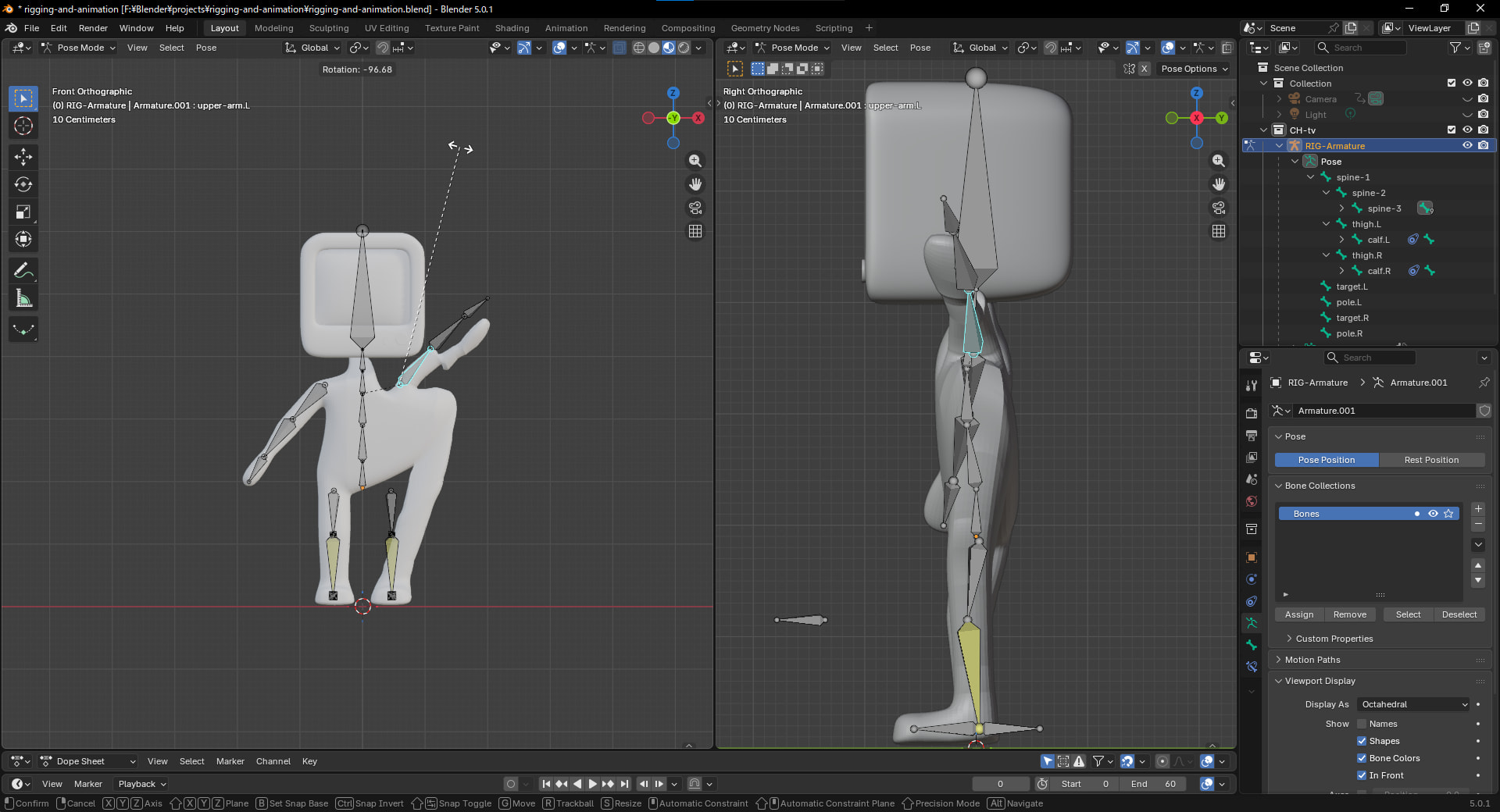
However, as you can see in the attached screenshot, the mesh still distorts unnaturally when I rotate the arm. Am I missing a specific step or some settings to prevent the torso from being pulled along?
Any further advice would be greatly appreciated. Thanks again for your help!
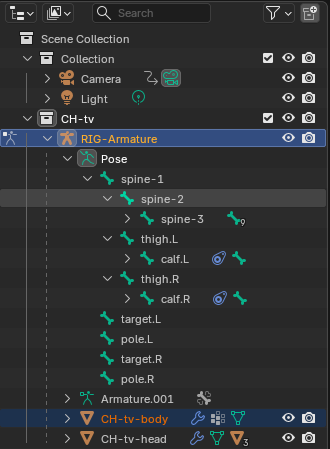
It still looks like a weight paint issue to me. The upper arm bone looks correct in your image, but the arm has two more bones, and each of them can have weight values. It would be best to check them one by one.
I also don’t think removing the blue area is a good idea. At this point, it might be better to clear all weight paint data and make sure there is no duplicate geometry on the body. Then reapply the armature as NP5 mentioned and test each bone separately if the issue still persists.
Thank you! I will follow your advice and start by removing all existing weight paint data for the arm bones to have a clean slate.
My plan is to:
Clear the Vertex Groups for the arm area.
Manually repaint the weights for the upper-arm, lower-arm, and hand bones.
Just to confirm: Should the other bones (like the torso or spine) remain as they are, or do I need to re-apply or clear their weight paint as well? I want to make sure no other bones are accidentally pulling on the arm mesh.
I’ll update you with the results once I’ve finished repainting. Thanks again for the guidance!
I went through each of the three arm bones (upper-arm, lower-arm, and hand) and carefully adjusted their weight paint. By removing the “bleeding” weights that had spilled over onto the torso (setting them to Weight 0/Black), I was able to rotate the arm without distorting the body mesh.
However, as you mentioned, having them completely black makes the muscle movement look a bit stiff/unnatural. I’ve realized that keeping a small amount of influence (light blue) at the junction where the arm meets the body might allow for a more natural, subtle movement of the torso.
Thank you so much for your guidance! This was a huge help in understanding how weight influence works.