When I go to Viewport shading, the cube is black. When I follow Mike’s instructions and change the base color under materials, it seems to work fine for him, but for me, it’s still black. When I change the emission color (the default of which is black), the color on the cube changes. My question is, why won’t the base color show on the cube? Is there anything I can do to make it to where it shows the base color instead of the emission color on the object? Is the issue just that my Blender 2.8 (I have the official release) is slightly different from the one in the video? Am I making any sense? I mean, I guess it’s not a huge deal, it’s just kind of confusing.
Are you previewing in Solid Mode or Render Mode
The last one will do the EMISSION.
So, I think you need to switch to Solid Mode. To do the other thing.
Note: Using Blender 2.8 Release Candidate
Sorry for any confusion - I’ve been using LookDev mode. Is that the same way? It seems that the color doesn’t change at all in Solid Mode.

So, here’s what’s happening:
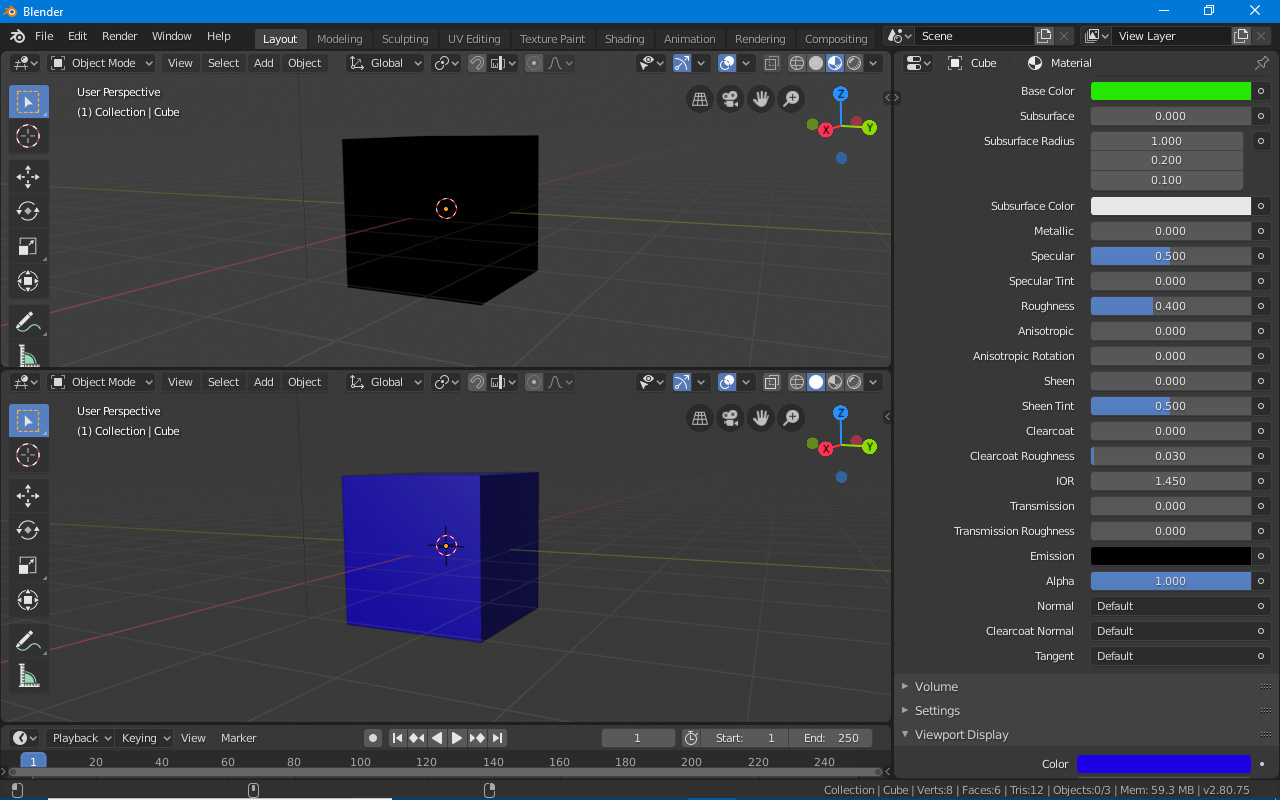
Now, when I switch from Eevee to cycles and turn on rendered mode, it looks like this:
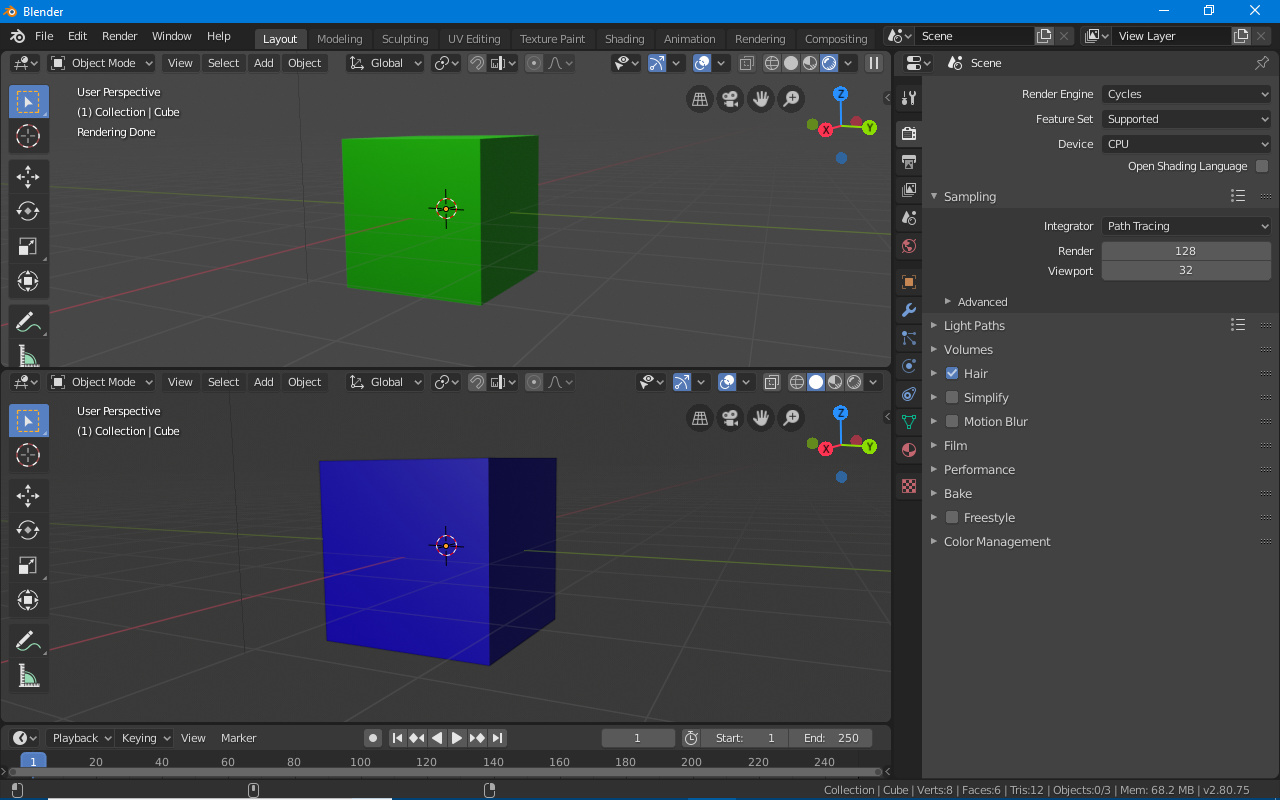
Is it a problem with Eevee? Part of the issue, too, is that if I’m using Eevee, even when I change emission color, the rendered object shows no texture - to where it looks like this:
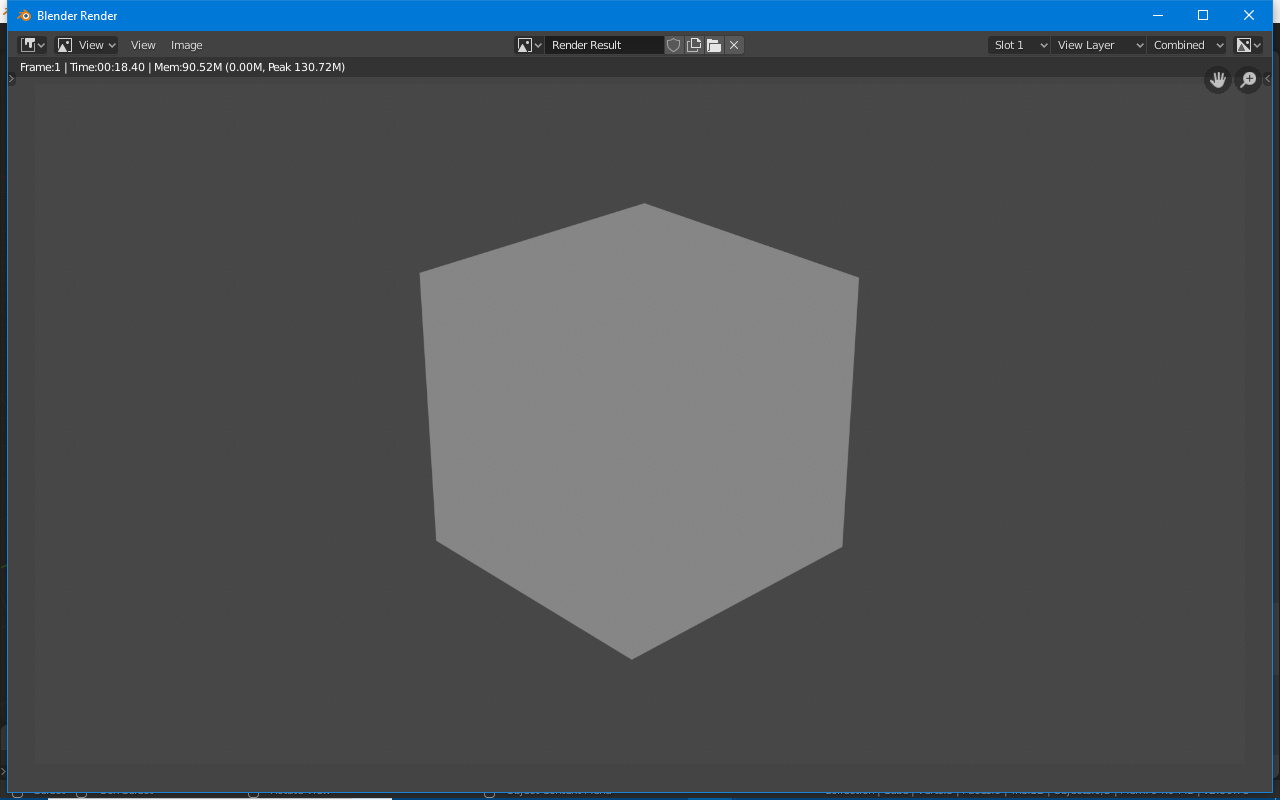
If I use Cycles, the edges show just fine, but it renders way too slow, so if you can please help me work around this issue, I’d rather use Eevee.
Do you have a LAMP and is it active in render mode?
Also strange is that your base color is GREEN, while it is displayed black.
Can you upload the bend file to this forum. I’ll look
Here’s the file you wanted:
RenderTest.blend (614.7 KB)
The icon next to the light is green, so I think it’s active.
Do you think it might be a hardware issue?
Hi, I’ve downloaded your file and nothing is wrong on my system.
I see in Cycles AND Eevee a green cube. In all type of display modes.
This raises the question, which version of Blender do you use.
Currently I’m using Blender 2.8 RC1 (Release Candidate 1).
Are you using the latest version?
Do you have installed external add-ons?
Maybe reset Blender to factory preset -> MAIN MENU ‘Édit’ > ‘Preferences’ >bottom left hamburger menu icon -> choose factory settings.
What does the Blender Python console say?
(Change display type to Python console with Shift f4), maybe giving errors.
It’s a strange problem, don’t give up. @Michael_Bridges
Thanks for your suggestions.
They just came out with the official release, and that’s the one I’m using. I don’t have any add-ons installed. I tried factory resetting the preferences, but I’m still experiencing this issue, and there doesn’t seem to be any errors from looking at the Python console. Maybe it’s my computer?
I’ve been watching the thread and also supporting this on the Q&A and i still think this is down to a drivers issue.
I would remove the display drivers and install from fresh and if that is not the case then it may be that blender 2.8 is just too much and 2.79 is the limit for the machine.
Blender 2.8 has some issues with integrated graphics
This topic was automatically closed after 7 days. New replies are no longer allowed.