
Backface culling options, not where they are in video

So i had to find the backface culling options my self. (google helped). In solid mode the option drop down has a backface culling toggle. However for material and rendered views the option is actually in the materials properties tab.
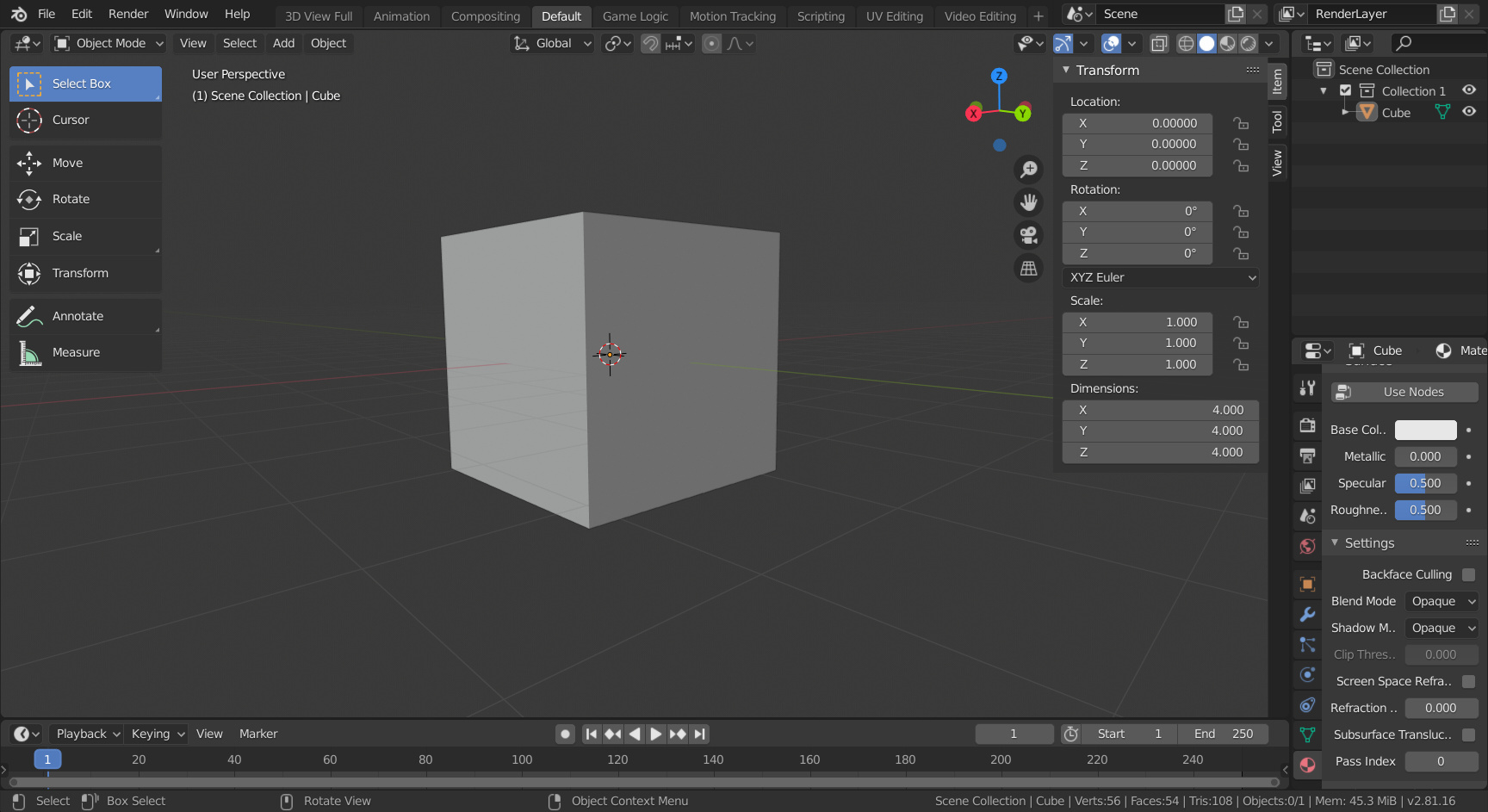

Also for what Micheal switched on us to see if we’d notice was that he changed the header bar into a footer bar.
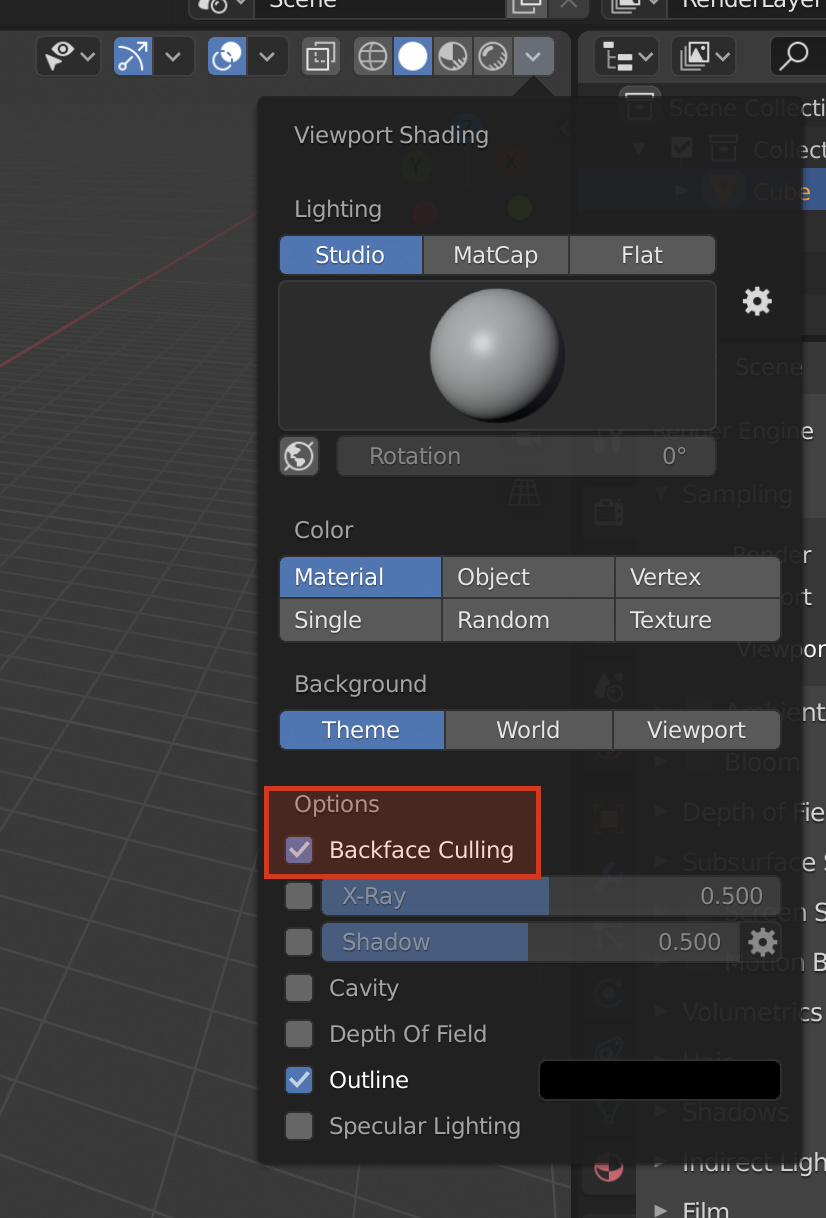
Yes because he is using 2.8 beta or something and I guess just like me you are using 2.81

I found mine in the Material Preview mode options instead.

Hi Guys,

Just for future reference.
In order for questions like these to reach the teaching assistants like myself the questions need to be tagged as ASK not SHOW as we filter by the ASK tag in our daily checks.
I’ve edited this one and marked the solution (thank-you canuklesandwich) but please note for future reference as i do respond in the Q&A on Udemy and here if they are marked correctly

Glad you guys found a solution for this :slight_smile: