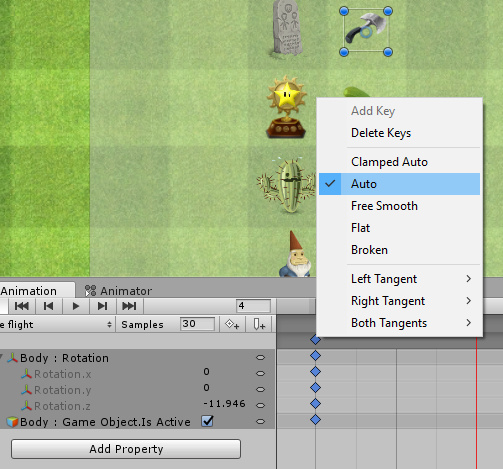
I am currently in the Glitch Garden section and all my animations so far will not cycle properly, I am following Ben’s instructions, reviewing the component’s settings, rewatching the videos, but it seems pointless. I have tried different settings and options, but they will not work as well.
I will give you two examples that really got into my nerves:
The first one IS ALREADY FIXED, but it happened when I tried to create the clips for the lizard to spawn, walk and attack. He only jumps once and begins to walk (that is OK so far), but when walking, the last frame would not connect properfly to the first one to create a smooth walking animation. The same thing happened to the Attacking clip, the last frame would not connect to the first one to have a smooth animation. I simply added a keyframe after the last frame and it miraculously solved my problem, both walking and attacking animations were functioning OK after that.
The second example is not working even after all my efforts. In this situation, I am trying to animate the Axe (projectiles in general) by making it rotate 360 (form 0º to -359º) and the same thing is happening, the last frame will not connect properly to the first one in order to have a smooth animation. It looks like the animation clip is slowing down its velocity (but it is not) all the way to the last frame, then, it will not cycle properly like the ones in Ben’s videos.
As mentioned, I have changed the settings in the components, the clips, controllers, but the animations will not cycle smoothly, even after adding a keyframe. I am adding some screenshots of the component and animations clips. Here is my screen, I have more attackers and one extra defender so far.
I have also posted this in the Udemy Q&A, you can check the link here.
I will be glad to answer any questions, I hope I made myself clear.