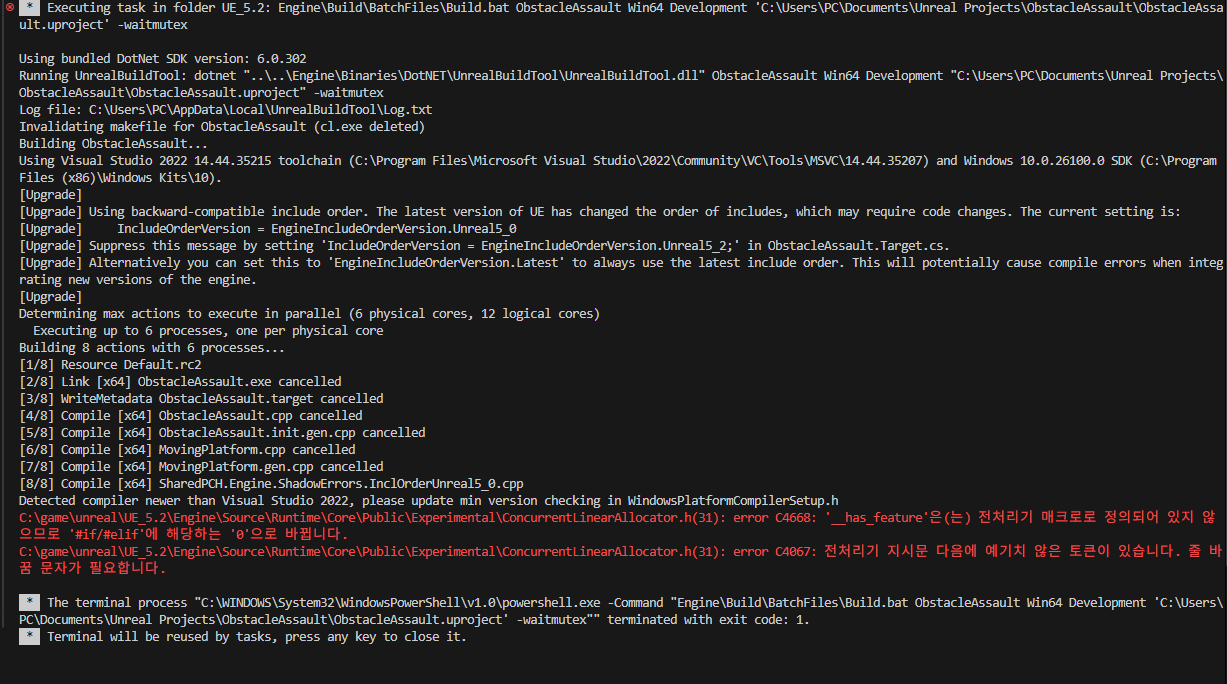
Hello. I am currently taking an Unreal C++ course, and while following the Obstacle Assault lecture, I ran into a problem. After pressing Ctrl + Shift + B in Visual Studio Code and selecting ObstacleAssault Win64 Development build, I encountered the issue shown in the screenshot.
The Korean text in the picture translates as follows.
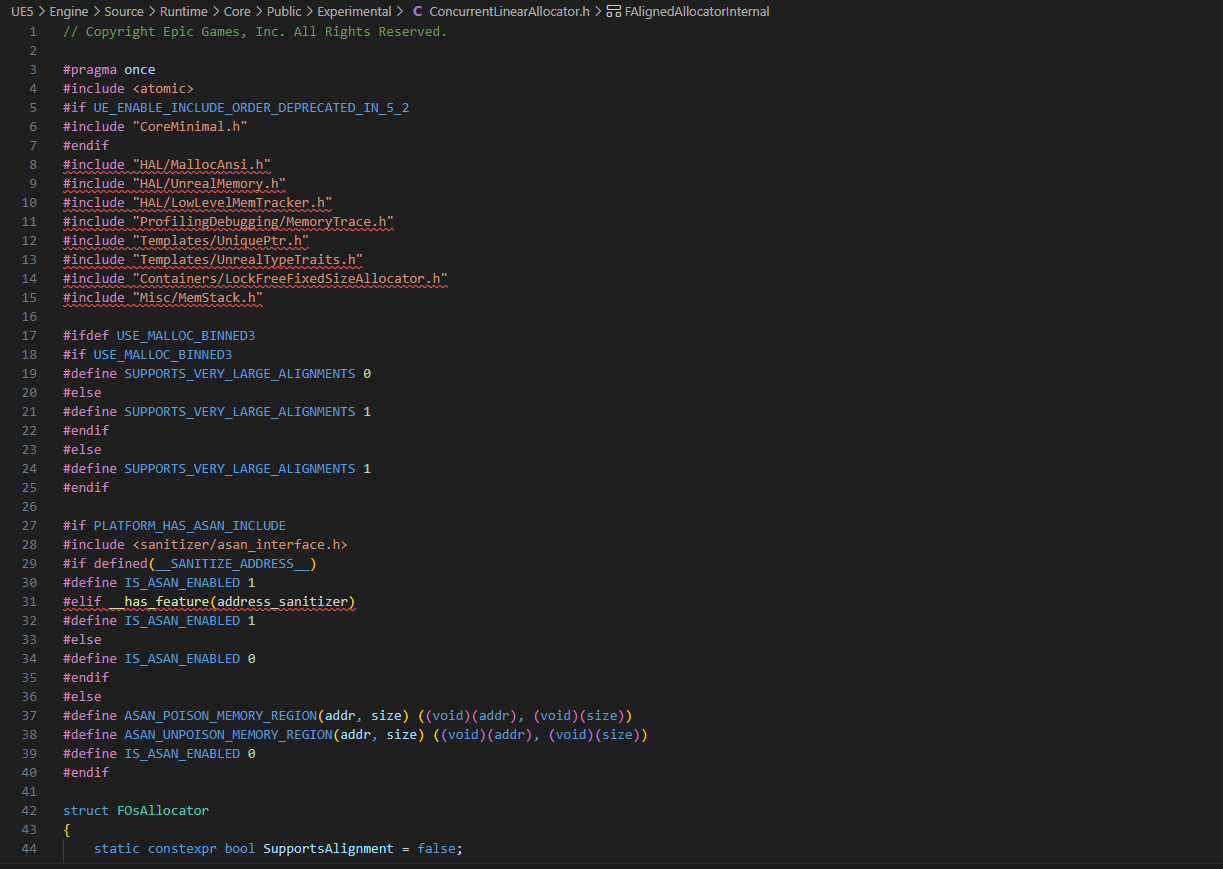
C:\game\unreal\UE_5.2\Engine\Source\Runtime\Core\Public\Experimental\ConcurrentLinearAllocator.h(31): error C4668: ‘__has_feature’ is not defined as a preprocessor macro, so it is replaced with ‘0’ for ‘#if/#elif’.
C:\game\unreal\UE_5.2\Engine\Source\Runtime\Core\Public\Experimental\ConcurrentLinearAllocator.h(31): error C4067: unexpected tokens following preprocessor directive — expected a newline.
- The Visual Studio version is 2022.
- The Unreal Engine version is 5.2.1.
The issue might stem from using a different compiler version than what Unreal Engine was originally built with (side-note, are you using a source-version of the engine?)
You can make sure you’re using the most compatible version of visual studio and MSVC at: https://dev.epicgames.com/documentation/en-us/unreal-engine/setting-up-visual-studio-development-environment-for-cplusplus-projects-in-unreal-engine
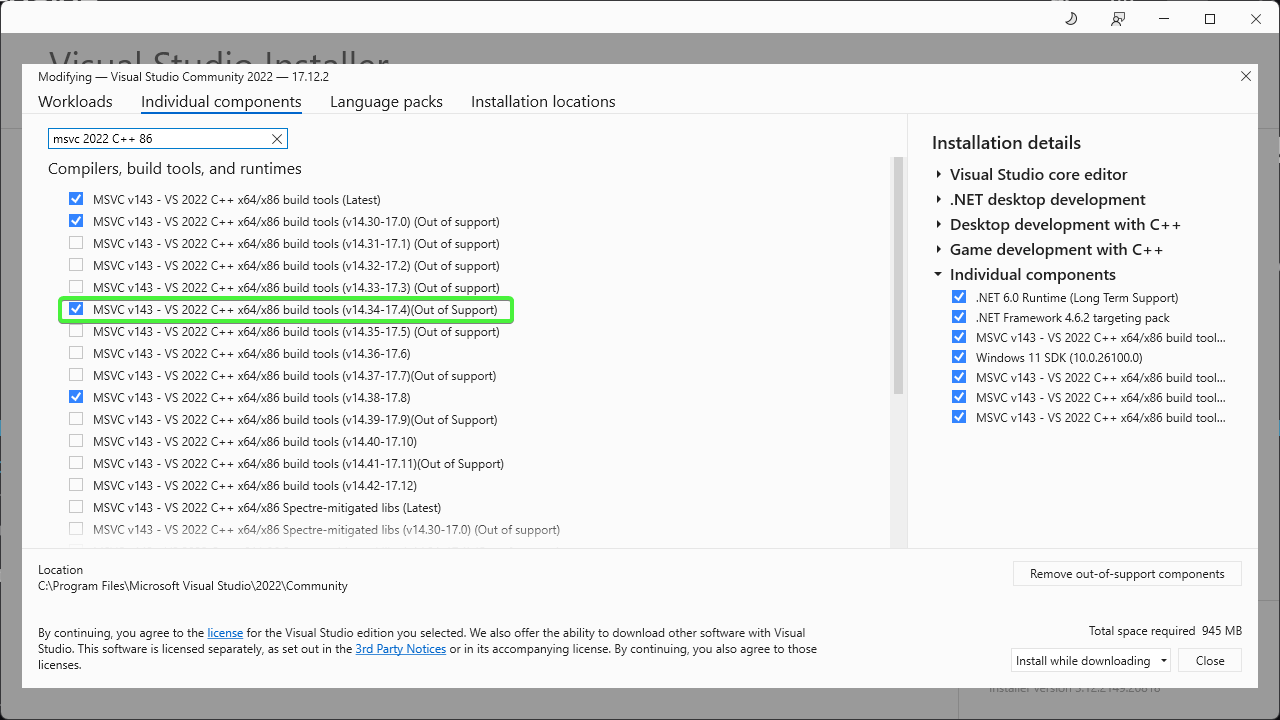
For MSVC, you will likely need to add it as an additional component for Visual Studio setup. The instructions I linked above show you how to modify your existing installation. But the version of MSVC you’re likely looking for is this one:
Thank you so much for your help! As you suggested, I downloaded MSVC and upgraded Unreal Engine to 5.6, and now the build works fine!
I’m really sorry to bother you again, but may I ask just two more questions?
Q1. Can I safely ignore the red underlines I see in the code?
Q2. Is it okay if I first create the project and then place the assets into the folder? (The reason is that the assets shown in the lecture are no longer available in the store, so I think I’ll need to copy and paste the files the instructor provided.)
I’m sorry for asking so many questions when you must be busy.
Q1: You can resolve those by using Tools→Refresh Project from within Unreal
Q2: If you are using 5.6 then you should go see the new Course which should be added to your library for free. It is currently being remastered for 5.6 and all assets are available for that course at the time of writing.
Thank you for your help! Have a good day 
1 Like